Free Download For Win & Mac | 100% Clean & Secure
Beauty Filter
What is Beauty Filter in FocuSee, and how does it improve your recordings?
Camera Beauty is a built-in webcam enhancement feature in FocuSee that helps you look more polished and professional while recording videos. With a single Beauty slider, FocuSee intelligently balances skin smoothing and skin whitening, allowing you to achieve a natural-looking appearance without complicated adjustments.
Whether you're recording tutorials, online courses, product demos, or presentations, Beauty Filter helps you look polished and confident on camera. All adjustments are applied in real time, allowing you to preview the effect before and during recording.
Computer System Requirements
To ensure the best experience when using the Beauty Filter function, please make sure your computer meets the following requirements.
Windows
• Operating System: Windows 10 or later
• Processor: Intel i5 or above, dual-core 2.9 GHz or higher
• Memory: At least 8 GB RAM
Mac
• Operating System: macOS 10.15 or later (macOS 12.3 or later recommended)
• Processor: Apple M1 or later, or Intel-based Mac
• Memory: At least 8 GB RAM
Step 1. Download and Install FocuSee.
Visit the official website to download FocuSee onto your computer. Please ensure your internet connection is stable during the download and installation process. Then follow the on-screen instructions to complete the installation.
Click here for a complete walkthrough of the download and installation process.
Step 2. Launch FocuSee and Enter Editing Interface.
After launching FocuSee, you can either create a new recording or import an existing video. Once your video is ready, you will enter the editing interface where all editing features are available.
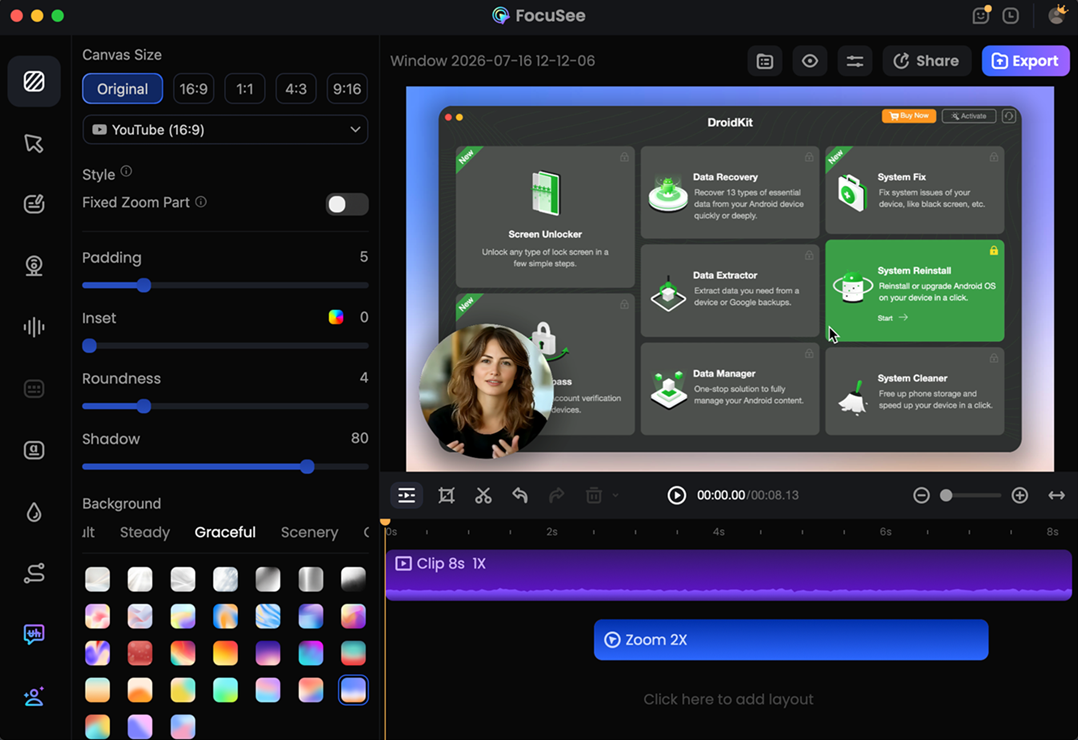
Enter Editing Interface
Step 3. Enable Beauty Filter.
In the left-side editing panel, click Camera to expand the camera settings. Then, turn on the Beauty Filter toggle to enable the effect for your webcam footage.
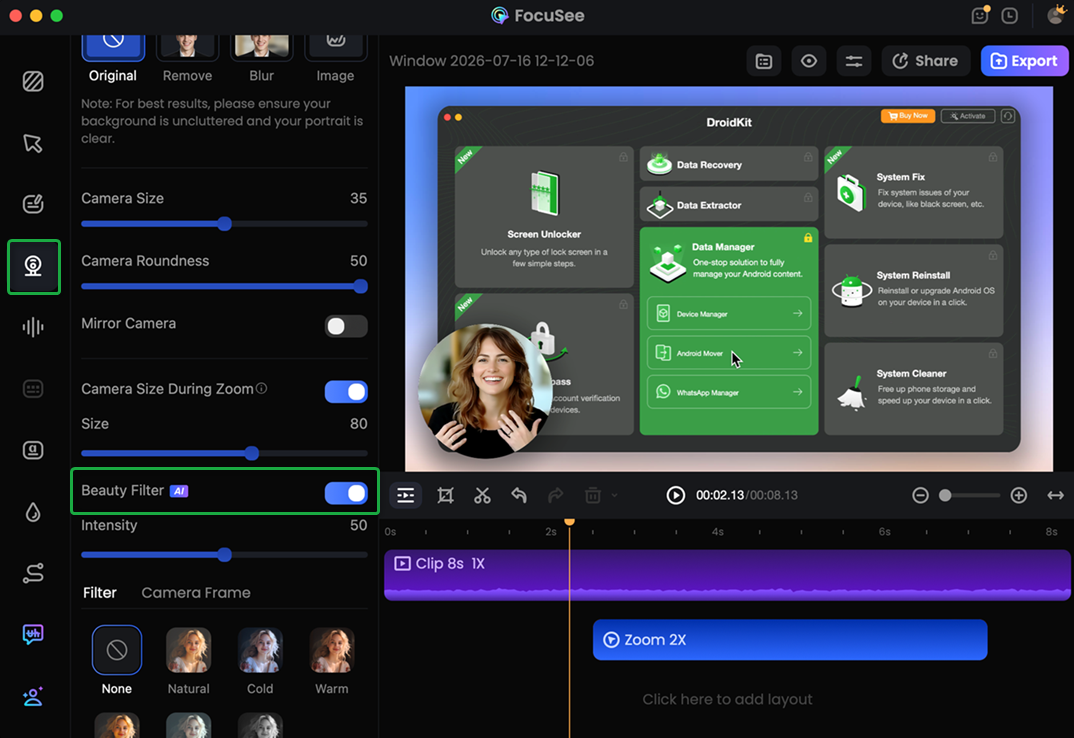
Enable Beauty Filter Option
The AI-powered Beauty Filter is free to use and doesn't consume any credits, so you can enable it whenever you need without any limitations.
Step 4. Adjust the Beauty Intensity.
Use the Intensity slider to control the intensity of the effect. Drag the slider left or right until you achieve your preferred look. You can preview the changes in real time before exporting.
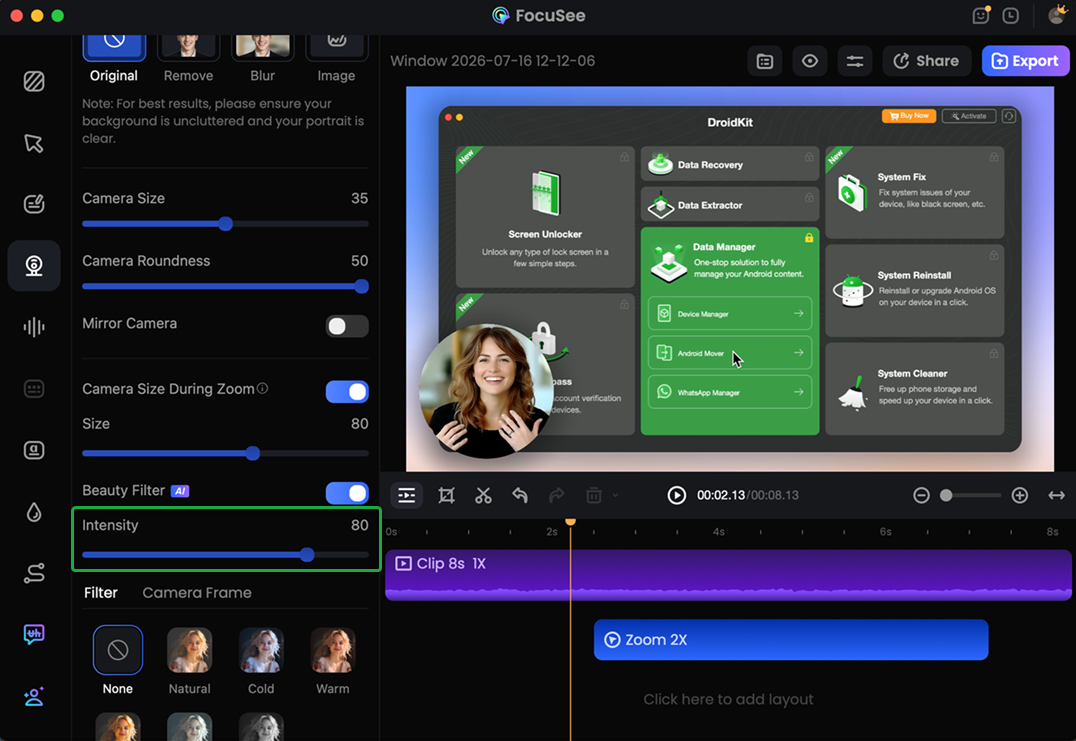
Adjust the Beauty Intensity
Step 5. Export Your Video.
Once you're happy with the result, click Export in the upper-right corner. Choose your preferred export settings, then click Export again to save the video with the beauty effect applied.
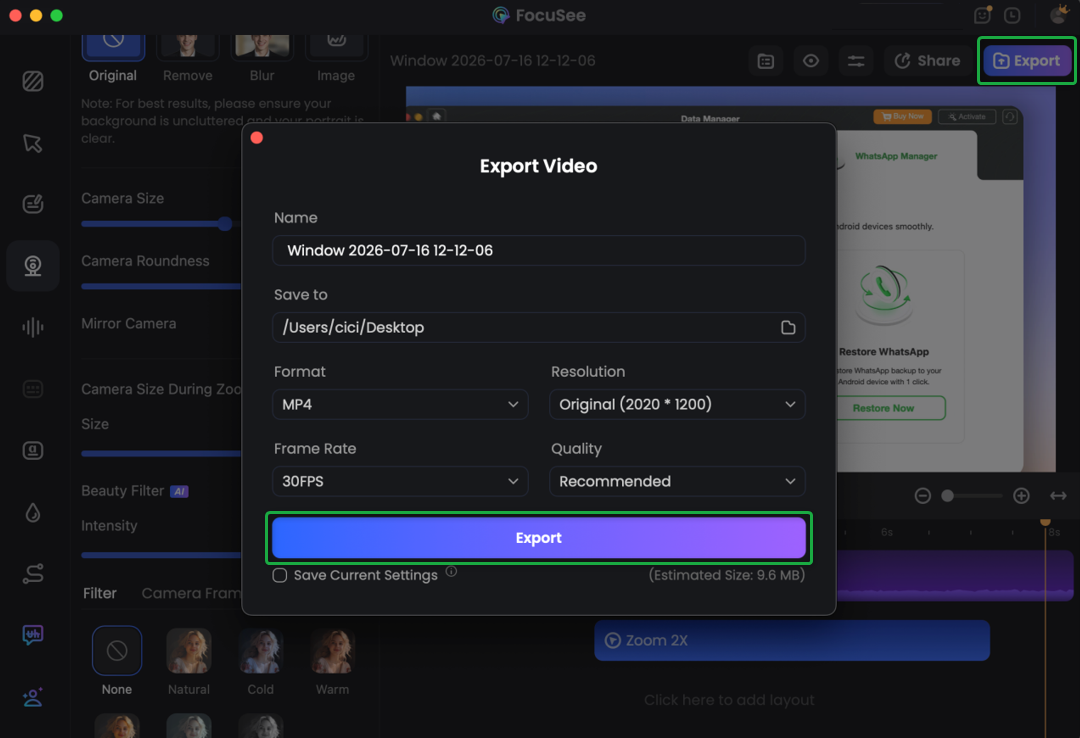
Export Your Video
If you have further questions after reading this guide, please refer to FAQs page to check more solutions. Or you can contact our Support Team to get further help. We are here to help you!
FocuSee Beauty Filter FAQs
1. How do I enable Beauty Filter?
Open your project in the editor, select the camera overlay, and turn on the Beauty Filter switch.
2. Can I adjust the beauty intensity?
Yes. Drag the beauty intensity slider to increase or decrease the enhancement level.
3. How does the beauty intensity change?
The beauty intensity combines skin smoothing and skin whitening into one simple adjustment.
4. Can I preview the effect before exporting?
Yes. The editor updates the preview immediately as you adjust the beauty intensity slider.
5. Does Beauty Filter affect the original recording?
No. Beauty Filter is a non-destructive editing effect. Your original recording remains unchanged, and the effect can be adjusted or turned off at any time before exporting.
6. Can I remove the beauty effect later?
Yes. Simply turn off the Beauty Filter switch to disable the effect.
7. Why can't I find the Beauty Filter option?
Beauty Filter is available only for projects that include webcam footage. If your recording doesn't contain a camera overlay, this option won't be displayed.

Try It Out & Share Your Feedback!

We'd love to hear how FocuSee is working for you.
Give it a try and share your thoughts—your feedback helps us keep improving.
If you're enjoying FocuSee, we'd be so grateful if you could leave us a review on Trustpilot. Your support helps others discover FocuSee and motivates our team!

Thank you for being part of the iMobie community — we couldn’t do it without you!
Try It Out & Share Your Feedback!
We'd love to hear how FocuSee is working for you.
Give it a try and share your thoughts—your feedback helps us keep improving.
If you're enjoying FocuSee, we'd be so grateful if you could leave us a review on Trustpilot. Your support helps others discover FocuSee and motivates our team!
Thank you for being part of the iMobie community — we couldn’t do it without you!