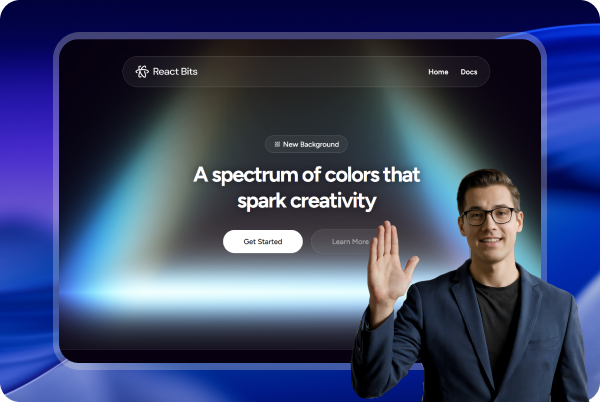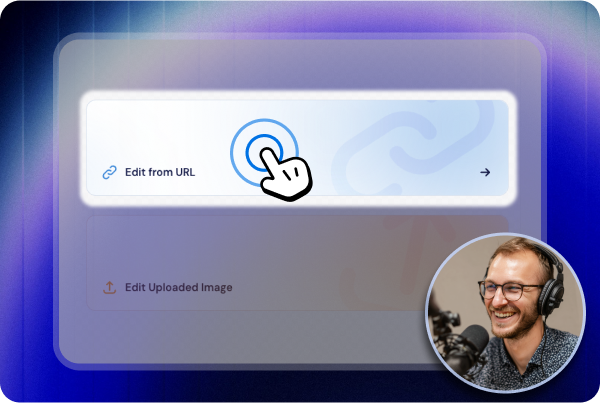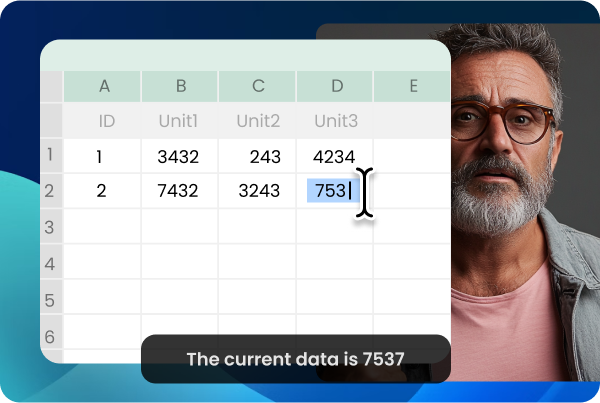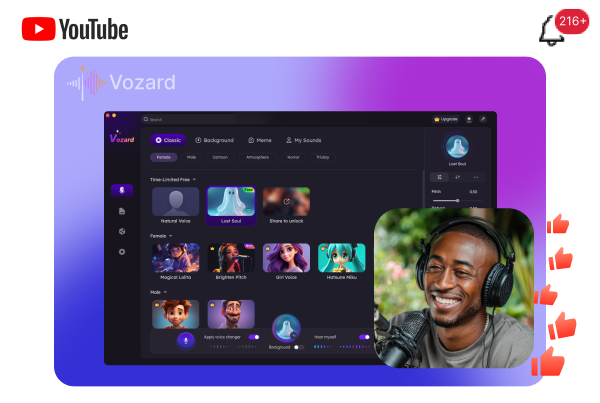

Record Your Screen.

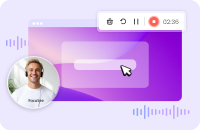
You record, FocuSee perfects the rest automatically. No setup, no learning curve, no hours of editing. You get a stunning, share-ready video the moment you hit stop.

Free Download

Available on:

win mac

See Pricing

60-Day Money Back Guarantee

AI Visual Focus: Bring Cinematic Effect and Clear Emphasis to Your Videos

Keep your audience focused on what matters most. With AI tracking, upgraded auto-zoom, and cursor styles, the view follows your important actions, ensuring every crucial moment is prominently displayed.

Automatic Zoom

Auto zoom follows clicks and typing sections to emphasize key actions. Guide viewers’ attention and keep videos polished with smooth transitions — no manual keyframing needed. (Typing-section zoom: Mac now, Windows soon.)

3D Motion

Add tilt and perspective to create cinematic 3D motion that follows your cursor. Skip pro editing. Instant visual impact in one click.

Annotation Suite

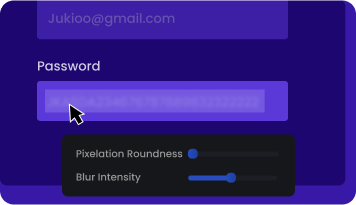
Text, shapes, arrows, callouts, spotlights, and blur effects help deliver clear on-screen explanations, guide attention, and hide sensitive information. Stack multiple elements to keep every step easy to follow. (Callouts: Mac now, Windows soon.)

Automatic Zoom

Auto zoom follows clicks and typing sections to emphasize key actions. Guide viewers’ attention and keep videos polished with smooth transitions — no manual keyframing needed. (Typing-section zoom: Mac now, Windows soon.)

3D Motion

Add tilt and perspective to create cinematic 3D motion that follows your cursor. Skip pro editing. Instant visual impact in one click.

Annotation Suite

Text, shapes, arrows, callouts, spotlights, and blur effects help deliver clear on-screen explanations, guide attention, and hide sensitive information. Stack multiple elements to keep every step easy to follow. (Callouts: Mac now, Windows soon.)

Intelligent Cursor, Personalized Style

FocuSee's intelligent cursor understands the perfect balance of presence and absence. It appears gracefully when direction is needed and fades during focused moments. When it appears, you can go beyond the default look with a wide range of cursor appearances, lively click animations and sounds.

Learn More

Dress Up Your Cursor

mouse_style
mouse_style
mouse_style
mouse_style
mouse_style
mouse_style
mouse_style
mouse_style
mouse_style
mouse_style

Preview Flair in a Click

mouse_style view
mouse_style view
mouse_style view
mouse_style view
mouse_style view
mouse_style view
mouse_style view
mouse_style view

Accelerate Your Post Production: 50% Faster with AI

Video Enhancement with AI:
Faster, Smarter, Better

AI Virtual Avatar
AI Subtitle Generation
AI Background Removal

If you face privacy concerns, camera shyness, or brand needs, FocuSee AI Avatar is your ideal solution to create a digital persona. From professional business presentation to casual content creation, you can find the perfect virtual presenter while maintaining video interactivity without being on camera.

Learn More

No matter what language you speak, whether it is English, French, or even less common languages like Swedish, FocuSee supports speech recognition in over 50 global languages. Subtitles are automatically generated with an accuracy rate of over 98%, making your editing process faster and your content more accessible.

Learn More

Record webcam from home with a messy room or an office space you'd rather not share? No green screen is needed. FocuSee blurs or replaces your background in post-production, transforming it into a studio-quality environment.

Learn More

AI Virtual Avatar

If you face privacy concerns, camera shyness, or brand needs, FocuSee AI Avatar is your ideal solution to create a digital persona. From professional business presentation to casual content creation, you can find the perfect virtual presenter while maintaining video interactivity without being on camera.

AI Subtitle Generation

No matter what language you speak, whether it is English, French, or even less common languages like Swedish, FocuSee supports speech recognition in over 50 global languages. Subtitles are automatically generated with an accuracy rate of over 98%, making your editing process faster and your content more accessible.

AI Background Removal

Record webcam from home with a messy room or an office space you'd rather not share? No green screen is needed. FocuSee blurs or replaces your background in post-production, transforming it into a studio-quality environment.

AI Audio Enhancement
Pro-Level Audio in Seconds

AI Voice Enhancement

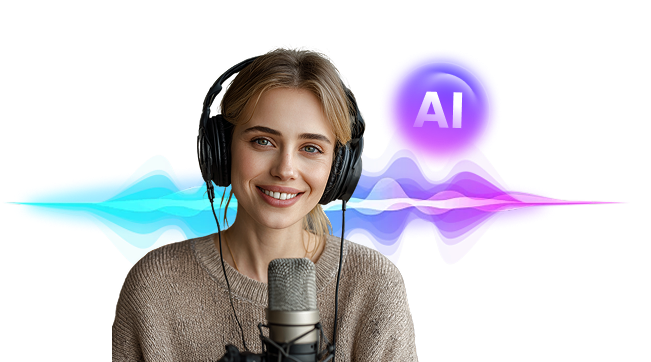
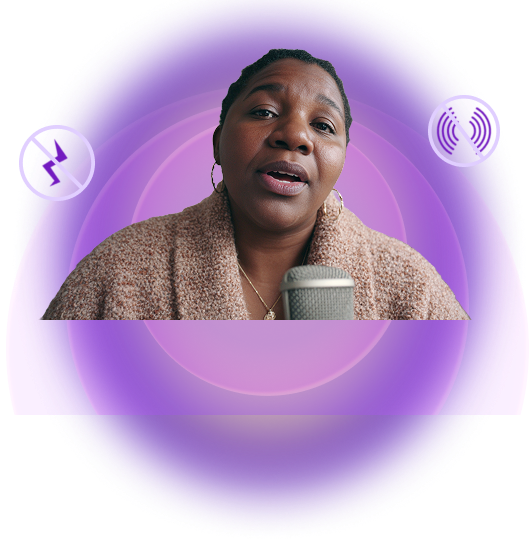
Breathing sounds, mouth noises, and unwanted distractions often ruin a good recording. With FocuSee, your voice is easily enhanced to be crystal clear, full, and polished, just like it was recorded in a recording studio. Learn More

AI Smart Cut

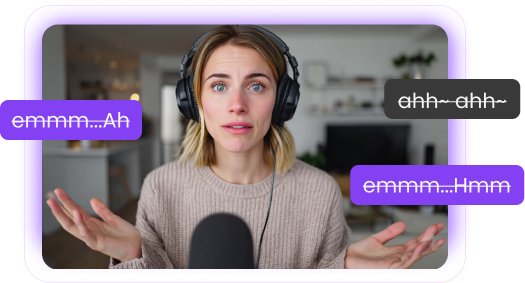
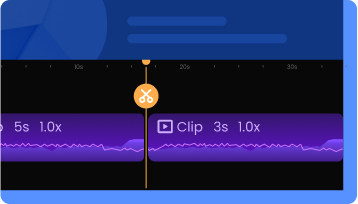
After recording, have you ever spent hours cutting out awkward pauses and filler words like “um” and “ah”? Now, those distractions are automatically detected and removed with a single click. Free up your time and deliver crisp, refined results. Learn More

AI Noise Reduction

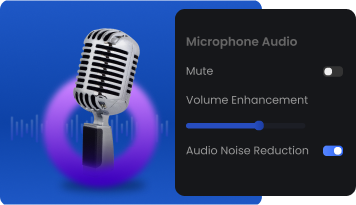
Background noise, like wind or electrical hums, may make your audio hard to follow. FocuSee AI noise reduction helps you to eliminate unwanted background noises. A professional-grade audio keeps your audience concentrated on your content. Learn More
audio_view_img

Original Sound

audio
Click to hear

Enhanced Sound

audio
Click to hear
audio_view_img

Original Sound

audio
Click to hear

Enhanced Sound

audio
Click to hear
audio_view_img

Original Sound

audio
Click to hear

Enhanced Sound

audio
Click to hear

AI Voice Enhancement

Breathing sounds, mouth noises, and unwanted distractions often ruin a good recording. With FocuSee, your voice is easily enhanced to be crystal clear, full, and polished, just like it was recorded in a recording studio.

audio_view_img

Original Sound

audio
Click to hear

Enhanced Sound

audio
Click to hear

AI Smart Cut

After recording, have you ever spent hours cutting out awkward pauses and filler words like “um” and “ah”? Now, those distractions are automatically detected and removed with a single click. Free up your time and deliver crisp, refined results.

audio_view_img

Original Sound

audio
Click to hear

Enhanced Sound

audio
Click to hear

AI Noise Reduction

Background noise, like wind or electrical hums, may make your audio hard to follow. FocuSee AI noise reduction helps you to eliminate unwanted background noises. A professional-grade audio keeps your audience concentrated on your content.

audio_view_img

Original Sound

audio
Click to hear

Enhanced Sound

audio
Click to hear

Start AI-Powered Creation

From Recording to Gorgeous Results, All in One Flow

Powerful editing tools to enhance your video creation experience and improve efficiency, so your screen recordings feel crafted, not just captured.

Capture & Edit
Polish & Enhance
Style & Brand
tag

Flexible Recording Modes

Flexible Recording Modes

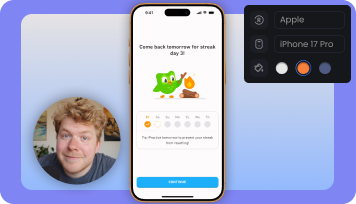
Record exactly what you need with desktop modes for full screen, window, or custom area, plus mobile device screen recording for cross-device workflows.

tag

Capture It All

Capture It All

Record your screen, face, voice, and system sound in one take, with everything ready for a smoother editing workflow.

tag

Built-In Teleprompter

Built-In Teleprompter

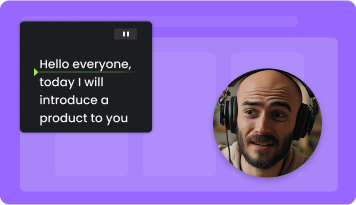
With on-screen script guidance, your speech in every recording is fluent without worrying about missed lines or retakes. Stay natural, confident, and camera-ready.

Learn More
tag

Simple Shortcut Capture

Simple Shortcut Capture

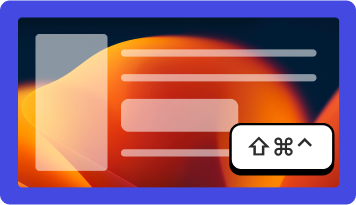
Automatically record and display keyboard shortcuts in your tutorials and guides. Viewers can grasp every step at a glance.

blur icon
tag

Smart Pacing Tools

Smart Pacing Tools

Trim videos, adjust playback speed, and automatically detect typing sections to speed them up with one click. Keep your video’s pace tight and smooth. Typing detection & speed-up: Mac now, Windows soon.

tag

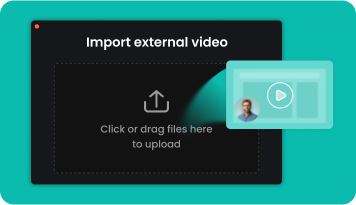
Local Video Import

Local Video Import

In addition to videos recorded in FocuSee, you can import existing footage from your computer, enhance it with effects, and export polished results in no time.

new icon
tag

Add Background Audio

Add Background Audio

Give your screen recordings a soundtrack with preset music or imported audio, making the final cut feel more complete. Available on Mac now, with Windows support coming soon.

new icon
tag

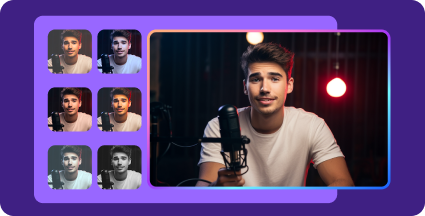
Camera Beautification

Camera Beautification

Smooth your skin and brighten your complexion directly in the FocuSee editor with a single, easy-to-use control for a natural, camera-ready look. Available on Mac now, with Windows support coming soon.

tag

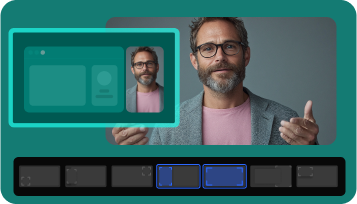
Dynamic Camera Layouts

Dynamic Camera Layouts

Choose from camera layouts such as picture-in-picture and full screen, and switch between them anytime for smooth transitions and a more engaging viewing experience.

tag

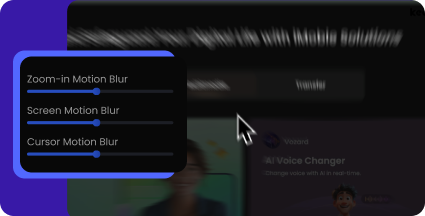
Cinematic Motion Blur

Cinematic Motion Blur

Bring a cinematic feel to your videos with motion blur. Transitions and actions appear natural, fluid, and elegant.

new icon
tag

Advanced Subtitle Editing

Advanced Subtitle Editing

Edit subtitles beyond auto-generation. Customize styles, fix text and timing, split or merge caption blocks, or import SRT files to improve readability and better fit your video. Available on Mac now, with Windows support coming soon.

tag

Creative Visual Customization

Creative Visual Customization

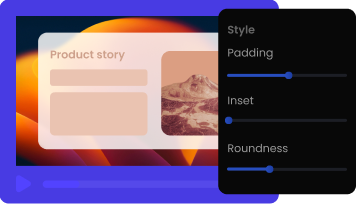
Show up in style by refining backgrounds, rounded corners, shadows, and more. Every detail works together to create a captivating visual impression.

tag

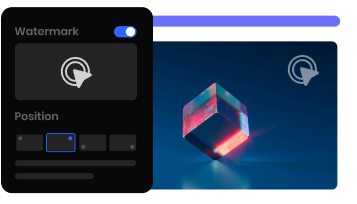
Personalized Video Watermark

Personalized Video Watermark

Add a custom watermark to build brand recognition, strengthen your visual identity, and help protect your content from unauthorized use.

tag

Custom Presets

Custom Presets

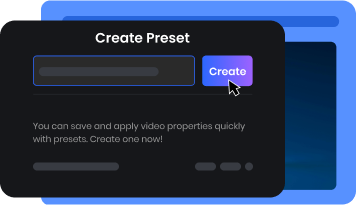
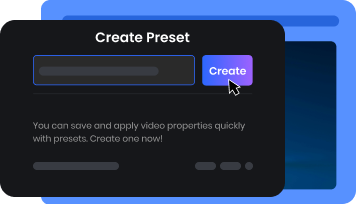
Save your favorite settings as presets that match your brand or personal style. Keep every video consistent while streamlining your editing workflow.

Create a Video for Free

Export Your Way: Platforms, Formats, and Sharing Covered

Record Once, Reach All

One recording effortlessly transforms to perfectly fit TikTok, YouTube, Instagram, Facebook, and Twitter specifications. You can multiply your reach easily and avoid recording the same content multiple times.

tag tag

Video or GIF, Your Choice

From 4K 60fps high-definition video to handy GIF animations, choose the format that best fits your creation and adapt to your audience's preferences.

tag tag
tag tag

Online Sharing, Fast and Safe

Export videos via a shareable link, speeding up deliveries and keeping content secure with password and permission controls.

Start for Free

Born for Every Scene, Designed for Better Video Creation

From product demos to tutorial videos and online courses, FocuSee AI screen recorder offers innovative, scenario-driven video solutions that put expert video production at your fingertips.

Product Demos

Tutorial Videos

Online Courses

Marketing Videos

More

New to video editing? Best features going unnoticed? Production budget running tight?

  • Auto Zoom and Spotlight: Guide Attention Even without Editing Skills
  • AI Virtual Avatar: Engage without Showing Your Face
  • Creative Visual Customization: Make Every Demo Eye-Catching
  • Privacy Blur Protection: Keep Sensitive Data Secure

With FocuSee as your smart director, creating high-quality demo videos becomes effortless. Highlight your product’s true value and make it stand out.

Indie Developers

Designers

Entrepreneurs

tag

Manual editing burning you out? Videos lacking polish under tight deadlines?

  • Auto Zoom and Spotlight: Highlight Key Steps Precisely
  • Dynamic Camera Layouts: Create Interactive, Beautiful Visuals
  • Automatic Shortcut Capture: No Manual Setup Required
  • One-Click Resizing: Perfect for Any Social Media

Dramatically improve your workflow. You can streamline your workflow and produce well-crafted, easy-to-follow tutorials and how-to videos that are perfect for any platform with less effort.

Content Creators

Technical Support Teams

tag

Students zoning out during your videos? Don't know how to enhance online course quality?

  • Built-In Teleprompter: Deliver Online Courses with Confidence
  • Auto Zoom and Spotlight: Bring Lessons to Life
  • AI Audio Enhancement: Guarantee Professional Sound Quality
  • AI Subtitle Generation: Make Learning Accessible for Everyone

Revolutionize the way you teach online! Turn every class video into a clear and immersive journey. Knowledge delivery is more effective as learners are fully focused from start to finish.

Instructors

Teachers

tag

Can't afford professional video production? Inconsistent branding weakening your brand's impact?

  • AI Virtual Avatar: Build Your Branded Identity
  • AI Background Removal: Clean & Professional Environment
  • Preset Templates: Achieve a Consistent Look
  • Custom Brand Watermark: Protect and Promote Your Brand

Turn every video into a powerful brand asset! FocuSee empowers you to craft a promotional video that reinforces your brand message. You can do it yourself with FocuSee all-in-one solution to make your brand truly memorable.

Marketing Teams

Content Creators

Sales

tag

More Scenarios, Waiting for You to Explore

  • Reaction Videos
  • Presentation Videos
  • Product Launch Videos
  • Social Shorts
  • More

Let your creativity flow freely and transform every idea into an inspiring masterpiece.

All Creators

tag

Product Demos

New to video editing? Best features going unnoticed? Production budget running tight?

  • Auto Zoom and Spotlight: Guide Attention Even without Editing Skills
  • AI Virtual Avatar: Engage without Showing Your Face
  • Creative Visual Customization: Make Every Demo Eye-Catching
  • Privacy Blur Protection: Keep Sensitive Data Secure

With FocuSee as your smart director, creating high-quality demo videos becomes effortless. Highlight your product’s true value and make it stand out.

Indie Developers

Designers

Entrepreneurs

tag

Tutorial Videos

Manual editing burning you out? Videos lacking polish under tight deadlines?

  • Auto Zoom and Spotlight: Highlight Key Steps Precisely
  • Dynamic Camera Layouts: Create Interactive, Beautiful Visuals
  • Automatic Shortcut Capture: No Manual Setup Required
  • One-Click Resizing: Perfect for Any Social Media

Dramatically improve your workflow. You can streamline your workflow and produce well-crafted, easy-to-follow tutorials and how-to videos that are perfect for any platform with less effort.

Content Creators

Technical Support Teams

tag

Online Courses

Students zoning out during your videos? Don't know how to enhance online course quality?

  • Built-In Teleprompter: Deliver Online Courses with Confidence
  • Auto Zoom and Spotlight: Bring Lessons to Life
  • AI Audio Enhancement: Guarantee Professional Sound Quality
  • AI Subtitle Generation: Make Learning Accessible for Everyone

Revolutionize the way you teach online! Turn every class video into a clear and immersive journey. Knowledge delivery is more effective as learners are fully focused from start to finish.

Instructors

Teachers

tag

Marketing Videos

Can't afford professional video production? Inconsistent branding weakening your brand's impact?

  • AI Virtual Avatar: Build Your Branded Identity
  • AI Background Removal: Clean & Professional Environment
  • Preset Templates: Achieve a Consistent Look
  • Custom Brand Watermark: Protect and Promote Your Brand

Turn every video into a powerful brand asset! FocuSee empowers you to craft a promotional video that reinforces your brand message. You can do it yourself with FocuSee all-in-one solution to make your brand truly memorable.

Marketing Teams

Content Creators

Sales

tag

More

More Scenarios, Waiting for You to Explore

  • Reaction Videos
  • Presentation Videos
  • Product Launch Videos
  • Social Shorts
  • More

Let your creativity flow freely and transform every idea into an inspiring masterpiece.

All Creators

tag

Their Projects, Their Voices

Our Users Speak

for Themselves

Their Projects, Their Voices Our Users Speak for Themselves

Learn More
AI-Powered Screen Recorder for Mac & Windows

Stunning Videos in Minutes—Not Hours

Free Download

Available on:

win mac

See Pricing

60-Day Money Back Guarantee

FAQ About FocuSee

What is FocuSee and how does it work?

FocuSee is an AI-powered screen recorder with auto zoom effects. After you record your screen, FocuSee automatically adds zoom on clicks, mouse movement tracking, cursor highlighting, silence removal, AI audio enhancement, and dynamic camera layouts — helping you create professional-looking videos without complex manual editing.

What types of videos can I create with FocuSee?

You can use FocuSee to create product demos, tutorials, walkthrough videos, onboarding guides, training videos, online courses, marketing explainers, and social media clips. It is especially useful when you need to clearly show a process on screen and turn a simple recording into a polished, easy-to-follow video.

Is FocuSee available on Mac and Windows?

Yes. FocuSee supports both macOS and Windows.

Is FocuSee available on Mac and Windows?

Yes. FocuSee supports both macOS and Windows.

Why is FocuSee different from other screen recorders?

FocuSee doesn’t just record your screen — it auto-polishes the video for you. Unlike traditional screen recorders that only capture raw footage and leave all editing to you, FocuSee instantly turns your recording into a polished and easy-to-follow video the moment you hit stop — without hours of manual work.

How does FocuSee’s auto-polishing work?

After you record, FocuSee analyzes your screen actions and applies:

  • Auto zoom effects on mouse clicks
  • 3d Motion on cursor movement
  • Dynamic camera layouts
  • Accurate captions & keyboard shortcuts
  • Spotlight to highlight areas worth notice
  • Annotations for clear on‑screen explanations
  • AI background removal or replacement
  • AI audio enhancement and noise reduction
  • AI removal of filler words and silence

Everything is generated automatically or with a click — no tedious editing needed.
Is FocuSee a free screen recording tool?

FocuSee offers a free trial that allows you to explore standard features and export one high-quality video in up to 4K resolution for free. Some advanced AI-powered features require a subscription and credits to use.
Does FocuSee support webcam + screen recording?

Yes. You can record your screen, webcam, or both simultaneously, making it ideal for tutorial creators and product demo presenters.


Can I record my mobile device with FocuSee?

Yes. FocuSee now supports recording iOS and Android screens. Simply connect your device to your computer via USB and record it with the same auto-polishing features you get on a desktop. This makes it easy to create mobile tutorials, app demos, and walkthroughs.

Is FocuSee safe to use? Is my data private?

Yes. FocuSee is safe to use. Your recordings are saved locally by default, and cloud upload is completely optional and protected with SSL encryption. Features like cursor tracking, click detection, and shortcut recognition are processed locally on your device and are never uploaded, stored, or sent to FocuSee servers. Your data stays private, secure, and fully under your control at all times.

Does FocuSee support long recordings?

Yes. FocuSee can handle longer recordings for training sessions, onboarding videos, and detailed software walkthroughs, applying auto-editing to simplify the final output.

What is the Teleprompter feature in FocuSee?

The Teleprompter feature in FocuSee allows you to display text on your screen while recording, making it easier to follow a script for presentations, tutorials, and demos. The teleprompter can be adjusted to your preferred font size, speed, and display position, ensuring a smooth and professional presentation experience.