Main Features of FocuSee
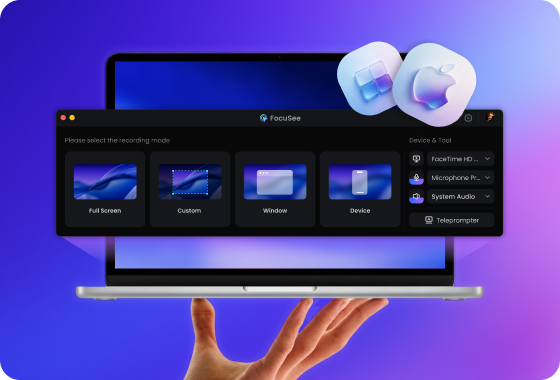
Full Desktop Recording — Not Limited to the Browser
Cursorful primarily functions as a browser-based recorder, making it ideal for quick web demos but limiting for more complex workflows. FocuSee eliminates these limitations by enabling you to record:
- Desktop applications
- Web apps, and browser tabs.
- Full-screen workflows
- Multi-window tutorials
This makes FocuSee a much more flexible solution for creators, educators, and product teams who need to demonstrate entire workflows, not just browser interactions.
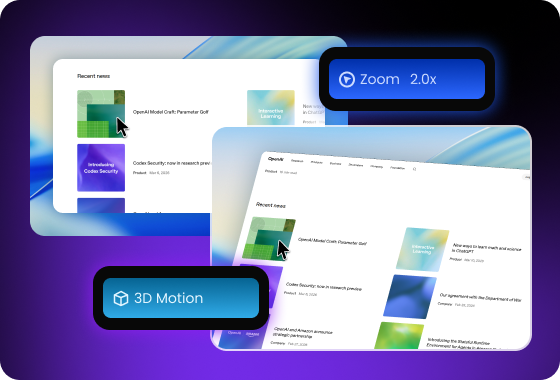
Automatic Zoom, 3D Camera Motion & Visual Effects for Professional Videos
FocuSee automatically tracks your cursor and enhances recordings with smooth zooms, dynamic motion effects, and immersive 2D and 3D motion animations, guiding viewers’ attention without manual editing. Compared with Cursorful’s simple browser recording, FocuSee adds depth through layered zoom and subtle perspective shifts, creating tutorials that feel more polished and professional.
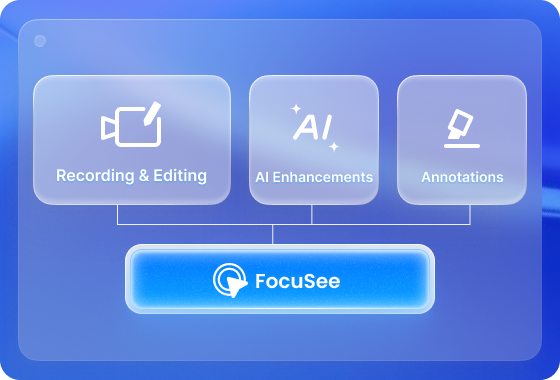
All-in-One Editing with AI and Annotations
FocuSee combines advanced editing tools—auto zooms, spotlight effects, camera framing, annotations, motion blur, layout presets, and captions in 50+ languages—with AI automation that removes background noise, boosts vocal clarity, cuts silent gaps, and even generates on-screen AI avatars. FocuSee handles recording, editing, AI enhancements, and annotations all in one workflow, making tutorial and demo videos polished and professional in less time.
FocuSee Vs. Cursorful
 FocuSee FocuSee |
 Cursorful Cursorful |
||
| Operating System | Windows / Mac | ||
| Create Recording | Keyboard Shortcuts Recording | ||
| Screen Record on Computer | |||
| Screen Record for iPhone & iPad | |||
| Screen Record for Android Devices | |||
| Recording Preset | |||
| Editing Features | Video Clipping & Cropping | ||
| Canvas & Aspect Ratio Adjustment | |||
| Background Color / Gradient | |||
| Automatic Zoom Effects | |||
| Cursor Tracking | |||
| 3D Motion Effects | |||
| Motion Blur | |||
| Captions/Subtitles | |||
| Annotations (Text, Arrows, Shapes) | |||
| Spotlight Highlight | |||
| On-screen Shortcut Display | |||
| Mosaic | |||
| Camera | Mirror Camera | ||
| Camera Background Blur | |||
| Camera Size & Roundness | |||
| Custom Camera Layout | |||
| Camera Filters | |||
| Camera Frame | |||
| Mouse Cursor | Mouse Cursor Size & Styles | ||
| Mouse Click Sound | |||
| Blur Mouse Cursor | |||
| Cursor Movement Animation | |||
| Mouse Click Effects | |||
| Automatically Hide Static Cursor | |||
| AI Video Editing | AI Virtual Avatar | ||
| AI Noise Reduction | |||
| Remove Silence and Fillers | |||
| AI Voice Enhancement | |||
| Export & Share | Export as MP4 and GIF | ||
| Copy Video to Clipboard | |||
| Shareable Links | |||
| Shareable Presets | |||
| Free Export for Trial | |||
| Price Plans | • Start from $19.99/month • Lifetime license available • Full desktop recording (Windows & Mac) |
• Free browser extension • Pro plan: $79 one-time • Browser tabs recording only |
|
Check What You Can Do with FocuSee
Frequently Asked Questions
What makes FocuSee a better alternative to Cursorful?
FocuSee goes beyond browser-only recording by supporting full desktop workflows, advanced editing, AI-powered enhancements, and soon, interactive annotations. This all-in-one approach helps creators produce polished tutorials, demos, and product videos more efficiently than Cursorful.
Can I edit my recordings directly in FocuSee?
Yes. FocuSee provides a built-in editing environment where you can trim clips, adjust zoom timing, apply layout presets, add captions in 50+ languages, and enhance videos with AI—all without exporting to other software.
Is FocuSee suitable for beginners?
Absolutely. FocuSee is designed to be intuitive, whether you’re creating a quick browser demo or a full professional tutorial. The AI enhancements and built-in editing workflow make it easy for anyone to produce high-quality videos.
What AI features does FocuSee offer?
FocuSee’s AI tools automatically remove background noise, boost vocal clarity, detect and cut silent gaps, and generate on-screen AI avatars for explanations. These features significantly reduce editing time and improve video quality.

Effortless Recording & Editing, Professional Output