Why FocuSee Is a Better Tella Alternative
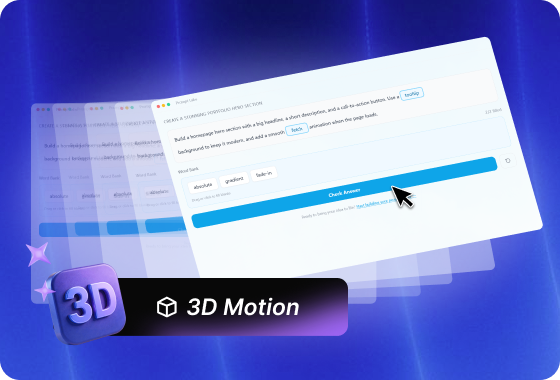
Professional Visual Output That Elevates Your Videos
If you want polished, professional-looking videos, FocuSee offers far more advanced visual output than Tella. With cinematic 3D motion, smooth transitions, motion blur effects, and refined visual presentation, your videos feel more dynamic and engaging,closer to professionally produced content rather than simple screen recordings.
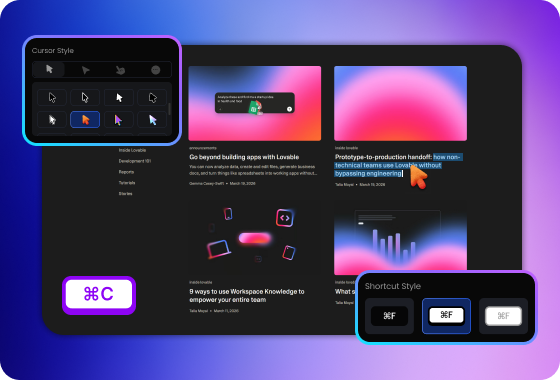
Built for Tutorials, Demos, and Structured Content
FocuSee is purpose-built for tutorials, product demos, and step-by-step explanations. With features like spotlight highlights, annotations, cursor effects, on-screen keyboard shortcut display, and structured editing tools, you can guide your audience’s attention and clearly explain complex ideas. Instead of just recording your screen, FocuSee helps you communicate more effectively—making your content easier to follow, more engaging, and more impactful.
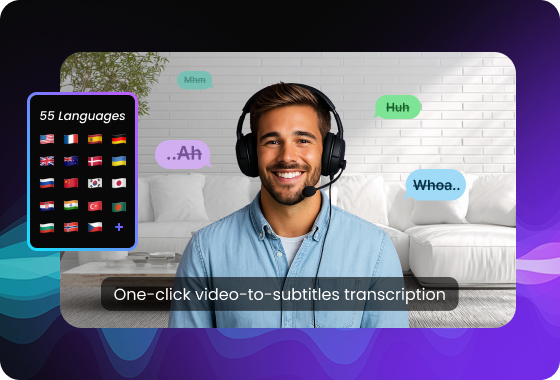
AI Smart Editing for Faster, Cleaner Results
FocuSee provides a more complete AI editing toolkit compared to Tella. Automatically remove silence and filler words, reduce background noise, enhance voice clarity, and generate captions—all in just a few clicks. While Tella includes basic AI features, FocuSee combines multiple AI enhancements into one streamlined workflow, helping you save time and produce cleaner, more professional videos with less manual effort.
FocuSee Vs. Tella
 FocuSee FocuSee |
 Tella Tella |
||
| Operating System | Windows / Mac | ||
| Create Recording | Keyboard Shortcuts Recording | ||
| Screen Record on Computer | |||
| Screen Record for iPhone & iPad | |||
| Screen Record for Android Devices | |||
| Recording Preset | |||
| Editing Features | Video Clipping & Cropping | ||
| Canvas & Aspect Ratio Adjustment | |||
| Background Color / Gradient | |||
| Automatic Zoom Effects | |||
| Cursor Tracking | |||
| 3D Motion Effects | |||
| Motion Blur | |||
| Captions/Subtitles | |||
| Spotlight Highlight | |||
| Annotations (Text, Arrows, Shapes) | |||
| On-screen Shortcut Display | |||
| Mosaic | |||
| Camera | Mirror Camera | ||
| Camera Background Blur | |||
| Camera Size & Roundness | |||
| Custom Camera Layout | |||
| Camera Filters | |||
| Camera Frame | |||
| Mouse Cursor | Mouse Cursor Size & Styles | ||
| Mouse Click Sound | |||
| Blur Mouse Cursor | |||
| Cursor Movement Animation | |||
| Mouse Click Effects | |||
| Automatically Hide Static Cursor | |||
| AI Video Editing | AI Virtual Avatar | ||
| AI Noise Reduction | |||
| Remove Silence and Fillers | |||
| AI Voice Enhancement | |||
| AI Video Title | |||
| Export & Share | Export as MP4 and GIF | ||
| Shareable Links | |||
| Shareable Links | |||
| Price Plans | • Start from $19.99/month with optional lifetime purchase | • Start from $26/user/month subscription only | |
Check What You Can Do with FocuSee
Frequently Asked Questions
What are the best use cases for FocuSee and Tella?
• FocuSee: Product demos, software tutorials, YouTube content, and structured walkthroughs.
• Tella: Quick async videos, short updates, or casual recordings.
What is the difference between FocuSee and Tella?
FocuSee offers advanced editing, AI-powered enhancements, 3D motion effects, annotations, and on-screen keyboard shortcut display, making it ideal for tutorials, product demos, and professional videos. Tella focuses on simplicity and quick web-based recordings with cloud sharing features.
Which one should I choose: FocuSee or Tella?
Choose Tella if:
- · You need quick, simple recordings
- · You don’t require advanced editing
- · You prioritize ease of use
Choose FocuSee if:
- · You create tutorials, demos, or professional content
- · You need advanced editing and visual effects
- · You want higher-quality, polished videos
If your goal is to create professional, high-impact videos, FocuSee is the more powerful and flexible choice.
Are there hidden costs or limitations I should consider?
• Tella: While simple, it may require extra tools for advanced editing or visual effects, adding hidden costs.
• FocuSee: One platform handles recording, editing, AI enhancements, and exporting, reducing the need for additional software.


Effortless Recording & Editing, Professional Output