Main Features of FocuSee
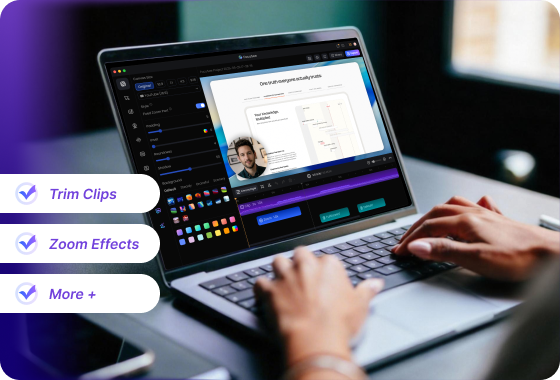
All-in-One Recording and Editing. No Extra Tools Needed
Unlike Xbox Game Bar, which only records your screen, FocuSee provides a complete workflow from recording to final video. You can trim clips, add zoom effects, highlight key actions, and export ready-to-share videos, all without switching to another editor. This eliminates the need for multiple tools and significantly speeds up your workflow.
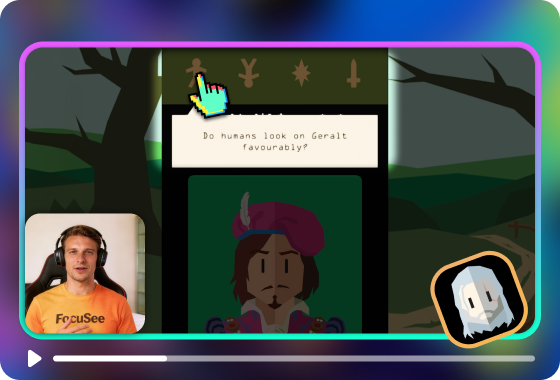
Designed for Tutorials & Demos — Not Just Gameplay Clips
While many creators use FocuSee for gameplay recording, it goes far beyond simple capture. Automatic zoom highlights key moments, cursor tracking adds precision, and spotlight effects emphasize critical actions—even in fast-paced scenes. More importantly, FocuSee isn’t limited to gaming. With built-in captions, annotations, and smart visual enhancements, it turns raw footage into clear, engaging content—perfect for tutorials and product demos.
Works on Both Windows and Mac — More Flexibility
Xbox Game Bar is limited to Windows only. FocuSee works seamlessly on both Windows and macOS, making it ideal for teams and creators who need flexibility across devices. No matter your setup, you can keep the same workflow and output consistent, high-quality videos.
FocuSee Vs. XBox Game Bar
 FocuSee FocuSee |
 Xbox Game Bar Xbox Game Bar |
||
| Operating System | Windows / Mac | ||
| Create Recording | Full Desktop Recording | ||
| App Window Recording | limited | ||
| iPhone/Android Recording | |||
| Recording Presets | |||
| Keyboard Shortcut Recording | |||
| Editing Features | Video Clipping & Cropping | ||
| Canvas & Aspect Ratio Adjustment | |||
| Background Color / Gradient | |||
| Automatic Zoom Effects | |||
| Cursor Tracking | |||
| 3D Camera Movement | |||
| Motion Blur | |||
| Captions/Subtitles | |||
| Annotations (Text, Arrows, Shapes) | |||
| Spotlight Highlight | |||
| Mosaic | |||
| Camera | Mirror Camera | ||
| Camera Background Blur | |||
| Camera Size & Roundness | |||
| Custom Camera Layout | |||
| Camera Filters | |||
| Camera Frame | |||
| Mouse Cursor | Mouse Cursor Size & Styles | ||
| Mouse Click Sound | |||
| Blur Mouse Cursor | |||
| Cursor Movement Animation | |||
| Mouse Click Effects | |||
| Automatically Hide Static Cursor | |||
| Export & Share | Export Formats (MP4/GIF) | ||
| Direct Sharing Links | |||
| Editing Before Export | |||
| Use Case Positioning | Best For | Tutorials, demos, marketing videos | Quick gameplay capture |
| Editing Workflow | All-in-one | Requires external tools | |
| Content Quality | Professional | Basic | |
| Price Plans | • From $19.99/month • Lifetime license available |
Completely free | |
| Production Workflow | All-in-one solution | Requires additional editing tools | |
Check What You Can Do with FocuSee
Frequently Asked Questions
Is Xbox Game Bar good for recording videos?
Yes, but only for quick screen recordings or gameplay clips. It lacks editing tools, captions, and workflow support for creating polished videos.
Which tool should I choose — Xbox Game Bar or FocuSee?
• Use Xbox Game Bar if:
- · You only need quick screen recordings
- · You don’t need editing
- · You’re capturing short gameplay clips
• Use FocuSee if:
- · You create tutorials, demos, or other professional content
- · You want polished, professional videos
- · You prefer an all-in-one workflow
If you're creating videos — not just recording them — FocuSee is the better choice.
What makes FocuSee a better alternative?
FocuSee is an all-in-one solution that combines screen recording, AI-powered editing, and export-ready video creation. Unlike Xbox Game Bar, you can trim clips, add highlights, apply zooms, insert captions, and generate professional-quality videos — all in one tool.
Does FocuSee save time compared to using Xbox Game Bar + external editors?
Absolutely. FocuSee combines recording and editing in one tool, automates repetitive tasks with AI, and eliminates the need to switch between multiple programs — saving hours of editing work.
Is there a free version of FocuSee?
Yes, FocuSee offers a free trial so you can explore its full functionality before subscribing to the paid plan. Xbox Game Bar is free, but remember it only handles basic recording.

Effortless Recording & Editing, Professional Output