FAQ
FAQ
 Questions
Free Download For Win & Mac | 100% Clean & Secure
< Back
 Help Category

Product Inquiries
We receive some feedbacks from our customers about FocuSee being unable to detect their iOS devices issue. This error can be caused by the following reasons:
(1). You do not install the latest version of FocuSee.
(2). The anti virus software is running and blocking the connection.
(3). Your USB cable is loose or broken.
To fix this issue, please follow the troubleshooting steps:
(1). Reconnect the iOS device or give another USB cable a try.
(2). Please check whether you are using the latest version of FocuSee. If not, please download it.
(3). If you are connecting the iOS device to the computer for the first time, please remember to tap Trust on the device when it prompts for authorization.
(4). Please close anti virus software temporally.
If the problem persists, please send log file to Support Team directly for further diagnosis. And our Support Team will provide you with available solutions as soon as possible.
When connecting an iOS device (such as an iPhone or iPad) to a computer using a USB cable, clicking to install the driver results in an installation failure (as shown in the image below):
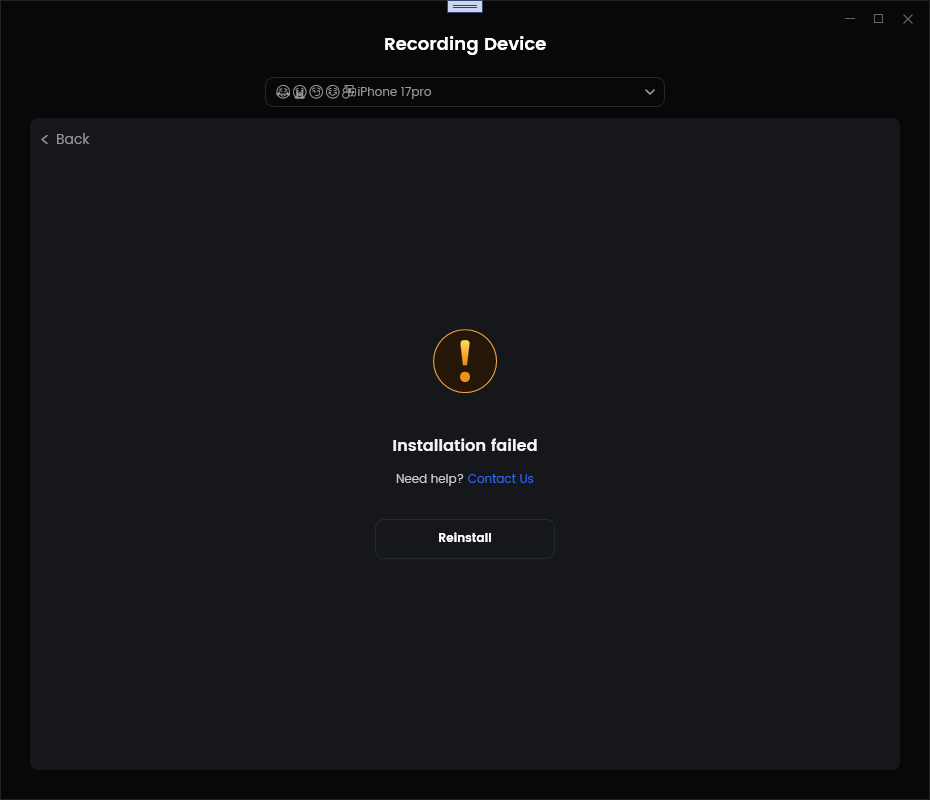
Installation Failure
If this issue occurs, please try the following methods:
① Close the antivirus software.
② Click on the authorization request prompt that appears on your computer.
③ Restart your device and the computer.
If the problem persists, please send log file to Support Team directly for further diagnosis. And our Support Team will provide you with available solutions as soon as possible.
To ensure proper recording on iOS devices, a dedicated driver needs to be installed. If FocuSee detects a conflicting driver (libusb-win32) currently installed on your computer, this will cause recording to fail. Therefore, before installing the dedicated FocuSee driver, please uninstall the conflicting driver according to the following steps:
① Click the Windows Search Bar in the lower left corner of Windows and enter Device Manager.
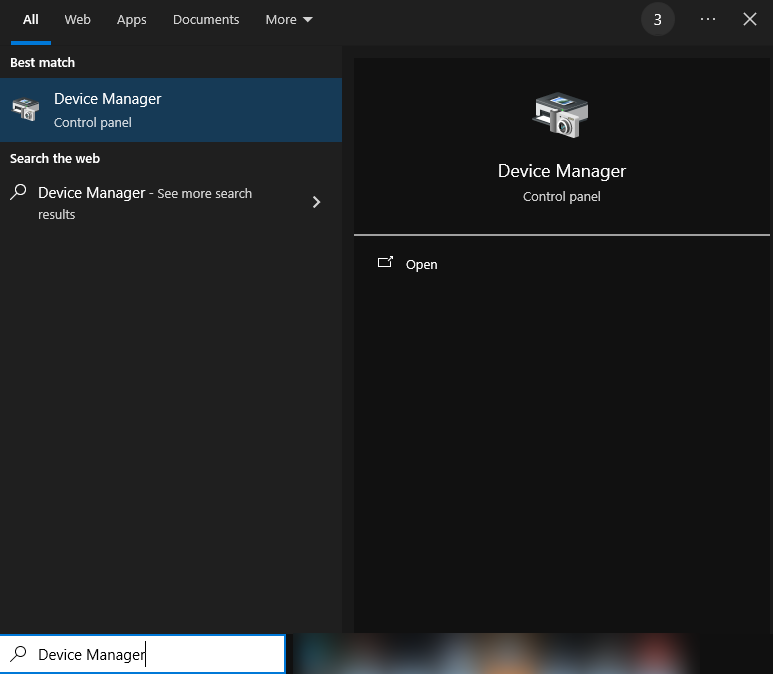
Search Device Manager
② Go to the Device Manager screen and find libusb-win32.
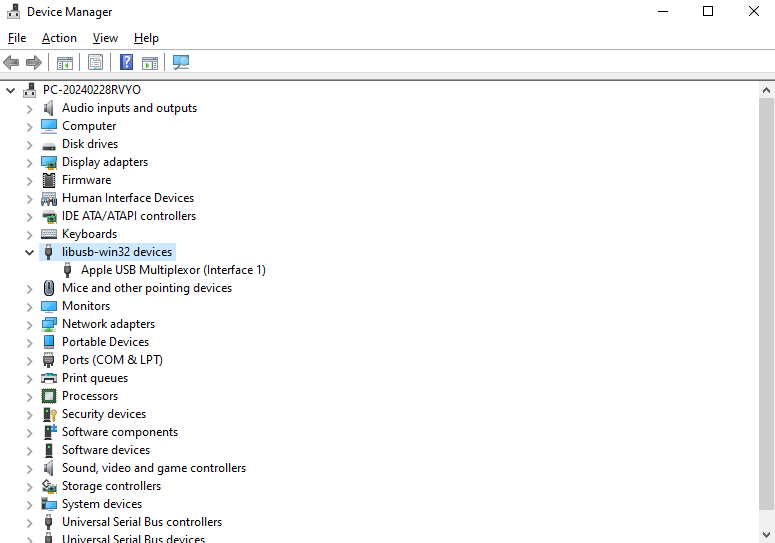
Find Libusb-win32
③ Click the Uninstall device option to delete all drivers under libusb-win32.
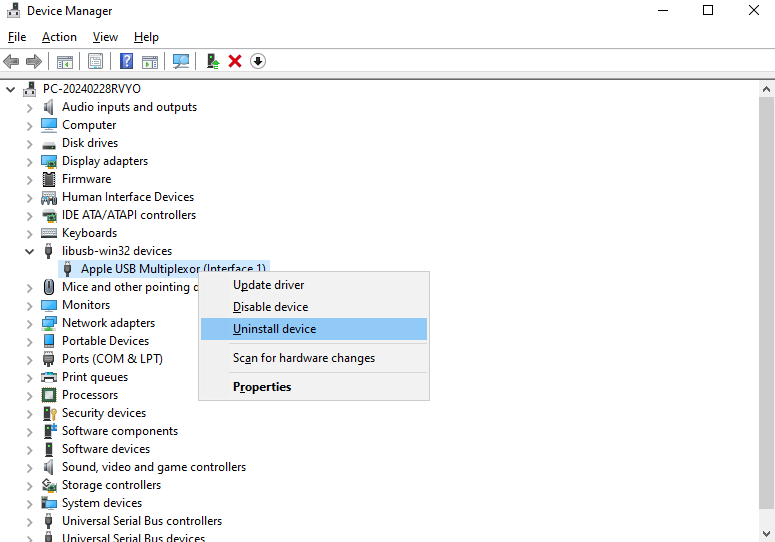
Click Uninstall Device Option
④ Check the Delete the driver software for the device checkbox and click the Uninstall button.
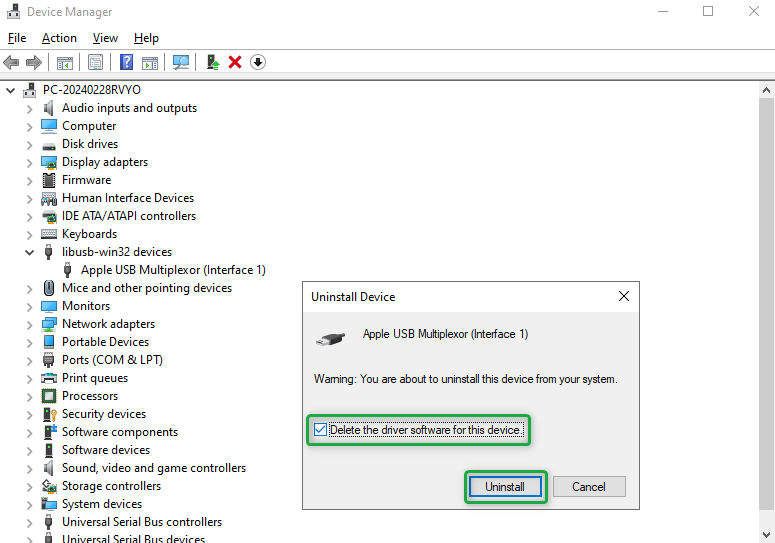
Click Uninstall Button
⑤ After successful uninstallation, refresh the page.
If the driver under libusb-win32 still exists after uninstallation, please repeat the uninstallation and refresh process.
If the problem persists, please send log file to Support Team directly for further diagnosis. And our Support Team will provide you with available solutions as soon as possible.


