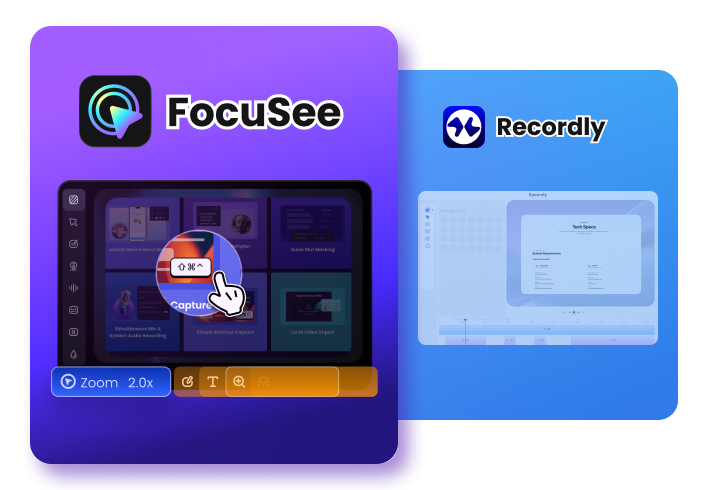
Why FocuSee Is a Better Recordly Alternative
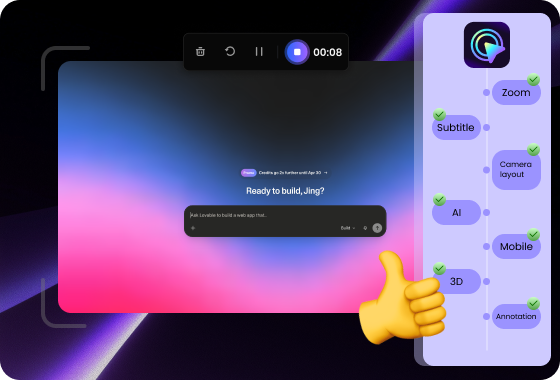
A More Stable and Production-Ready Video Workflow
FocuSee is built with a stable roadmap and consistent updates, ensuring reliable performance for creators and teams. It is designed for long-term use, providing a dependable workflow for professional video creation without interruptions or uncertainty.
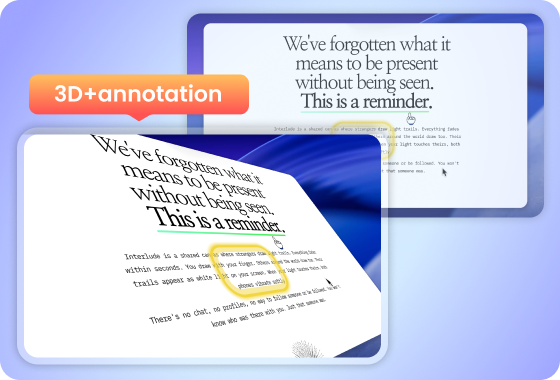
From Simple Recording to Structured, Clear Video Communication
FocuSee turns recordings into structured, presentation-ready videos with cinematic visuals and smooth 2D and 3D effects, making your content clearer and more engaging. It includes tools like spotlight highlighting, annotations, cursor effects, and keyboard shortcut display to help guide viewer attention and explain workflows step by step. It’s not just screen recording—it’s clear, structured communication.
AI-Powered Editing for Faster Professional Results
FocuSee integrates AI tools that automatically enhance your videos: removing silence, improving audio clarity, and generating captions in seconds. While Recordly focuses primarily on recording and motion effects, FocuSee reduces post-production effort significantly, helping creators go from raw footage to polished video faster.
FocuSee Vs. Recordly
 FocuSee FocuSee |
 Recordly Recordly |
||
| Operating System | Windows / Mac |


|

|
| Create Recording | Keyboard Shortcuts Recording | ||
| Screen Record on Computer | |||
| Screen Record for iPhone & iPad | |||
| Screen Record for Android Devices | |||
| Recording Preset | |||
| Editing Features | Video Clipping & Cropping | ||
| Canvas & Aspect Ratio Adjustment | |||
| Background Color / Gradient | |||
| Automatic Zoom Effects | |||
| Cursor Tracking | |||
| 3D Motion Effects | |||
| Motion Blur | |||
| Captions/Subtitles | |||
| Annotations (Text, Arrows, Shapes) | |||
| Spotlight Highlight | |||
| On-screen Shortcut Display | |||
| Mosaic | |||
| Camera | Mirror Camera | ||
| Camera Background Blur | |||
| Camera Size & Roundness | |||
| Custom Camera Layout | limited | ||
| Camera Filters | |||
| Camera Frame | |||
| Mouse Cursor | Mouse Cursor Size & Styles | limited | |
| Mouse Click Sound | |||
| Blur Mouse Cursor | |||
| Cursor Movement Animation | |||
| Mouse Click Effects | |||
| Automatically Hide Static Cursor | |||
| AI Video Editing | AI Virtual Avatar | ||
| AI Noise Reduction | |||
| Remove Silence and Fillers | |||
| AI Voice Enhancement | |||
| AI Video Title | |||
| Export & Share | Export as MP4 and GIF | ||
| Shareable Links | |||
| Shareable Presets | |||
| Online Team Editing | |||
| Trust & Security | Domain Trust Score Based on third-party analysis from Gridinsoft. Scores reflect domain reputation, history, and security signals, and may change over time. | 79 / 100 (Trusted) | 38 / 100 (Risky) |
| External Security Warnings | None reported | Security-provider warnings detected | |
| Data Safety Confidence | High (stable ecosystem) | Low (new & unverified domain) | |
| Price Plans | • Start from $19.99/month • One-time purchase available |
• Free & open-source • Community-driven development |
|
Check What You Can Do with FocuSee
Frequently Asked Questions
What is the main difference between FocuSee and Recordly?
FocuSee provides a complete AI-powered video creation workflow with editing, visual effects, and audio enhancements for producing polished videos.
Recordly is a lightweight screen recorder focused on quick captures and developer use cases.
Is Recordly stable enough for professional use?
Recordly is suitable for personal or experimental use, but as an open-source project, its update speed and long-term consistency depend on community contributions.
FocuSee offers a stable release cycle and consistent updates designed for professional workflows.
Which tool should I choose: FocuSee or Recordly?
Choose Recordly if:
- · You prefer open-source tools
- · You need basic screen recording for development or testing
- · You are comfortable with community-driven software
Choose FocuSee if:
- · You create tutorials, demos, or marketing videos
- · You need a stable and fully maintained workflow
- · You want professional-quality output with minimal effort
If reliability, consistency, and production quality matter, FocuSee is the more suitable choice.
Does open-source mean Recordly is unsafe?
Not necessarily. Open-source software can be secure and transparent when actively maintained, but its stability and support depend on the community behind it. For users who need predictable performance and long-term reliability, a fully maintained tool like FocuSee may be more suitable.
Are there hidden limitations when using Recordly?
Because Recordly focuses on lightweight recording, users may need additional tools for editing, audio enhancement, and structured presentation. FocuSee combines these capabilities in one workflow, simplifying the video creation process.


Effortless Recording & Editing, Professional Output