Main Features of FocuSee
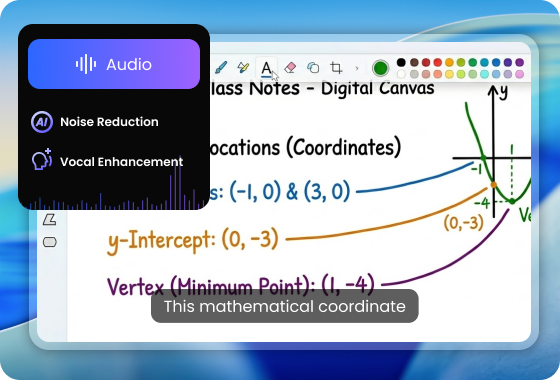
AI-Powered Video Editing
FocuSee revolutionizes the way you edit videos by leveraging cutting-edge AI technology. Automatically reduce background noise, remove unwanted silences and filler words, and enhance your voice for crystal-clear audio. With AI virtual avatars and automatic subtitles in multiple languages, your recordings are transformed into professional-quality videos without spending hours on manual editing. Perfect for tutorials, product demos, and online courses, FocuSee ensures every video looks polished and engaging.
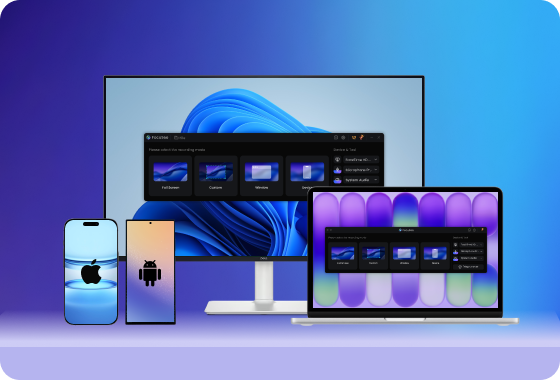
Multiple Device Screen Recording
FocuSee lets you capture high-quality screen recordings across Windows, macOS, Android, and iPhone. Whether you’re creating a desktop tutorial, a mobile app demo, or cross-platform walkthroughs, FocuSee handles it all. With customizable recording presets, your workflow becomes faster and more professional. Record system audio, microphone input, or both simultaneously, and add on-screen highlights to guide viewers’ attention.
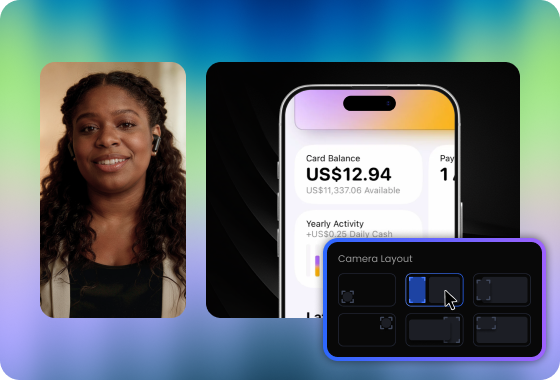
Professional Presentation Features
Make your videos visually engaging with FocuSee’s professional presentation tools. Add automatic zoom effects, cursor tracking, and spotlight highlights to emphasize important areas. Customize your camera layout with picture-in-picture overlays, apply background blur or filters, and control the framing and size of your webcam video. Coupled with multi-language captions and motion effects, your tutorials, demos, or online classes become interactive and polished, helping viewers focus on key content effortlessly.
FocuSee Vs. Cleanshot X
 FocuSee FocuSee |
 Cleanshot X Cleanshot X |
||
| Operating System | Windows / Mac | ||
| Create Recording | Keyboard Shortcuts Recording | ||
| Screen Record on Computer | |||
| Screen Record for iPhone & iPad | |||
| Screen Record for Android Devices | |||
| Recording Preset | |||
| Auto “Do Not Disturb” Mode | |||
| Hide Desktop Clutter | |||
| Editing Features | Video Clipping & Cropping | ||
| Canvas & Aspect Ratio Adjustment | |||
| Background Color / Gradient | |||
| Automatic Zoom Effects | |||
| Cursor Tracking | |||
| 3D Motion Effects | |||
| Motion Blur | |||
| Captions/Subtitles | |||
| Spotlight Highlight | |||
| Annotations (Text, Arrows, Shapes) | |||
| On-screen Shortcut Display | |||
| Mosaic | |||
| Camera | Mirror Camera | ||
| Camera Background Blur | |||
| Camera Size & Roundness | |||
| Custom Camera Layout | |||
| Camera Filters | |||
| Camera Frame | |||
| Mouse Cursor | Mouse Cursor Size & Styles | ||
| Mouse Click Sound | |||
| Blur Mouse Cursor | |||
| Cursor Movement Animation | |||
| Mouse Click Effects | |||
| Automatically Hide Static Cursor | |||
| AI Video Editing | AI Virtual Avatar | ||
| AI Noise Reduction | |||
| Remove Silence and Fillers | |||
| AI Voice Enhancement | |||
| Export & Share | Export as MP4 and GIF | ||
| Shareable Links | |||
| Password protected links | |||
| Price Plans | • Start from $19.99/month with optional lifetime purchase | • Start from $29.99 one-time purchase (CleanShot Cloud optional subscription) |
|
Check What You Can Do with FocuSee
Frequently Asked Questions
What makes FocuSee a better alternative to CleanShot X?
FocuSee offers AI-powered video editing, automatic zoom, virtual avatars, multi-language subtitles, and cross-device recording (Windows, macOS, iOS, Android), while CleanShot X focuses on basic screen recording and lightweight editing for macOS only. FocuSee is ideal for tutorials, product demos, and professional content creation.
Does FocuSee provide AI-assisted editing features?
Absolutely. FocuSee can automatically remove background noise, trim silences, enhance voice quality, add virtual avatars, and generate subtitles in multiple languages, significantly reducing manual editing time.
Does FocuSee support webcam overlays and custom camera layouts?
Yes. You can add picture-in-picture webcam overlays, customize camera size and roundness, apply background blur, and even use filters to create professional-looking videos.
What are the main use cases for FocuSee and CleanShot X?
· FocuSee is best for creating professional tutorials, product demos, online courses, and marketing videos. With AI-powered editing, automatic zoom effects, and subtitles, it helps you produce polished, high-impact videos quickly.
· CleanShot X, on the other hand, is ideal for quick screen recordings, simple explanations, and everyday screenshot or recording tasks on macOS. It’s designed for speed and simplicity rather than advanced editing or content production.


Effortless Recording & Editing, Professional Output