Loom vs Vidyard: Which Video Tool Should You Choose?

Loom and Vidyard both let you record and share videos, but they solve different problems. Loom focuses on fast video communication, while Vidyard focuses on sales engagement and analytics.
The bigger question is what happens after you finish recording. If you need to turn a raw screen recording into a polished product demo, visual editing can become the bottleneck. That’s where FocuSee takes a different approach by automating effects such as zoom and cursor emphasis.
Loom vs Vidyard: Feature and Use-Case Comparison
To understand which tool fits your workflow, you need to look beyond basic screen recording and compare how they handle hosting, sharing, and tracking.
Here is a side-by-side comparison of how Loom and Vidyard stack up across key dimensions:
| Loom | Vidyard | |
| Primary Focus | Internal team communication | B2B sales & marketing |
| Target Users | Remote teams | Sales & marketing teams |
| CRM Integrations | Basic | Advanced (Salesforce, HubSpot, etc.) |
| Viewer Analytics | Basic insights | Advanced analytics & CRM sync |
| Free Plan Limits | Limited video length | Limited length & storage |
| Editing | Basic trimming | Basic editing & CTA overlays |
Pricing models, AI feature availability, and free-tier recording limits change frequently for both platforms. Always check the official competitor pages for the exact current costs and limits before making a final purchasing decision.
Loom: Best for Internal Team Communication
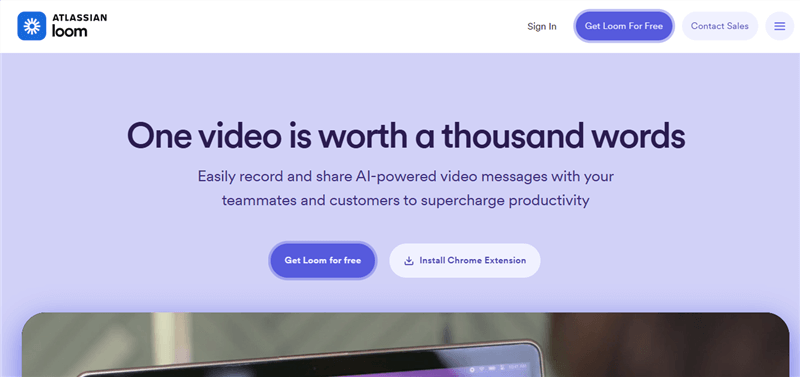
Screen Recorder and Video Editor – Loom
Loom has built its reputation as the undisputed leader for fast, internal video messaging. If your goal is to replace a long email or skip a live meeting, Loom provides a frictionless way to record your screen, your webcam, or both, and generate a shareable link in seconds.
Because it prioritizes speed and ease of use over complex analytics, it is generally much more cost-effective for company-wide deployment than sales-focused enterprise tools.
Pros of Loom:
- Incredibly fast upload and sharing workflow for quick team updates.
- Highly intuitive interface with a very low learning curve for non-technical team members.
- Cost-effective for general internal communication and remote team collaboration.
- Useful interactive features like emoji reactions and time-stamped comments for team feedback.
Cons of Loom:
- Lacks the deep CRM syncing required by enterprise sales teams.
- Some advanced AI features (like automatic summaries and specialized transcriptions) have been locked behind higher pricing tiers in recent updates.
- Not designed for high-end visual presentation; relies entirely on the raw screen capture you record.
Vidyard: Best for B2B Sales and Pipeline Analytics
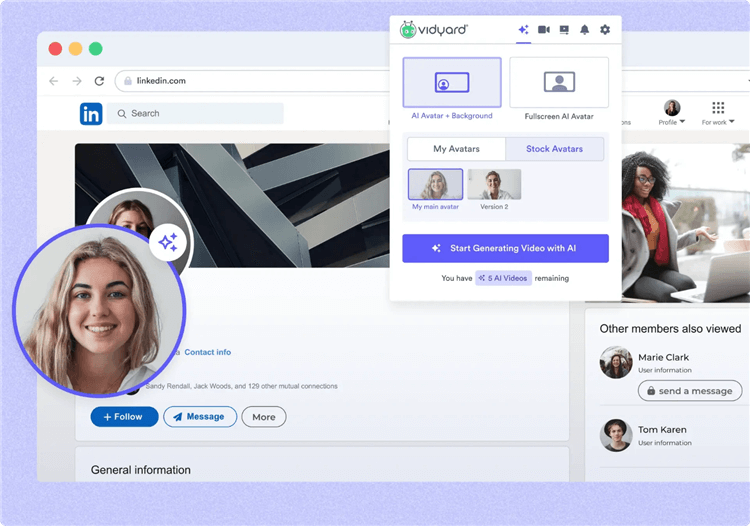
Vidyard
Vidyard is strictly positioned for B2B sales teams and marketers who need to track exactly how their video outreach impacts the revenue pipeline. While you can use it for quick messages, its true value lies in its robust viewer analytics and deep integrations with enterprise CRMs like Salesforce, HubSpot, and Marketo.
For an SDR sending cold outreach or crafting pitch videos, knowing exactly when a prospect watches a video—and how much of it they completed—can be the difference between closing a deal and losing a lead.
Pros of Vidyard:
- Industry-leading analytics that track individual viewer engagement and watch time.
- Deep, native CRM integrations that tie video performance directly to sales pipelines.
- Interactive in-video calls-to-action (CTAs) to capture leads directly from the video player.
- Tools specifically designed for personalized sales outreach at scale.
Cons of Vidyard:
- Can be prohibitively expensive for small teams, startups, or non-enterprise sales operations.
- The interface and setup are more complex than Loom due to the CRM connectivity.
- Like Loom, the actual screen recording output is basic and static, requiring manual effort if you want a visually polished presentation.
Also Read: Camtasia vs Loom: Which Screen Recorder Fits Your Workflow?
Loom vs Vidyard: Our Hands-On Test
Feature lists don’t always show how much work is involved in creating a finished video. To get a more practical comparison, we tested Loom, Vidyard, and FocuSee using the same product-demo workflow.
We created the same 3-minute software tutorial with each tool and then completed the same post-production tasks. We measured how long each task took and also compared features that affect the final viewing experience. For each tool, we used the same:
- Recording task: A 3-minute software walkthrough
- Editing requirements: Remove mistakes, add captions, and emphasize important UI actions
- Visual requirements: Add zoom and cursor emphasis where appropriate
- Output: A finished video ready to share with a potential customer
We measured the time required for each stage rather than simply checking whether a feature was available.
| Loom | Vidyard | FocuSee | |
| Recording setup | 15 sec | 35 sec | 20 sec |
| 3-min demo recording | 3 min | 3 min | 3 min |
| Remove mistakes | 45 sec | 50 sec | 20 sec |
| Automatic zoom | Manual | Manual | Automatic |
| Cursor effects | Basic / Manual | Basic / Manual | Automatic |
| Visual emphasis | 1m 10s | 1m 20s | 15 sec |
| Captions | 20 sec | 25 sec | 18 sec |
| Background removal | — | — | ✓ |
| Video sharing | Instant link | Hosted player | Export |
| Viewer analytics | Basic | Advanced | — |
| CRM integration | Limited | Advanced | — |
| In-video CTA | Limited | ✓ | — |
| Total production time* | 3m 00s | 3m 30s | 1m 38s |
| *Excluding the fixed 3-minute recording time. | |||
What the Results Show
The test highlighted three different strengths:
- Loom: Best for quickly recording and sharing videos.
- Vidyard: Best for viewer analytics, CRM integrations, and sales engagement.
- FocuSee: Best for visual post-production, with automatic zoom and cursor effects reducing manual editing.
The best choice ultimately depends on where you need the most help in your video workflow.
FocuSee: The Best Alternative for Professional Demos and Tutorials
If you realize that your main struggle isn’t video hosting or CRM integration, but rather that your screen recordings simply don’t look polished enough to send to clients, you need a tool designed for visual enhancement.
FocuSee is an AI-powered auto-editing screen recorder built specifically for creating high-quality product demos, software tutorials, and walkthroughs with minimal manual editing. Serving as a great Loom alternative for product demos, FocuSee helps you turn raw screen recordings into engaging presentations by automatically applying visual polish under supported recording conditions.
How the FocuSee workflow helps you create better demos:
Step 1. Record your screen and webcam: Capture your product workflow just as you would with any other tool.
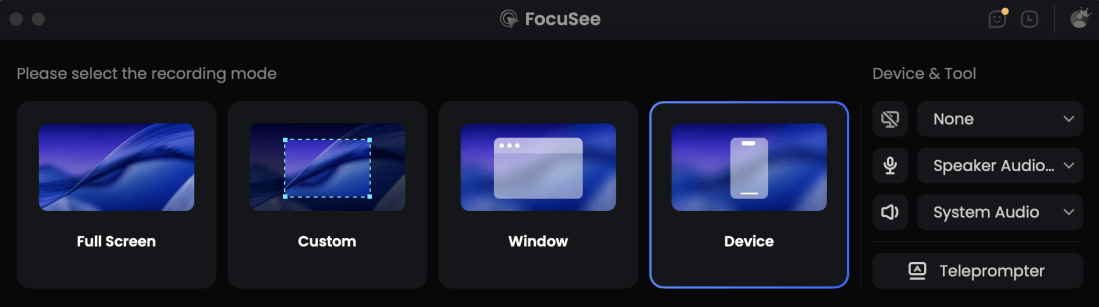
Choose the Recording Model
Step 2. Let FocuSee apply visual focus: FocuSee automatically adds smart zoom effects to highlight where you click, making complex interfaces easier to read.
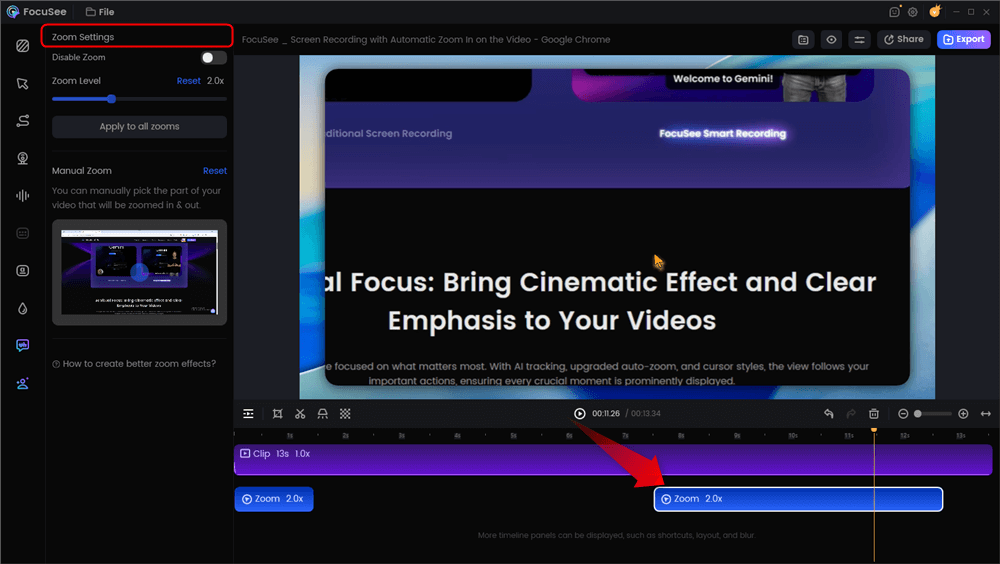
Automatic Zoom Effects
Step 3. Enhance cursor movement: The tool automatically applies smooth cursor tracking and cursor effects so the prospect never loses track of your actions.
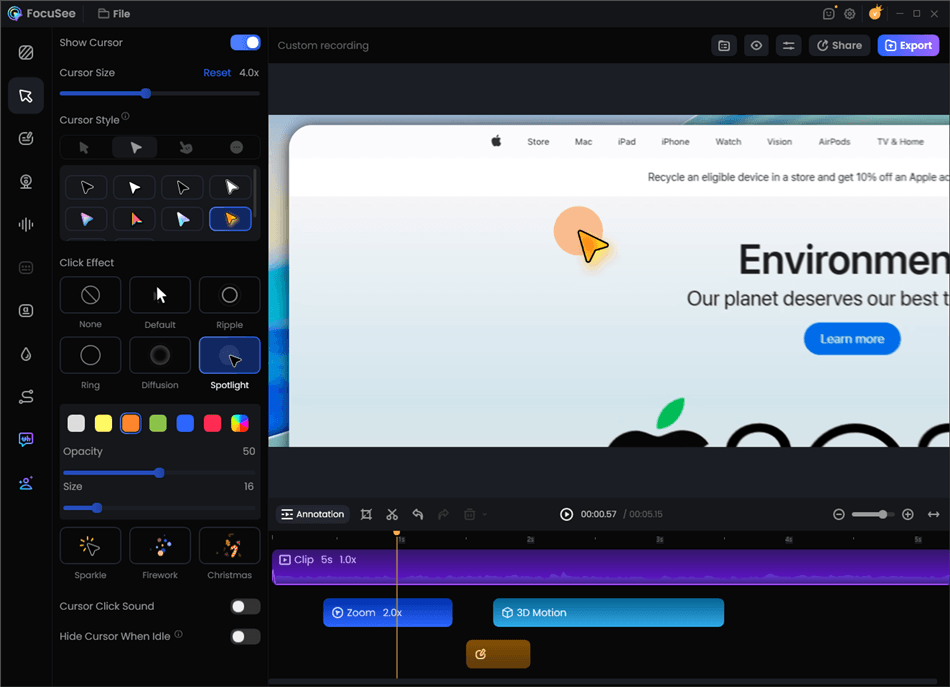
Record Screen with Cursor Following
Step 4. Review AI Subtitles: Generate automatic captions to make the demo accessible for viewers watching on mute (AI outputs may require a quick manual review for accuracy).
Step 5. Export a polished demo: Export the visually enhanced video to share locally, upload to YouTube, or host on your preferred platform.
FocuSee serves a slightly different workflow than Loom or Vidyard: it is the ideal choice for creating professional, auto-edited presentations rather than simple, disposable async messages.
Frequently Asked Questions About Video Messaging Tools
Which tool is better for cold sales outreach?
Vidyard is generally the better choice for enterprise cold sales outreach due to its robust analytics and CRM tracking capabilities. However, remember that prospects will only watch if the video is engaging, so the visual quality of your presentation still matters heavily.
What is the difference in pricing between Loom and Vidyard?
The core difference lies in their structural pricing models. Loom is designed for broad user adoption and typically utilizes a standard, per-seat licensing model, making it highly cost-effective for company-wide internal communication. Vidyard is explicitly tailored for B2B revenue teams, meaning its higher pricing tiers are structured as enterprise sales packages that bundle deep CRM integrations (like Salesforce), advanced marketing analytics, and pipeline tracking. Always check their respective pricing pages, as free-tier limits and AI feature access frequently change.
Do prospects actually watch these video messages?
Yes, personalized video messages can significantly increase open and click-through rates. But engagement drops sharply if the visual presentation is static, hard to read, or too long.
Do Loom and Vidyard offer automatic zoom and cursor effects?
No. Both Loom and Vidyard offer basic trimming and transcription, but they do not automatically add dynamic visual effects like smart zooms, cursor highlights, or background motion.
Is Vidyard worth the price for small teams?
Often, it is not. Unless your team relies heavily on Salesforce or HubSpot and requires mandatory, deep pipeline video tracking, the high cost of Vidyard makes it difficult to justify for smaller teams.
Are there good alternatives for high-quality product demos?
Yes. If your priority is visual polish rather than just video hosting, tools like FocuSee serve as an excellent alternative. FocuSee acts as an AI auto-editing screen recorder that automatically applies smart zooms, cursor tracking, and engaging visual movement to make your demos look professional without manual editing.
Final Verdict: Which Video Tool Fits Your Needs?
Choosing the right video messaging tool depends entirely on your core goal and who will be watching the final recording.
- Choose Loom if you need a cost-effective, frictionless tool for internal async communication, quick team updates, and general day-to-day collaboration.
- Choose Vidyard if you are an enterprise B2B sales team that relies heavily on Salesforce or HubSpot analytics to track pipeline revenue and viewer engagement.
- Choose FocuSee if your top priority is creating highly polished, visually engaging product demos and tutorials.
If you find that raw screen recordings fail to capture your prospects’ attention, and you want to upgrade the visual quality of your screen videos with automatic smart zooms and smooth cursor tracking—without spending hours manually editing—it’s time to rethink your recording workflow. Try FocuSee to easily transform your plain screen captures into professional presentations.
Related Articles