5 Best AI Product Demo Video Makers for SaaS Growth

Shipping a new feature should be a victory. But for many product teams, the celebration is cut short by the realization that marketing assets are weeks behind. You have the code ready, but creating a product demo video manually is a bottleneck. You spend hours scrubbing through timelines to remove silence, keyframing zoom effects, and re-recording audio because of a noisy background. By the time the video is polished, the UI might have already changed.
If you are looking for an AI video maker for SaaS products to break this cycle, you are in the right place. We have identified the top 5 tools for creating AI product demos that move you away from frame-by-frame editing and toward a scalable, automated workflow. These tools do not just save time; they ensure your documentation and sales assets keep pace with your engineering team.
Our Testing Methodology: How We Evaluated “The Best”
We didn’t just aggregate a list of features from landing pages. To ensure these recommendations hold up under real-world pressure, we tested every tool in this guide on standard SaaS hardware configurations.
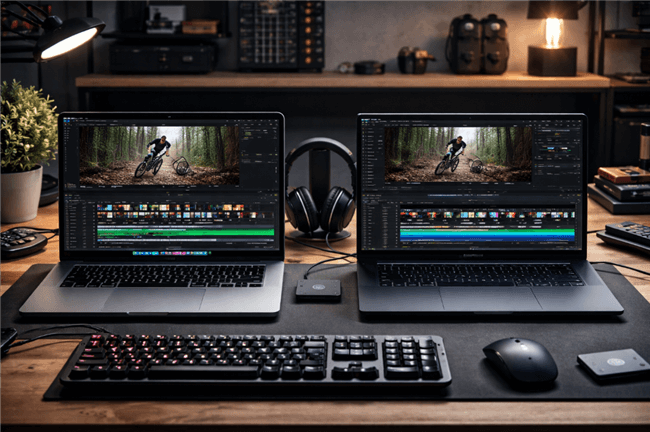
MacBook Pro and Dell XPS Testing
Our testing workbench included a MacBook Pro (M1 Pro chip, 16GB RAM) to verify Apple Silicon optimization and a high-performance Dell XPS (Windows 11, Intel i7) to check for cross-platform stability. We looked beyond the marketing hype to measure:
- Real-World Render Speed: We recorded a standardized 3-minute session. On the M1 Pro, manual editing and exporting in 4K via Premiere Pro took us roughly 45 minutes. The AI tools listed below averaged a processing time of under 3 minutes for the same clip.
- Edge Case Handling: We tested how these tools handled “dark mode” UIs (often a struggle for cursor tracking) and high-density dashboards with small text.
- Accuracy of Automation: We specifically tracked “ghost clicks”—where the AI zooms in on nothing—and evaluated how easy it was to fix them.
Whether you need to generate a quick sales demo video or a detailed product walkthrough, the tools listed below have passed a rigorous compatibility check to ensure they fit seamlessly into your modern workflow.
Quick Decision Guide: Manual Editing vs. AI-Powered Automation
Before diving into specific tools, it is crucial to understand the Return on Investment (ROI) of switching from manual workflows to an automatic product demo video maker. Many teams underestimate the hidden costs of manual production until they attempt to scale. Traditional methods require specialized skills in timeline editing, audio mixing, and motion graphics—resources that are scarce in most growth marketing teams.
The Efficiency Gap
When you rely on manual screen recording, you are trading hours of employee time for a single asset. If the UI changes next week, that asset becomes a liability. In contrast, an AI-powered demo video creator shifts the focus from pixel-pushing to strategy.
| Manual Recording | AI Demo Maker | |
| Time Cost | 2–4 hrs/min | 10–20 min |
| Skill | High | Low |
| Updates | Re-record | Auto reapply |
| Consistency | Variable | Branded |
| Scale | Linear | Exponential |
By adopting auto video editing, you are not just making videos faster; you are building a system where your documentation and sales assets can keep pace with your engineering team’s release cycle.
Top Pick for Automated Polish: FocuSee
For teams that need to create high-quality product walkthroughs based on actual software usage, FocuSee stands out as our top recommendation. It is designed specifically to augment real screen captures rather than generate synthetic ones, bridging the gap between authenticity and professional polish.
You know the scenario: You need demo videos for a new feature release, but you lack video production resources. Manual editing slows your launch.
FocuSee solves this by automatically tracking your mouse movements and applying zoom effects, turning a raw recording into a dynamic video in minutes. It essentially acts as a “virtual camera operator” that watches where you click and handles the post-production for you. Here is a demo video showcasing mouse tracking and automatic zoom effects.
Key Features for SaaS Growth
FocuSee addresses specific pain points you face daily:
- Smart Focus & Auto-Zoom: Instead of spending hours keyframing zoom-ins to highlight buttons, FocuSee’s Smart Focus detects your click actions and zooms in automatically.
- 3D Motionicon: To combat the fear that generic screen recordings look boring, the 3D Motionicon adds a cinematic tilt and dynamic cursor movement, making standard screencasts look like high-budget productions.
- AI Smart Cut: Voiceovers and edits often add significant production overhead. The AI Smart Cut feature automatically removes silence and filler words (like “um” and “uh”), ensuring audio is concise without manual trimming.
- Brand Customization: Unlike rigid templates, FocuSee allows you to define padding, background gradients, and shadow depth. You can input your specific brand hex codes to ensuring the video matches your website’s aesthetic perfectly.
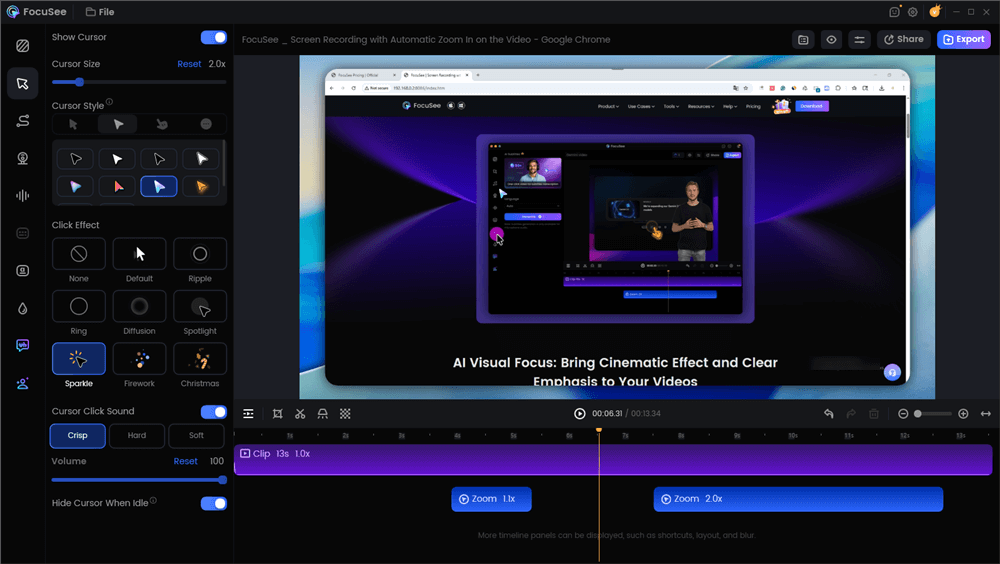
Edit the Tutorial with Auto Effects
The “Manual Override”: What if the AI gets it wrong?
A common fear with AI video tools is a lack of control. What happens if the AI zooms in on the wrong button?
During our testing, we found FocuSee handles this well. It presents you with a simplified timeline. If an auto-zoom is slightly off-center, you don’t have to re-record. You simply click the zoom keyframe on the timeline and drag the focus box to the correct area of the screen. It combines the speed of automation with the precision of manual editing.
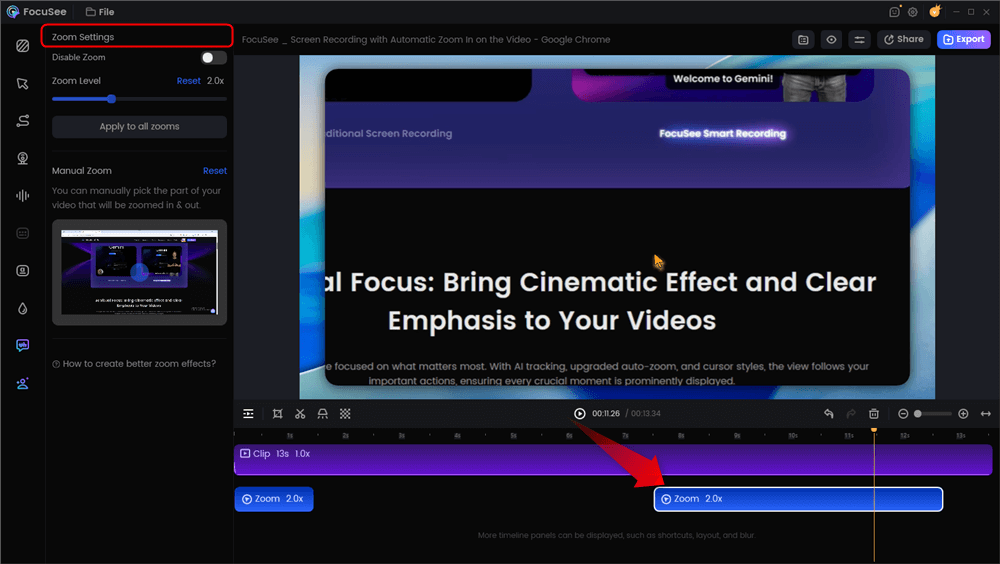
Automatic Zoom Effects
Handling UI Updates (The “Killer Feature”)
The biggest frustration in SaaS is “content rot”—when a UI update renders a video obsolete.
With FocuSee, you don’t save a “video file”; you save a project file. When the UI updates, you can re-record just the raw screen capture. Because the zoom settings, background styling, and cursor effects are applied programmatically, you don’t need to re-edit the video from scratch. You simply run the new footage through your established presets. This turns a 4-hour update task into a 15-minute task.
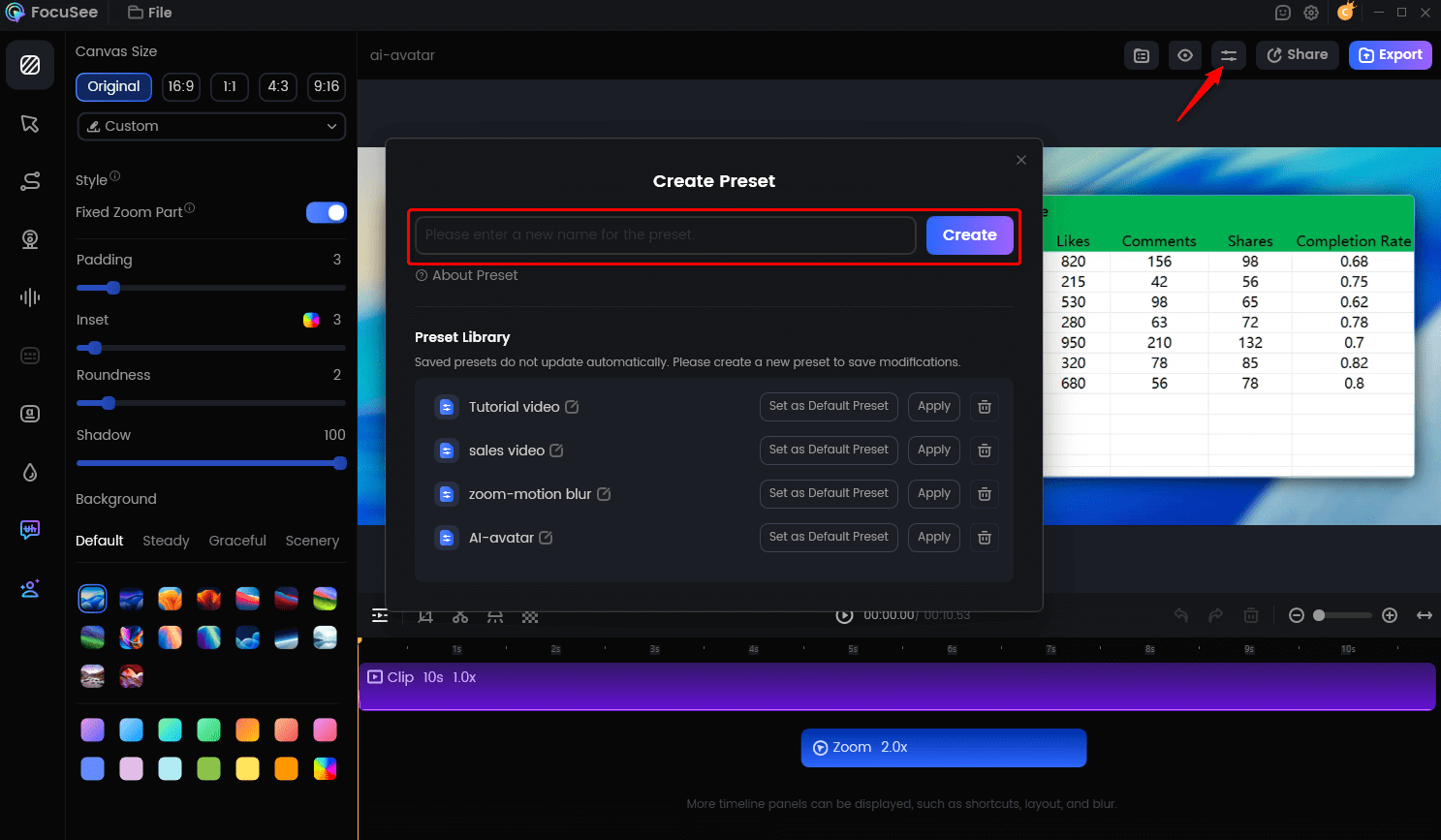
Create Your Presets
The Cons: Where FocuSee Falls Short
To ensure you make the right choice, here are the limitations we found during testing:
- No Multi-Track Editing: FocuSee is built for single-take flows. You cannot easily stitch together five different recordings into one long video without exporting them first and combining them in another tool.
- Text Editing: Adding text overlays is possible, but basic compared to a dedicated editor like CapCut.
Best Use Case
FocuSee is the ideal AI screen recording demo tool for product marketers, founders, and customer success managers who need to show the actual product interface with high fidelity, but lack the time for professional video editing.
4 Best Alternatives for SaaS AI Product Demo Video Makers
While FocuSee excels at screen recording augmentation, the landscape of AI demo video generators for SaaS is diverse. Depending on your specific use case—whether you need avatars, documentation, or mobile-first content—other tools might fit your needs better. Here is a breakdown of the top alternatives to help you distinguish between generative AI and capture tools.
2. Best for AI Avatars: Synthesia
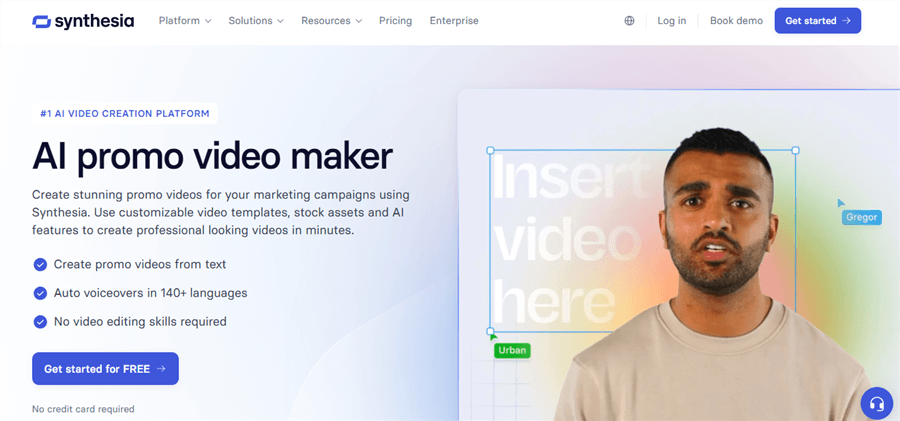
AI Product Demo Video Makers for SaaS – Synthesia
If your goal is to humanize a generic script without filming a real person, Synthesia is the leader in AI video generation using avatars.
- How it works: You type a script, select an AI avatar, and the tool generates a video of a person speaking your text.
- Pros: Ideal for formal onboarding videos or corporate training where a “human” face builds trust. Supports 120+ languages.
- Cons: It lacks direct screen interaction. You cannot easily show a complex mouse workflow alongside the avatar without significant manual editing in a third-party tool.
3. Best for Documentation: Scribe
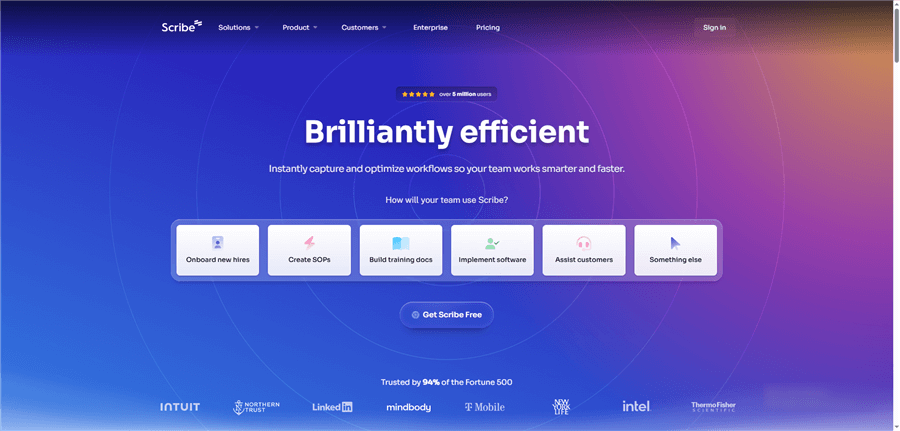
AI Product Demo Video Makers for SaaS – Scribe
For teams that need step-by-step guides more than slick marketing videos, Scribe automates the creation of standard operating procedures (SOPs).
- How it works: It records your browser clicks and instantly converts them into a written guide with screenshots and text instructions.
- Pros: Perfect for internal training, support docs, and knowledge bases.
- Cons: It produces static documents (PDF/HTML), not video files, meaning it does not solve the need for a sales demo video.
4. Best for Text-to-Video: InVideo AI
If you have a blog post you want to turn into a visual asset, InVideo uses text to video technology to generate stock footage-heavy clips.
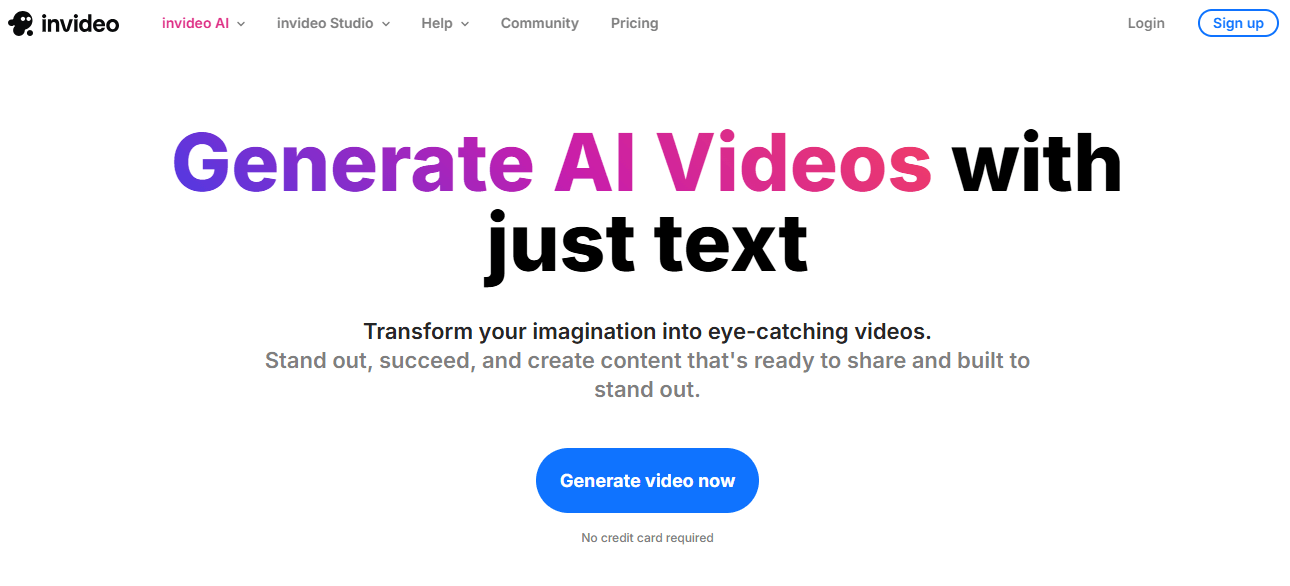
AI Product Demo Video Makers for SaaS – InVideo
- How it works: You provide a prompt or a URL, and the AI scrapes the content to build a storyboard with stock video, voiceover, and captions.
- Pros: Excellent for top-of-funnel content and social media hype reels.
- Cons: It is less effective for specific SaaS marketing video needs that require showing your actual UI. The visuals are often generic stock clips rather than your specific software.
5. Best for Mobile App Demos: Screen Studio
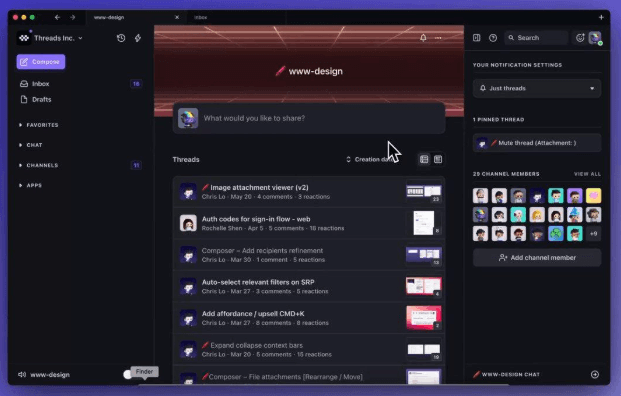
AI Product Demo Video Makers for SaaS – Screen Studio
For products that live on iOS, Screen Studio provides high-quality device frames and smooth motion backgrounds.
- How it works: It records your screen and automatically applies high-quality animations, background blurs, and zoom effects similar to FocuSee, but with a heavy focus on Mac/iOS aesthetics.
- Pros: Strong contender for mobile-first demos, ensuring your app looks professional on vertical screens.
- Cons: Currently limited to macOS. If your team operates on Windows, this tool is inaccessible.
Why Traditional Screen Recording Stalls SaaS Growth
You might wonder why shifting to an AI demo video generator is urgent. The problem lies in the nature of modern software development: continuous deployment. In the past, software shipped on a CD once a year, so a video could last just as long. Today, SaaS products update weekly.
The UI Update Trap
Traditional screen recording workflows create a static asset that is effectively “dead” the moment your engineering team pushes a UI update. If you spent $5,000 or 40 hours creating a product walkthrough, and the navigation menu changes, that video is now obsolete. This leads to “content rot,” where marketing materials no longer match the product, confusing potential customers.
The Consistency Struggle
Furthermore, when different team members record demos manually, inconsistencies arise. One rep might have a messy desktop background; another might have poor audio quality. Manual editing makes it nearly impossible to enforce brand standards across a library of videos. This inability to scale production or maintain consistency is exactly why manual workflows create bottlenecks, and why auto video editing has become a necessity for high-performing teams.
Balancing AI Automation with Authentic Demos
As you evaluate these tools, there is a critical distinction that most guides miss. Based on extensive analysis of successful B2B campaigns, we found that AI product demo video makers work best when they augment, rather than replace, real screen recordings. In the high-stakes world of B2B sales, trust is your primary currency.
The Augmentation Strategy
High-performing teams use AI for the invisible layer of production—scripting, AI voiceover, captions, and rapid editing—while grounding the visual content in authentic product interactions.
- Do: Use AI features like Mouse Click Effects and AI Smart Cut to make the viewer’s journey smoother and easier to follow. These tools enhance clarity.
- Don’t: Rely on generative video to “fake” features that do not exist or use AI to hallucinate UI elements. B2B buyers are savvy; if the demo looks too perfect or synthetic, skepticism rises.
Your goal should be to use an AI screen recording demo tool to remove the friction of production, allowing the genuine utility of your software to shine through without distraction. This approach ensures your sales demo video remains accurate, trustworthy, and effective.
FAQ: Common Questions About AI Demo Video Makers
What is an AI product demo video maker?
It is a software tool that uses artificial intelligence to automate the creation, editing, and enhancement of product videos. These tools often handle tasks like zooming, cursor highlighting, voiceovers, and subtitles automatically, reducing manual editing time.
Can AI tools accurately create demo videos for real SaaS products?
Yes, but accuracy depends on the tool type. Screen recording augmentation tools (like FocuSee and Screen Studio) are 100% accurate because they capture your actual screen. Generative text-to-video tools may “hallucinate” details and are less suitable for precise UI demos where the exact button placement matters.
Do I still need to record my screen, or is everything generated by AI?
For the best results, you should record your screen. AI is then used to edit that footage—cleaning audio, adding zooms, and smoothing cursor movement—saving you hours of post-production work. This “hybrid” approach ensures the product looks real while the production value remains high.
Are AI demo video makers suitable for B2B SaaS sales?
Absolutely. They allow sales teams to create personalized, polished demos rapidly. Speed is often a competitive advantage in B2B cycles, and AI tools enable you to send high-quality assets immediately after a call to reinforce your pitch.
How customizable are AI-generated demo videos?
Most professional AI-powered demo video creator tools offer high customization. You can usually adjust branding, change background layouts, edit captions, and even swap out the AI voiceover to ensure the final video aligns with your corporate identity.
How do AI demo video tools compare to traditional screen recorders?
Traditional screen recorders capture raw footage that requires manual editing in third-party software (like Premiere Pro). AI demo tools capture the footage and automatically apply edits, zooms, and effects, combining two complex steps into one automated workflow.
Conclusion
The bottleneck of manual video production—where simple edits take hours and UI updates render content obsolete—is no longer a necessary evil. By adopting the best AI product demo video maker for your specific needs, you can regain control over your content calendar.
If you need to produce consistent, high-fidelity product walkthroughs that withstand the pace of SaaS development, we recommend starting with FocuSee. It eliminates the technical barriers of editing while keeping your product front and center.
Ready to cut your video production time by 90%?
Download FocuSee for free today and turn your next screen recording into a polished asset in minutes.