5 Best SaaS Product Demo Video Software for High-Converting Walkthroughs

Consider the situation of Alex, a Product Marketing Manager at a high-growth B2B SaaS startup. He is facing a two-week deadline to launch a critical feature page. His previous attempts at creating assets resulted in frustration: existing demo videos looked unpolished, the recording tools felt overly complex, and the final output failed to explain the product clearly. He needed a saas product demo video maker that could bypass the steep learning curve of professional editing software and deliver a polished result immediately.
If you are in a similar position, you know that finding the 5 best saas product demo video software options isn’t just about comparing feature lists—it is about finding a workflow that survives the pace of modern software development.
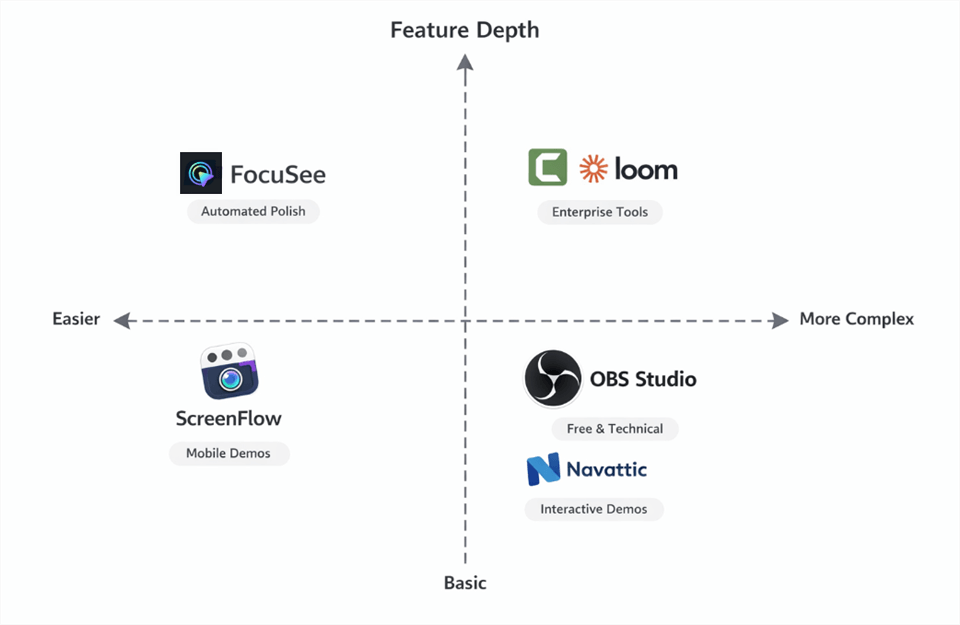
Best SaaS Product Demo Video Software
To ensure these recommendations hold up in real-world production environments, we tested the top contenders on macOS Sonoma/Sequoia (M1/M3 MacBook Pros) and Windows 11 (23H2) workstations. We evaluated them not just on recording quality, but on how they handle High-DPI (Retina) scaling, dual-monitor setups, and export rendering speeds.
Top 5 SaaS Product Demo Video Software
We have broken down the top contenders based on the factors that matter most to SaaS teams: speed, visual polish, and how easy it is to update the video when your UI changes.
| Primary Use | Setup Speed | Polish Level | Update Speed | |
| FocuSee | Agile marketing | Fast | High (Auto zoom) | High (Modular) |
| Loom | Internal comms | Instant | Medium (Raw) | Low (Re-record) |
| Camtasia | Training & editing | Slow | High (Manual) | Medium (Timeline) |
| OBS Studio | Streaming | Very slow | Low (Raw) | Low |
| Navattic | HTML demos | Medium | N/A | High (No video) |
General Screen Recorders vs. Dedicated SaaS Demo Video Tools
Before selecting a tool, you must distinguish between general screen recording software and dedicated SaaS demo video tools.
General tools (like OBS or QuickTime) capture raw pixels. While free or cheap, they transfer the burden of quality to you. To make a raw recording look professional, you must manually zoom into button clicks, mask sensitive data, and balance audio levels. For most marketers, this means spending hours in post-production for every minute of footage.
Dedicated SaaS solutions, however, automate these editing tasks. They are built to recognize cursor movement and interface elements, applying polish automatically.
FocuSee: Best for Automated Polish and Fast Turnaround
For teams that need to produce marketing-grade videos without a dedicated editor, FocuSee is built specifically for creating professional SaaS demos, tutorials, and product walkthroughs — fast.
Instead of spending hours on manual post-production, FocuSee automatically transforms raw screen recordings into polished videos with smart zoom, cursor effects, subtitles, audio enhancement, and layout optimization — all applied instantly after recording.
The result is a streamlined workflow where creators can focus on content, not editing.
How It Solves the “Tiny UI” Problem
Recording modern SaaS products on high-resolution displays often results in a major issue: the interface appears too small or illegible on standard screens.
FocuSee solves this with Smart Focus & Auto-Zoom.
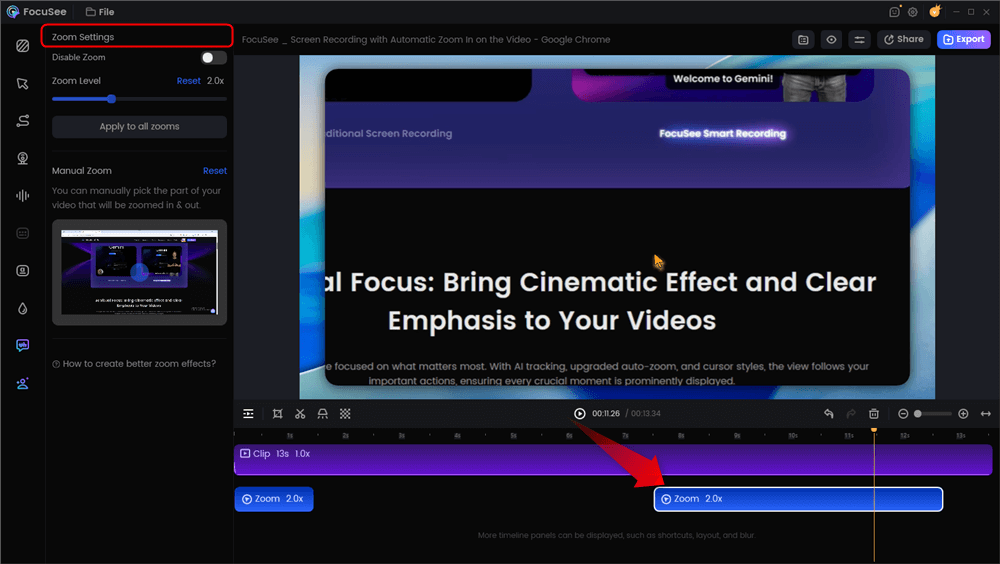
Automatic Zoom Effects
It intelligently tracks user interactions and automatically zooms into key areas when actions happen — such as clicking buttons, opening menus, or filling forms. Viewers always see exactly what matters, without distracting wide shots or manual camera work. This makes complex workflows easier to understand and significantly improves viewer comprehension.
Built for Fast Updates and Iteration
Product videos become outdated quickly. UI changes, features evolve, and workflows get adjusted. FocuSee is designed to keep your video library easy to refresh:
- Automatic visual effects are applied consistently, so re-recording doesn’t require rebuilding camera movement or highlights.
- AI-powered subtitles and audio enhancement regenerate instantly with each recording.
- Reusable templates and presets ensure all videos maintain a consistent brand style.

Show Mouse Cursor
This allows teams to update demos, tutorials, and onboarding videos in minutes instead of hours — without complex editing timelines.
It exports high-quality MP4 and GIF files optimized for YouTube, websites, help centers, and social platforms. For viewer analytics and engagement tracking, videos can be uploaded to any hosting service, such as YouTube, Wistia, or Vimeo.
Why Teams Use FocuSee
FocuSee is ideal for:
- SaaS product demos
- Software tutorials
- Customer onboarding
- Feature announcements
- Marketing explainers
Its real advantage is simple: it removes most of the manual work between “Record” and “Publish.” No complex timelines. No keyframes. No traditional editing overhead. Just professional videos — generated automatically.
Top 4 Alternatives for Enterprise, Mobile, and Free Tiers
While automation is ideal for agile teams, different organizational needs may require alternative top saas product demo video platforms. Here is how the landscape breaks down for specific use cases:
2. Loom/Camtasia
Best for Enterprise & Large Teams
If your organization requires deep team collaboration or granular, frame-by-frame editing, legacy tools remain a standard.
Loom: The industry standard for speed. It hosts the video for you, providing instant links and basic engagement data. However, it lacks the “marketing-grade” polish (zoom/pan) required for a homepage product demo video, making it better suited for sales outreach or internal updates.
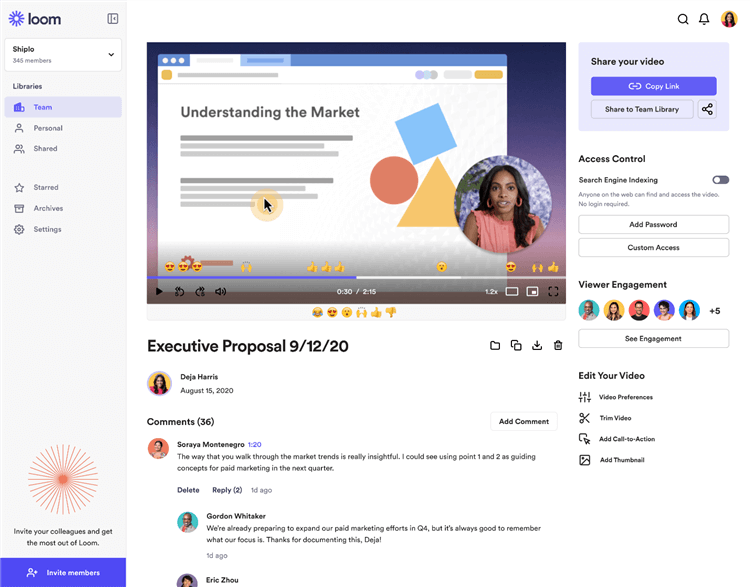
SaaS Product Demo Video Software – Loom
Camtasia: Offers the most robust editing suite. You can manipulate every pixel, making it perfect for complex tutorials. The downside is the time investment. You must manually add every zoom and highlight, which can slow down shipping speed significantly.
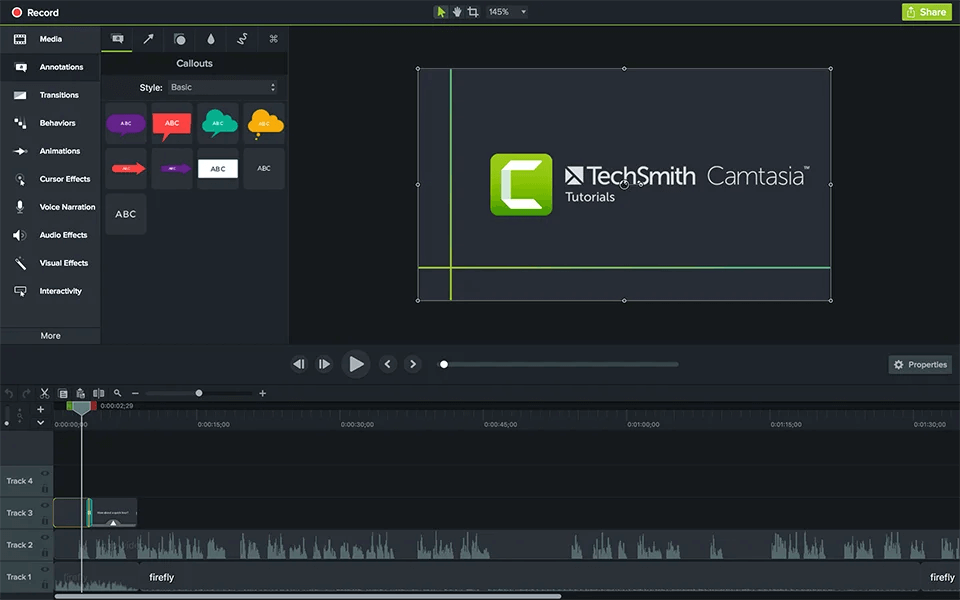
SaaS Product Demo Video Software – Camtasia
3. ScreenFlow (macOS)
Best for Mobile-Only Demos
For SaaS products with a heavy mobile app component, Screenflow allows for high-quality iOS recording via USB. It captures the device screen at full resolution. However, note that FocuSee also supports mobile device recording with professional device frames, often making it a more versatile choice for hybrid web/mobile apps.
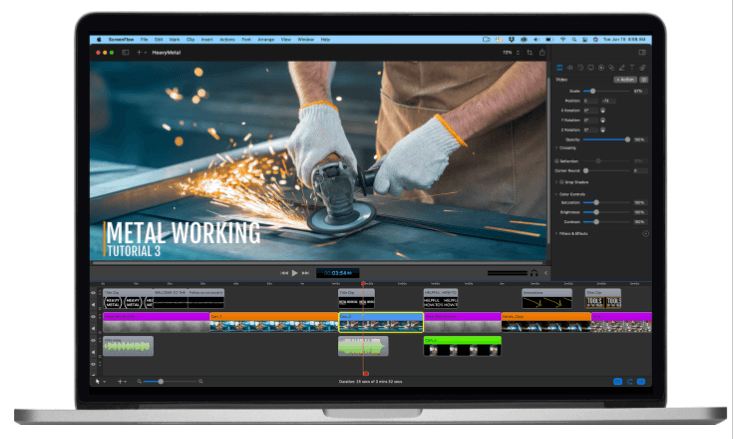
SaaS Product Demo Video Software – ScreenFlow Interface
4. OBS Studio
Best Free Option
Open Broadcaster Software (OBS) is the standard for free screen recording software. It is powerful but highly technical. While free, OBS requires a significant time investment in setup. You won’t just hit “Record.” You will likely spend 1-2 hours configuring your “Canvas” resolution to match your output (to avoid black bars), setting up audio input gates to remove background noise, and mapping hotkeys. It does not offer automated zooming or cursor smoothing, so what you record is exactly what you get.
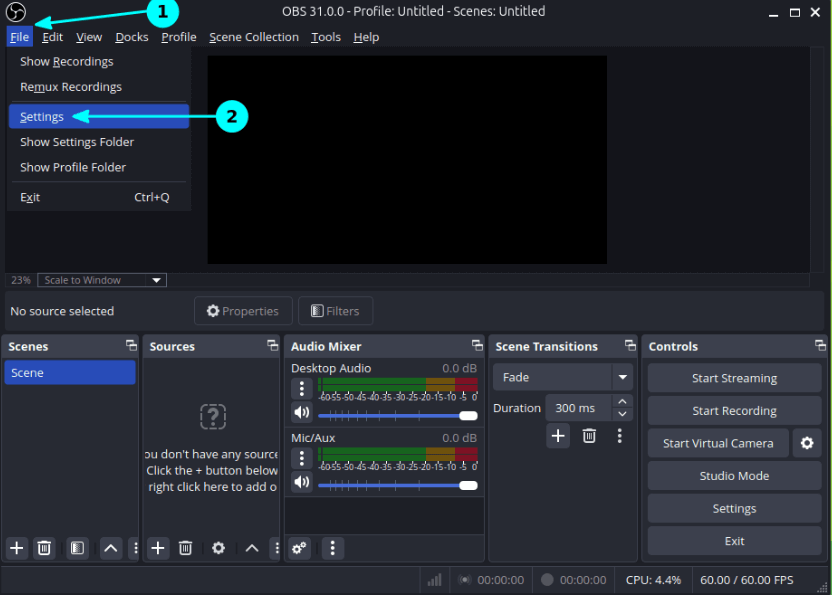
SaaS Product Demo Video Software – OBS Studio
5. Navattic
Best for Interactive Demos
If you need an interactive, clickable walkthrough rather than a video file, Navattic creates guided HTML5 overlays. This is excellent for customer education, allowing users to “click through” the product themselves. While powerful, it lacks the personal touch of a voiceover-led video narrative that builds emotional connection.
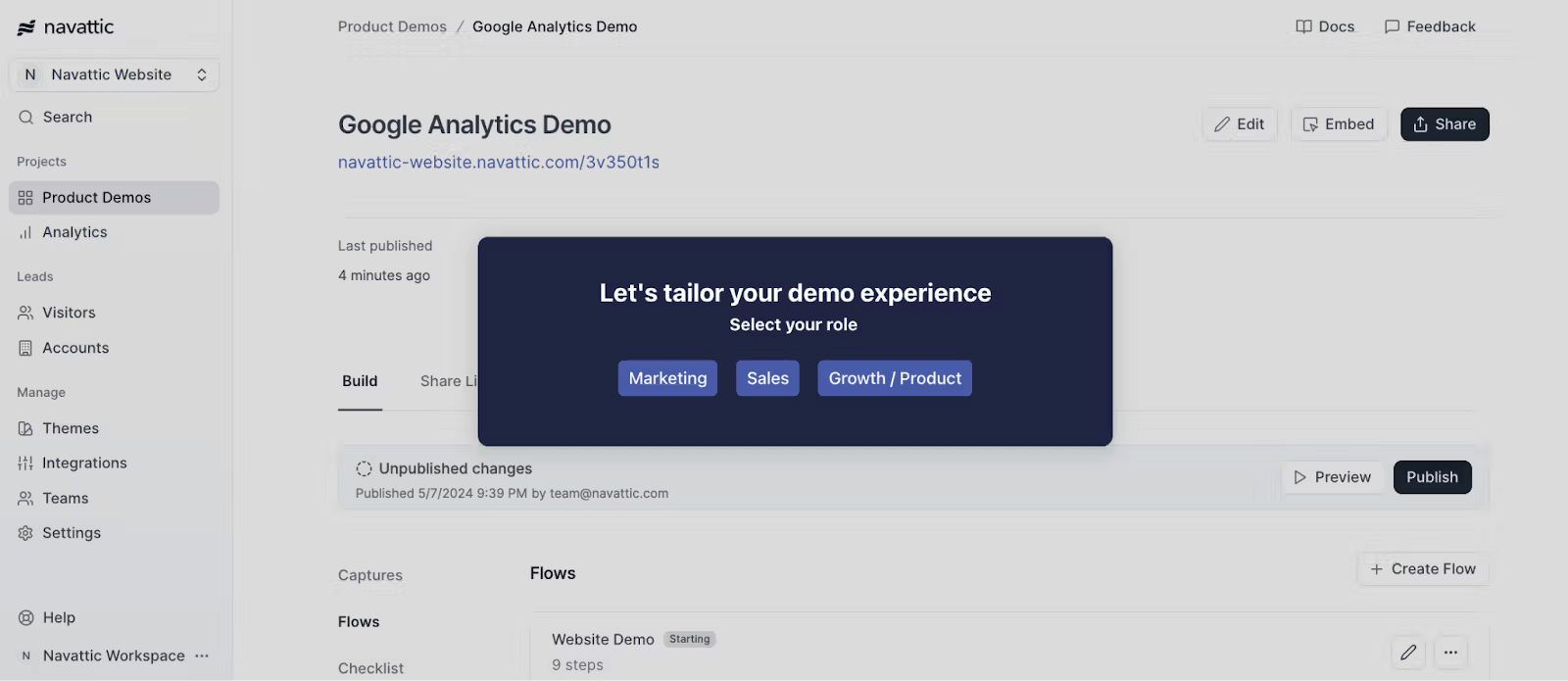
SaaS Product Demo Video Software – Navattic
Why Update Velocity Matters for SaaS Demos
Here is a critical tip that most other guides miss, and it is something many PMMs learn the hard way: Update Velocity is the most important feature for B2B SaaS marketing.
Based on SERP analysis and expert interviews, a plausible expert insight is that many SaaS teams choose demo video software based on recording features alone, but overlook the maintenance cost. Tools that support quick re-recording, modular clips, or lightweight editing drastically reduce long-term costs.
The “Rotting” Demo Problem
If you use a tool that requires heavy post-production (like After Effects or complex timeline editors), you create a “heavy” asset. When your engineering team ships a UI update two weeks later—changing the navigation bar color or moving a button—your polished video becomes instantly obsolete.
To avoid this technical debt, prioritize tools that allow for modular updates. This capability ensures your onboarding video library remains accurate without requiring a full production cycle every sprint.
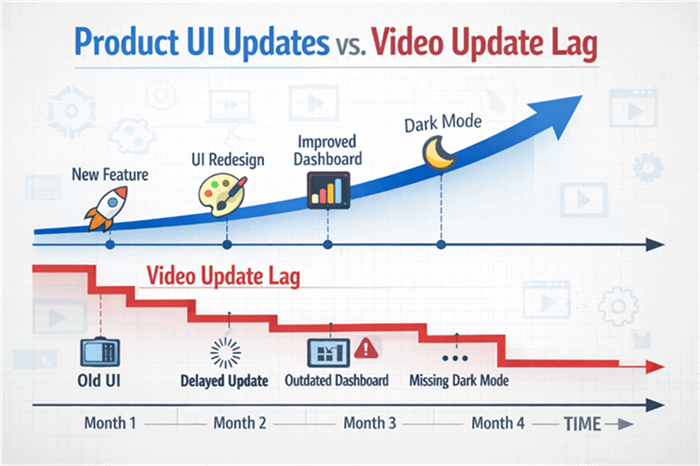
Product UI Updates vs. Video Update Lag
3 Metrics That Matter for SaaS Demos
Regardless of which tool you choose to create the video, you need to track its performance. Since creation tools like FocuSee or OBS create files rather than host them, you will need to upload your video to a platform (like Wistia, Vimeo, or YouTube) to track these KPIs:
- Play Rate: The percentage of page visitors who actually click “Play.” If this is low, your video thumbnail or placement is the issue, not the video content itself.
- Retention Rate (Drop-off): At what second do people stop watching? If 50% of viewers drop off at the 10-second mark, your intro is likely too slow or the audio quality is poor.
- CTA Click-Through Rate: For interactive players, how many users click the “Sign Up” or “Book Demo” button at the end? This is the ultimate measure of your video’s effectiveness.
Real-World Workflow: From Recording to Landing Page in 60 Minutes
To prove that you don’t need a video team to create a high-converting product marketing video, let’s look at the actual workflow Alex used to hit his deadline. This process takes a raw concept to a published asset in under an hour.
Step 1: Scripting with Built-in Teleprompter
Instead of memorizing lines or taping notes to a monitor, Alex used FocuSee’s Built-in Teleprompter Guidance. He pasted the value proposition directly into the interface. This ensures the voiceover is concise and prevents the “rambling” that ruins many demos.
Step 2: Recording and Error Removal
During the recording, Alex made a few verbal mistakes. In a traditional workflow, this would require manual cutting. However, he used AI Smart Cut to automatically strip out silences and filler words. Combined with Auto-Zoom, the software handled the visual pacing while he focused on the narration.
Step 3: Export and Embed
Finally, Alex exported the file. Because FocuSee supports Multi-Platform Export, he generated a 4K version for YouTube (to handle the analytics) and a lightweight GIF for the email newsletter simultaneously.
FAQs: Choosing the Right SaaS Demo Video Software
Which SaaS demo video software is best for my use case?
For marketing and high-polish sales assets where speed is critical, FocuSee is the top recommendation due to its automated zoom and cursor effects. For heavy technical documentation or developer-focused walkthroughs, Camtasia may be better suited for its granular editing control. For quick, internal team updates, Loom is the industry standard.
How do I handle recording on a High-DPI (Retina) screen?
Recording on a 4K or Retina screen can make UI elements look tiny when played back on standard 1080p screens. Tools like FocuSee handle this automatically by zooming in on cursor actions. If using OBS or Loom, you may need to lower your monitor’s resolution during recording or increase the browser zoom level to 125% or 150% to ensure text remains legible.
Can I record high-quality screen demos without installing heavy software?
Yes, but with caveats. Browser-based recorders (like Loom’s extension) are lightweight but often suffer from lower frame rates or compression artifacts compared to desktop applications. For the highest quality 4K recording, a native desktop application like FocuSee or OBS is recommended to ensure smooth cursor movement and crisp text resolution.
Are free demo video tools good enough for B2B SaaS marketing?
Generally, no. Free tools like OBS are powerful but lack the specialized polish features (like background blur, auto-zoom, or mouse smoothing) that signal “premium product” to B2B buyers. A dedicated tool pays for itself by reducing the hours spent manually editing raw footage to meet brand standards.
Conclusion
The struggle to produce high-quality demo assets is common, but it doesn’t have to result in expensive outsourcing or hours of frustration with complex timelines. By choosing the right tool, you can solve the core issues of unpolished visuals and slow update cycles.
We recommend starting with FocuSee if your goal is to reduce technical debt and ship professional assets quickly. It addresses the complexity of video editing by automating the zoom and polish, ensuring your sales demo video supports your narrative rather than distracting from it. You can regain control over your product launch timeline today—download FocuSee and create your first professional walkthrough in minutes.