5 Best AI Promo Video Creator in 2026

A 48-hour deadline to launch a promo video is common—but speed isn’t the real problem. The real challenge is producing a video that looks professional, stays on-brand, and drives results. Most marketers get stuck in complex AI tools, ending up with generic output, unclear pricing, and copyright concerns.
This guide solves that with a simple 3-hour workflow from idea to published, trackable video—covering scripting, branding, recording, and editing in one streamlined process.
We also benchmarked five AI video tools, including FocuSee, based on speed, brand consistency, caption quality, and ease of use.
5 Best AI Promo Video Creators in 2026 (Quick Comparison)
| Best For | Key Strength | Ideal Users | |
| FocuSee | SaaS demos | Auto zoom + cursor highlight | Marketers, founders |
| Descript | Script editing | Edit video via text | Creators, podcasters |
| Synthesia | AI avatars | No filming needed | Corporate teams |
| Pictory | Text-to-video | Fast content repurposing | Content marketers |
| Runway | AI visuals | Cinematic generation | Creative teams |
5 Best AI Promo Video Creators in 2026
Choosing the right AI promo video creator can significantly impact your speed, output quality, and brand consistency. Below are five widely used tools for creating product promo videos, each with different strengths depending on your workflow.
FocuSee (Best for SaaS Promo & Screen-Based Demos)
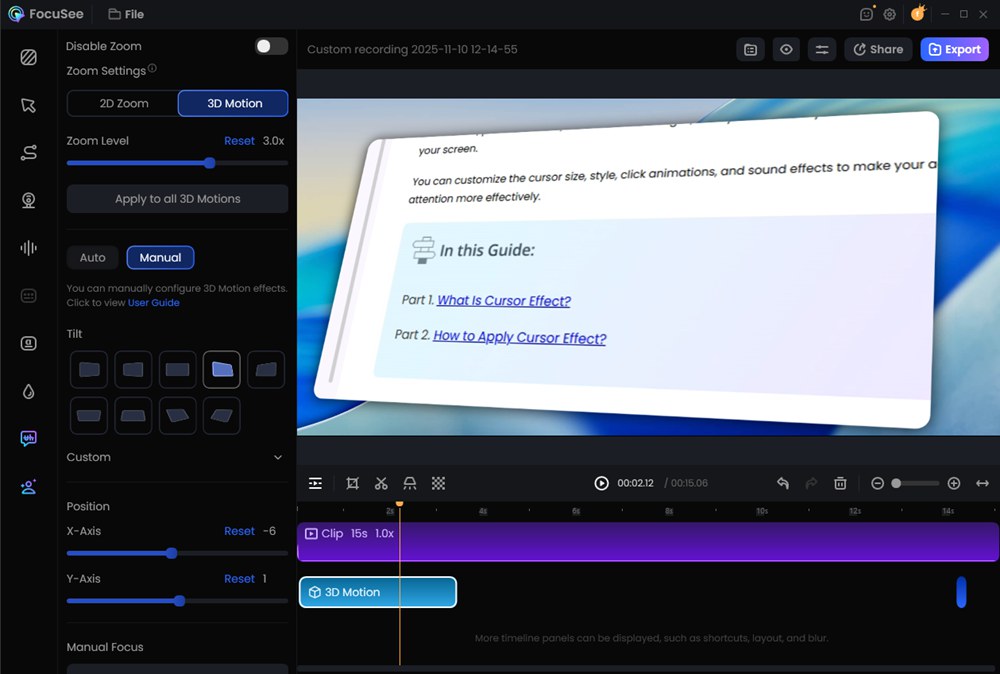
AI Promo Video Creator – FocuSee
Key Features:
- Smart Focus & Auto-Zoom: Automatically highlights clicks, inputs, and key UI interactions
- Cursor Tracking & Motion Effects: Makes product walkthroughs visually engaging
- Auto Cut & Silence Removal: Eliminates pauses and unnecessary segments
- Annotation & Callouts: Add highlights, labels, and visual emphasis without manual design work
- AI Voice Enhance: Improves clarity and consistency of recorded audio
- AI Audio Enhancement: Reduces noise, removes echo, and enhances voice clarity for studio-quality sound.
- AI Subtitles (50+ Languages): Instantly generates accurate multilingual captions for global reach.
- AI Virtual Avatar: Replaces on-camera recording with a customizable AI avatar for consistent branding.
- Built-in Brand Kit: Apply consistent colors, fonts, and styles across all videos
- Multi-Format Export: Optimized outputs for demos, ads, social media, and onboarding
Why it stands out:
FocuSee removes the biggest bottleneck in SaaS promo creation—manual editing. What typically takes hours in traditional editors can be done in minutes.
Limitations:
- Less suitable for cinematic storytelling or live-action footage
- Primarily focused on screen-based content rather than full video production
Best for:
SaaS founders, product marketers, indie hackers, and anyone creating product demos, onboarding videos, or feature explainers at scale.
Descript (Best for Script-Based Editing & Voiceover Control)
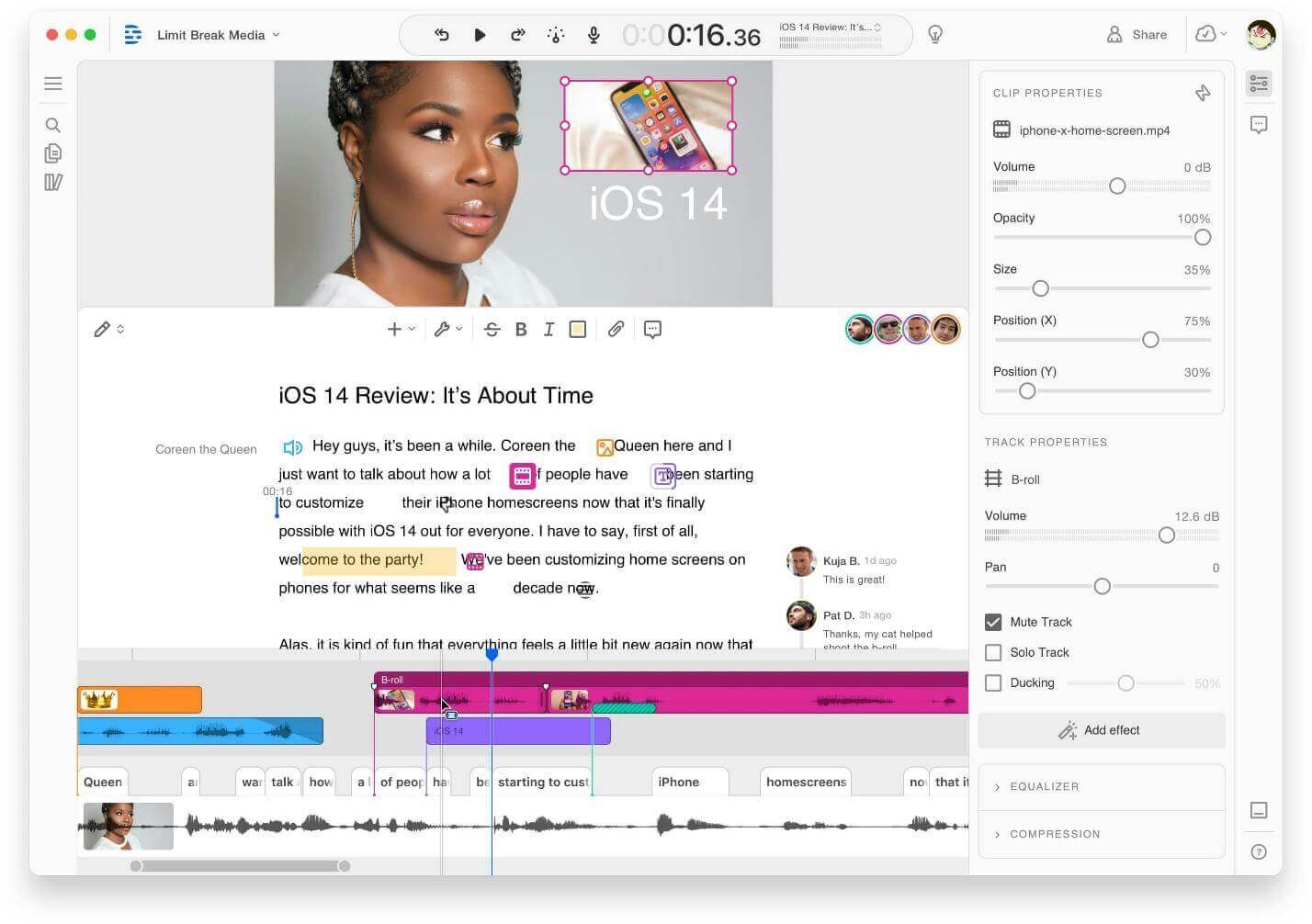
AI Promo Video Creator – Descript
Descript redefines video editing by turning it into a text-first experience. Instead of working on a timeline, you edit your video by editing the transcript—making it incredibly intuitive for content-heavy videos.
Key Features:
- Text-Based Video Editing: Delete words to cut video segments
- Overdub (AI Voice Cloning): Fix or add narration without re-recording
- Multitrack Editing: Supports podcasts, interviews, and layered media
- Screen Recording + Webcam Capture
- Filler Word Removal (um, uh, etc.)
Why it stands out:
Ideal for creators who think in scripts rather than timelines. It dramatically speeds up editing for talking-head and narrative-driven content.
Limitations:
- Less automation for visual styling compared to tools like FocuSee
- Not optimized for highly visual or UI-heavy product demos
Best for:
Founders, educators, and marketers producing explainers, interviews, podcasts, and narrative promo videos.
Synthesia (Best for AI Avatar Videos)
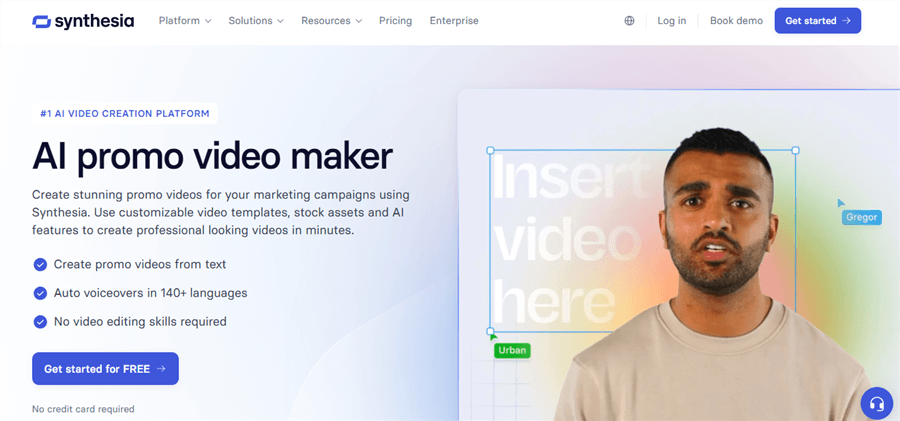
Promo Video Maker Software – Synthesia
Synthesia enables you to create professional videos without a camera, microphone, or actors. Instead, AI avatars deliver your script in a natural, studio-style format.
Key Features:
- AI Avatars (100+ options) across different demographics
- Text-to-Speech in Multiple Languages
- Lip-Synced Voice Generation
- Template-Based Video Creation
- Localization at Scale
Why it stands out:
Perfect for scaling video production globally without reshooting content. One script can be turned into dozens of localized versions.
Limitations:
- Limited emotional expressiveness compared to real humans
- Less suitable for dynamic product demos or UI walkthroughs
Best for: HR teams, enterprise marketers, and L&D professionals creating training videos, onboarding, and multilingual promos
Pictory (Best for Turning Text into Short Videos)
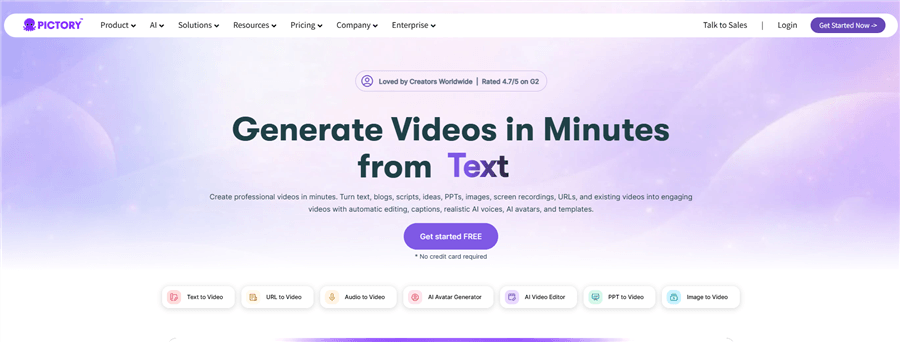
AI Promo Video Creator – Pictory
Pictory specializes in content repurposing, turning long-form text into short, digestible video content ideal for social media.
Key Features:
- Blog-to-Video Conversion
- Automatic Scene Generation
- AI Captions & Subtitles
- Stock Footage Library Integration
- Social Media Format Optimization (vertical, square, etc.)
Why it stands out:
Great for quickly transforming existing content into engaging videos without starting from scratch.
Limitations:
- Limited control over storytelling precision
- Heavy reliance on stock visuals may feel generic
Best for:
Content marketers, bloggers, and social media managers are creating short-form promotional content at scale
Runway (Best for Advanced AI Video Generation & Effects)
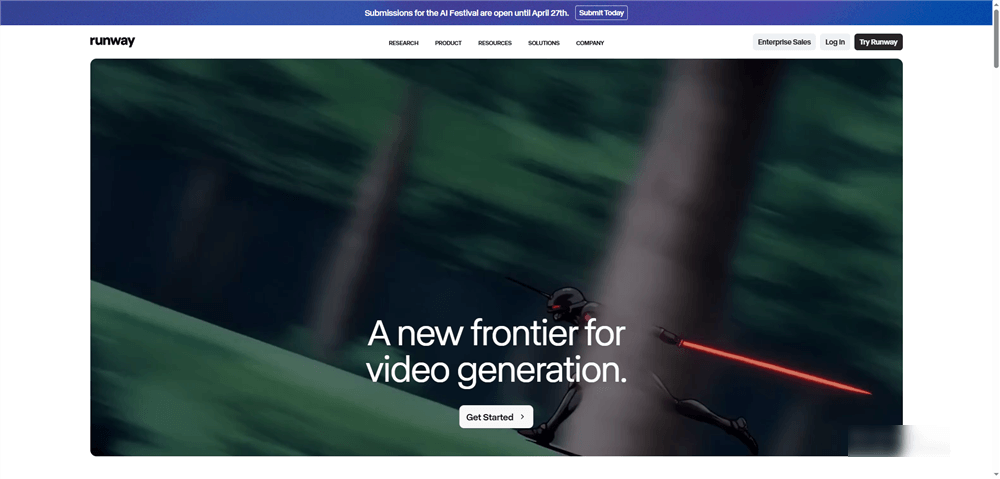
AI Promo Video Creator – Runway
Runway pushes the boundary of what AI video can do, focusing on generative video and cinematic effects rather than traditional editing.
Key Features:
- Text-to-Video Generation
- AI Green Screen (Background Removal)
- Motion Tracking & Object Editing
- Style Transfer & Visual Effects
- Creative AI Tools for Storytelling
Why it stands out:
One of the most powerful tools for creating visually unique, high-concept promo videos that stand out.
Limitations:
- Steeper learning curve
- Less suited for fast, repeatable production workflows
Best for:
Creative teams, agencies, and brands experimenting with high-impact, visually innovative marketing videos
How to Create Promo Videos with AI
For solo marketers or founders, this five-step sprint provides a fast, repeatable workflow to turn a feature concept into a polished, multi-format promo video in under three hours.
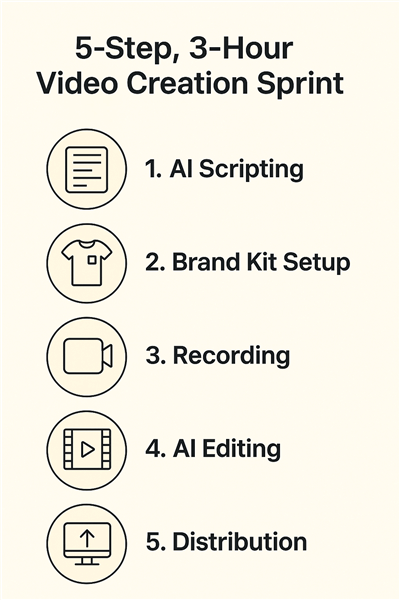
How to Create Promo Videos with AI
Step 1: AI Scripting & Storyboarding (30 mins)
Use an AI writing assistant to generate a tight 30-second script covering the problem, solution, audience, and CTA. Start with a clear prompt template so you begin recording with a focused structure.
Actionable Prompt Template: The 30-Second SaaS Feature Script
Use this template in your AI tool of choice. Replace the bracketed text.
Create a 30-second video script for a SaaS feature launch.
- Product: [Our App Name]
- Feature: [Automated Reporting]
- Audience: [Busy Marketing Managers]
- Problem: They spend hours manually compiling weekly reports for their team.
- Solution: Our new feature automatically generates and emails these reports in under 5 minutes.
- Call to Action: Start a free trial and save 10 hours this month.
- Tone: Clear, confident, and helpful.
Step 2: Brand Kit Setup (15 mins)
Upload your logo, colors, and fonts into your AI video tool. This ensures captions, titles, and end cards stay consistently on-brand and avoids generic outputs.
Step 3: Screen & Camera Recording (45 mins)
Record your walkthrough in a clean workspace. Begin in the correct aspect ratio (e.g., 9:16 for social). Script a strong “money shot” within the first six seconds to boost hook rate and retention.
Step 4: AI Editing & Captions (60 mins)
Let the AI editor handle zooms, dynamic captions, silence/filler removal, and narration via voiceover or voice cloning. Automated audio ducking keeps dialogue clear over background music.
Step 5: Export & Distribution (30 mins)
Export platform-ready formats (9:16, 1:1, 16:9) and generate CTA variants. Publish using UTM-tagged links to track performance from day one.
Our Recommended AI Tool for Product Promo Videos: FocuSee
After testing numerous tools, we recommend FocuSee as the most effective AI tool for product promo videos. It is specifically designed for marketers on tight timelines who cannot compromise on brand quality. It directly solves the most common frustrations in promo video creation. While a tool like Descript is excellent for editing podcast-style, interview-based videos, FocuSee’s automated zooms and cursor highlighting are purpose-built to make SaaS demos engaging faster than any other platform we tested.
Problem: Screen Recordings Are Boring.
FocuSee’s smart cursor tracking and automatic zoom effects make a SaaS promo video AI recording feel dynamic. It directs the viewer’s attention to key actions, keeping them engaged.
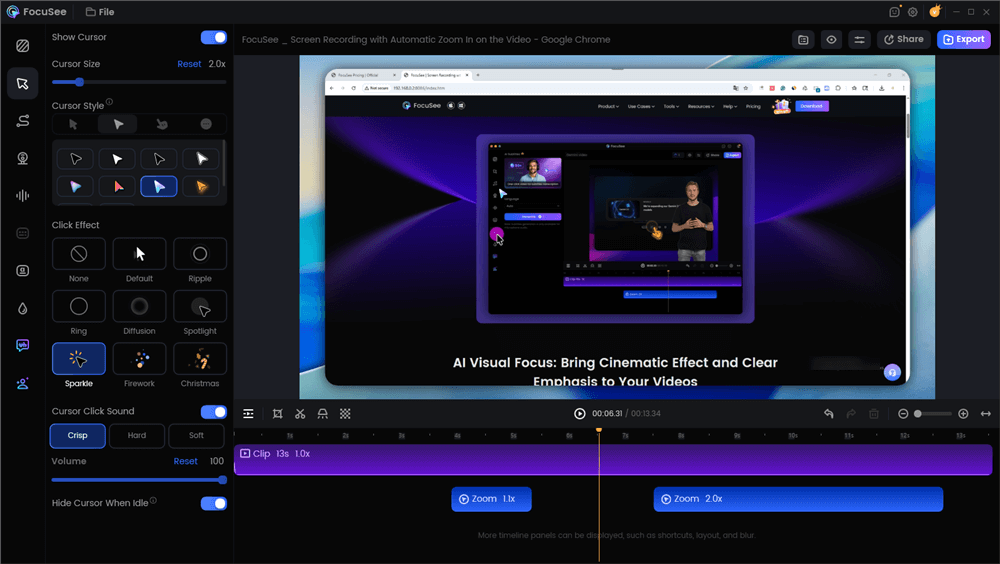
Edit the Cursor Effects
Problem: AI Videos Look Generic.
FocuSee’s one-click branding tools solve this instantly. Apply your logo, watermarks, and brand templates to ensure every video has a consistent, professional identity.
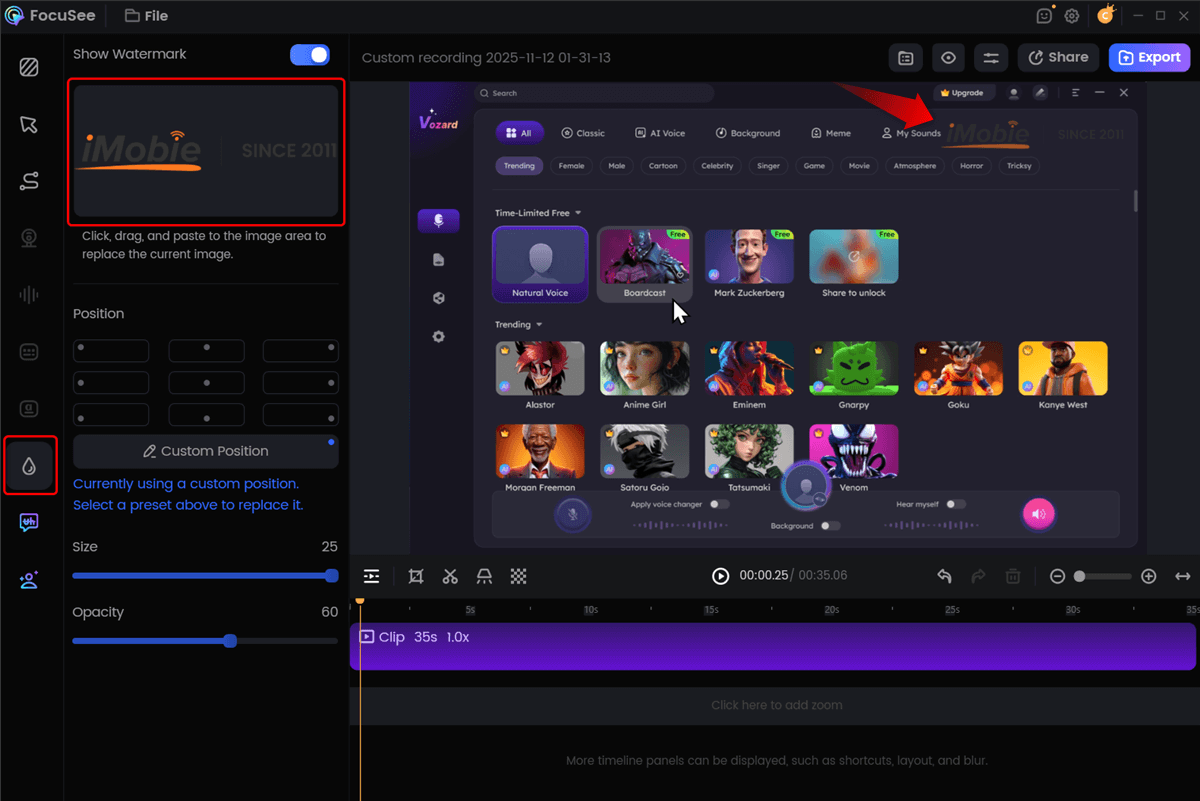
Add Custom Watermark
Problem: Editing Takes Too Long.
FocuSee’s all-in-one recording and editing workflow, combined with its AI-powered Smart Cut to remove filler words and pauses, makes it possible to create a polished video in minutes instead of hours.
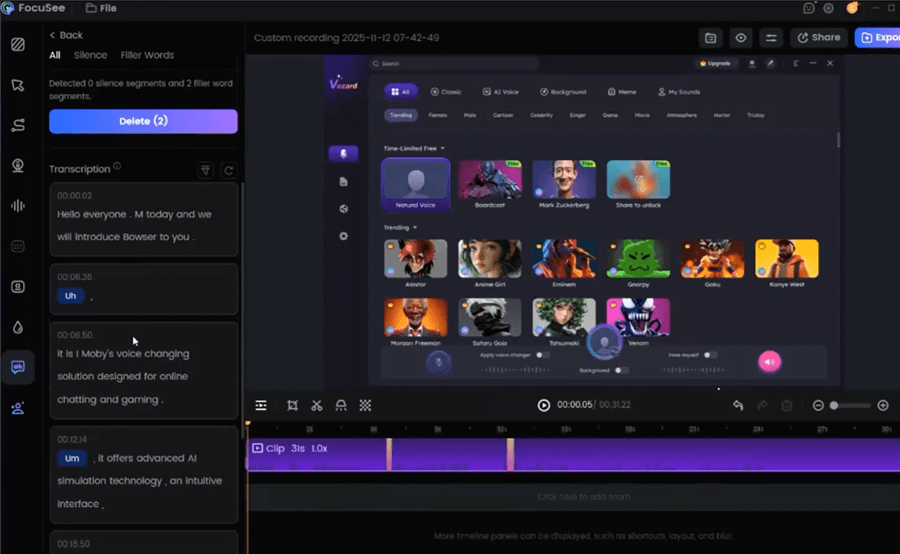
Remove Filler Words
Problem: Resizing for Social Media Is Tedious.
With built-in multi-size presets, FocuSee ensures your video is perfectly formatted for TikTok, YouTube Shorts, and LinkedIn with a single click, saving valuable time.
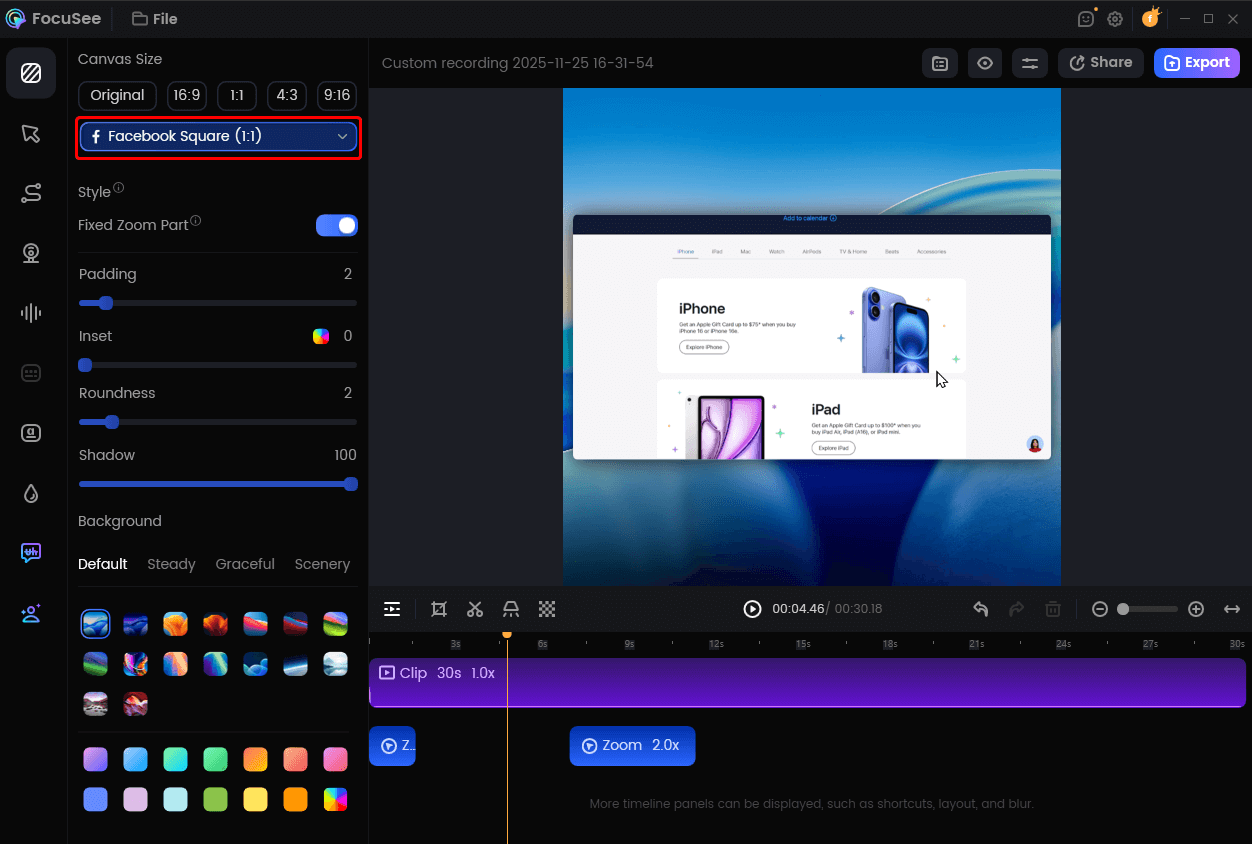
Resize Your Video For Facebook
A Note on Pricing and Trust: To be completely transparent, FocuSee is a commercial product. There is a free trial that exports videos with a watermark, which is useful for testing its features. The paid plans remove the watermark and unlock advanced capabilities. We believe in recommending tools that offer a clear return on investment, and for a business needing to produce high-quality video ads quickly, the time saved justifies the cost. Ignoring a tool’s price is a disservice, and we found its value proposition to be strong for performance-focused marketers.
Pro Playbook: Mastering Brand Governance, Audio, and Ad Compliance
High-performing videos require more than clean editing—they depend on consistent branding, professional audio, legal clarity, and measurable tracking.
1. Brand Governance
Import your brand kit (fonts, colors, logo) into your AI video tool to lock in consistent styling and avoid off-brand variations across campaigns.
2. Professional Audio Standards
Set final loudness to –14 LUFS and keep peaks below –1 dBTP to prevent distortion. Enable auto-normalize or optimize for streaming to automate this. Ensure background music is ducked by about –10 dB beneath voiceover for clear dialogue.
3. Ad Compliance & Music Licensing
Use only commercially licensed footage and music. Rely on tools with built-in copyright-safe libraries to avoid takedowns. If using AI voice cloning, obtain explicit written consent from the voice actor.
4. Attribution & Performance Tracking
Use consistent UTM parameters and encode campaign details in filenames (e.g., promo_q4_slack-hook_book-demo.mp4). This links creative tests directly to performance metrics and business outcomes.
Frequently Asked Questions
1. What are the ideal length and aspect ratios for social media?
Platform specifications are critical for performance. Here are the primary guidelines for ad-ready videos:
- TikTok, Instagram Reels, YouTube Shorts: Ratio: 9:16 (vertical). Length: 15-60 seconds.
- Ad Pro-Tip: Keep essential text and logos out of the bottom 15% and the right-side edge of the screen to avoid being covered by the platform’s user interface.
- LinkedIn Feed: Ratio: 1:1 (square) or 4:5 (vertical) perform best. Length: Keep promo videos under 2 minutes.
- YouTube (Standard In-Stream): Ratio: 16:9 (horizontal). Length: Under 2 minutes for promos, with skippable ads hooking the viewer in the first 5 seconds.
2. How do I make SaaS screen recordings engaging?
To make a SaaS promo video dynamic, use an AI editor with features like automatic zoom, cursor highlighting, and smart cuts. These tools automatically direct the viewer’s focus to the most important actions on the screen, creating movement and clarity that holds attention.
3. How do I make voiceovers sound natural?
Modern AI voiceover and voice cloning technology offer a fast, cost-effective solution for narration. For campaigns where emotional nuance is critical, a professional voice actor often provides superior results. A key part of compliance is ensuring you have documented consent from any person whose voice you are cloning.
4. How do I add captions and localize them efficiently?
Most top-tier AI video creators include an auto captioning and subtitles feature that transcribes audio with high accuracy. For localization, look for tools that offer AI translation services. This allows you to generate multilingual captions quickly, adapting your promo video for global audiences with minimal manual effort.
5. Can I get professional results using just my phone and an AI promo video app?
Yes. Many modern AI promo video app tools are designed for mobile-first workflows. Professional results depend on recording high-quality video and using an AI tool that can enforce your brand kit, add clear captions, and provide licensed audio. A stable recording setup and good lighting are also key.
Conclusion
Stop struggling with generic outputs, complex editing software, and tight deadlines. The right AI promo video creator empowers you to produce high-quality, on-brand marketing assets in hours, not days. By adopting a structured workflow and a tool like FocuSee, you can eliminate the technical barriers that slow you down. You gain a repeatable method for creating engaging videos that deliver measurable results.
Take control of your video production today. Download FocuSee to experience how its smart editing and one-click branding features can transform your workflow and help you launch your next promotional video with confidence.