Loom vs Tella: Which Screen Recorder Fits Your Workflow?

When evaluating Loom vs Tella, the core trade-off comes down to speed versus presentation. Loom sacrifices cinematic editing so you can simply “hit record and share” instantly. Tella, on the other hand, offers premium customizable layouts but requires more manual editing time in your browser to achieve that polished look. Ultimately, your choice depends on finding the right balance of recording speed, visual polish, and post-production effort for your specific use case.
Hands-on Test: Recording a 5-Minute Tutorial
We recorded the same 5-minute software tutorial with Loom and Tella, then measured setup time, recording-to-share time, and the post-production work needed to make the video presentation-ready.
| Loom | Tella | |
| Setup Time | 2 min | 3 min |
| Recording | 5 min | 5 min |
| Basic Editing | 1 min | 6 min |
| Ready-to-Share Time | 8 min | 14 min |
| Clip-Based Recording | No | Yes |
| Custom Layouts | Limited | Yes |
Takeaway: Loom was faster for a simple record-and-share workflow, while Tella took longer but offered more control over layouts and presentation.
Loom Review: Best for Fast, Internal Async Communication
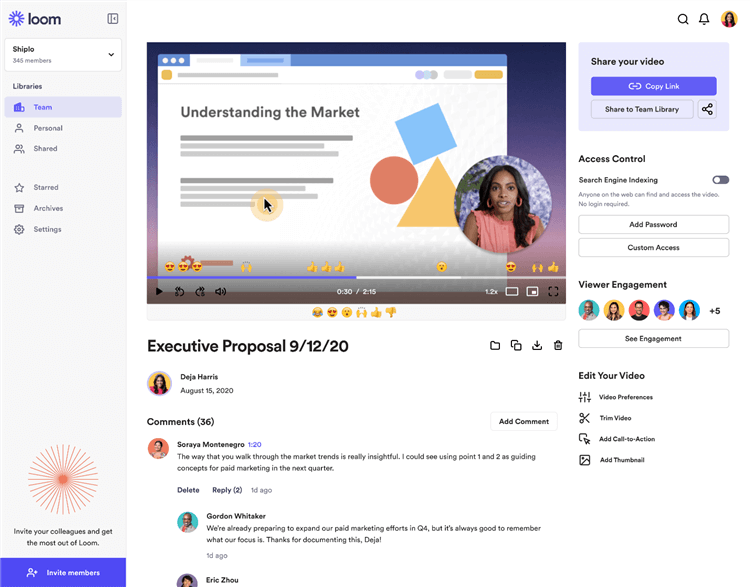
Loom Overview
Loom dominates the market for “hit record and done” workplace communication. If you need to quickly show a coworker a bug, explain a spreadsheet, or provide a quick async update, Loom is built exactly for that scenario.
Loom’s basic editing capabilities are not a flaw—they are an intentional design choice for its target audience. The goal is fast async communication, meaning the tool encourages you to record, trim the ends, and share a link immediately without worrying about cinematic polish. For internal teams and casual updates, this speed is unbeatable.
However, users should be aware of the widely recognized 5-minute limit on Loom’s free tier, which restricts longer presentations. If you consistently need to record longer tutorials without paying for enterprise seats, you might eventually need to explore a Loom screen recorder alternative.
Pros of Loom:
- Unmatched speed for recording and sharing links instantly.
- Extremely easy to use with practically zero learning curve.
- Excellent for casual, internal team communication and quick syncs.
- Built-in viewer insights and reactions.
Cons of Loom:
- The basic editing needs more polish for professional external videos.
- Strict 5-minute recording limit on the free tier.
- No automated zoom or cinematic cursor tracking.
Tella Review: Best for Polished, External-Facing Videos
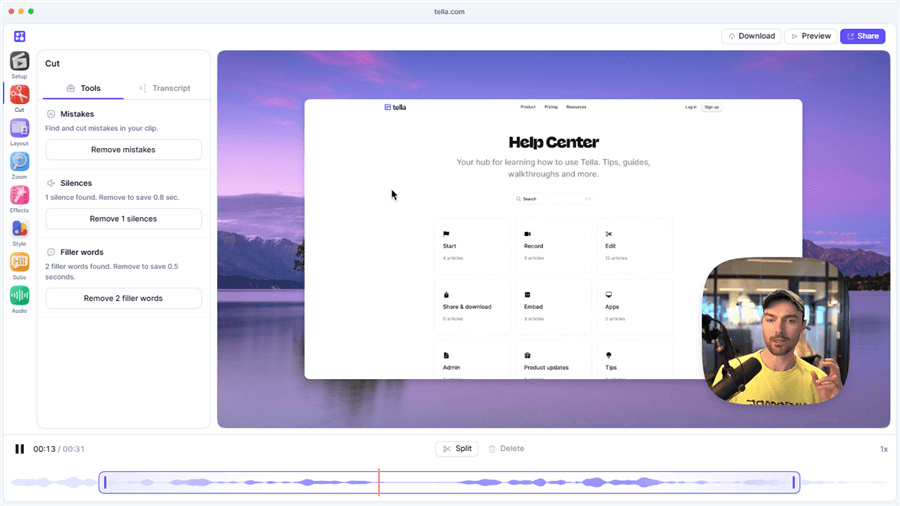
Tella Overview
Tella takes a completely different approach, focusing heavily on premium aesthetics. It is designed for course creators, founders, and marketers who are making external-facing videos and need their content to look highly professional.
Tella shines with its customizable layouts, allowing you to beautifully frame your screen and webcam side-by-side or in dynamic overlapping views. However, achieving this polished look exposes a hidden friction in the workflow: it requires significant manual user input. You have to spend time adjusting layouts, trimming multiple clips, and managing timelines in your browser. Additionally, Tella operates with a 7-day free trial and has no permanent free tier, meaning it is strictly a premium tool for dedicated video creators.
Pros of Tella:
- Beautiful, highly customizable premium layouts and backgrounds.
- Ideal for polished course videos, marketing demos, and external presentations.
- Allows multi-clip recording and browser-based arrangement.
Cons of Tella:
- Requires manual post-production time to adjust layouts and timelines.
- No permanent free plan (7-day trial only).
- Heavy reliance on browser/cloud performance for editing.
Also Read: FocuSee vs Tella: Which Screen Recorder Fits Your Workflow?
Head-to-Head Comparison: Features, Workflow, and Platforms
How do Loom and Tella actually compare when you put them side-by-side? While both heavily emphasize browser- and cloud-based workflows, they cater to very different needs. Users often feel forced to choose between the rapid speed of Loom and the visual polish of Tella, leading many to seek an alternative to Tella or Loom that bridges the gap.
| Loom | Tella | |
| Primary Use Case | Internal team communication | Polished external videos |
| Ease of Use | Record and share instantly | Record, then arrange layouts |
| Editing | Basic trim and stitch | Multi-clip editing and custom layouts |
| Platform | Web, desktop, mobile | Browser-based |
| Pricing | Freemium | Premium (free trial) |
| Visual Style | Basic webcam + screen | Cinematic layouts and backgrounds |
| Post-Production | Minimal | Moderate |
The Hidden Friction: Manual Editing and Platform Limits
Looking at Loom and Tella reveals a core dilemma for many creators: Loom is too basic for external YouTube tutorials or SaaS demos, but Tella requires too much manual editing time to achieve that perfect look. If you are recording multiple videos a week, spending hours tweaking timelines and backgrounds in a browser becomes a massive bottleneck.
Furthermore, both Loom and Tella rely heavily on cloud and browser-based workflows. This can limit offline flexibility and tether your editing speed to your internet connection or browser performance. Users looking for cinematic screen recording without the manual editing hassle often look for a Screen Studio alternative, only to find that popular cinematic options are often restricted strictly to Mac.
Current ranking pages and product comparisons often ignore a major missing piece in the market: tools that fully automate the post-production process for both Windows and Mac users. If you want a polished cinematic video but do not want to spend extra time manually editing, neither Loom nor Tella fully solves the problem.
FocuSee: The Automated Middle Ground for Windows & Mac
Is there a tool that offers Tella’s visual polish with Loom’s recording speed? Yes. For users comparing the fast recording of Loom with the premium look of Tella, FocuSee offers the ideal automated middle ground.
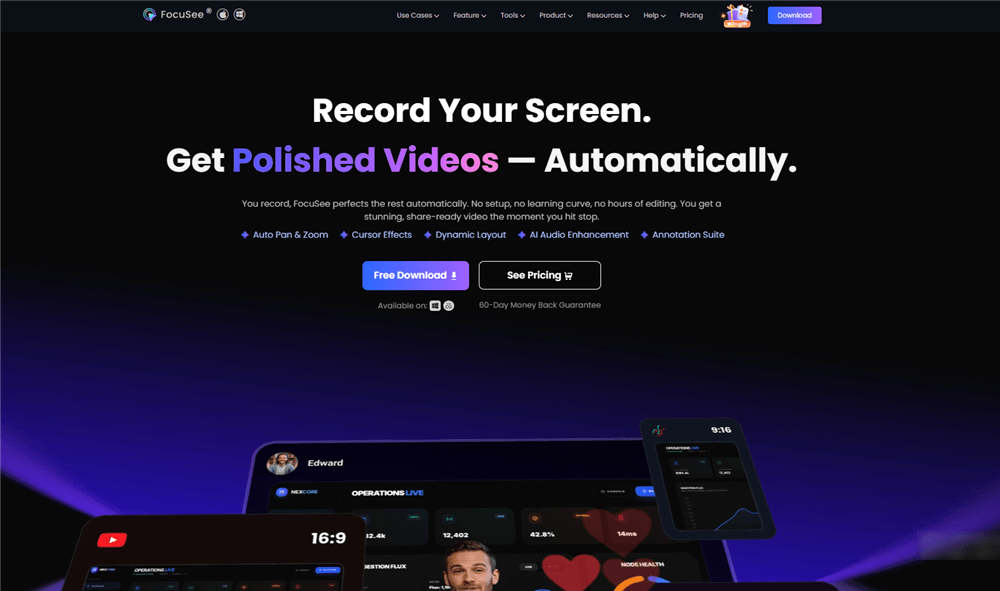
FocuSee Official Website
FocuSee is an AI-powered desktop screen recorder built natively for both Windows and macOS. Unlike Loom and Tella, it is a dedicated local application, not a web-based tool. It directly addresses the workflow gap by delivering the cinematic presentation of premium design tools, but with the “hit record and done” speed of Loom.
Instead of forcing you to manually arrange layouts, adjust timelines, or set up keyframes, FocuSee automates the post-production process. This allows you to create highly engaging product demos and tutorials without learning complex video editing software or wasting time on manual tweaks.
How FocuSee Automates the Editing Workflow
FocuSee replaces the manual customization steps required in cloud-based editors with an automated, AI-assisted workflow. To deliver both the rapid speed of Loom and the premium visual polish of Tella, FocuSee operates on a simple, chronological process:
Step 1: Hit Record Normally
Start your recording just like you would with any basic screen capture tool. You do not need to pre-configure complex scenes or worry about framing—just capture your screen, webcam, and audio naturally on your Windows or Mac desktop.
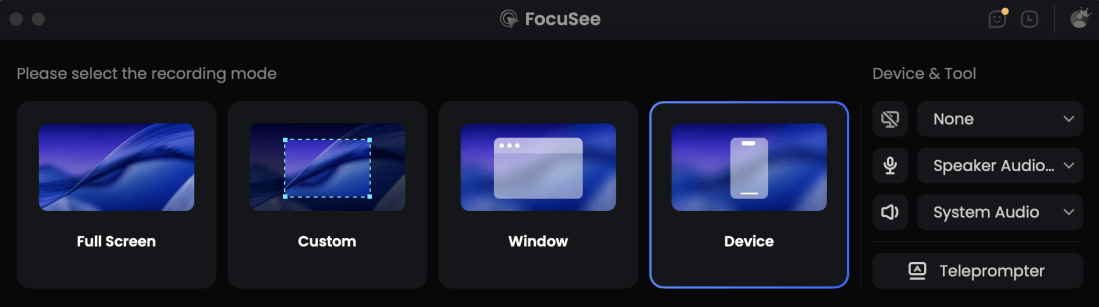
Choose the Recording Model
Step 2: AI Automatically Applies Focus and Polish
As you record, FocuSee acts as an auto zoom screen recorder. It automatically follows the action on your screen, zooming in on important clicks and enhancing cursor movement. You get a cinematic visual focus without ever manually setting a keyframe.

Show Mouse Cursor
Step 3: Review Auto-Generated Captions and Audio
Under supported recording conditions, FocuSee generates automatic captions and cleans up background noise to improve narration clarity. Because AI subtitle accuracy may vary based on audio clarity, accent, and background noise, you simply do a quick review to ensure everything is correct.
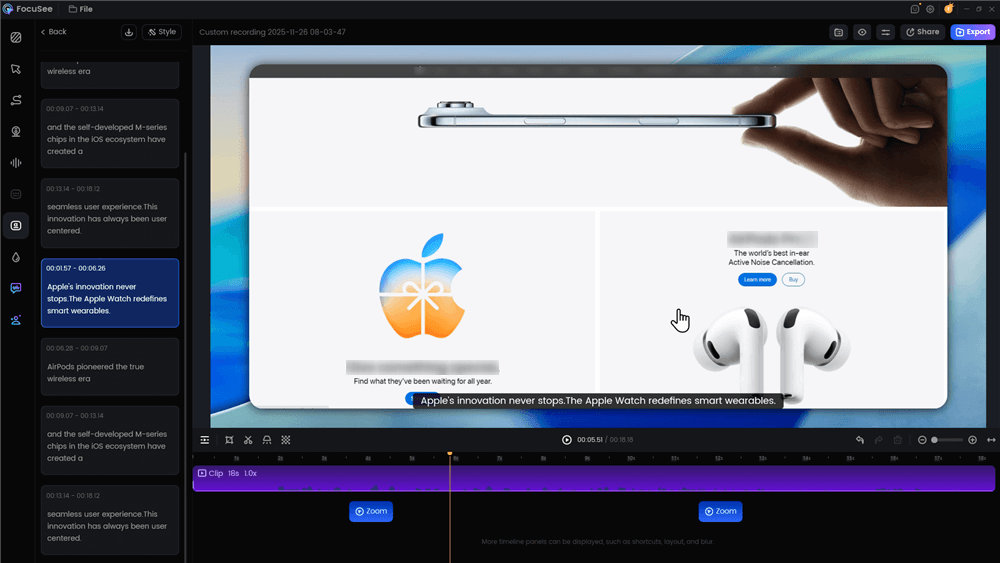
Automatic Subtitle Generation
Step 4: Choose a Background and Export Instantly
Once the auto-edits are applied, quickly select a premium background or adjust your aspect ratio. Then, instantly export the polished video for YouTube, LinkedIn, or team sharing—skipping hours of timeline tweaking.
By handling the tedious parts of video editing automatically, FocuSee helps you maintain a professional look while drastically reducing your post-production time.
Frequently Asked Questions
Is Tella better than Loom?
It depends entirely on your use case. Tella is better for polished, external-facing videos like courses and demos because of its customizable layouts. Loom is better for ultra-fast, casual, internal team communication where cinematic editing isn’t necessary.
Can I record longer than 5 minutes on the Loom free plan?
No. Loom currently enforces a strict 5-minute limit on its free tier. If you need to record longer videos, you will need to upgrade to a paid plan or use an alternative tool.
Which is cheaper for a small team?
While exact pricing structures frequently change, Loom generally offers a freemium model (with the 5-minute limit), making it accessible for quick internal chats. Tella operates strictly on a premium model with a 7-day trial, meaning it requires a paid subscription for ongoing team use. Check their current pricing pages for exact team rates.
What is the best software for voiceover screen recording videos?
For clear voiceover tutorials, tools with audio cleanup and captioning are best. FocuSee is an excellent choice here, as it offers AI audio enhancement and auto-captions to make your voiceover clearer under supported conditions.
Does Loom have automatic zoom?
No. Loom is designed as a basic, fast screen recorder. It does not include automated cinematic features like smart zoom or cursor tracking.
Is there an alternative to Tella and Loom for Windows?
Yes. FocuSee is a native desktop application for both Windows and macOS that offers the “hit record” speed of Loom with the cinematic polish of Tella, completely automating the zoom and cursor effects.
Which tool is better for creating polished YouTube tutorials?
Tella is better than Loom for YouTube tutorials due to its premium layouts, but FocuSee is often considered the most efficient option because it automates the zoom and cursor tracking, saving you hours of manual editing.
Does Tella offer a permanent free plan?
No, Tella only offers a 7-day free trial. There is no permanent free tier available.
Final Verdict: Which Screen Recorder Should You Choose?
Choosing the right screen recorder comes down to how you plan to use your videos and how much time you want to spend editing.
- Choose Loom if: You need ultra-fast, internal async communication. If you are sending quick bug reports to a developer or casual updates to your team, Loom’s speed and simplicity are unmatched—just keep the 5-minute free limit in mind.
- Choose Tella if: You are making a premium online course or highly stylized external presentation. If you want highly customizable layouts and don’t mind spending time manually adjusting the timeline in your browser, Tella delivers beautiful results.
- Choose FocuSee if: You want the cinematic look of Tella with the speed of Loom. If you prefer working in a native Windows or Mac app and want AI to automate the zooms, captions, and cursor effects for your software tutorials and product demos, FocuSee is the ideal middle ground.
Ready to speed up your video creation workflow without sacrificing quality? Check your system compatibility and try FocuSee to automate your next screen recording.