Loom Alternatives
Loom helped popularize async screen recording and video messaging, but many users are now actively looking for alternatives in 2026. While it’s still useful for quick recordings and internal communication, its limitations have become more noticeable—especially around editing flexibility, pricing constraints, and occasional stability issues. Since Atlassian’s acquisition, more users have also started exploring newer tools that focus on AI-powered editing, smoother workflows, and more polished video output.
Today, people aren’t just looking for a “screen recorder” anymore. They want tools that can help them create:
- SaaS product demos with cinematic effects
- tutorial videos with automatic zoom and clear visual guidance
- async team updates and walkthroughs
- sales and outreach videos
- AI-enhanced recordings with captions, cleanup, and smart editing
- Social-ready content for platforms like YouTube, TikTok, and LinkedIn
At the same time, the “best Loom alternative” depends heavily on use case. Some users care about simplicity and speed, others need advanced editing or AI features, and Windows users often need strong cross-platform support.
In this guide, we break down the best Loom alternatives based on real use cases to help you quickly find the right tool for your workflow.
We briefly tested key tools based on real usage, focusing on: Windows usability, Export speed, Recording stability, Subtitle accuracy, Editing workflow and Overall experience
Comparison Table of Top Loom Competitors [Quick View]
| Tool | Platform | Zoom | Camera | Best For | Price |
|---|---|---|---|---|---|
| FocuSee | Win/Mac | ✔️ | ✔️ | SaaS demos | $4.17+/mo |
| CloudApp | Win/Mac/Web/iOS | ❌ | ❌ | Quick sharing | $9.95+/mo |
| ClickUp | Win/Mac/Web | ❌ | ❌ | Team tools | $9/mo |
| OBS Studio | Win/Mac/Linux | ✔️ | ✔️ | Streaming | Free |
| Screen Studio | Mac | ✔️ | ✔️ | Tutorial | Paid |
| CleanShot X | Mac | ❌ | ❌ | Capture | One-time |
| ScreenPal | Win/Mac/Web | ❌ | ❌ | Beginners | Free+ |
| Cap | Win/Mac | ❌ | ❌ | Fast AI edits | Free+ |
| Tella | Web | ✔️ | ✔️ | Sales videos | $18/mo |
| Camtasia | Win/Mac | ✔️ | ✔️ | Tutorials | $299 |
| VEED | Web | ✔️ | ✔️ | Creators | $24/mo |
| Vidyard | Web | ❌ | ❌ | Sales | Free+ |
| Descript | Win/Mac | ❌ | ❌ | AI editing | Free+ |
16 Best Loom Competitors
It would be helpful to consider what you want to do with the product when searching for Loom competitors. Any screen recording can meet most people’s objectives. The following is a list of 16 Loom alternative products to examine if you’re interested in learning more about the features of Loom before making a purchase.
FocuSee

Show Mouse Cursor
FocuSee is not inferior to Loom in screen recording and is even more powerful in some aspects. As a professional screen recorder, FocuSee can help you record everything you need, whether it is the screen, sound, or camera, and you can also mix and combine the three as you want.
To make your video more attractive, FocuSee is also equipped with a wealth of editing tools and elements. FocuSee also provides customizable camera frames, filters, backgrounds, and other visual elements to reflect your personal or brand style. Additionally, the tool offers preset sizes for popular social media platforms, ensuring your videos are optimized for each channel. Just feel free to use these editing tools to make eye-catching and creative videos.
Of course, FocuSee’s capabilities never stop there; here are some other features. And why not download FocuSee for free to explore more?
Key Features
- Record your screen with an automatic zoom-in effect and track your mouse cursor movement.
- Add annotations, highlights, and on-screen callouts to emphasize key points
- 3D motion effects for more dynamic and engaging demo videos
- Switch between preset layouts or adjust camera size and position anytime
- Auto-generate captions in 55+ languages with high editing accuracy
- Customize cursor styles, click effects, and highlight rings for clarity
- Replace or blur backgrounds without a green screen
- Remove filler words, pauses, and dead air automatically
- Blur or mask sensitive on-screen information
- Export videos in up to 4K or GIF formats
- Optimized preset sizes for YouTube, TikTok, and other platforms
- Spotlight tool to highlight important actions and improve focus
Pricing Plan: The free version is available, and the paid version starts from $4.17/month.
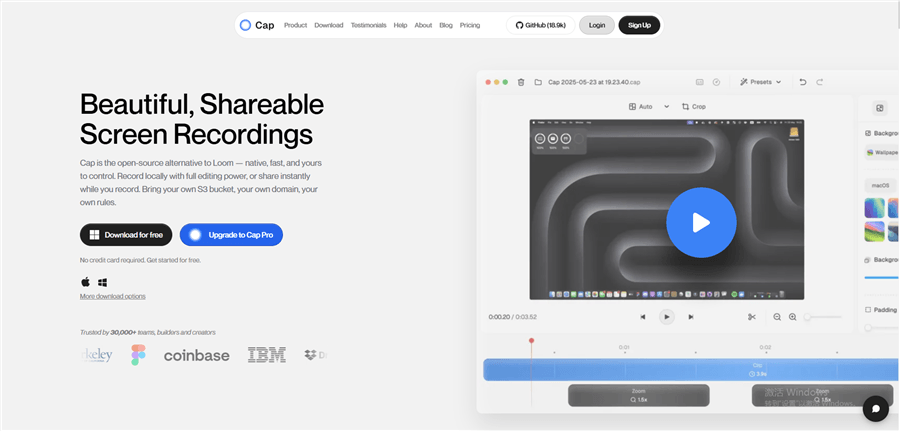
Cap
Best Loom Alternatives – Cap
Cap is a modern lightweight screen recorder designed for fast capture and AI-assisted video workflows. It focuses on reducing the time between recording and publishing, making it especially useful for creators who prioritize speed and simplicity over complex editing.
Unlike traditional screen recorders, Cap leans into AI-assisted editing, helping users quickly refine recordings without needing a full post-production workflow. This makes it a strong choice for product walkthroughs, internal updates, and lightweight demo videos.
Key Features
- Fast screen recording with minimal setup and low learning curve
- AI-assisted editing workflows for quick cleanup and refinement
- Lightweight desktop experience optimized for speed
- Clean export options suitable for sharing, demos, and social content
- Simple workflow designed to minimize post-editing time
Pricing Plan:
- Free version available
- $12/mo per user
- $58 / lifetime
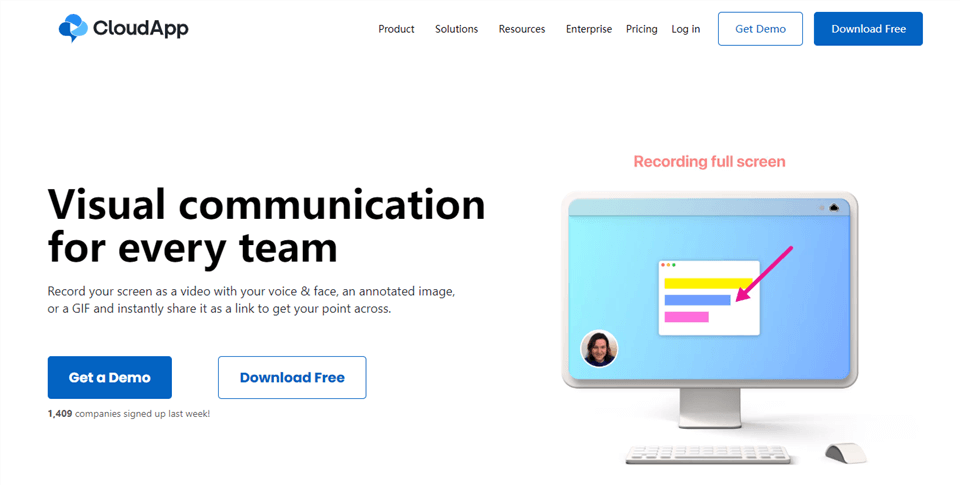
CloudApp
Loom Alternative – CloudApp
CloudApp provides one of the most powerful options for altering and capturing screenshots. You can record everything you see on your laptop or desktop screen. You can also add comments to the screenshots to emphasize things. A decent screen-recording program can run on Windows, Macs, Chrome, and iOS devices.
The quality of sound captured by this program is likewise top-notch. As indicated previously, annotations are a big aspect of this product. All kinds of fun things can be done with your images.
Webcam recording and uploading to the cloud are also possible. CloudApp is free. However, it only permits screen recording for 90 seconds. Purchasing the premium edition of the software is required if you want to record longer than that.
Key Features
- The ability to record your screen instantly.
- The software has annotating features.
- Slack and Trello can be used to transmit files directly to one another.
- They are highlighted as soon as the mouse pointer or mouse clicks are used.
Pricing Plan: starting from $9.95 per month
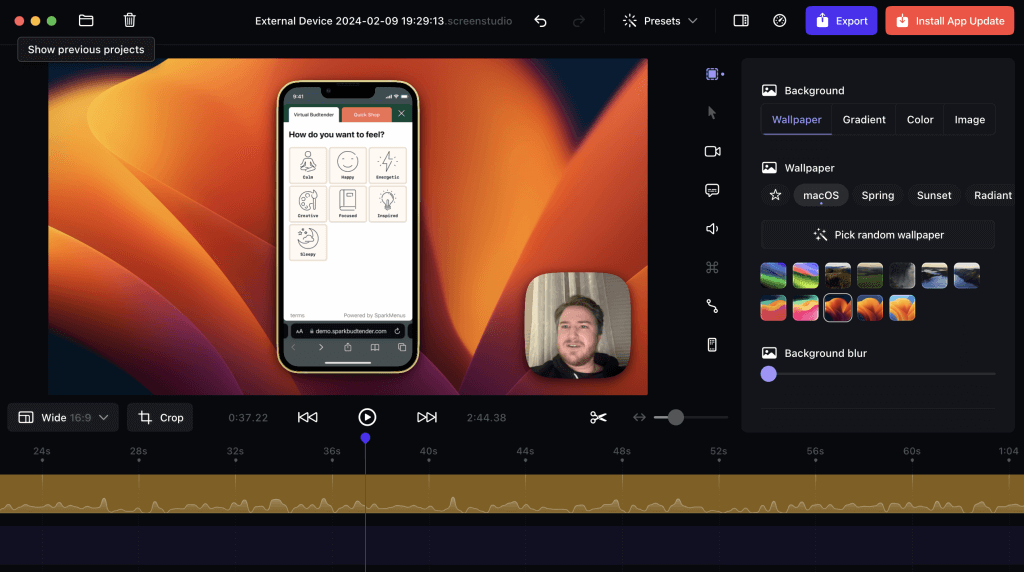
Screen Studio
Screen Studio
Screen Studio is a Mac-focused screen recording tool built for creating highly polished, cinematic-quality demo videos with minimal manual editing. It is widely used by creators, indie developers, and product teams who want professional-looking screen recordings without complex video editing software.
Its standout value lies in its automatic motion system, which transforms ordinary screen recordings into smooth, presentation-style videos that highlight cursor movement and UI interactions in a visually engaging way.
Key Features
- Automatic zoom and pan effects that highlight key actions
- Cinematic-style screen recordings with smooth transitions
- Intelligent cursor tracking for natural viewing experience
- High-quality export optimized for product demos and marketing videos
- Minimal editing required after recording
Pricing Plan: $29/month or $108/year
Click-Up
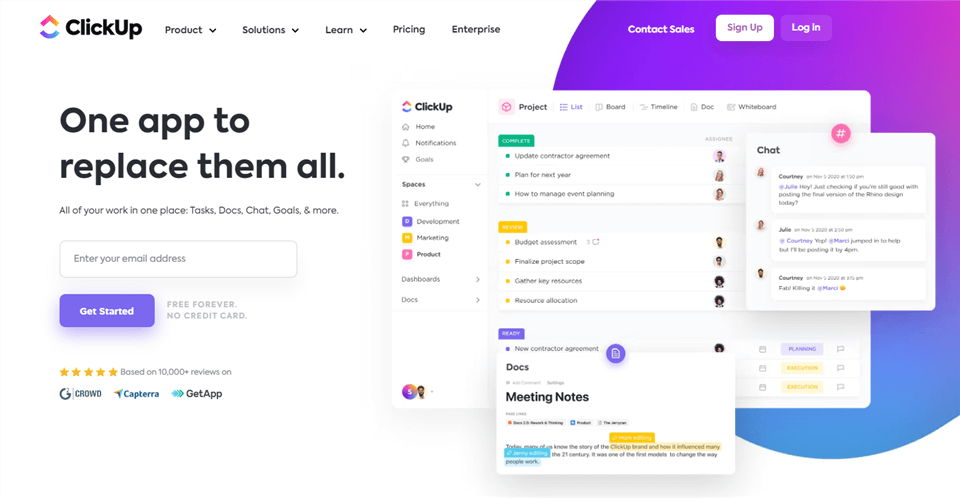
Loom Alternative – ClickUp
Recording our desktops with Loom was a challenge for all of us. However, it is now possible to capture our screen without difficulty thanks to recent developments. You can use a screen recording to communicate with ClickUp.
You can rapidly record all the material on your screen, including online tabs and app windows, with the click of a button. Use the audio tool included in the app to add your voice and make your point even more compelling.
The program produces a link you can visit in your browser as soon as you finish recording. Recorded videos will be accessible immediately.
Key Features
- It’s useful for group projects.
- The ability to communicate is essential.
- Both the free and the premium versions are rather good.
- The UI is both visually appealing and functionally sound.
Pricing Plan: $9.00 per month
CleanShot X
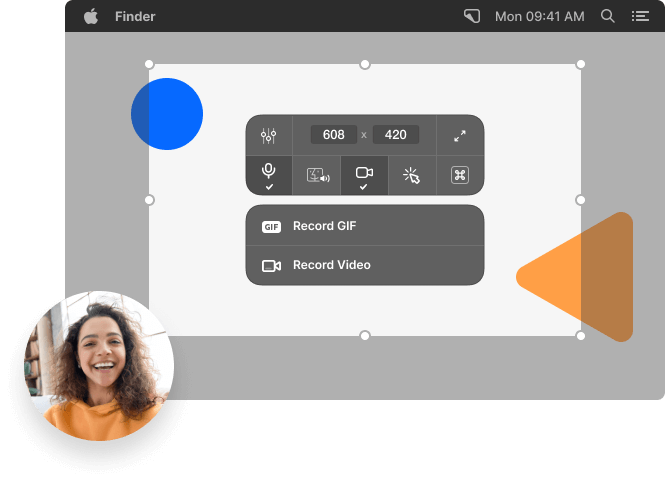
CleanShot X Overview
CleanShot X is a Mac productivity tool focused on fast, efficient screen capture and lightweight recording workflows. It is widely used for quick screenshots, annotations, and simple screen recordings rather than full video production.
It is especially useful for users who need speed and clarity in communication, such as sharing UI issues, quick tutorials, or internal documentation.
Key Features
- Instant screen recording and high-speed screenshot capture
- Built-in annotation, blur, and highlight tools for clarity
- Scrolling capture for full-page content
- Cloud sharing with instant link generation
- Optimized for lightweight productivity workflows
Pricing Plan: $10/month or $29 one-time payment
More details: CleanShot X Alternative Comparison >
OBS Studio
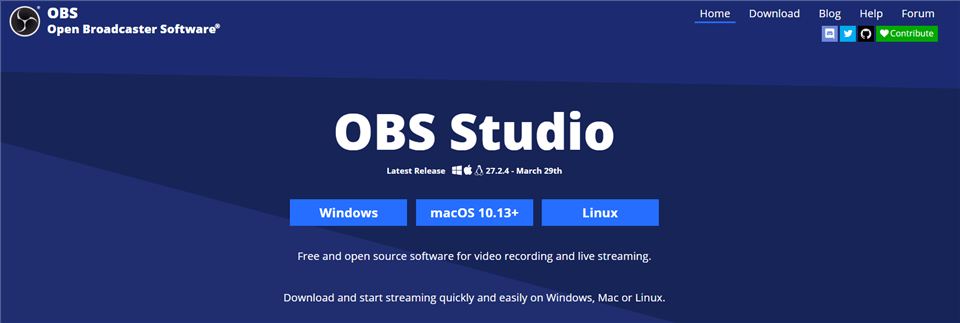
Loom Alternative – OBS Studio
A free, open-source video recording and a live-streaming program called OBS Studio are available. Windows, Mac, and Linux are all supported platforms for this program. One of the best apps in its category in terms of performance. Real-time audio and video can be captured and mixed in real time.
Custom transitions are a feature of this program. Put another way, you can create as many scenes as you like and seamlessly transition between them using custom transitions. Configuration possibilities are many as well.
You have the flexibility to add new sources, replicate current ones, or rearrange their order according to your preferences. This is a great alternative if you’re looking for an easy-to-use tool that doesn’t need you to pay. It also features a good user interface.
Key Features
- Provides tutorials for beginners to follow.
- It’s open-source and free to use.
- x264 and AAC are used for encoding.
- Exceptional control over audio quality and configuration possibilities.
Pricing Plan: $19 per month
ScreenPal (formerly Screencast-O-Matic)

ScreenPal is a beginner-friendly screen recording and editing tool designed for educators, students, and general users who need a simple but complete recording workflow. It balances ease of use with enough editing functionality to produce clean instructional or explanatory videos.
It supports both basic and slightly advanced workflows, making it a flexible option for users who want something more powerful than a basic recorder but less complex than professional editing tools.
Key Features
Screen, webcam, and audio recording in one tool
Built-in lightweight video editor for quick adjustments
Cloud hosting and easy sharing options
Auto-captions and trimming tools for faster editing
Suitable for tutorials, lectures, and simple demos
Pricing Plan:
- Free plan: Basic recording and editing with limited hosting and export options
- Deluxe plan: Starts at about $4/month (annual billing), unlocks unlimited recording, full editor, and extended features
- Max plan: Starts at about $10/month (annual billing), adds AI tools, auto-captions, and advanced features
- Team plan: Starts at about $8/user/month (annual billing), designed for collaboration and team management
FlashBack
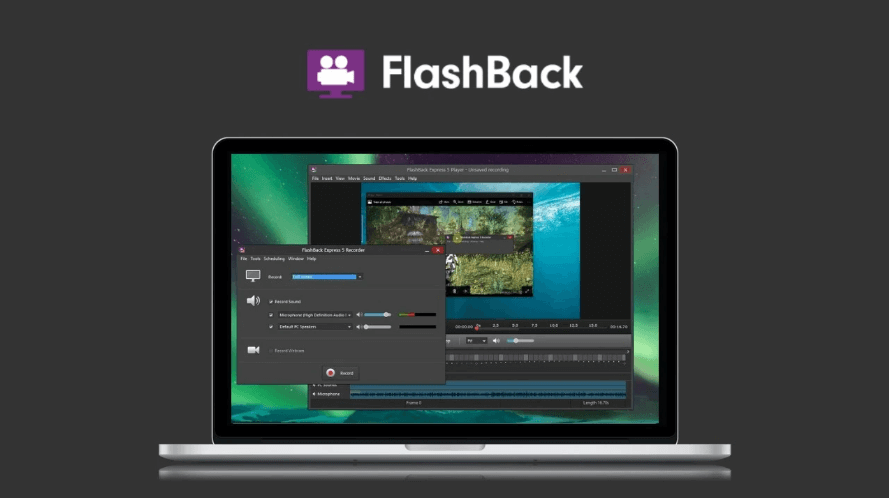
Loom Alternative – FlashBack
In many ways, FlashBack is a one-stop shop. A built-in screen recording and editing program is included. In terms of screen recording, it’s one of the better Loom options. It does this by immediately capturing the display.
Also, you can edit the recordings to make them even more polished and ready to be presented on a professional level.” Captions and highlights are additional options to draw attention to certain areas.
There are many reasons we utilize screen recorders, such as to create video content, such as lecture recordings and tutorials on YouTube. FlashBack as a screen recorder might be a good idea if you have a specific need for it.
Key Features
- Tools for editing that are up to par.
- Other videos with narration can be seen.
- It displays a thorough or condensed history of modifications made to the primary file or the database.
- Putting together presentations is a breeze.
Pricing Plan: lifetime license for $49
ScreenFlow
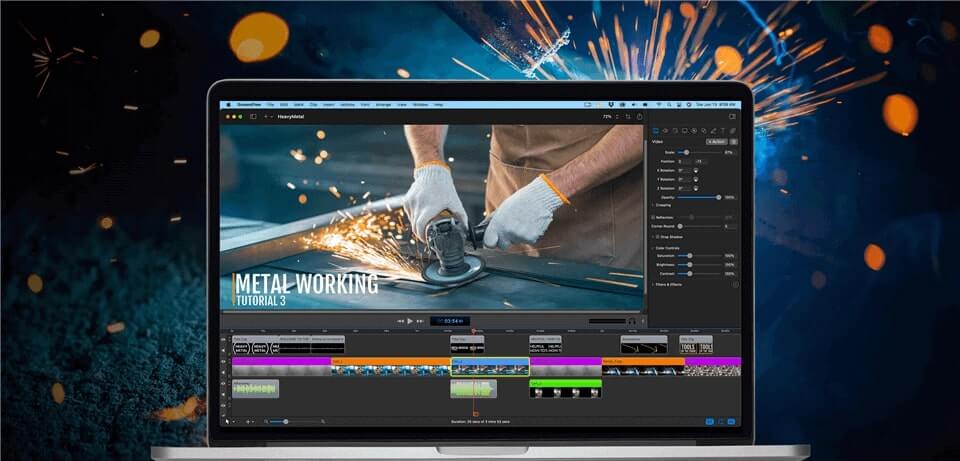
Loom Alternative – ScreenFlow
One of the better alternatives to Loom is ScreenFlow. In Mac OS, it is mostly used to create screencasts and record videos. It can simultaneously record both audio and video from a computer.
It contains a library of custom titles that you can use to add titles and descriptions to your movies. ScreenFlow has a ton of useful options. In addition to being one of the best screen recorders on the market, it can capture several displays at once.
There is a top-notch editing tool included with the program. With the app, you can animate images, text, and logos in one spot and then post them to any social networking site.
Key Features
- Effortless media organization.
- The ability to export animated GIFs and Animated PNGs
- Editing software that can handle any task.
- An intuitive user interface.
- There is a provision for the use of subtitles.
Pricing Plan: Price starts from $129 annually
Tella
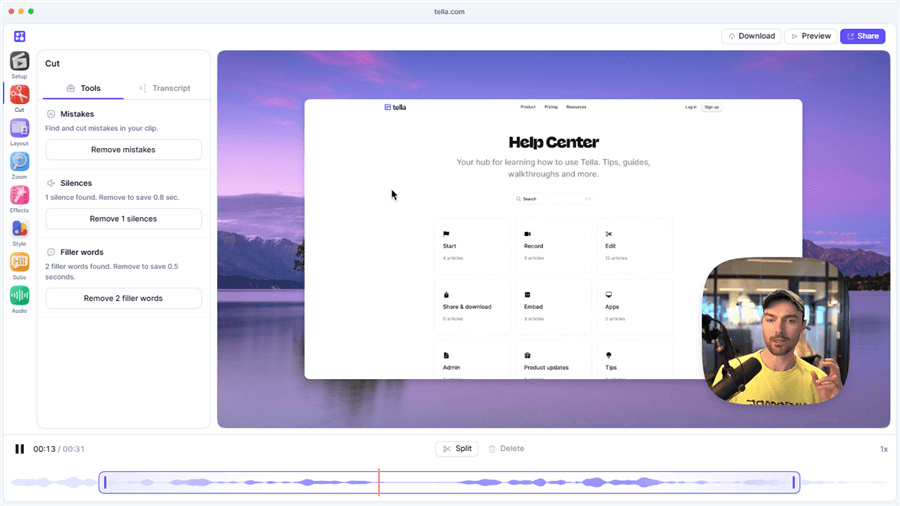
Best Loom Alternative – Tella
Your web browser now comes equipped with a camera, thanks to Tella. You may record yourself speaking, as well as your screen or slides. You have complete control over the size of the screen and the camera in Tella, and you can even apply graphic adjustments like borders and shadows.
When you’re through filming, the seamless sharing feature decreases the administrative time you need to spend while also making it easier to brand the material.
Tella makes it easy for content producers and small companies to record videos that can be used as presentations, demonstrations, and tutorials using our platform. Tella transforms video messaging into your artistic canvas, as opposed to the alternative of recording a generic video in which it’s just you and the screen.
Key Features
- Make recordings using a variety of formats (camera-only, screen-only, a combination of the two, or even a slide deck).
- There is no need for anybody to have video editing abilities.
- Reuse the clips and mix them.
- Include a caption that can be edited at each important moment in your video.
- Video cropping.
- Subtitles are generated automatically.
- Extension for Google Chrome.
Pricing Plan:
- Pro: $26 per user/month
- Premium: $39 per user/month
More Details: Tella Alternative >
Camtasia
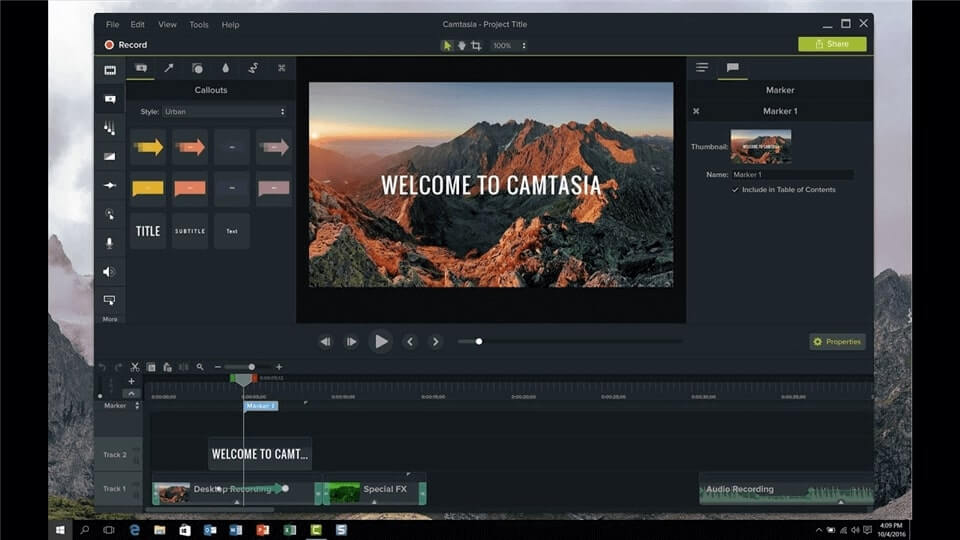
Loom Alternative – Camtasia
If you’re searching for a screen recorder with decent video editing capabilities for creating lessons, then Camtasia is the obvious choice.
Screen recording options in Camtasia let you capture a whole screen or simply an individual program window, depending on your needs. As a result, it’s a lot more flexible than most of its screen-capture rivals.
Another fascinating feature is the collection of pre-made video templates that can be used to create your videos. These templates will let you quickly create and modify your films.
Camtasia has a unique feature in that it is designed for creating instructional videos. For this reason, videos may be accompanied by various kinds of interactive technologies. This is a unique feature in today’s screen recorders that is seldom encountered. Additionally, it’s a whiteboard animation program, video presentation software, and much more.
Key Features
- Different video templates
- Share templates, libraries, themes, shortcuts, favorites, and presets.
- Save unique styles and quickly access tools and effects
- Record webpages, applications, video chats, and PowerPoints.
- Camtasia’s drag-and-drop editor makes editing video and audio easy.
- Microphone-recorded audio may be edited.
- Import video, music, or picture files from your computer, phone, or the cloud.
Pricing Plan: $299.99 per individual user
Tweakshot Screen Recorder
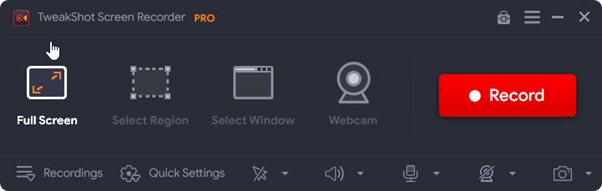
Loom Alternative – Tweakshot Screen Recorder
Tweakshot Screen Recorder is the fastest method to record the screen in many modes: Full Screen, Single window, Specific area, and webcam. It allows you to record and capture screenshots simultaneously and add unique watermarks, mouse motions, display overlays, and system and mic sound to your screenshots and recordings.
You may save your screen recordings in AVI, MP4, and FLV with this 4K/HD screen recording program. Professionals will appreciate the tool’s ability to adjust the video’s size and quality. Gamers and aspiring artists who wish to record their displays with a camera and utilize the screen overlay capability will appreciate this program’s advantages over alternatives.
Key Features
- Change the appearance of the video watermark to your liking.
- Avoid using the Auto-Stop and Auto-split options.
- Extract the audio from the screen recording.
- You may take a screenshot of the whole screen, a piece of it, or a specific window.
Pricing Plan: Pro package is $39.50 per year
Snagit
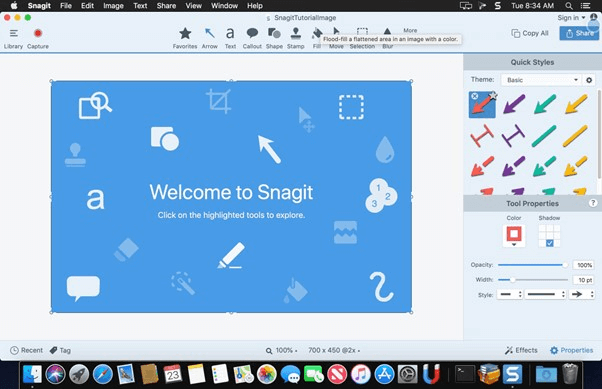
Loom Alternative – Snagit
One of the free alternatives to Loom that is used to record screens and cameras on the desktop is a program called Snagit. Snagit, much like Loom, can record both the screen and the camera. Users can easily check all of the function buttons because of its user-friendly interface, similar to Loom. Snagit is a cross-platform application used on both Windows and Mac computers as a comprehensive video recorder and editor.
On the other hand, when it comes to capturing images from the screen, Snagit is a step ahead of the competition and offers a panoramic view development capacity. This feature ultimately leads to the potential of taking full-page scrolling screenshots of your screen.
In addition to the capacity of sketching graphics on top of your video, annotations can also be added to the video. Snagit’s ability to extract text from images stored in the library is one of the program’s most impressive capabilities.
Key Features
- Create and share your theme template designs.
- Panoramic video capture with scrolling panes.
- Activate the function to capture the cursor.
- Editing screenshots is made easier with this feature’s in-depth understanding of the text.
Pricing Plan: Pro plan is $71
VEED
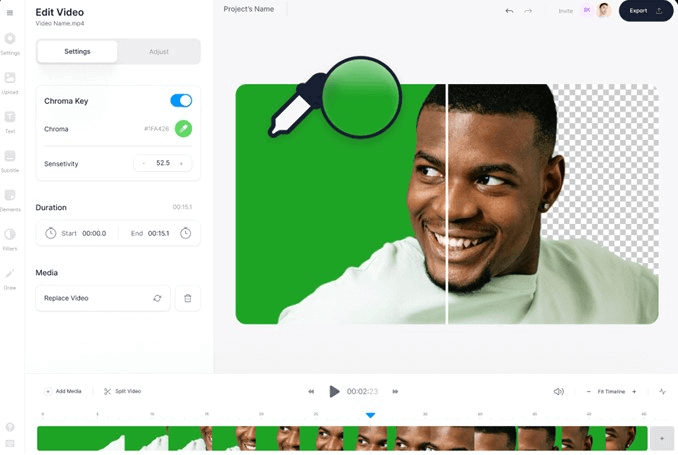
Loom Alternative – VEED Tool
VEED is another screen recorder that also includes video editing capabilities. It allows you to record movies not only from your screen but also from your webcam. You may make it a lot more entertaining by using the features of the video editing program.
Split-screen, Webcam insert, and Background swaps are some video recording layouts available on VEED. Your video message may be made more interesting for your coworker by using the editing tool that is available online. With full-fledged video editing, you can incorporate video effects, crop movies, reduce background noise, and add subtitles using this program.
Compared to its market competitors, it has an intuitive interface that is simple for both novices and experienced users.
VEED continues by offering a user-tailored working environment, which simplifies the process overall for that user. Because VEED’s capabilities include video transcriptions, adding subtitles that are a good match for the audio is made much simpler.
Key Features
- VEED enables users to capture movies using either their screen or camera.
- You can choose between simple sounds and interesting videos using the capability of video editor.
- It helps to store all of your video projects online, where they can be accessed easily.
- It would be beneficial to have many editors working on the same project.
- You may share movies with others using a URL, compile comments and criticism, and ensure that existing recordings are kept current.
Pricing Plan: Free basic version and Pro plan for $24 per month
Fluvid
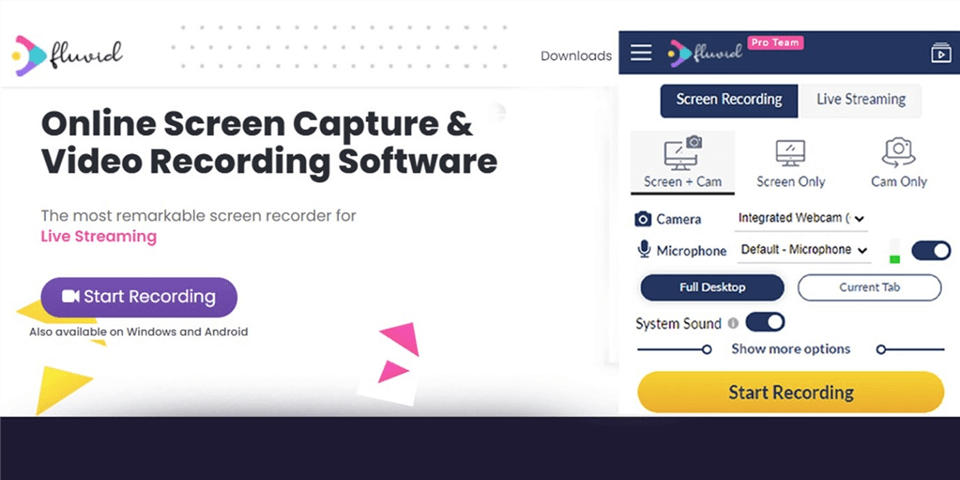
Loom Alternative – Fluvid
Fluid is a new and easy-to-use alternative to Loom that might replace it in the future. This is a breakthrough tool because of the videos it produces, from screen captures to full-length videos.
The video editing features were created with the target audience in mind. Fluvid is suitable for many professionals, including educators, software developers, sales representatives, and anyone looking to promote their work.
When it comes to recording and distributing, Fluvid is a powerhouse. You may also share the video immediately with others during the recording process. This puts Fluvid in a class by itself, compared to many of its contemporaries.
In addition to being completely free, Fluvid also comes with a Chrome plugin, making it a no-brainer for professionals who need to collaborate with remote teams. There is also no watermark in its free edition, which includes free basic analytics and alerts. In my opinion, it’s a good one.
Using it will only cost you $8 a month if it’s priced correctly. This plan has no limitations on video recording, streaming, editing, or trimming. Streaming and lead generation on social media platforms are additional options to consider.
Key Features
- Tool for online communication that captures the screen and records videos.
- Include metadata in your text, such as a title, description, tags, etc.
- The capability of using the Fluvid video player to embed previously recorded videos on any website.
- Create individualized thumbnails for finished videos.
- The capacity to modify films by cutting and cropping selected portions of the footage.
Pricing Plan: Free to use
16 Best Loom Competitors – By Use Case
Instead of listing tools randomly, it’s more useful to choose a Loom alternative based on what you actually want to create. Below are the best tools grouped by real-world use cases.
Best Overall Loom Alternative
FocuSee is a complete Loom alternative for users who want both screen recording and polished video output in one workflow, especially for SaaS demos, tutorials, and marketing videos.
Best Loom Alternatives for Windows Users
OBS Studio, Cap, and ScreenPal are strong options for Windows users. OBS offers maximum control and is free, Cap focuses on fast AI-assisted recording, and ScreenPal provides a beginner-friendly editing and sharing workflow.
Best Loom Alternatives for Mac Users
Screen Studio and CleanShot X are top Mac alternatives. Screen Studio is best for cinematic, polished demo videos, while CleanShot X focuses on fast capture and lightweight annotation.
Best Loom Alternatives for AI Video Editing
Descript and Cap are leading AI-focused tools. Descript excels in transcript-based editing and content repurposing, while Cap focuses on lightweight AI-assisted workflows for faster editing.
Best Loom Alternatives for Sales Videos
Vidyard, Tella, and CloudApp are widely used for sales and async communication. Vidyard supports video outreach and analytics, Tella is optimized for simple async video messaging, and CloudApp is ideal for quick visual sharing with annotations.
Best Loom Alternatives for Tutorials & Education
Camtasia, ScreenPal, and OBS Studio are strong choices for educational content. Camtasia offers full editing control, ScreenPal balances simplicity and functionality, and OBS provides advanced recording flexibility.
Best Loom Alternatives for SaaS Product Demos
FocuSee and Screen Studio are best for SaaS demos. FocuSee focuses on automatic zoom and clean editing workflows, while Screen Studio delivers cinematic, Mac-native demo recordings.
Summary
The best Loom alternative depends on your workflow:
- Windows: OBS / Cap / ScreenPal
- Mac: Screen Studio / CleanShot X
- AI editing: Descript / Cap
- Sales: Vidyard / Tella
- Tutorials: Camtasia / ScreenPal
- SaaS demos: FocuSee / Screen Studio
FAQ about Loom
1. Why are people leaving Loom?
Many users switch from Loom due to its limited free plan, basic editing capabilities, occasional performance issues, and lack of advanced AI or polishing tools needed for modern demo and tutorial workflows.
2. Is Loom still worth it in 2026?
Loom is still useful for quick screen recording and async communication, but it is less competitive for users who need polished videos, AI editing, or advanced customization.
3. What is the best Loom alternative for Windows?
OBS Studio is the most powerful free option for Windows. For easier workflows, Cap and ScreenPal are popular modern alternatives with simpler recording and editing experiences.
4. What is the best Loom alternative for polished demos?
FocuSee and Screen Studio are the top choices. They focus on automatic zoom, smooth visual effects, and clean editing outputs designed specifically for SaaS demos and product videos.
5. Which Loom alternative has AI editing?
Descript is the leading AI editing tool with transcript-based editing and content repurposing. Cap also offers lightweight AI-assisted editing for faster workflows.
6. What is the best free Loom alternative?
OBS Studio is the most powerful free option. ScreenPal and Cap also offer free tiers with easier learning curves for beginners.
7. Is Screen Studio better than Loom?
For polished demo-style videos, Screen Studio is often preferred due to its cinematic zoom effects and cleaner output. However, Loom is still better for simple quick sharing and lightweight communication workflows.
Final Words
We’ve covered the top Loom substitutes in this post. For PC users, Loom is a screen recorder program or add-on. There is, however, no perfect replacement for Loom. Every app mentioned on our list excels in its field or vocation.
The only difference between them is that some have additional capabilities, while others are simple screen recorders with no extras. There are positive and negative aspects to each app. Video editing, annotation, GIF creation, sharing, webcam recording, and many more capabilities may be among the finest Loom alternatives.
It is ultimately up to you to make the final choice in this situation. For clarity and to make an informed choice, we’ve included a side-by-side comparison. But it has to be said that, after comparison, FocuSee is obviously the most convenient one to use, with the most complete features. So we recommend you free download and try FocuSee first. We hope you found what you were searching for in this article. Feel free to contact us in case of any queries, or leave your questions below.