Loom vs Descript: Which Video Tool Should You Choose?

However, if your primary goal is to create a polished visual software tutorial, product demo, or walkthrough, neither tool is perfectly optimized for the job. Loom lacks the automatic visual polish (like auto-zoom and cursor tracking) needed for a professional demo, while Descript’s text-first approach can feel overly complex when your focus should be on the screen interface.
Below, we will break down the exact use cases, pros, and cons for both Loom and Descript—plus introduce a third alternative designed specifically for auto-editing visual product demos.
Loom vs Descript: Feature Comparison at a Glance
Before diving into the specifics of each platform, here is a high-level visual comparison of Loom and Descript across key dimensions.
| Loom | Descript | |
| Primary Use Case | Team messaging & async updates | Podcasts & text-based video editing |
| Ease of Use | Very Easy | Moderate |
| Text-Based Editing | Basic trimming | Advanced transcript editing |
| Audio Features | Standard recording | AI voice & audio enhancement |
| Hosting & Sharing | Instant cloud sharing | Mainly export-based |
| Free Plan | Limited videos & length | Limited transcription & watermarked exports |
| Best For | Managers, sales & support teams | Podcasters & content creators |
Loom vs Descript: Our Hands-On Test
| Loom | Descript | Winner | |
| Recording setup | 15 sec | 45 sec | Loom |
| Recording | 3 min | 3 min | — |
| Remove mistakes | 45 sec | 30 sec | Descript |
| Add captions | 20 sec | 15 sec | Descript |
| Add visual emphasis | 1 min 10 sec | 1 min 35 sec | Loom |
| Export/share | 30 sec | 1 min 20 sec | Loom |
| Total time | 6 min 00 sec | 8 min 25 sec | Loom |
Loom was 31% faster in our test when the goal was simply to record, make a few corrections, and share the video.
Loom: Best for Quick, Async Communication
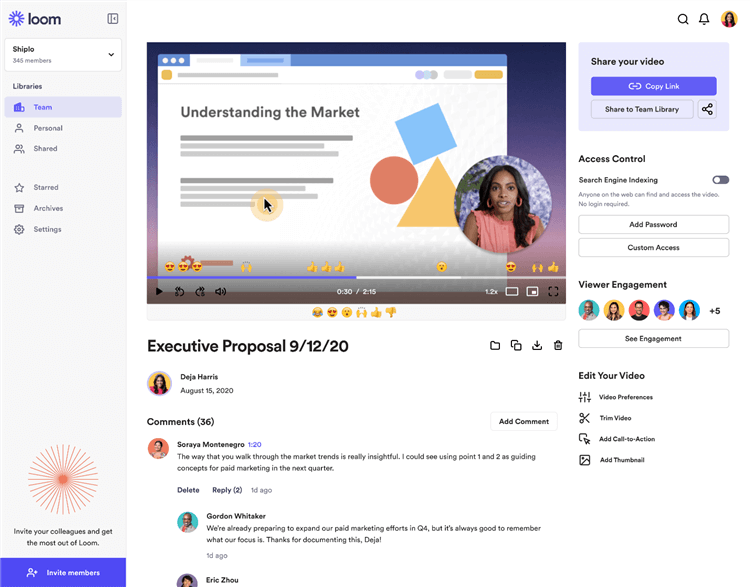
Loom Overview
Loom dominates the market for fast, link-based video sharing. If you need to send a quick project update, give feedback on a design, or replace a meeting with an asynchronous message, Loom is arguably the best tool for the job.
Its biggest advantage is simplicity. With a lightweight browser extension or desktop app, you can start recording in seconds. The moment you stop, the video is instantly uploaded to the cloud, and a shareable link is copied to your clipboard.
However, because Loom is built for speed, it trades away post-production power. It is not built for polished video editing.
Pros of Loom:
- Instant cloud upload and link generation for frictionless sharing.
- Extremely intuitive interface with almost no learning curve.
- Viewer insights (see who watched your video and when).
- Great for informal, internal team communication.
Cons of Loom:
- Lacks advanced post-production features (no automated smart zooms or cursor highlights).
- The free tier is restrictive (5-minute limit per video and 25 videos total).
- Not ideal for creating highly polished, professional software tutorials intended for external audiences.
Descript: Better for Transcript-Based Editing
Descript takes a different approach to video editing than Loom. Instead of relying primarily on a traditional timeline, it turns your recording into an editable transcript. In our test, this made some editing tasks noticeably faster—especially when we needed to remove mistakes, filler words, or sections of spoken content.
For example, when we removed a sentence from our test recording, deleting the corresponding text also removed that section from the video. This was more efficient than manually locating the same section on a timeline.
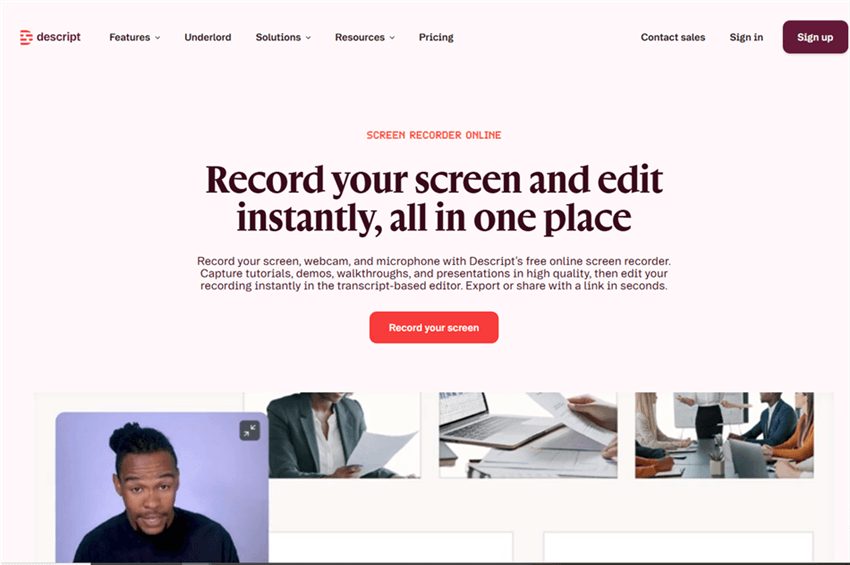
Descript Overview
Where Descript Performed Well
Transcript-based editing was its biggest advantage. Removing mistakes from spoken content was straightforward because we could edit the transcript rather than scrub through the video frame by frame.
Descript was also strong when we needed to clean up audio or spoken content. Features such as filler-word removal and Studio Sound are particularly useful for podcasts, interviews, presentations, and talking-head videos where the audio track matters as much as the screen.
Captions also fit naturally into this workflow because they are generated from the same transcript used for editing.
Where Descript Slowed Us Down
The same workflow that makes Descript powerful for spoken content can feel less efficient when the main task is showing what is happening on screen.
For our software tutorial test, editing the narration was relatively easy, but emphasizing specific interface actions required more manual work. If the goal is to zoom into a button, follow the cursor, or make a particular part of the interface stand out, transcript-based editing doesn’t provide the same workflow advantage.
This creates an important distinction:
Descript is optimized around what is being said, while software tutorials often depend just as much on what is happening on screen.
Pros:
- Transcript-based editing makes it fast to remove mistakes from spoken content.
- Strong tools for cleaning up dialogue and removing filler words.
- Captions and video editing are closely connected to the transcript.
- Well suited to podcasts, interviews, presentations, and talking-head videos.
- Supports screen recording alongside its editing workflow.
Cons:
- The text-first workflow can feel unnecessarily involved for simple screen recordings.
- Visual editing can require more manual work when the focus is on on-screen actions rather than narration.
- Creating effects such as zooms and cursor emphasis is not the main strength of the workflow.
- Better suited to content where spoken words drive the edit than tutorials where screen actions drive the edit.
Our Take
Descript isn’t simply a more complicated alternative to Loom. The two tools optimize for different workflows.
Loom is faster when the goal is to record something and share it quickly. Descript becomes more valuable when you need to edit what was said.
For a software tutorial, however, the deciding factor is often how quickly you can make the screen actions clear—not just how quickly you can edit the narration. That’s where we found the biggest difference between Descript and screen-recording tools designed around visual emphasis.
We Also Tested FocuSee on the Same Tutorial
To see how the three tools compared in a real-world workflow, we repeated the same software tutorial in FocuSee using the same recording and editing requirements.
The goal was not simply to compare feature lists. We wanted to see how much work was required to turn the same screen recording into a polished, shareable tutorial.
For each tool, we measured the time needed to set up the recording, capture the tutorial, cle
Excluding the fixed 3-minute recording time.
| Loom | Descript | FocuSee | |
| Setup | 15 sec | 45 sec | 20 sec |
| Recording | 3 min | 3 min | 3 min |
| Remove mistakes | 45 sec | 30 sec | 20 sec |
| Automatic zoom | Manual | Manual | Automatic |
| Cursor effects | Basic | Basic | Automatic |
| Visual emphasis | 1m 10s | 1m 35s | 15 sec |
| Background removal | Limited | ✓ | ✓ |
| Captions | 20 sec | 15 sec | 18 sec |
| Audio enhancement | Basic | Advanced | AI-powered |
| Export/share | 30 sec | 1m 20s | 45 sec |
| Total production time* | 3m 00s | 4m 25s | 1m 58s |
What the Test Showed
The biggest difference appeared in the editing stage.
Loom was the quickest option when we only needed to record the tutorial and share it. Descript was more efficient for editing spoken content, particularly when we needed to remove mistakes or clean up the transcript.
FocuSee took a different approach. Instead of requiring us to manually create every visual effect after recording, it automatically applied visual emphasis to the screen recording, including zoom and cursor effects. This reduced the amount of manual work required to make important on-screen actions stand out.
That distinction matters for software tutorials. If the video is primarily about what the presenter says, Descript’s transcript-based workflow has a clear advantage. If the goal is to make what happens on screen easier to follow, a workflow that automates visual emphasis can save more editing time.
Our test suggests that the three tools are optimized for different jobs:
- Loom — fastest for recording and sharing.
- Descript — strongest for transcript-based and spoken-content editing.
- FocuSee — better suited to creating polished software tutorials with less manual visual editing.
So there isn’t a universal winner. The better choice depends on what you spend the most time doing after you finish recording.
FocuSee: The Best Alternative for Auto-Editing Product Demos
If Loom feels too basic for polished tutorials and Descript feels too complex for visual product demos, FocuSee offers a simpler middle ground.
FocuSee is a desktop screen recorder for Windows and Mac that automates much of the visual editing process. It tracks your cursor and automatically adds zooms, cursor effects, click highlights, and AI-generated subtitles, so you can create polished product demos with less manual editing.
How the FocuSee workflow works:
Step 1. Open the App: Launch the FocuSee desktop app on your Windows or Mac computer.
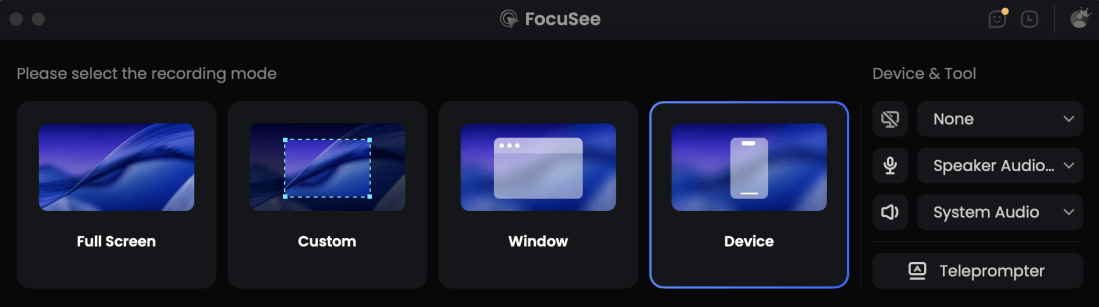
Choose the Recording Model
Step 2. Record Your Demo: Record your software walkthrough just as you naturally would.
Step 3. Add Automate the Edits: FocuSee automatically adds smart zoom, cursor animations, and click effects based on your mouse movements.
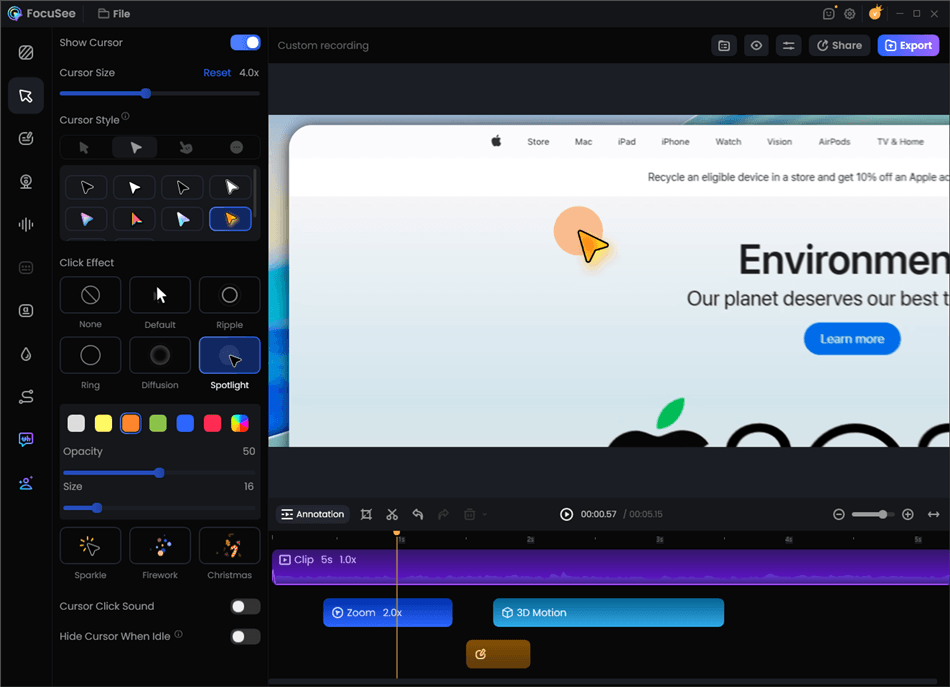
Record Screen with Cursor Following
Step 4. Review and Customize: Easily adjust the zoom timing, tweak AI-generated subtitles, or choose a camera layout that fits your brand.
Step 5. Export and Share: Export your polished tutorial in up to 4K resolution (where compatible) or save it in social-ready formats.
FocuSee provides the visual polish Loom lacks, without the heavy text-editing complexity of Descript.
Frequently Asked Questions
Is Descript better than Loom for screen recording?
Descript is far better for text-based editing, podcasting, and audio correction. However, for fast screen recording and instant sharing without editing, Loom is much more efficient.
Can Loom edit videos like Descript?
No. Loom’s editing capabilities are very basic, primarily limited to trimming the beginning or end of a video. It does not offer text-based transcript editing, multi-track timelines, or AI voice cloning like Descript.
Which tool is best for creating product demos and software tutorials?
Neither Loom nor Descript is perfectly optimized for visual software demos. For product tutorials, an auto-editing screen recorder like FocuSee is a better fit because it automatically applies smart zooms and cursor tracking to help viewers follow along.
What are the free tier limits for Loom and Descript?
Loom’s free tier is generally limited to 25 videos with a 5-minute cap per video. Descript offers a free tier that limits monthly transcription hours and adds a watermark to exports. Always check their official pricing pages to verify current limits and terms.
Does Descript have a Chrome extension like Loom?
Loom is famous for its lightweight Chrome extension. While Descript has web capabilities and a powerful desktop app for heavy editing, its primary workflow is built around its native application rather than instant browser extension recording.
What is the best alternative to Loom and Descript for auto-editing tutorials?
FocuSee is the optimal alternative if your goal is automated visual effects. Unlike Loom’s lightweight browser extension, FocuSee is a dedicated, AI-powered desktop screen recorder for Windows and Mac. This native installation allows it to reliably handle smart zooming, cursor highlighting, and captioning for software walkthroughs without the complexity of a heavy timeline editor.
Final Verdict: Which Tool Should You Choose?
There isn’t one winner between Loom and Descript.
In our test, Loom was the better choice when we wanted to record something quickly and share it with a link. Descript was the better choice when we needed to make substantial edits to spoken content.
For screen tutorials, however, the deciding factor was different: how much manual work was required to make the screen actions easy to follow.
That’s where FocuSee took a different approach, automatically adding zoom and cursor effects instead of requiring us to build those effects manually.