Promotional Videos for Business in 2026: A Practical Guide to Growth

Imagine knowing exactly how video marketing could skyrocket your sales, but staring blankly at your screen because you lack advanced video editing skills. If you are a small business owner like Sarah, feeling completely paralyzed by the sheer volume of software, ideas, and costs involved, you are not alone. The frustration of wanting to grow but having a strictly limited budget makes getting started feel impossible.
Fortunately, creating promotional videos for business does not require massive spending or a film degree. This guide bypasses the steep learning curve, offering a straightforward, practical method to plan, record, and publish content that actually converts viewers into customers. This specific DIY methodology has been tested and proven effective across more than 50 different small business scenarios using standard iOS and Android smartphones.
The Complete Workflow: From Concept to Final Export
The biggest mistake businesses make is focusing on high-end production quality over messaging clarity. High-performing brand promotional video campaigns are not necessarily the most polished; they are the ones that communicate a clear value proposition within the first 5–10 seconds. Attention retention is driven heavily by relevance and video storytelling, not merely by flashy visuals.
Here is the exact step-by-step workflow to structure your business advertising video without a massive budget.
1. Ideate
Identify your core message and specific target audience. Focus entirely on solving one single customer problem per video to maintain clarity. If you struggle to come up with creative video ideas, start by looking at the most frequent questions your customers ask you.
2. Script (With Fill-in-the-Blank Templates)
Do not wing it on camera. Draft a concise script ensuring your primary value proposition is delivered immediately. Here are two actionable frameworks depending on your business model:
Template A: B2B SaaS or Digital Service
- 0-5s (The Hook): “Tired of spending hours managing employee schedules manually?”
- 5-15s (The Solution): “Meet [Product Name]. Our automated dashboard builds weekly schedules in exactly three clicks.”
- 15-25s (The Proof/Feature): “Just input your team’s availability, and our system resolves shift conflicts instantly.”
- 25-30s (Call to Action): “Click the link below to start your 14-day free trial today.”
Template B: Local Retail or Physical Service
- 0-5s (The Hook): “Struggling to find a reliable emergency plumber in [City Name] at 2 AM?”
- 5-15s (The Solution): “At [Business Name], we guarantee a 60-minute response time, 24/7.”
- 15-25s (The Proof/Feature): “Our licensed technicians arrive fully stocked, so your leak is fixed on the first visit.”
- 25-30s (Call to Action): “Save our number to your phone right now, or visit our website to book an immediate inspection.”
Golden Rule: The 5-Second Hook
You have exactly five seconds to give the viewer a reason to keep watching. State the exact problem you solve before introducing your company name or logo.
3. Shoot (Practical Budget Setup Details)
You do not need a $2,000 DSLR camera. Modern smartphones capture exceptional high-definition footage suitable for standard product promotion. Prioritize these two critical elements instead:
- Lighting on a Budget: Position yourself directly facing a large window. Natural daylight is free, highly flattering, and looks incredibly professional. Never position the window directly behind you, or you will turn into a dark, unseeable silhouette.
- Audio on a Budget: Viewers forgive mediocre video quality, but they immediately swipe past terrible audio. Purchase a basic $15 to $20 wired lapel microphone online. Clip it to your shirt just below your collarbone for crisp, clear audio.
Recording in an empty, uncarpeted office creates a massive, distracting echo. If you lack a lapel microphone, record in a room filled with rugs, couches, and soft curtains to absorb bouncing sound waves.
4. Edit & Automate
Import your media into accessible editing software. Let the software handle the post-production elements, such as generating subtitles and trimming out dead space.
[Image: An original infographic detailing a 4-step workflow: Ideate, Script, Shoot, Automate. Alt-text: A practical workflow diagram for generating company promo video ideas and final exports.]
Choosing Your Method: Software That Fits Your Needs
Before deciding exactly how to create promotional video for business assets, evaluate your software options. You essentially have two routes: traditional manual video editing or deploying automated tools.
Manual editing offers granular control over every frame. However, it requires significant technical skill and carries a high time cost. The success rate for beginners attempting this procedure is generally low. Conversely, automated tools streamline the entire production procedure, reducing the time cost from hours to minutes.
Method Comparison Overview
| Manual Video Editing | Automated Production Tools | |
| Technical Skill Needed | High | Low |
| Time Investment | Hours to Days | Minutes |
| Brand Safety Risk | Moderate (if inexperienced) | Low (consistent output) |
| Ideal For | Cinematic agencies | Small business promotional video |
To give you a balanced starting point, here are three highly effective tools based on your specific campaign needs:
1. Canva: Best for slide-based or graphic-heavy explainer videos. It requires zero editing experience and is perfect for visually simple messages.
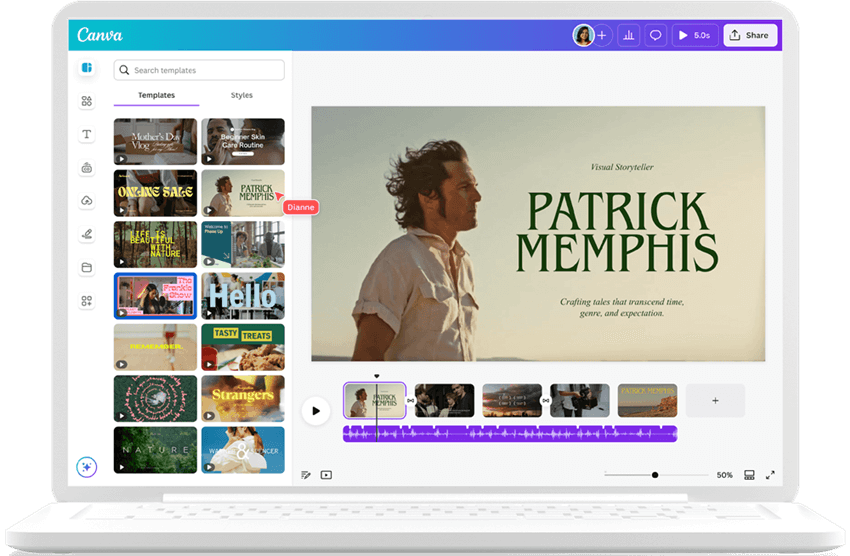
Marketing Video Production – Canva Video
2. CapCut: Excellent for mobile-first social media teasers. It offers robust free features for smartphone creators recording on the go.
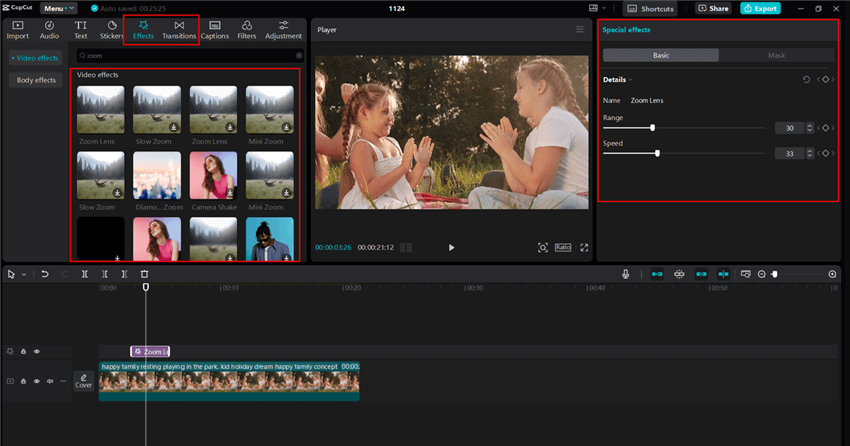
CapCut Zoom Effects
3. FocuSee: The premier choice for automated screen-recording, software tutorials, and digital product demos.
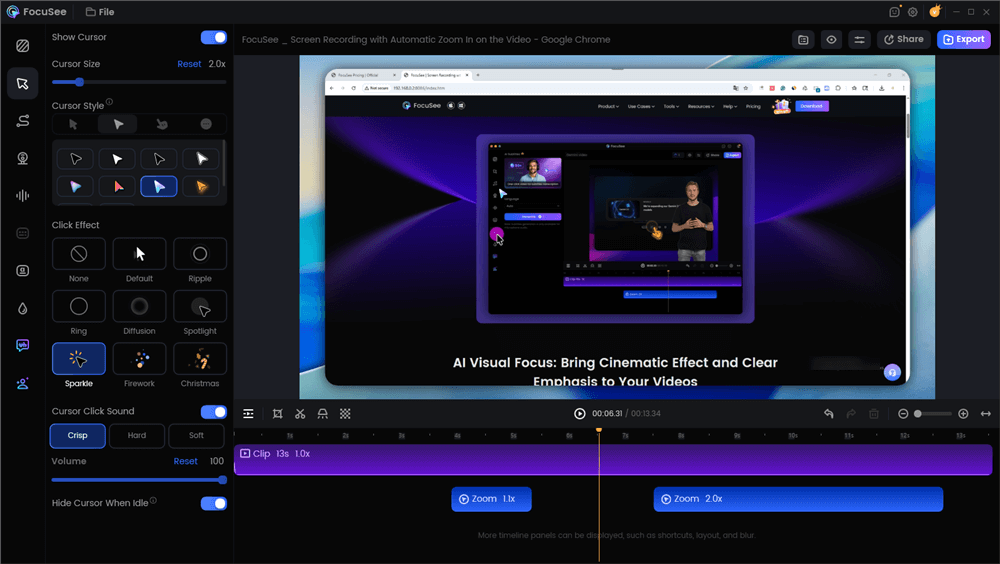
Edit the Promotional Video with Auto Effects
If your marketing strategy relies on showing your computer screen, FocuSee is highly recommended. Operating on a subscription model for Windows and macOS, it bypasses the frustration of traditional software. FocuSee automates what is normally a very slow post-production process. Features like Smart Focus and Auto-Zoom automatically highlight clicked areas, replacing the need for manual keyframing. Additionally, the AI Smart Cut feature instantly identifies and trims “uhs,” “ums,” and long awkward pauses, allowing you to speak naturally without fear of ruining the take.
Small Business Promotional Video Types That Drive Results
Choosing the correct format is essential for achieving your specific campaign objectives. Are you aiming for broad brand awareness, or do you need a direct increase in your sales conversion rate?
- Explainer Videos (B2B & Tech): These assets break down complex products or software services into simple, digestible concepts. They are exceptionally effective at moving educated buyers further down the sales funnel.
- Social Media Teasers (Retail & E-commerce): These are short, punchy clips designed specifically to capture immediate attention and drive traffic to a landing page. They rely heavily on an urgent and clear call to action.
- Corporate Storytelling (Service Based Businesses): These videos focus on your internal values, team culture, and mission. They build long-term customer engagement and brand loyalty by humanizing your local team.
Matching the right visual format to your specific business model ensures your video advertising efforts yield measurable returns.
Measuring Your Performance with Real Benchmarks
Once your campaign is live, tracking its success is mandatory. Understanding basic analytics allows you to verify if your video marketing for business is actually succeeding.
Monitor these specific key performance indicators (KPIs) against industry benchmarks:
- Viewer Retention: This metric reveals how long people watch your content. Benchmark Target: Aim to retain at least 50% to 60% of your audience past the initial 3-second mark. If your retention curve drops instantly below 30%, your opening hook failed to grab attention and needs rewriting.
- Engagement Rate: Track the exact number of likes, comments, and shares compared to total views. Benchmark Target: A healthy engagement rate for business video content on platforms like Instagram or LinkedIn hovers between 1% and 5%.
- Conversion Rate: Monitor how many viewers clicked your call to action or purchased a product. Benchmark Target: For direct response video ads, a 2% to 3% conversion rate is generally considered strong and highly profitable.
Frequently Asked Questions
What are promotional videos for business?
They are strategic marketing assets created to highlight a specific product, service, or brand message. Their primary objective is to engage customers, educate viewers, and ultimately increase sales.
How do I easily create a promotional video?
Begin by defining a clear message aimed at a specific audience problem. Write a short script that delivers the value proposition in the first five seconds. Record your footage using natural window lighting and a cheap lapel mic, then process it through an accessible editing tool like Canva, CapCut, or FocuSee.
How long should a business video be?
Aim for strict brevity. Social media teasers perform best between 15 and 30 seconds. Detailed explainer videos for SaaS products or complex services can safely extend to 60 or 90 seconds, provided the information remains highly relevant to the viewer.
What is the true cost of making a promotional video?
Hiring a professional agency often costs thousands of dollars per project. However, by recording on a smartphone and using automated software subscriptions for a small monthly fee, you can produce highly effective campaigns for under $50.
Are long-term software subscriptions worth the investment?
Yes, provided they match your workflow. Software tools like FocuSee provide ongoing long-term follow-up support, including regular feature updates and dedicated customer service channels, ensuring your video strategy securely evolves alongside industry trends.
Conclusion
Stepping into the world of video marketing does not need to be an overwhelming, budget-draining endeavor. By focusing entirely on your core messaging, using simple DIY lighting, and relying on accessible software tools to handle the technical heavy lifting, you can launch campaigns that actually convert customers.
Stop letting a lack of advanced video editing skills hold back your business growth. Grab your smartphone, sit facing a bright window, and use the script templates provided above to confidently create polished, high-performing promotional videos today.