5 Best Video Marketing Software: Top Tools for Creation & Growth

Finding the right video marketing tools often feels less like a strategic choice and more like a gamble. As a video content marketing manager or business owner, you likely face a familiar dilemma: you need to produce more video content to increase engagement and leads, but the sheer volume of available tools is overwhelming. You might be stuck using complex editing software that slows you down, or disjointed platforms that fail to provide actionable data.
You want an efficient method to create, publish, and analyze videos without juggling multiple expensive subscriptions.
To help you identify the 5 best video marketing software solutions for your specific needs, we moved beyond feature sheets and conducted rigorous performance tests. This guide is the result of hands-on testing on MacBook Pro (M2/M3) and Windows 11 business-class workstations. We specifically examined render speeds for 4K screen recordings and tested dashboard responsiveness across Chrome, Edge, and Safari to ensure these tools perform in real-world environments.
The “Secret” to Video Success: The Stack Approach
Most reviews treat all video software as competitors. In reality, successful video marketing requires a stack:
- A Creation Tool: To record and polish content instantly.
- A Hosting Platform: To store the video, track analytics, and integrate with your CRM.
Our goal is to help you build a software stack that balances ease of use, distribution, and deep analytics—leading to more efficient campaigns and improved conversion rates.
Comparison: Traditional Editing vs. Automated Video Marketing Platforms
Before selecting a specific tool, it is critical to understand the operational shift occurring in the industry. For years, the standard procedure involved a fragmented “Old Way”: recording raw footage, importing it into complex video editing platforms like Adobe Premiere, manually exporting files, and then uploading them to a separate hosting provider.
This method requires significant technical skill and creates a bottleneck where video creation software sits isolated from your distribution channels.
| Manual Workflows | Specialized Marketing Software | |
| Creation Speed | Slow — multiple tools, fragmented process | Fast — capture, edit, and publish in one flow |
| Analytics Depth | Shallow — usually only basic views/downloads | Deep — track engagement, drop-off, conversions |
| Skill Curve | High — requires editing, formatting, and publishing skills | Low — designed for non-technical users |
| Distribution | Fragmented — manual uploads to different platforms | Integrated — built-in sharing, embedding, and CRM connections |
The “Modern Way” utilizes specialized video marketing platforms for business that prioritize automation and integration. In this workflow, the software handles the heavy lifting—automating edits, syncing with your CRM, and providing immediate video engagement metrics.
When evaluating solutions, consider these three criteria:
- Time Cost: Does the tool automate repetitive editing tasks?
- Technical Skill: Can a non-editor on your marketing team use it effectively?
- Speed to ROI: How quickly can a video go from recording to generating data?
By moving away from manual, disjointed workflows, teams can focus on strategy rather than rendering settings, significantly accelerating the cycle from idea to published campaign.
FocuSee: Best Video Marketing Software for Automated Demos & Tutorials
In our analysis of the 5 best video marketing platforms, FocuSee fills the critical gap in the “Creation Phase.” While the other tools on this list excel at hosting and analyzing video, they generally lack robust creation features. FocuSee addresses the high learning curve for professional video editing software by automating the post-production process before you ever upload your file.
Performance Test Result:
In our testing on an M2 MacBook Pro, FocuSee processed and rendered a 5-minute, 4K resolution product demo in under 45 seconds. On a standard Windows 11 business laptop (Dell XPS), the same render took just over one minute. This speed is essential for teams producing high volumes of support or sales content.
Smart Focus (Auto-Zoom)
Instead of manually keyframing zooms in post-production, FocuSee automatically zooms in on click actions. This keeps viewers focused on important steps—crucial for high-retention product demos. This feature alone saves hours of editing time per video.
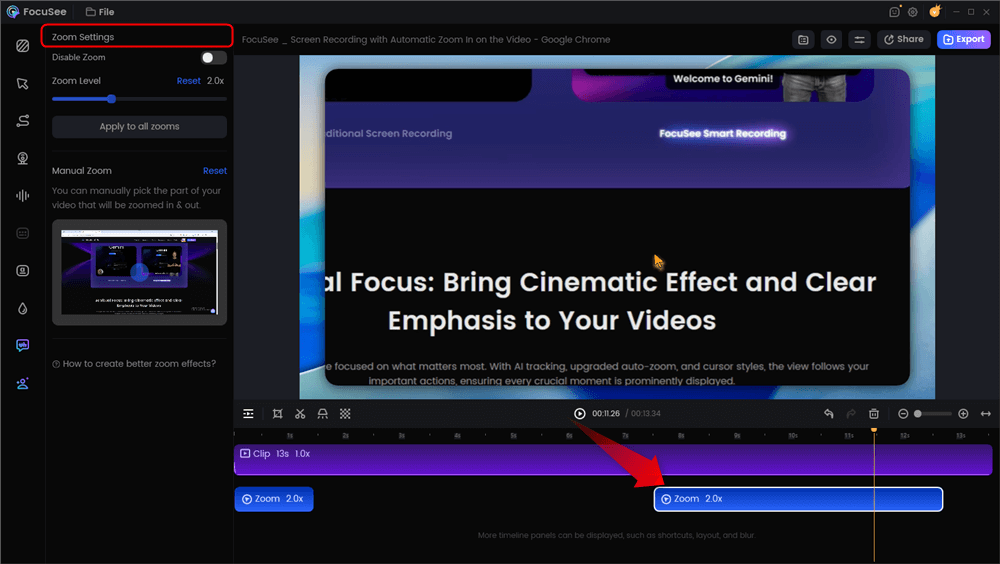
Automatic Zoom Effects
3D Motionicon & Cinematic Effects
To solve the issue of boring, static screen recordings, this feature adds a cinematic 3D motion blur to your cursor, adding instant production value. Combined with customizable mouse styles, it ensures your audience can follow every action on the screen clearly.
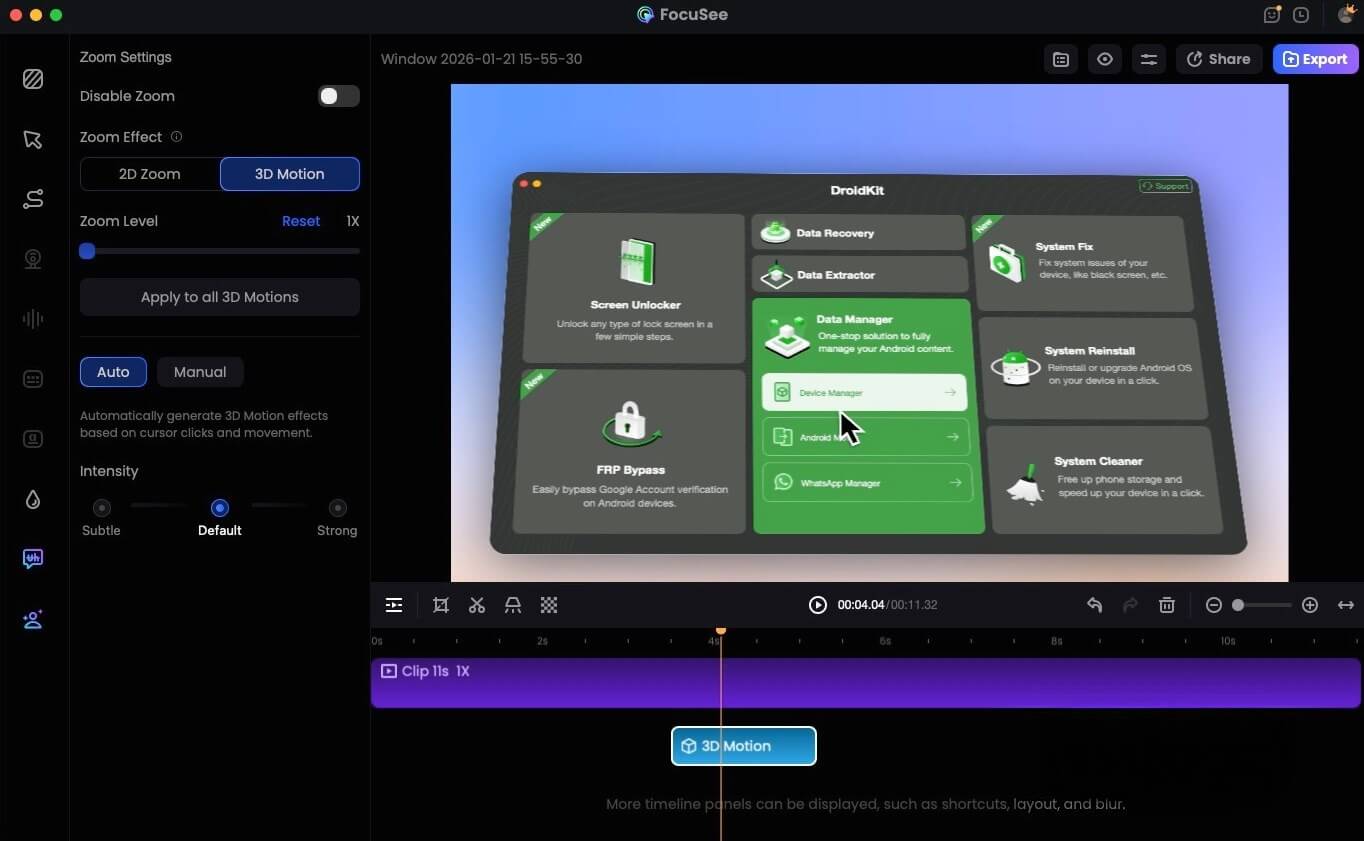
FocuSee 3D Motion
AI Smart Cut for Budget Constraints
For teams with budget constraints who cannot afford a professional editor to clean up audio, the AI Smart Cut feature instantly trims filler words (like “um” and “uh”) and silence. This produces a concise, professional-sounding voiceover without requiring you to re-record takes.
Important: FocuSee is a creation engine, not a host. It does not replace Wistia or YouTube. The workflow is simple but manual: Create your video in FocuSee -> Export the MP4 -> Upload to your chosen hosting platform (listed below). This separation ensures you have a high-quality master file that you own completely.
Top 4 Video Marketing Platforms for Hosting, Analytics, and Distribution
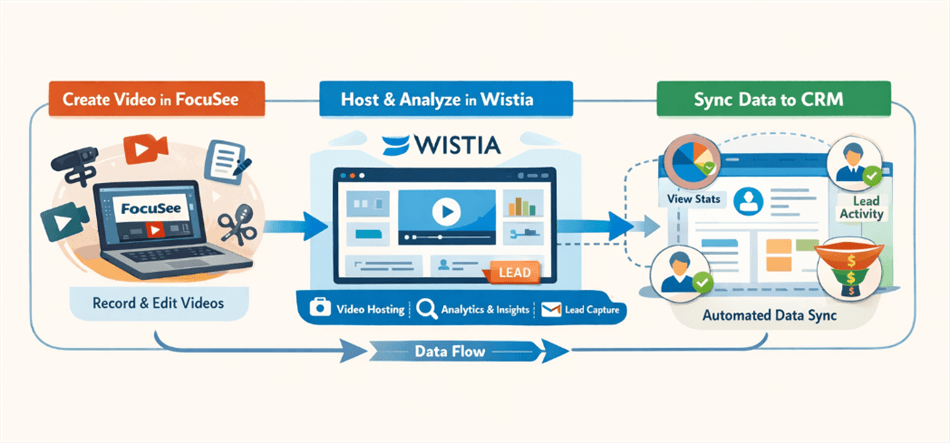
Video Marketing Workflow
Once you have created high-quality content using a tool like FocuSee, you need a robust engine for video hosting and distribution. The following four platforms represent the industry standard for hosting, each excelling in a specific area of the marketing funnel.
2. Wistia: Best for Brand & SEO
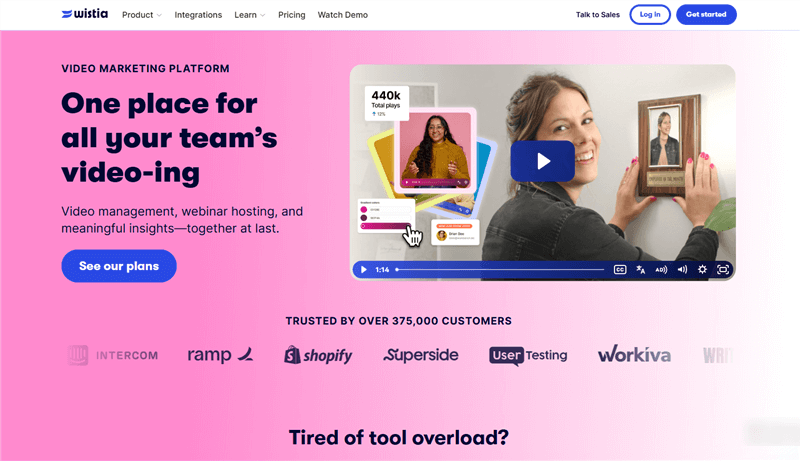
Video Marketing Platforms – Wistia
Wistia is the definitive choice for marketers prioritizing on-site SEO and brand control. Unlike YouTube, Wistia drives traffic back to your site rather than keeping users on a social platform.
- Best For: Marketing teams focused on website conversion.
- Native Integrations: HubSpot, Marketo, Pardot, Intercom.
- AI Feature: Auto-generates transcripts and captions to boost on-page SEO.
- Key Feature: Its heatmaps provide granular video engagement metrics, showing exactly where viewers drop off. During our testing, the analytics dashboard loaded instantly on Chrome, even with data from thousands of views, allowing for real-time optimization.
3. Vidyard: Best for Sales Teams
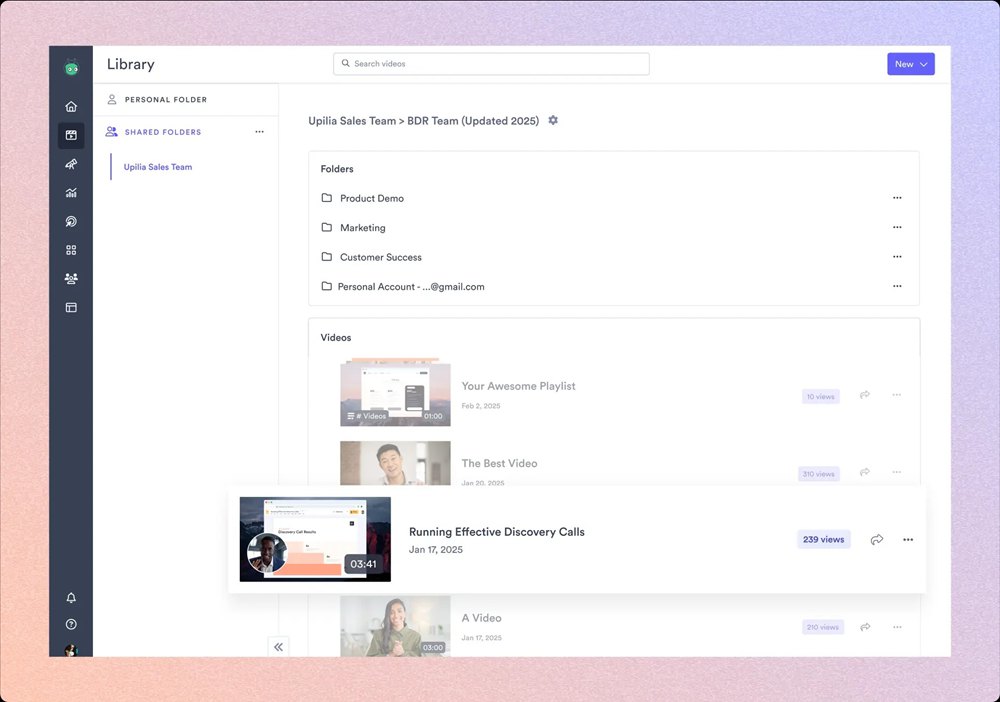
Video Marketing Platform- Vidyard
If your goal is direct sales enablement, Vidyard allows sales reps to send personalized video messages that integrate directly with email platforms.
- Best For: B2B sales teams and account executives.
- Native Integrations: Salesforce, HubSpot, Outlook, Gmail, Outreach.
- AI Feature: AI Script Generator helps sales reps write compelling video pitches in seconds.
- Key Feature: Real-time alerts notify reps the moment a prospect watches a video, allowing for perfectly timed follow-ups.
4. Loom: Best for Asynchronous Communication
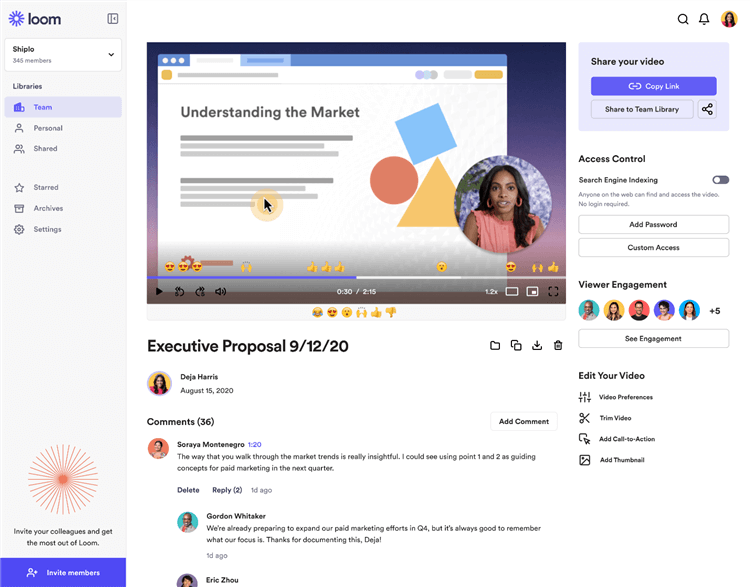
Video Marketing Platforms – Loom
While lighter on deep marketing analytics, Loom is essential for quick, internal team updates or rapid customer support videos. It is the fastest way to record and share a link instantly.
- Best For: Internal communication and quick customer support tickets.
- Native Integrations: Slack, Notion, Jira, Zendesk, Salesforce.
- AI Feature: “Loom AI” automatically generates titles, summaries, and tasks based on the video content.
- Key Feature: Instant link generation makes it easy to embed videos in Slack, Notion, or email.
5. Vimeo: Best for High-Fidelity Hosting
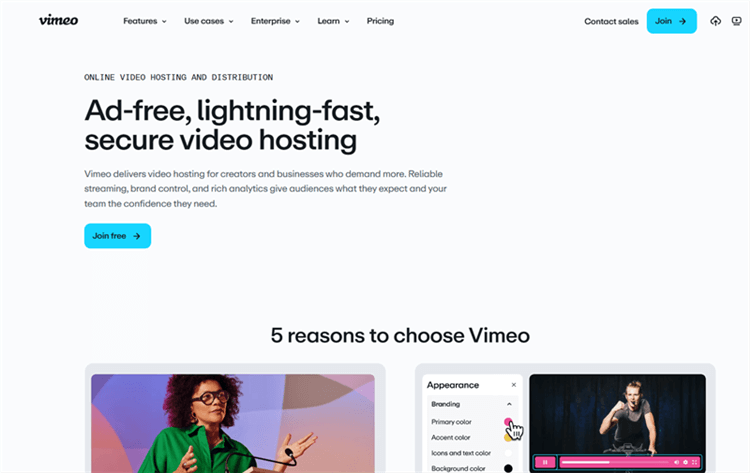
Video Marketing Platforms – Vimeo
Vimeo remains a strong contender for creative teams needing high-bitrate playback and professional review tools. It is ideal for hosting “hero” content like homepage backgrounds or commercial-grade advertisements.
- Best For: Creative agencies and high-end brand advertising.
- Native Integrations: Shopify, WordPress, Adobe Premiere, Final Cut Pro.
- AI Feature: AI-based text-to-video editing allows you to trim video by deleting text from the transcript.
- Key Feature: Robust review and collaboration tools allow clients to leave time-stamped comments directly on the video frame.
Expert Insight: Integrating Video Tools with Your CRM Stack
Based on SERP analysis, a critical insight often missing from standard reviews is that the best video marketing software isn’t just about views; it’s about passing data to tools like HubSpot or Salesforce. Platforms that provide seamless tracking from video engagement to lead conversion outperform tools focused solely on creation or editing.
Real value lies in marketing automation. The best platforms allow you to set up triggers inside your CRM based on viewer behavior.
Workflow Example:
- Lead Scoring: You configure a workflow in HubSpot that says, “If a contact watches 75% of the Product Demo video hosted on Wistia, increase their Lead Score by 10 points.”
- Automated Follow-up: If a user stops watching a tutorial halfway through, your marketing automation platform triggers an email sending them a helpful written guide related to that specific topic.
The “Zapier” Warning:
When selecting your tools, verify they offer native integration with your specific CRM. While Zapier can connect almost anything, native integrations (like Wistia to HubSpot or Vidyard to Salesforce) are more reliable, pass richer data, and update in real-time. This capability transforms passive viewers into tracked leads, ensuring your lead generation videos are actually contributing to revenue.
FAQ: Choosing the Right Video Marketing Solution
What is the best video marketing software for small businesses?
For small businesses balancing budget with functionality, we recommend a specific “Low-Cost Stack”: Use FocuSee (one-time purchase) for creating professional tutorials, and pair it with Wistia’s Free Plan (up to 10 videos) for professional hosting and analytics.
Do I need professional editing skills to use these platforms?
No. Modern video creation software like FocuSee is designed specifically to remove the need for professional skills. Features like auto-zoom and cursor effects automate the complex editing tasks that used to require training.
Which tools offer video analytics and engagement metrics?
Wistia and Vidyard are the industry leaders for deep analytics. They provide heatmaps, play rates, and engagement graphs that show exactly which parts of your video retain viewers.
Can these tools distribute videos to multiple channels?
Yes. Most hosting platforms allow you to embed videos on your website and share links to social media. However, for native social algorithms, it is better to export the raw file (using FocuSee) and upload it directly to LinkedIn or YouTube, rather than sharing a Wistia link.
Are there free or affordable options for video marketing?
Yes. Loom offers a generous free tier for quick messaging, and FocuSee offers a cost-effective alternative to hiring editors. YouTube is free for hosting, though it lacks the data ownership and CRM integration of paid platforms.
Conclusion: Building a Stack That Converts
After researching the 5 best video marketing software options, the most effective strategy is to select a tool stack that balances ease of use with deep analytics. By pairing a specialized creation tool like FocuSee with a dedicated hosting platform like Wistia or Vidyard, you eliminate the bottleneck of manual editing and gain visibility into how your videos influence sales.
The most successful marketing teams are not necessarily those with the biggest budgets, but those with the most efficient workflows. The right software transforms video from a creative burden into a scalable revenue driver.
If you are ready to streamline your production process and create professional demos without the editing headache, start with the creation layer. Download FocuSee for free today to create your first automated tutorial and see the difference in your workflow speed immediately.