8 Best Phone Recorder Apps: Expert Tested for iPhone & Android

Imagine being in the middle of a high-stakes negotiation, like Amanda, a real estate agent in California, closing a complex deal. You need to document every detail of the agreement, so you rely on a “top-rated” app you just downloaded. But when you play it back later, the file is silent, or worse—it only recorded your voice, leaving the client’s side completely inaudible.
For professionals, relying on untested software isn’t just annoying; it is a liability. Finding the 8 best phone recorder app options to record video on your phone is surprisingly complex because Apple and Google have aggressively tightened privacy policies, effectively breaking many older tools. Whether you are looking for the best call recorder app for legal protection or interview transcription, generic lists often lead to failure.
To save you from trial and error, this guide recommends solutions based on rigorous hands-on testing with iPhone 15 (iOS 18), Pixel 9, and Galaxy S24 devices running the latest security patches. We explain not just what to download, but how to make it work.
Quick Verdict: The Top 8 Phone Recorder Apps at a Glance
If you need an immediate solution, the list below categorizes the top performers based on our testing. It is critical to understand that due to OS restrictions, the best call recorder app for iPhone functions differently (usually via 3-way conference merging) than a call recording app for Android (which may use accessibility overlays).
| App Name | OS Compatibility | Price Model | Best For |
| TapeACall Pro | iOS (iPhone) | Paid subscription | iPhone users |
| Cube ACR | Android | Freemium | Android & VoIP calls |
| Rev Call Recorder | iOS (US only) | Free | Free call recording |
| Google Voice | iOS, Android, Web | Free | Incoming calls |
| Automatic Call Recorder (Appliqato) | Android | Freemium | Older Android devices |
| Truecaller | iOS, Android | Freemium / Subscription | Spam blocking + recording |
| Easy Voice Recorder | Android | Freemium | Voice memos |
| Blackbox | Android | Free | Clean UI |
Detailed Reviews of the 4 Best Call Recorder Apps
When evaluating these tools, the biggest mistake users make is assuming call recording works the same on iPhone and Android. Due to iOS security policies, true system-level call recording is not allowed; most call recorder apps for iPhone rely on conference-call merging. This requires you to dial a recording line and “merge” the calls.
Android, by contrast, historically allowed deeper access, but newer versions (Android 9 through 14) have restricted this, forcing apps like Cube ACR to use accessibility overlays or microphone pass-through techniques.
TapeACall Pro (iOS / Android)
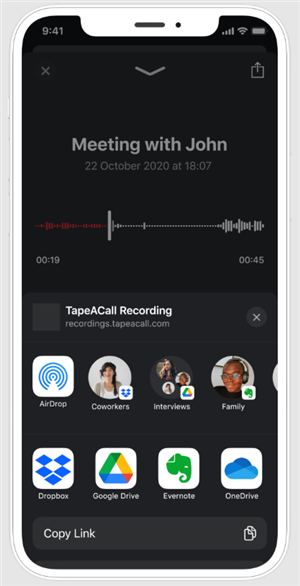
Best Phone Recorder Apps – TapeACall Pro
TapeACall remains the most reliable call recorder app for iOS users because it doesn’t try to hack the system; it uses a legitimate carrier workaround. To record, you put your caller on hold, dial TapeACall’s server, and tap “Merge Calls.”
- Pros: Unlimited recording duration, excellent cloud backup (Dropbox/Google Drive), and transcriptions available.
- Cons: The “merge” process can be awkward to execute quickly; it requires a subscription for full functionality.
During our tests, the merge process typically took about 7 to 10 seconds to fully connect. This can feel like an eternity if you are already on the phone with a client.
Pro Tip: Don’t do this silently. Tell your client, “Hold on one second, let me just add my recording line,” to buy yourself the time needed to merge the call without creating an awkward silence.
Cube ACR (Android)
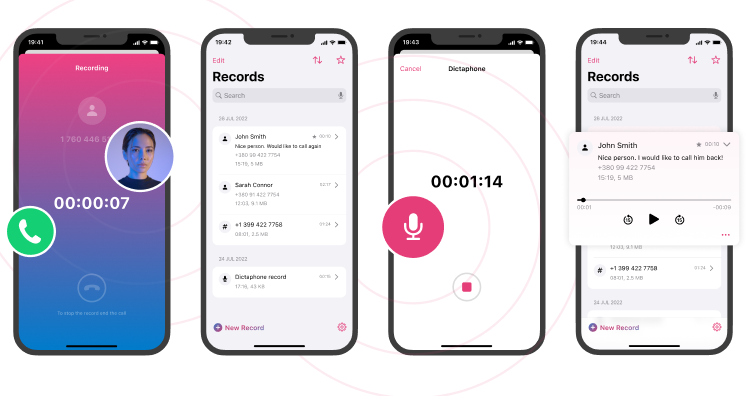
Best Phone Recorder Apps – Cube ACR
For Android users, Cube ACR is powerful because it attempts to record VoIP calls (WhatsApp, Telegram) in addition to cellular calls. It offers superior audio quality management, allowing you to tweak audio sources.
- Pros: Records incoming and outgoing calls automatically; “Shake to Mark” feature highlights important moments.
- Cons: Setup on newer Android versions requires specific permissions.
Important Note on Android 13 & 14:
On the latest Pixel or Galaxy devices, Google has restricted apps from accessing call logs and audio streams via the Play Store. To get Cube ACR to work fully, the app may prompt you to install a “Cube ACR App Connector” or “Helper.”
Is it safe? This sounds technical and scary, but it is a legitimate tool provided by the developers to bridge the gap between the app and the microphone. It does not void your warranty. However, because you often have to download it from their official website (sideloading) rather than the Play Store, it can feel intimidating for non-tech users. Proceed only if you are comfortable installing verified software from outside the Google Play Store.
Rev Call Recorder (iOS)
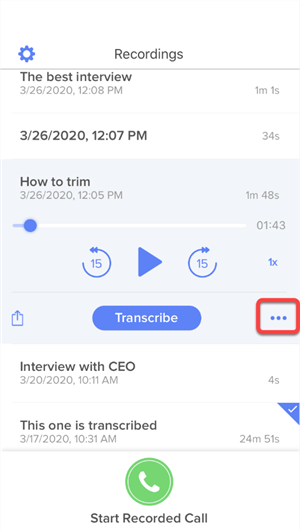
Best Phone Recorder Apps – Rev Call Recorder
If you need a free phone recorder app, Rev is unmatched. Unlike “freemium” apps that limit you to 60 seconds, Rev offers unlimited recording for free. Their business model relies on you ordering human transcription services, which are optional.
- Pros: Completely free recording; high-quality US-based transcription available.
- Cons: Only works with US phone numbers; utilizes the same “merge call” system as TapeACall.
Google Voice (iOS / Android)
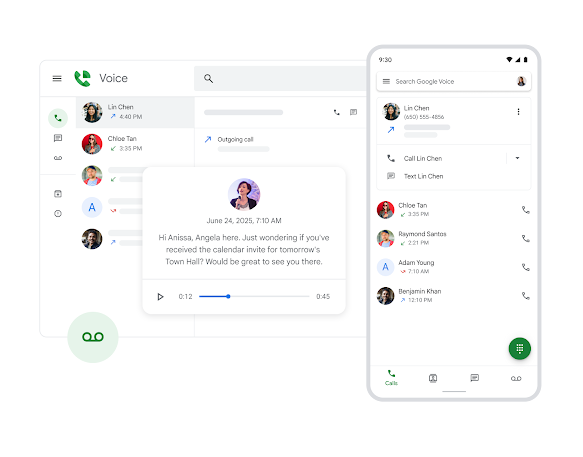
Best Phone Recorder Apps – Google Voice
Google Voice is a fantastic phone call recorder without a subscription if you only need to capture incoming calls. By pressing “4” on the keypad during a call, Google announces “This call is now being recorded,” ensuring transparency.
- Pros: Free; files sync directly to your Google account; cross-platform.
- Cons: Cannot record outgoing calls; requires you to use your Google Voice number, not your primary carrier number.
Why Most Apps Fail: Understanding iOS vs. Android Limitations
Users often complain that an app “only recorded my voice” or produced silent files. This is rarely the app’s fault; it is a result of operating system security layers. On iOS 18 and Android 14, apps are “sandboxed,” meaning they cannot access the internal audio stream of another app (like the Phone dialer) directly. This prevents malicious apps from spying, but it also breaks legitimate automatic call recording tools.
Voice Recorder vs. Call Recorder
It is vital to distinguish between a voice memo app and a call recorder to manage expectations.
- Voice Recorder App for Phone: Utilizes the microphone to capture external sound (lectures, dictation). If you try to use this during a call, the phone’s noise-cancellation software often mutes the microphone to prevent feedback.
- Call Recorder: Uses specific workarounds like VoIP Merging (rerouting audio through a 3rd party server) or Accessibility Services (Android features that “scrape” audio from the call stream).
If an app claims to record system audio directly on an unrooted iPhone without a 3-way call, it is likely misleading or a scam.
Decision Guide: Mobile Apps vs. Desktop Recording Solutions
For casual use, a mobile app is sufficient. However, for professionals in Amanda’s position, who cannot risk a failed recording during a contract negotiation, relying solely on a mobile app involves risk. Mobile OS updates can break recording functionality overnight. In these scenarios, shifting the workflow to a desktop environment (using softphones or mirroring) offers superior reliability.
| Category | Mobile App | Desktop / Screen Recorder |
| Reliability | ⭐⭐☆☆☆ (2/5) | ⭐⭐⭐⭐⭐ (5/5) |
| Audio Quality | ⭐⭐☆☆☆ (2/5) | ⭐⭐⭐⭐☆ (4.5/5) |
| Post-Production | ⭐☆☆☆☆ (1/5) | ⭐⭐⭐⭐⭐ (5/5) |
When to Switch to Desktop
- Reliability & Success Rate: Mobile apps often fail due to “Battery Optimization” settings killing background processes. Desktop solutions record system audio directly, offering a near 100% success rate.
- Audio Quality: Mobile recordings often suffer from heavy compression. Desktop tools capture uncompressed audio for high fidelity.
- Privacy & Storage Management: Many free mobile apps monetize data. Using a desktop recorder keeps the data local until you decide to move it, providing better control over storage management and client confidentiality.
Pro Alternative: Recording & Editing Calls with FocuSee
The breakthrough for our user story came when Amanda stopped trying to record directly on the handset for her scheduled meetings and moved those client calls to a VoIP setup (like Zoom, RingCentral, or Google Voice) on her computer, recorded by FocuSee.
FocuSee is a desktop solution. This is not the tool for you if you need to record impromptu calls while driving or away from your desk. However, for scheduled contract reviews or interviews where you are already at your computer, it is the best alternative to the phone recording app of 2026 for guaranteeing audio fidelity and privacy.
FocuSee is a screen recording and video creation tool designed to automate the post-production process.
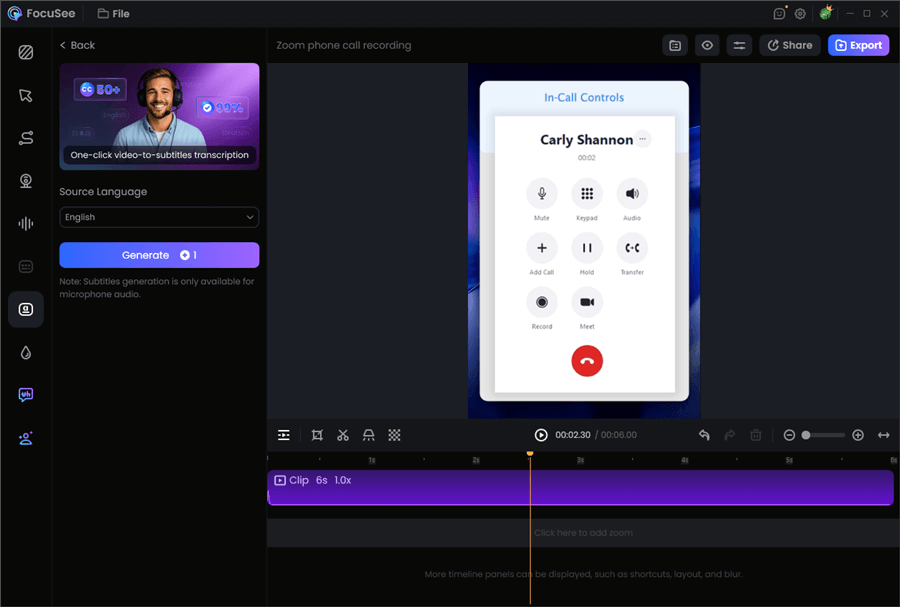
Record Zoom Phone Call with FocuSee
Why FocuSee is Superior for Professionals:
- Solving Privacy Anxiety: Amanda often worried, “I’m worried about privacy and where my call recordings are stored.” FocuSee features Privacy Blur & Masking, allowing you to blur sensitive client information (like credit card numbers on a shared screen) during the recording process, ensuring data security before the file is even shared.
- Automated Documentation: Instead of just an audio file, you get a visual record. FocuSee’s Automatic Subtitles & Speech Recognition effectively transcribes the call for easy review.
- Enhanced Clarity: If a client calls from a noisy location, FocuSee’s AI Audio Enhancement cleans up background noise and breathing sounds, ensuring the legal documentation is crystal clear.
- Smart Focus: If you are presenting a contract on screen while talking, the Smart Focus feature automatically zooms in on the relevant sections you click, turning a simple call recording into a polished reference asset.
Is It Legal? A State-by-State Guide to Call Recording Laws
Before pressing record, you must understand the legal landscape to avoid severe penalties. While federal law generally permits recording if one party consents (you), state laws vary significantly. This inconsistency is a trap for users conducting business across state lines.
Two-Party Consent States
In states like California, Florida, and Massachusetts, you are in a two-party consent state. This means everyone on the call must agree to be recorded. If you record a client in California without their knowledge using a hidden background recording feature, you may be committing a crime, and the recording will be inadmissible in court.
One-Party Consent States
In states like Texas or New York, generally only one person (you) needs to consent. However, legal jurisdictions can be tricky. If you are in New York calling someone in California, you must adhere to California’s two-party rules.
The Golden Rule: When in doubt, always ask for permission.
Simply announcing, “This call is being recorded for quality and training purposes,” establishes transparency, usually satisfies consent requirements, and keeps you on the right side of the law regardless of the state.
Conclusion
The search for the 8 best phone recorder app options often ends in frustration because users expect simple tools to work on complex, locked-down operating systems. Whether you are dealing with microphone access issues on an iPhone or navigating call recording laws across states, the stakes are high.
For casual use or calls on the go, apps like TapeACall or Google Voice are excellent stop-gaps. However, if your livelihood depends on accurate, secure, and clear documentation—just like Amanda’s real estate contracts—moving your important calls to a desktop workflow is the smartest move. By using FocuSee for your scheduled calls, you regain control over audio quality, ensure data privacy with local storage, and automate the tedious parts of editing. Don’t risk a “silent file” when it matters most.
Download FocuSee for free and turn your client calls into professional, secure assets today.
Frequently Asked Questions About Phone Recording
I’m worried about privacy and where my call recordings are stored.
This is a valid concern. Many free apps store data on non-secure servers to minimize costs. If privacy is paramount, look for a phone call recorder without a subscription that saves files locally to your device first (like many Android audio recorders). Alternatively, use a desktop solution like FocuSee where files are stored on your hard drive, giving you total control over storage management.
Does recording calls drain my battery?
Yes, but it depends on the method. Apps that use background recording or high-level accessibility overlays (common on Android) consume significantly more power because they prevent the phone from entering deep sleep modes. Cloud-based solutions like TapeACall have minimal impact on your device’s battery life.
Can I record WhatsApp or FaceTime calls?
Native phone dialer recorders rarely work for VoIP apps. You need specific tools like Cube ACR (Android) or a screen-mirroring setup on a PC to capture incoming and outgoing calls from VoIP platforms reliably.
What is the best phone recorder app for my device?
If you use an iPhone, TapeACall Pro is the most reliable option despite the subscription cost and the 7-10 second merge time. For Android users, Cube ACR offers the best balance of features, provided you are comfortable installing the necessary helper app on newer Android versions.