10 Product Demo Mistakes That Kill Conversions

Spending weeks nurturing a lead only to lose them during the presentation is a sales professional’s nightmare. You have likely felt the frustration: your product demo was technically flawless, yet the prospect seemed disengaged and ghosted you afterward.
The hard truth is that in 2025, a “feature tour” is no longer enough. Buyers are educated, busy, and skeptical. When demos focus too much on functionality instead of business outcomes, buyers feel overwhelmed rather than empowered. This guide moves beyond basic advice to identify the critical 10 product demo mistakes—categorized by their impact on your deal—and provides a clear strategy to transform your presentations into high-converting assets.
Our analysis includes data from over 500 recorded demo sessions, comparing viewer drop-off rates against script structure, duration, and personalization tactics.
Live Demos vs. Automated Recordings: A Strategic Framework
One of the earliest strategic errors teams make is misapplying the format of the demo to the stage of the buyer journey. While live interactions are crucial for closing, relying on them for every early-stage inquiry creates operational bottlenecks.
You must evaluate manual live demos against professional automated/recorded demos to determine the correct method for your funnel.
The Decision-Making Matrix
When choosing between a live presentation and a demo video, do not just guess. Use this matrix to decide:
| Manual Live Demo | Automated / Recorded Demo | |
| Best Used For | Late-stage closing, handling objections, complex custom workflows. | Top-of-funnel education, nurturing, “leave-behind” assets. |
| Reliability | Low: Risk of internet issues, sandbox bugs, or bad performance days. | High: 100% consistent. The “perfect take” every time. |
| Scalability | Low: 1 rep = 1 prospect. Expensive CAC (Customer Acquisition Cost). | High: 1 asset = Unlimited prospects. Zero marginal cost per view. |
| Consistency | Variable: Dependent on the rep’s mood and skill level. | Fixed: Ensures approved brand messaging is delivered perfectly. |
For early and mid-stage prospects, the inefficiency of manual repetition often outweighs the benefits of live interaction. Transitioning early conversations to self-serve demo assets allows your Account Executives to focus their energy on qualified leads who are ready to buy.
Related Article: 7 Common Mistakes in Embedding Product Demos SaaS Teams Make >
The Top 10 Product Demo Mistakes (Ranked by Impact)
Identifying the biggest product demo mistakes is the first step toward conversion optimization. We have grouped these into three tiers: “The Deal Killers” (mistakes that lose the sale immediately), “The Friction Points” (mistakes that confuse the buyer), and “The Polish” (mistakes that hurt brand perception).
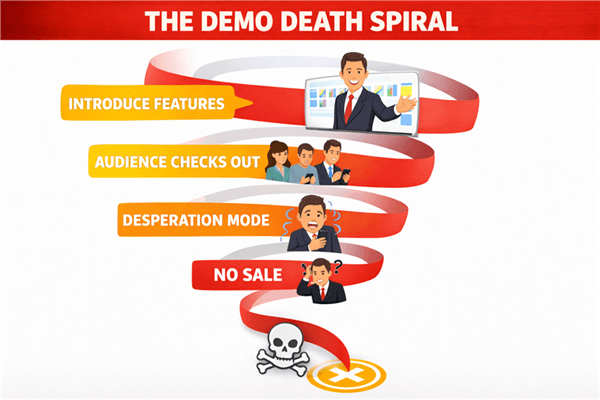
The Demo Death Spiral
Tier 1: The Deal Killers (Strategic Failures)
These errors are fatal to your conversion rates. If you are making these mistakes, no amount of charisma will save the deal.
1. The “Feature Dump” (And How to Script Instead)
This is the most critical product demo error to avoid. It occurs when a rep clicks through every menu item from left to right, assuming more features equals more value. It does not. It creates cognitive load.
The Fix: The “Before & After” Script
Stop describing what is on the screen. Start describing why it matters.
- ❌ The Feature Dump: “Here is our reporting dashboard. As you can see, we have a widget for Q3 revenue, a dropdown for filtering by region, and you can export this to CSV.” (Result: Prospect is bored.)
- ✅ The Value Script: “As a VP of Sales, you mentioned your biggest headache is forecasting accuracy. This dashboard was built to solve that. In three seconds, you can see exactly which regions are underperforming, allowing you to intervene before the quarter ends.” (Result: Prospect sees ROI.)
2. Using Generic Data (“Lorem Ipsum”)
Displaying “Test User 123” or blank dashboards destroys immersion. Prospects need to see their own potential success reflected in the data. If a healthcare client sees a demo populated with retail data, they immediately disconnect.
The Fix: Build vertical-specific sandbox environments. If that is too technical, ensure your sales demo data is at least industry-agnostic but realistic (e.g., real names, realistic revenue figures).
3. Ending Without a Clear Next Step
Leaving the next step ambiguous results in a stalled deal. A demo is not a show; it is a business meeting.
The Fix: Never end with “Any questions?” End with a prescriptive close. “Based on what we covered, it looks like our API integration solves your sync issue. The typically next step is a technical deep dive with your CTO. Does next Tuesday at 2 PM work for that?”
4. Lack of Segmentation (The “One-Size-Fits-None” Approach)
A CFO cares about audit logs and ROI. An end-user cares about keyboard shortcuts and fewer clicks. Showing the CFO the keyboard shortcuts is a waste of time.
The Fix: Create “Role-Based Tracks.”
- For the Executive: Focus on Dashboards, Reporting, and Security/Compliance.
- For the Manager: Focus on Visibility, Team Management, and Workflow Automation.
- For the End-User: Focus on Ease of Use, Speed, and Integrations.
Tier 2: The Friction Points (Process Failures)
These mistakes inevitably slow down the sales cycle and confuse the prospect.
5. Ignoring the “So What?”
Stating a feature exists without explaining the business outcome is a wasted opportunity. Every click in your product presentation must answer the customer’s internal question: “How does this save me money, time, or risk?”
The Fix: Use the “Feature-Benefit-Tie Down” framework. “Feature X allows you to do Y, which means you save Z hours per week.”
6. Monologuing (The Lecture Mode)
Failing to pause for questions creates a lecture, not a conversation. In a 30-minute demo, if the prospect hasn’t spoken for 10 minutes, you have lost them.
The Fix: In live demos, implement the “6-minute rule.” Check in every 6 minutes. “Does this align with how your team currently handles X?” In demo automation, use chapter breaks to allow the viewer to pause and digest.
7. Lacking a Clear Agenda
Without a roadmap, prospects cannot mentally categorize the information you present. A lack of structure makes the software demo feel like a wandering conversation.
The Fix: Start every demo with a “20-Second Upfront Contract.” State exactly what you will cover and what the goal is. “Today we’re going to look at three specific workflows to solve your billing delays, and by the end, we’ll decide if a trial makes sense.”
Tier 3: The Polish (Technical & Aesthetic)
These are the subtle errors that make your brand look amateurish.
8. Poor Pacing (Rushing or Dragging)
Rushing through complex workflows confuses the viewer. Conversely, moving too slowly bores them.
The Fix: Record yourself. If you are stumbling over words or navigating slowly, your prospect is checking their email.
9. Neglecting Mobile/Cross-Platform Performance
Failing to verify how the demo looks on different devices is a major oversight. Executives often review demo videos on their phones between meetings. If your text is unreadable on an iPhone, you lose the stakeholder.
10. Overshooting the Time Limit
What not to do in product demos includes running over time; it signals a lack of organization and disrespect for the prospect’s schedule. If you cannot explain the value in the allotted time, the product is too complex, or the pitch is unfocused.
The Solution: Scaling Perfection with FocuSee
Addressing the “Polish” and “Scalability” issues mentioned above (specifically mistakes #6, #8, and #9) can be difficult when you are relying solely on live manual demos. To ensure consistency and free up your sales engineering team, many high-performing organizations are adopting demo automation tools.
FocuSee is designed to solve the specific operational inefficiencies of the software demo process on macOS and Windows.
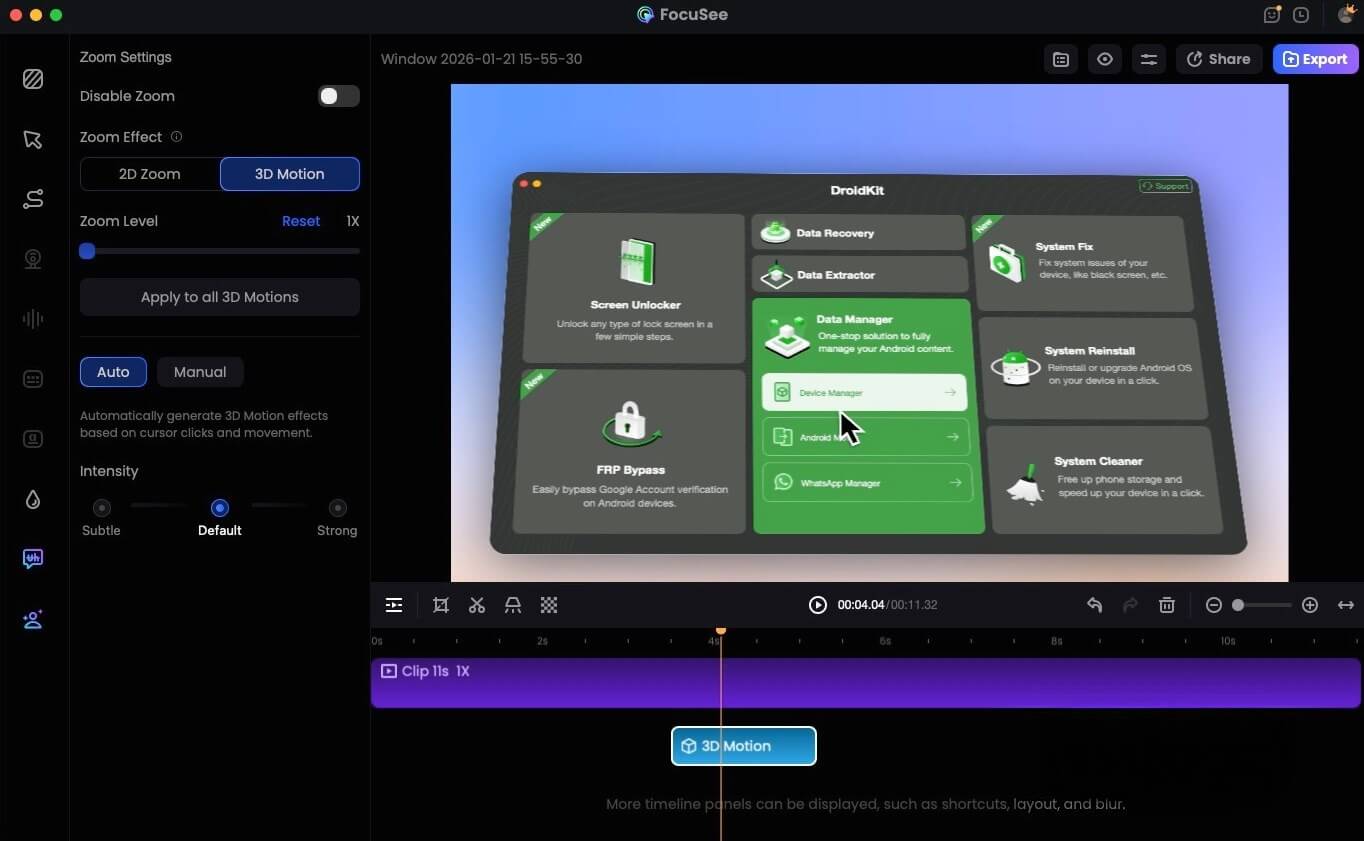
FocuSee 3D Motion
How Automation Fixes the “Friction” and “Polish” Layers
- Fixing Pacing & Attention (Mistake #8): If analytics show prospects lose interest partway through, FocuSee’s Smart Focus & Auto-Zoom automatically highlights the active area of the screen. This guides the viewer’s eye specifically to the value point without manual editing.
- Solving the Mobile Issue (Mistake #9): FocuSee allows you to record specific device frames and ensures that zoom levels are optimized for smaller screens, ensuring your demo travels well to executive mobile devices.
- Modernizing the Aesthetic: To prevent the recording from feeling static, the 3D Motion feature adds cinematic cursor motion. This subtle polish signals high production value, which reflects positively on your brand.
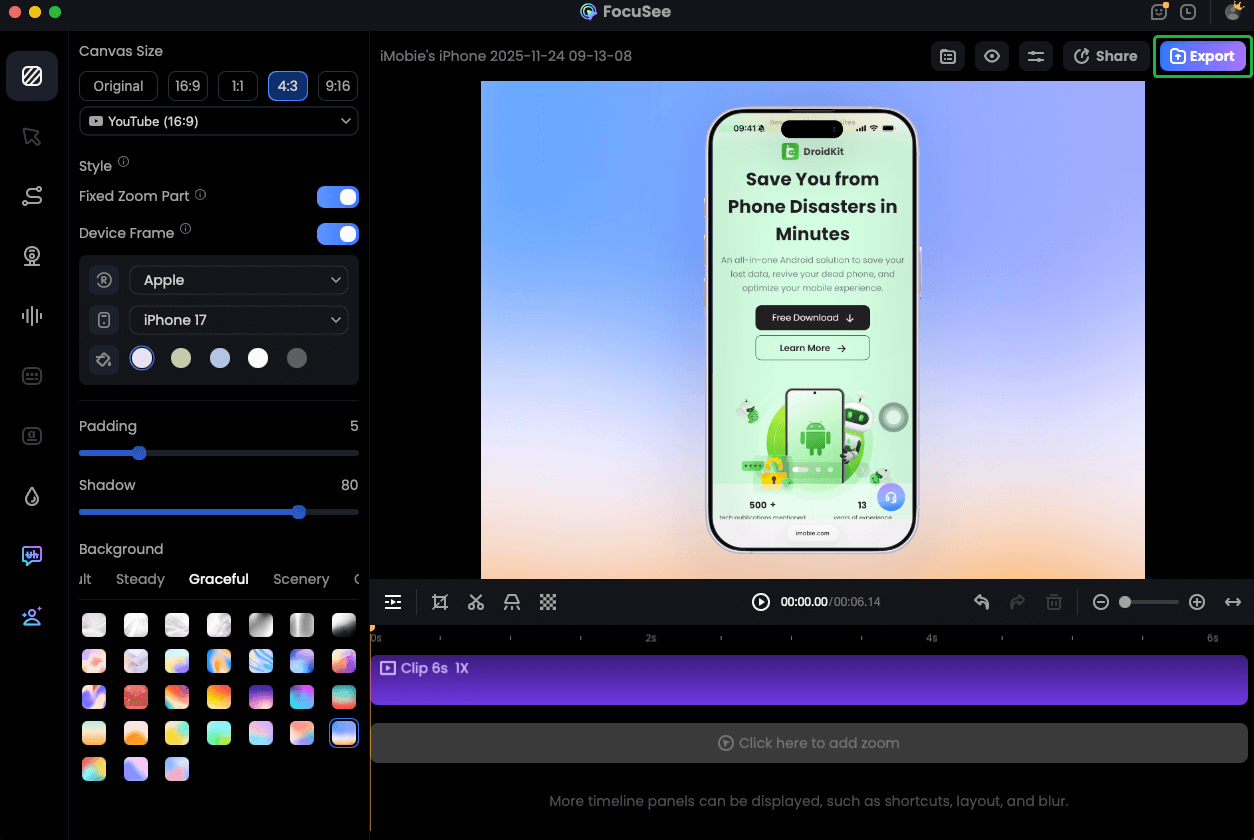
Record iPhone Screen
Auditing Your Demo: The 5-Minute Health Check
You do not need to overhaul your entire process overnight. To fix common product demo mistakes, use this scorecard to audit your last three recorded demos.
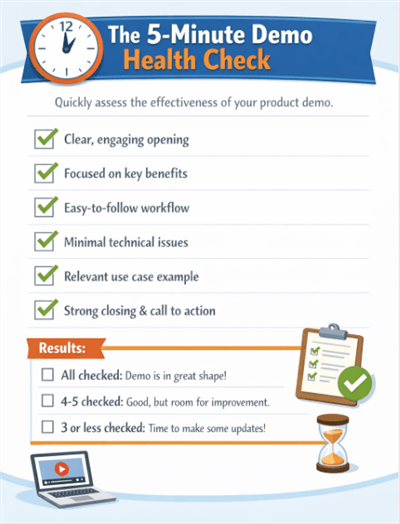
The 5-Minute Demo Health Check
The Demo Scorecard
Copy and paste this into your sales enablement notes.
1. The “So What?” Audit
* [ ] Did I mention a feature without explaining the business benefit?
* [ ] Did I use the prospect’s industry terminology, or my internal product jargon?
* [ ] Score: If you failed this, rewrite your script using the “Before & After” examples above.
2. The Engagement Audit
* [ ] Did I speak for more than 6 minutes without asking a question (Live) or changing the visual scene (Video)?
* [ ] Did the prospect ask a question about value (“How does this help me?”) or just function (“What does this button do?”)?
* [ ] Score: Function questions often mean you are confusing the viewer. Value questions mean you are on the right track. [Internal Link Suggestion: Link ‘analytics’ to ‘/best-video-analytics-tools-for-sales’]
3. The Technical Audit
* [ ] Did I navigate smoothly, or did I have to say “oops” or click “back”?
* [ ] Is the text readable when viewed on a smartphone screen?
* [ ] Score: If your pacing is off, consider using a tool like FocuSee to automate the editing of pauses and mistakes.
Frequently Asked Questions About Product Demos
Why do prospects lose attention during demos?
Prospects lose attention when the presentation feels irrelevant to their specific pain points. This usually happens when the presenter focuses on features (“look at this button”) rather than outcomes (“this button saves you 2 hours”). To maintain engagement throughout the buyer journey, you must constantly tie features back to the problems the prospect admitted to in the discovery call.
How long should an effective product demo be?
For a demo video or self-serve demo, aim for 2 to 4 minutes. Executives will rarely watch longer than this without a meeting. For a live sales demo, keep the core presentation under 15 minutes to leave at least 15 minutes for Q&A and next steps. Brevity forces you to prioritize the most impactful value propositions.
Should I tailor demos for different audiences?
Absolutely. This is the difference between a generic presentation and a closed deal. As mentioned in Mistake #4, a CFO needs to see ROI and security, while a daily user needs to see workflow efficiency. Create different “tracks” or video assets for each persona.
How can I measure whether my demos are effective?
Track metrics such as “progression to next stage” (for live calls) and “completion rate” (for videos). If prospects watch your demo automation asset but do not book a meeting, your content likely fails to convey value or urgency.
Conclusion: Turning Demos into Deals
Eliminating product demo mistakes requires a shift in mindset: seeing the demo not as a technical showcase, but as a strategic asset in the sales funnel. By prioritizing value over features, segmenting your audience, and polishing your delivery, you protect your team’s time and your prospect’s attention.
Start by fixing the “Deal Killers”—your script and your data. Once the narrative is solid, look to tools like FocuSee to solve the “Polish” and “Scalability” challenges, ensuring your product looks professional on every device, every time. Stop relying on high-risk manual walkthroughs for every interaction. Start building a consistent, high-converting demo strategy today.