How to Create Video Sales Letters That Convert: The 2026 Framework

Your offer isn’t the problem. Your traffic isn’t either.
The real issue? Text sales pages don’t convert like they used to.
Today’s buyers scroll fast, trust slowly, and decide in seconds. Long copy is easy to ignore. It can’t show tone, emotion, or real product experience the way video can. That’s why so many visitors leave without buying — they don’t feel the value. This is where Video Sales Letters (VSLs) work better. They use visuals, voice, and motion to build trust and explain your offer faster than text ever could.
That’s exactly what Natalie, a subscription business owner from our user study, discovered. Her ads were running, her product was ready — but conversions were inconsistent. What she needed wasn’t better copy. She needed a structured VSL process. This guide shows you that process — a simple, proven way to turn visitors into buyers with video.
Workflow Decision: 3 Paths to Production
Before writing a single line of your script, you must choose your production workflow. This decision dictates whether you spend your time selling or editing. Generally, there are three approaches to how to create video sales letter assets: The Budget Stack, The Pro Control Stack, and The Automated Studio.
| Workflow Type | Example Tools | Time to Produce a 5-min VSL | Skill Level | Editability |
| Budget / Fast | Loom, Canva | 30–60 min | Very Low | Limited (trim & basic cuts only) |
| Pro / Manual | OBS + Premiere / DaVinci | 4–6 hours | High | Full creative control (manual keyframes, audio, color) |
| Automated Studio | FocuSee | 45–70 min | Low–Medium | High (auto-zoom, cursor focus, easy cuts) |
1. The Budget/Fast Stack (Loom / Canva)
For founders who need to move immediately with zero budget, tools like Loom or Canva are excellent starting points.
- Pros: Extremely fast. You can record your screen and face simultaneously in minutes.
- Cons: Editing is limited. If you want to zoom in on a specific button after you’ve recorded, or remove a long pause, it can be cumbersome. The players often include branding that leaks traffic.
- Best For: Quick explanations and low-fidelity prototypes.
2. The Pro Control Stack (OBS + Premiere Pro)
This is the traditional “Manual Method.” You record using OBS Studio, edit in Adobe Premiere Pro/DaVinci Resolve, and generate captions externally.
- Pros: Infinite control. You can color grade, mix audio perfectly, and create custom animations.
- Cons: High time cost. A 5-minute VSL can take 4-6 hours to record, sync, cut, keyframe, and render. It requires a steep learning curve regarding codecs and audio syncing.
- Best For: Professional video editors or high-stakes launches where “cinema quality” is mandatory.
3. The Automated Studio (FocuSee)
Creating a video sales letter for SaaS or digital products can be streamlined using a specialized tool like FocuSee. This sits between the budget and pro options—giving you the “editability” of Premiere with the speed of Loom.
- Pros: Automation handles the “polish.” It automatically zooms in on your cursor clicks (a technique usually requiring manual keyframing).
- Cons: Paid commercial tool.
- Best For: Founders and marketers who want high-retention visuals without learning video editing software.
The Fast Track: How to Record a Video Sales Letter Without Tech Overwhelm
If you want to know how to record a video sales letter that looks professional without spending days editing, the “Automated Studio” approach (FocuSee) addresses the primary obstacles that stop founders from hitting “record.”
Solving the “Blank Stare” Problem
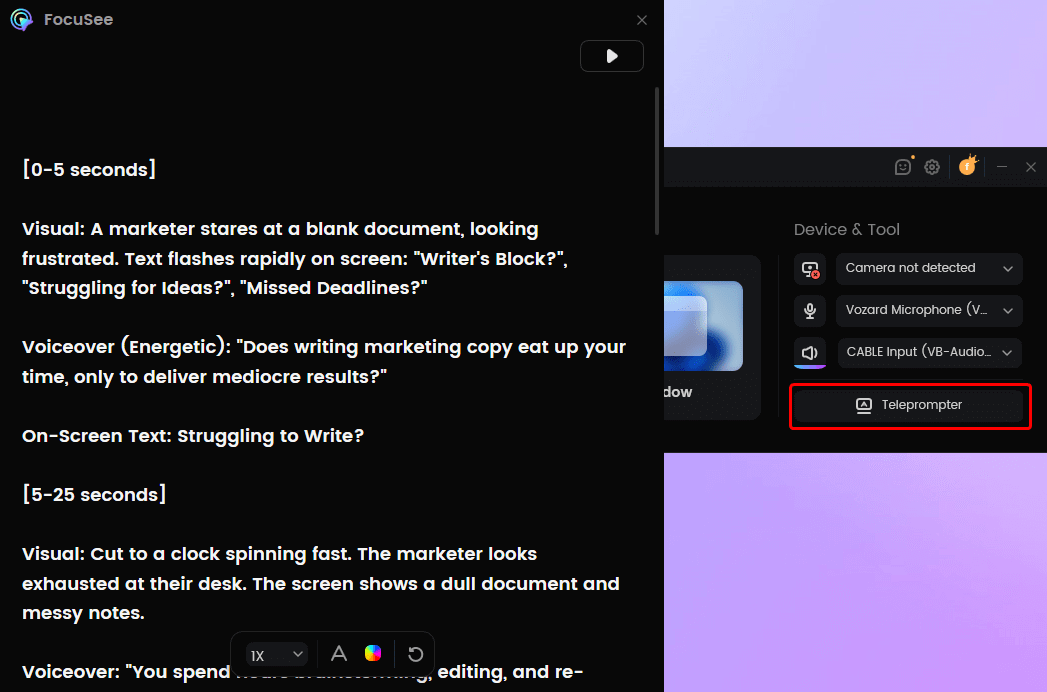
A common anxiety is forgetting lines mid-take. FocuSee includes a Built-in Teleprompter that displays your script directly over the recording area. This eliminates the need to memorize a video sales letter script template, allowing you to deliver lines naturally. You focus on your delivery; the tool handles the logistics.
FocuSee Teleprompter
Visual Pacing (Focusing the Eye)
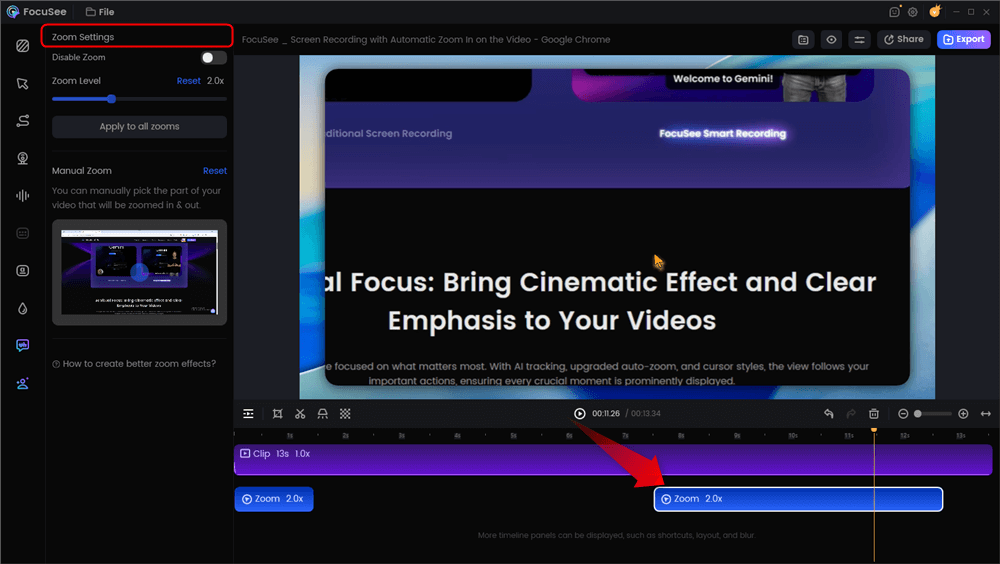
High-converting VSLs guide the viewer’s eye to specific details. In professional editing, we call this “visual pacing.” Usually, this requires manual keyframe editing to zoom in on specific buttons or headlines. FocuSee’s Smart Focus & Auto-Zoom automatically detects your cursor actions and zooms in on the relevant area. This instant visual hierarchy keeps the viewer engaged during product demos or unique mechanism explanations without you touching a video editor.
Automatic Zoom Effects
Mobile-First Optimization
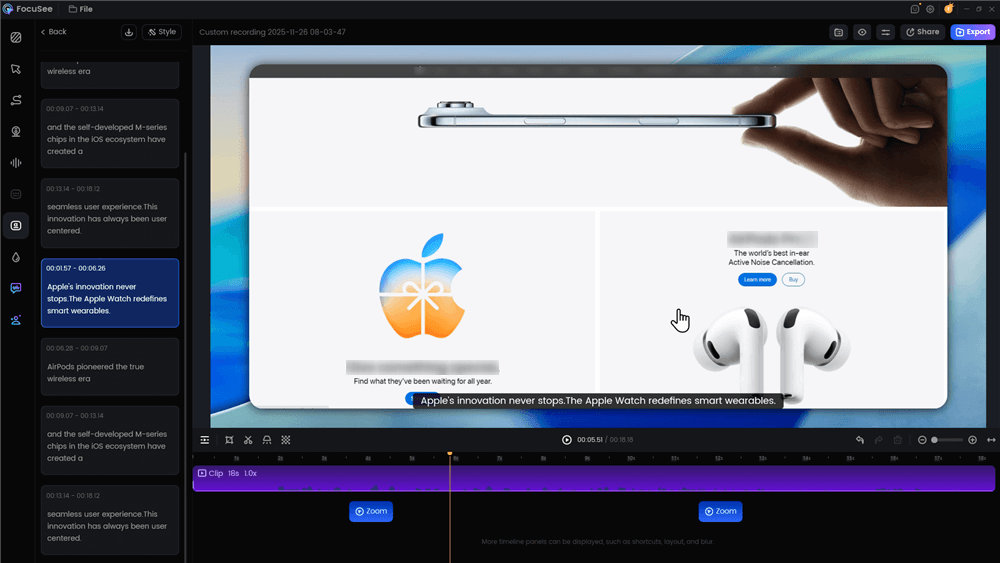
Many users will view your landing page on mobile devices, often with sound off. FocuSee’s Automatic Subtitles feature generates accurate captions in over 50 languages. This ensures your hook and offer stack are communicated even when the audio is muted, directly solving the issue of losing mobile traffic due to silence.
Automatic Subtitle Generation
The 5-Minute VSL Script Template (Cheat Sheet)
Understanding how to write a video sales letter requires adherence to a strict timeline. A VSL is not a documentary; it is a sales argument. The following video sales letter script template prioritizes tight pacing and early proof.
Script Architecture Overview
| Segment | Time | Goal |
| 1. The Hook | 0:00–0:30 | State the outcome. Do not introduce yourself yet. |
| 2. The Problem | 0:30–1:00 | Agitate the pain using data, not just feelings. |
| 3. The Solution | 1:00–1:45 | Introduce the Unique Mechanism (the “How”). |
| 4. Early Proof | 1:45–2:30 | Validate the mechanism immediately with results. |
| 5. The Offer | 2:30–4:00 | Stack the value: Product + Bonuses + Guarantee. |
| 6. The CTA | 4:00–5:00 | Clear instructions on what to do next. |
Detailed Breakdown
1. The Hook (Outcome Focused)
- What to say: “Here is how to reduce churn by 20% in 30 days without hiring a success manager.”
- Common Mistake: “Hi, my name is John and today I want to talk to you about…” (Viewer clicks away).
2. Problem Agitation (Data Driven)
- What to say: “You have traffic, but your conversion rate is stuck at 1%. That means for every 100 visitors, 99 are leaving.”
- Context: Make the viewer feel understood.
3. The Unique Mechanism (Solution)
- What to say: “The reason old methods failed is they relied on cold email. Our method uses ‘Inbound Intent Signals’…”
- Context: This explains why previous attempts failed and why this new method works.
4. Social Proof & Validation
- Strategy: Testimonials and case studies must appear here, not at the very end. Prove the mechanism works before you ask for money.
- Natalie’s Pivot: When Natalie moved her customer results to this 90-second mark, she saw her retention graph stabilize, preventing the usual 50% viewer drop-off.
5. The Offer Stack
- What to say: Detail exactly what they get. This includes the core software/product, bonuses, and guarantees.
- Visuals: Show the product in action here.
6. Call to Action (CTA) & Scarcity
- What to say: “Click the button below to start your trial.” Add urgency if applicable.
Visual Production: Do You Need to Show Your Face?
A common question regarding how to make a video sales letter is whether you must appear on camera. The answer depends on your comfort level. Talking Head builds trust, Slides/Kinetic Text builds clarity, and Hybrid offers the best of both.
Overcoming Camera Anxiety
If you are uncomfortable on camera, you do not need to force a full-screen “Talking Head” video.
- Hybrid Model: Use screen recording software to show your product or slides while keeping your face in a small bubble (like Loom or FocuSee). This humanizes the direct response element without dominating the screen.
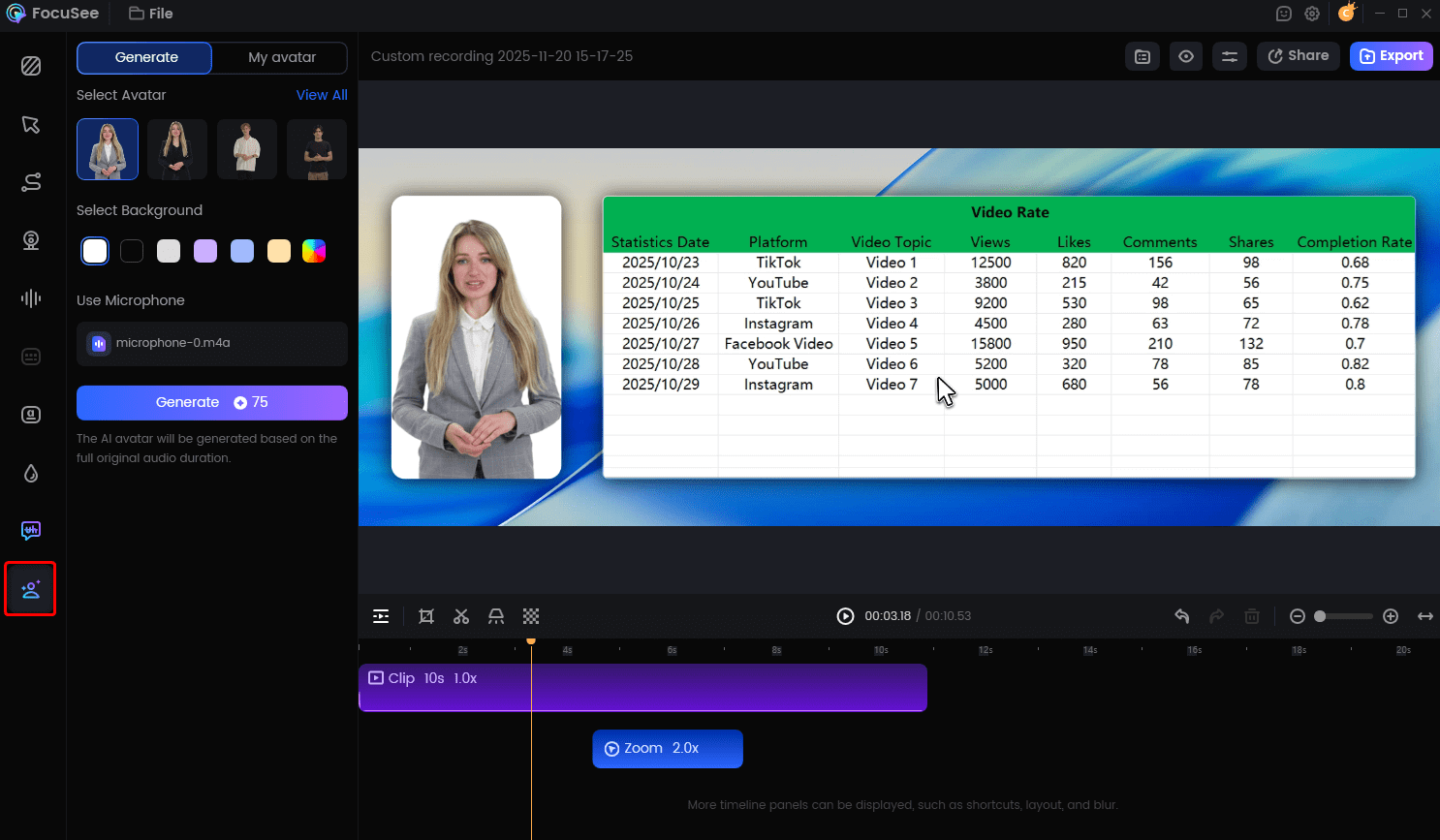
- AI Virtual Avatar: For those who strictly prefer anonymity, FocuSee offers an AI Virtual Avatar feature. This replaces your live camera feed with a professional virtual character, maintaining a brand presence without personal exposure.
Create Your AI Acatar
Audio: The Hidden Trust Factor
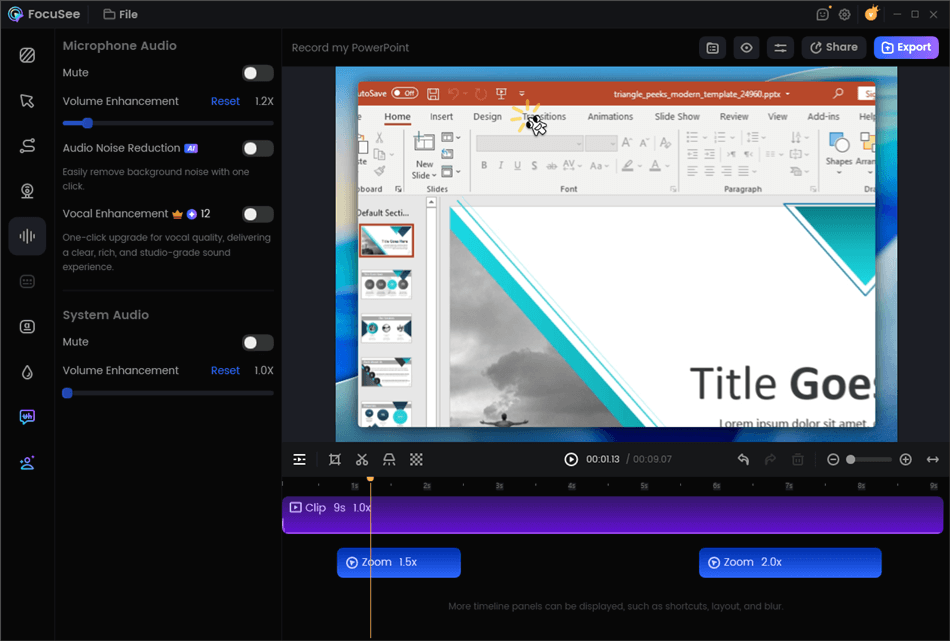
Poor audio destroys credibility faster than poor visuals. To ensure your voiceover sounds professional, you must eliminate background static. FocuSee’s AI Audio Enhancement & Noise Reduction automatically removes breathing sounds and background hums. This technical polish is essential; if a viewer struggles to hear your objection handling segment, they will leave the page regardless of how good the visual offer is.
Edit Your Recording
Optimization: A/B Testing Your Hook
The first version of your VSL is rarely the best. Optimization through A/B testing is where you refine the asset for maximum profitability. The highest leverage point for testing is almost always the hook—the first 30 seconds of the video.
Analyzing Retention Curves
In our user story, Natalie noticed a sharp drop-off in viewership at the 10-second mark. This indicated her opening statement was weak. Instead of re-recording the entire 10-minute presentation, she used FocuSee to quickly re-record just the introduction.
She tested two variants:
- “Problem-First” Hook: “Are you tired of losing subscribers?” (Retention: 40% at 30s)
- “Outcome-First” Hook: “Here is how to reduce churn by 20%…” (Retention: 55% at 30s)
By identifying the “Outcome-First” variant, which retained 15% more viewers, she secured a direct lift in sign-ups without changing the rest of the video.
Rapid Variant Creation
If you want to make multiple versions for different audiences (e.g., one for Facebook Ads, one for cold email), you do not need to start from scratch. You can duplicate your project file, swap out the intro using the Import & Re-Edit Local Videos feature, and export a new variant in minutes.
Video Sales Letter FAQ
How long should a video sales letter be?
There is no single “correct” length, but data suggests effective VSLs typically range between 5 and 20 minute,s depending on price point. For a low-ticket item (under $100), a 5-10 minute video is often sufficient. High-ticket offers ($1,000+) may require 20-45 minutes to build enough value and handle objections.
How do I create a video sales letter that converts?
Follow the script architecture above: Open with a strong outcome-based hook, use data to agitate the problem, present your unique mechanism (solution), provide immediate social proof (don’t wait until the end), and end with a clear offer stack. Prioritize audio clarity and captions over fancy transitions.
What is the best structure for a VSL?
The most effective structure follows the P.A.S.O. formula: Problem (Agitate the pain), Amplification (Show why it’s worse than they think), Solution (Your unique mechanism), and Offer (The product, bonuses, and guarantee). This keeps the viewer logical and emotionally engaged.
Do I need to show my face in a VSL?
No. While a “Talking Head” builds personal trust, many successful how to make a vsl for saas examples rely entirely on screen recordings and slides. You can use a hybrid approach (small face bubble) or an AI Avatar if you are camera-shy.
What tools do I need to make a VSL?
For zero budget, use Loom or Canva. For professional control, use OBS and Premiere Pro. For a balance of speed and polish, use FocuSee, as it handles recording, auto-zoom editing, and captioning in a single workflow.
Where should I host my VSL?
Avoid free YouTube hosting if possible, as it leaks traffic to competitors via “related videos.” Use professional hosting like Wistia or Vimeo for a clean, distraction-free player.
Conclusion
Creating a video sales letter doesn’t have to be a source of anxiety. By shifting your focus from “artistic creation” to a structured video sales letter production workflow, you regain control over your sales process.
Remember Natalie? She moved from inconsistent conversions to a predictable revenue stream not by guessing, but by following a proven script and using tools that matched her skill level.
You now have the script cheat sheet, the hosting strategy, and the production insights. The only remaining step is to start. Whether you choose the quick path with Loom or the automated polish of FocuSee, record your first draft today.