Top 10 Screenflow Alternatives & Competitors

Undoubtedly, ScreenFlow is one of the most impressive screen recording software programs capable of capturing a computer screen in multiple dimensions. This software allows you to record your Windows or Mac computer screen conveniently.
Video recordings captured with the ScreenFlow app are usually stunning, lightweight, and shareable. Besides screen recording, ScreenFlow can also act as a video editor. It supports basic editing features such as trimming, cropping, merging, and more, which you can select to pimp your recordings before sharing or uploading for public usage.

Top ScreenFlow Alternative
Other features of the app that makes it exceptional include: a clean recording interface, the capability to record audio & video simultaneously, support for annotation tools. Although ScreenFlow has several incredible features, it has its dark sides, which may influence your decision on whether or not to invest in the software. So to alleviate the stress of thinking about the best ScreenFlow alternative, our team curated a guide on the best ScreenFlow alternatives & competitors.
Why Do People Need ScreenFlow Alternatives?
ScreenFlow is a feature-rich screen recording program. However, there are certain qualities it lacks. Some of these features include:
- Expensive subscription package.
- Supports limited video editing features.
- Users have limited media formats to store recordings.
ScreenFlow Alternatives Comparison [Quick View]
| Ease of Use | Editing Capability | Key Strengths | Platform | Free Plan | |
| FocuSee | Very Easy | Basic–Good | Auto zoom, AI captions, cursor tracking, 3D motion | Windows / Mac | ✔️ |
| OBS Studio | Medium | Advanced | Free, highly customizable, streaming + recording | Windows / Mac / Linux | ✔️ |
| Loom | Very Easy | Basic | Fast recording, instant sharing, team collaboration | Web / Desktop / Mobile | ✔️ |
| ScreenFlow | Easy | Advanced | Multi-track editing, Mac-only pro editor | Mac | ❌ |
| Camtasia | Easy | Advanced | Templates, all-in-one recording & editing | Windows / Mac | ❌ |
| QuickTime Player | Very Easy | Basic | Free Mac recording + playback | Mac | ✔️ |
| Screencast-O-Matic | Easy | Basic–Good | Simple recording + basic editing tools | Windows / Mac | ✔️ |
| Movavi Screen Recorder | Easy | Good | Effects, formats, beginner-friendly editing | Windows / Mac | ❌ |
| CamStudio | Easy | Basic | Free Windows recorder, simple tools | Windows | ✔️ |
| Bandicam | Easy | Basic–Good | High-quality recording, game capture | Windows | ✔️ |
List of 10 ScreenFlow Alternatives
Here are some of the video recording competitors recommended by experts to replace the ScreenFlow app:
FocuSee
FocuSee is the highly recommended ScreenFlow alternative software and is perfectly tailored to meet your needs. FocuSee’s smart auto-zoom and mouse highlight make recording tutorials, demos, promos, and more efficient and straightforward, delivering a smooth recording experience.
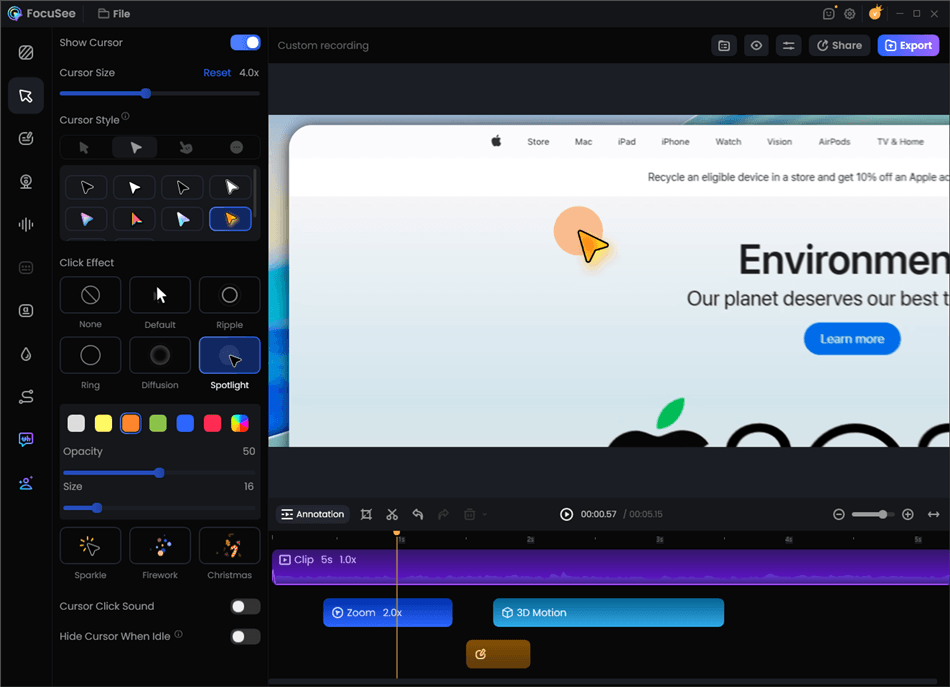
Record Screen with Cursor Following
FocuSee’s main features:
- Auto zoom and cursor tracking: FocuSee automatically highlights key actions on screen by tracking your cursor and applying smooth auto zoom effects. This keeps viewers focused on important areas without manual editing.
- All-in-one media capture: Record your screen, webcam, and microphone simultaneously in one workflow. It’s ideal for tutorials, product demos, gameplay, training content, and online meetings.
- Annotation: Add text, shapes, arrows, and spotlights to deliver clear on‑screen explanations, stacking multiple elements at once for precise focus. Keep every step easy to follow.
- Auto captions: Generate 55+ subtitles automatically from your recordings. You can quickly edit captions for accuracy, improving accessibility and viewer understanding.
- Annotation tools: Add on-screen annotations like text callouts, highlights, and visual markers to emphasize key steps or explain actions more clearly during your recording.
- 3D motion effects: Enhance videos with dynamic 3D motion effects that create smoother, more engaging visual transitions and make demos feel more modern and polished.
- Flexible selfie layouts: Customize your webcam overlay with preset layouts or freely adjust its size and position while recording for a more natural presentation.
- Import & edit local videos: Upload existing videos to enhance them with effects and refinements, then export polished results quickly without complex editing software.
Pros:
- It works well both on macOS and Windows.
- Rich customization options.
- It supports various recording purposes, including tutorials, demos, and promo videos, providing flexibility for different content creation needs.
Cons:
- Major updates may require additional upgrade fees.
FocuSee Pricing: Free version is avabile. The pro version is from $69.99 to $ 179.99 (lifetime usage).
Customer Ratings:
- Product Hunt: 4.6/5 (39 reviews)
OBS Studio
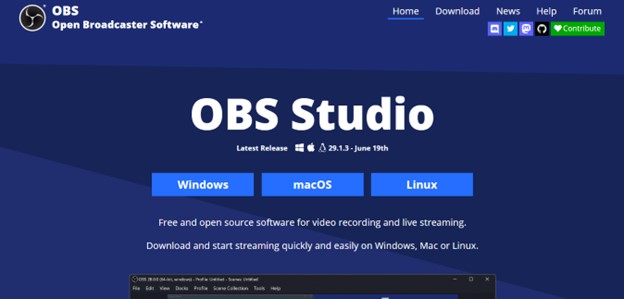
Download and Install OBS Studio
OBS Studio is another great screencast solution that offers seamless video recording services on Windows, Linux, and Mac computer systems. This Screenflow alternative lets you record video and audio concurrently without hassles.
It’s a great competitor for Screenflow because of the simplicity of the video recording interface and the quality features it holds. OBS Studio permits users to select recording sources- an incredible feature you won’t find on the Screenflow app.
Another impressive feature tucked into the OBS Studio software is advanced settings. With the feature, you can manipulate recordings with complete ease. The feature allows you to make adjustments to output settings such as video bitrate, encoder, and more.
OBS Studio Features
- OBS Studio allows you to stream live events conveniently.
- Records gaming screens, live events, and personalized videos easily and quickly.
- It allows you to manipulate the output settings for your video recordings or live streamings before exporting them to your desired destination path.
OBS Studio Drawbacks
- Although it supports over 30 languages, you have to restart your device to activate the newly selected language.
- Customizing recordings can be quite challenging.
OBS Studio Pricing: OBS Studio has no subscription package.
User Rating:
- Software Advice: 4.5/5 (866 reviews)
- GetApp: 4.6/5 (867 reviews)
QuickTime Player
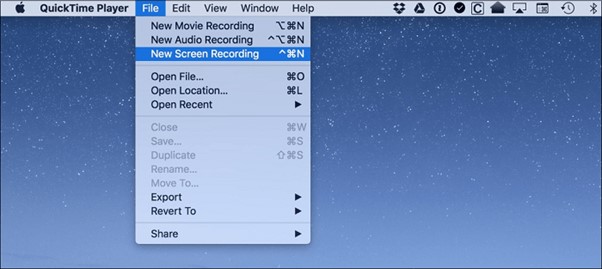
QuickTime Player Interface
QuickTime Player is another great replacement for the Screenflow video recorder. It’s the best option for folks looking for a free video recording solution. This software works best with Apple computers, precisely Mac.
With QuickTime Player, you can capture on-screen activities without difficulty. You can also use it to record personalized clips via a webcam or related video source. Besides video recording, you can use this Screenflow alternative for audio recording services.
Additionally, the software can function as a media player. It allows you to play MP4 files easily and quickly. Like every other Screenflow alternative mentioned above, QuickTime Player is simple to operate.
QuickTime Player Features
- Simple yet powerful software for playing media files.
- QuickTime records your screen, audio, and webcam.
- It permits you to use an external audio or video source.
QuickTime Player Drawbacks
- QuickTime Player doesn’t work with Windows devices.
- It does not support annotation features.
- You cannot customize the recording interface.
QuickTime Player Pricing: Absolutely free to operate.
User Rating: N/A
Loom
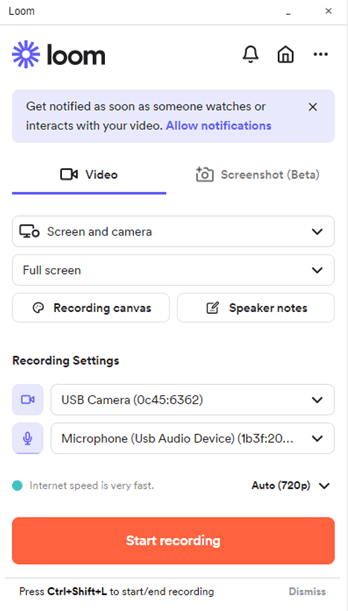
Loom Interface
Loom is a high-performing Screenflow alternative and Tango alternative, highly recommended by experts to help you capture your Windows or Mac computer screen. This software program records your screen, audio, and webcam simultaneously.
It’s tailored to suit your needs as it features incredible features such as annotation tools, cloud storage, and more. When capturing a screen with the Loom screen recorder, users are allowed to customize the recording interface.
Loom comes in handy for collaborators looking for a simple way to connect a-synchronically. It allows you to connect and share ideas and feedback- all in one place.
Loom Features
- Loom is an asynchronous video recording app for capturing iOS, Android, Mac, Chrome, and Windows screens.
- Recorded files are stored over the cloud and can be shared via links.
- Easily host, participate and record video chats.
Loom Drawbacks
- Loom free version supports limited recording time. The trial version grants users 40 minutes of video recording time.
- It has a limited number of annotation tools.
Loom Pricing
- Starter
- Business: $8/month per user.
- Enterprise: available on request.
User Rating:
- GetApp: 4.6/5 (320 reviews)
- G2: 4.7/5 (965 reviews)
Screencast-O-Matic
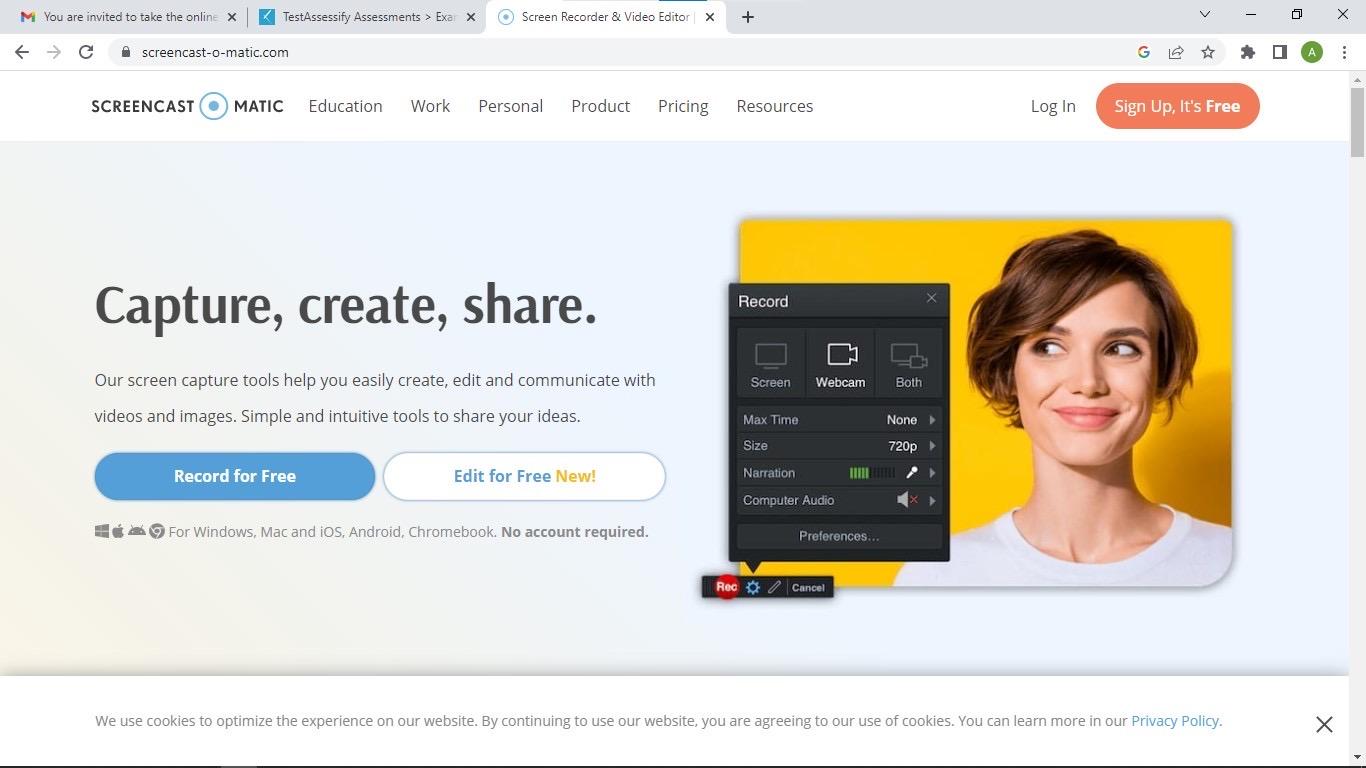
Screenflow Alternative – Screencast-O-Matic
Screencast-O-Matic is an intuitive screen recording program suitable for capturing Windows and Mac screens. It lets you record all events you find on your screen, such as online lectures, live streams, and more.
It’s also a great option for video gamers. Screencast-O-Matic allows you to record your gaming screen and facecam concurrently- an amazing feature you can’t find on Screenflow. This Screenflow replacement comes with advanced editing functionalities, so you adjust recordings before sharing them with friends or clients.
Screencast-O-Matic Features
- It allows you to conveniently record your screen with or without the cursor on your computer screen.
- It offers unlimited screen recording time.
- Customize the recording screen to suit your desire with minimal effort.
Screencast-O-Matic Drawbacks
- Screencast-O-Matic has no mobile version.
- The recording interface looks outdated and can be difficult to navigate, especially for novices.
Screencast-O-Matic Pricing
Business
- Solo Deluxe: $4/month per user.
- Solo Premier: $6/month per user.
- Solo Max: $10/mo per user.
- Team Business: $8/month per 3 users.
Education
- Solo Deluxe Edu: $2/month per user.
- Solo Premier Edu: $4/month per user.
- Solo Max Edu: $6/month per user.
- Team Edu: $2/month per 10 users.
User Rating:
- GetApp: 4.5/5 (48 reviews)
- G2: 4.3/5 (67 reviews)
Movavi Screen Recorder
Another Screenflow equivalent that offers excellent screen recording services is the Movavi Screen Recorder. This software is designed for users of all levels, including novices in the tech space. It lets you record all events, such as tutorials, presentations, vlogs, and more.
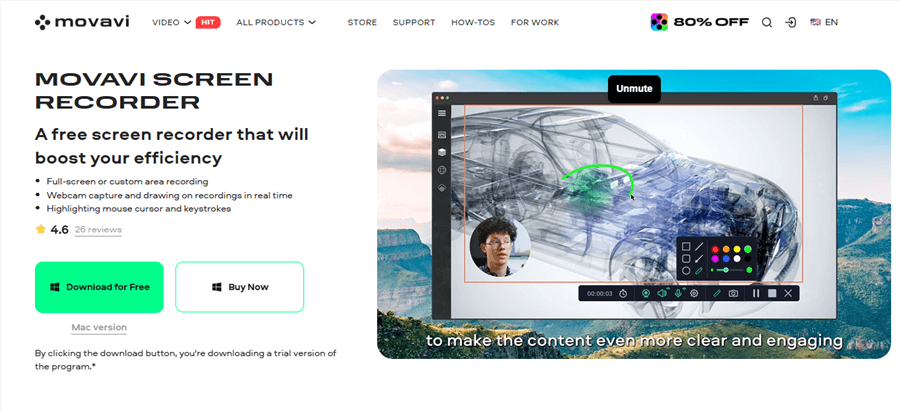
Movavi Screen Recorder
Movavi Screen Recorder is added to our list because of the powerful editing features it supports. With this software, you can easily manipulate recorded files so they appear stunning to viewers.
Movavi Screen Recorder Features
- Records third-party applications like Skype calls, video games, Zoom, and others.
- You can store the recording in several media formats, such as MP4, MOV, and AVI.
- Pimp recordings using the built-in filters or effects.
Movavi Screen Recorder Drawbacks
- Recordings can only be accessed via your local drive.
- It isn’t available for download on Linux computer systems.
- Although Movavi Screen Recorder claims to be an open-source screen recorder, you have to subscribe to the full version to access all its features.
Movavi Screen Recorder Pricing: Movavi Screen Recorder costs $59.95.
User Rating:
- G2: 4.5/5 (50 reviews)
- Trustpilot: 4.7/5 (16,983 reviews)
Camtasia
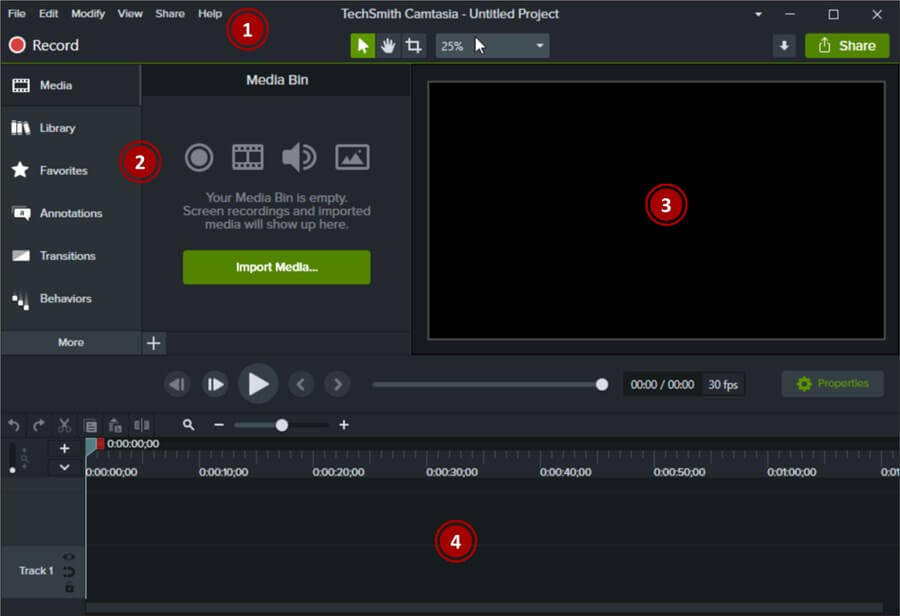
Camtasia Interface
Camtasia makes screen recording simple and swift. It has similar features as Screenflow but additional functionalities, making it a great alternative. This software program allows you to record your screen and edit the resulting file without hassles.
It captures all forms of on-screen activities, including video calls, presentations, etc. Besides screen recording, you can create professional-looking video clips with the Camtasia screen recorder.
Unlike Screenflow, this software supports several customizable templates that you can add to your recording to make it stunning. Nevertheless, if you want to automatically generate subtitles after screen recording, you can turn to the Camtasia alternative.
Camtasia Features
- Camtasia captures your screen in multiple dimensions without stress.
- Annotate recordings with just a few clicks on this Screenflow replacement.
- Captures both Windows and Mac screens.
Camtasia Drawbacks
- Camtasia isn’t mobile-compatible.
- It requires a subscription for you to use all of the features it supports.
Camtasia Pricing
- Individual: $299.99 per user.
- Education: $212.99 per user.
- Government & Non-Profit: $268.99 per user.
User Rating:
- G2: 4.6/5 (762 reviews)
Camstudio
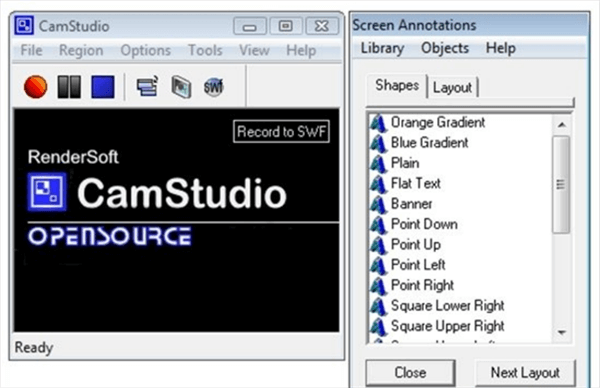
CamStudio Interface
CamStudio is the next Screenflow alternative you need to record your screen on any Windows device. This screen recording software not only captures your screen but also allows you to create video clips. You can rely on this software to create ads, presentations, lecture videos, and more.
The software supports markup tools that you can select from to pimp your recordings. It’s one of the best screen recording solutions because of the great features it holds. Users don’t have to subscribe to access any feature on Camstudio.
Camstudio Features
- Camstudio lets you record your screen in different dimensions, whether full screen or a selected portion.
- This Screenflow alternative is user-friendly, free, and simple to operate.
- Add comments, callout texts, and more to video recordings using the markup tools.
Camstudio Drawbacks
- You cannot use the Camstudio screen recorder on a Mac computer.
- It saves your recordings in AVI format, which can be difficult to play on major media players.
- Camstudio won’t allow you to customize the recording interface to suit your needs.
Camstudio Pricing: Camstudio has no pricing plans.
User Rating
- TechRadar: 4.5/5 (1 review)
- SourceForge: 3.0/5 (242 reviews)
Bandicam
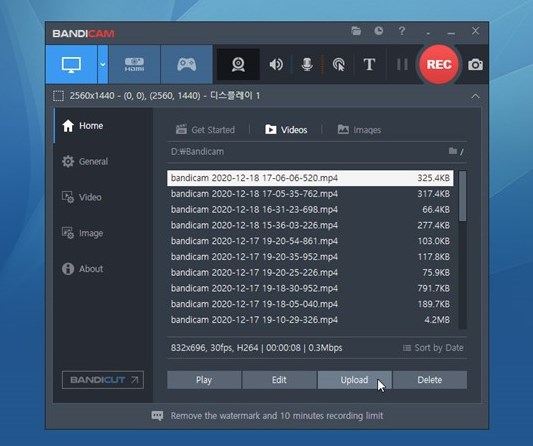
Bandicam Interface
Bandicam holds everything you need to capture your screen. It’s an impressive Screenflow alternative tailored to capture any on-screen event. Recordings are usually in high-resolution formats. It lets you record all or a selected portion of your screen.
Also, you can use this Screenflow equivalent to capture your gaming screen. Bandicam records several graphics technology games, such as DirectX, OpenGL, and others.
Unlike Screenflow, Bandicam stores recordings in different media formats, including images, videos, and more. It connects with third-party applications such as webcams, IPTV, etc.
Bandicam Features
- It allows you to record audio and videos at the same time.
- Supports real-time annotation of recordings.
- Bandicam allows you to schedule recording times, add mouse effects, and more.
Bandicam Drawbacks
- Not available for Mac users.
- Recordings captured on the free trial version usually contain a watermark.
Bandicam Pricing
Personal Licence
- Annual: $33.26/year per PC.
- Lifetime: $49.97/year per PC.
Business Licence
- Annual: $49.46/year per PC
- Annual: $95.92/year per 2 PCs.
- Bandicam + Bandicut: $79.74/year per PC.
User Rating
- G2: 4.3/5 (34 reviews)
- GetApp: 4.5/5 (86 reviews)
ShareX
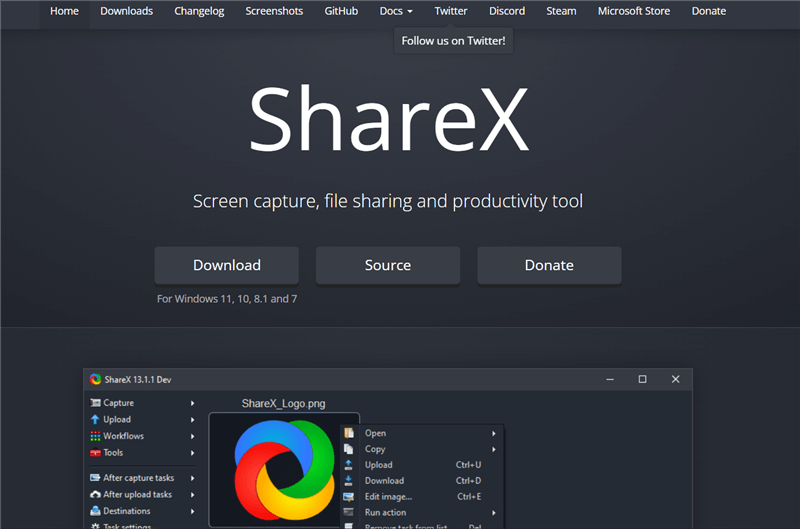
ShareX Interface
ShareX is the last Screenflow replacement you can employ to record your computer screen. The software allows you to record your screen, upload images, and create & manage tasks.
It’s one of the simplest screen recorders on our list, as it allows you to capture on-screen activities using hotkeys. Unlike Screenflow, ShareX is designed with an OCR feature that allows you to copy text from image files.
ShareX Features
- Supports video, and image editing features.
- It allows you to share recordings via URL links.
- ShareX records with high quality.
ShareX Drawbacks
- ShareX is internet-dependent.
ShraeX Pricing: ShareX is a free screen recording solution.
User Rating
- G2: 4.8/5 (71 reviews)
- Capterra: 4.8/5 (13 reviews)
FAQs of ScreenFlow Alternatives
Q1. Does ScreenFlow work with macOS?
Yes, ScreenFlow is designed specifically for macOS and works only on Mac computers. It allows users to record screen activity along with internal and external audio, making it suitable for tutorials, presentations, and software demos. Users can also connect microphones or capture system audio for more professional recordings.
Q2. Is it possible to record Zoom meetings with ScreenFlow?
Yes. ScreenFlow can record Zoom meetings by capturing your screen and audio during the call. It works with most third-party video conferencing tools, including Zoom, Google Meet, and Microsoft Teams, as long as screen recording permissions are enabled on your Mac.
Q3. What are the main limitations of ScreenFlow?
ScreenFlow is powerful but has some limitations. It is only available on macOS, which excludes Windows users. It also has a relatively high price compared to many alternatives, and while it includes editing features, its workflow can feel less automated compared to modern AI-powered tools.
Q4. What is the best ScreenFlow alternative for beginners?
For beginners, tools like FocuSee or Loom are often preferred because they require almost no editing skills. FocuSee automatically enhances recordings with features like auto zoom, cursor tracking, annotation, and AI captions, while Loom focuses on fast recording and instant sharing.
Q5. Which ScreenFlow alternative is best for professional video editing?
For users who need more advanced editing control, tools like Camtasia or OBS Studio are better suited. Camtasia offers a full editing suite with templates and multi-track timelines, while OBS provides deep customization and streaming capabilities.
Final Word
ScreenFlow used to be a great screen recording software program. However, there are too many drawbacks causing people to lose interest in the software. So the need for a ScreenFlow alternative is paramount.
This article has listed the best 10 ScreenFlow equivalents. Choose the one that suits you for your next screen recording project. Should you have a suggestion, kindly use the comment section below.