Best Demo Automation Solutions for SaaS Companies with Complex Features

For Sales Engineering (SE) leaders like Daniel, the work week often feels like a broken record. As the Head of Sales Engineering at a scaling enterprise SaaS company, Daniel found his highly skilled team trapped in a cycle of repetition. Instead of consulting on high-value technical architecture, they were spending 80% of their time delivering the same “Feature 101” walkthroughs to early-stage prospects. It is a waste of engineering talent that leads to burnout and stalled growth.
If live demos fail to clearly explain complex product workflows and configurations effectively at scale, you are not alone. As technical products grow in sophistication, the standard “screen record and share” approach fails to capture the necessary depth, while relying solely on humans creates a bottleneck.
Finding the best demo automation solutions for saas companies with complex features requires more than picking a tool; it requires choosing the right methodology. Enterprise buyers often confuse two distinct categories: HTML-based capture (interactive clicking) and High-Fidelity Video Automation (guided narrative).
This guide explores the landscape of demo automation software for SaaS companies —specifically focusing on how to handle the heavy, complex UIs that break standard capture tools—so your team can shift from repetitive explaining to strategic selling.
Best Demo Automation Solutions: HTML Capture vs. Video Automation
Before evaluating specific software, you must address the technical “fork in the road.” Most “demo automation” lists conflate two very different technologies. For complex SaaS, the distinction is critical.
1. HTML/DOM Capture Platforms
These tools “clone” your product’s front-end code (DOM), creating a sandbox replica that prospects can click through.
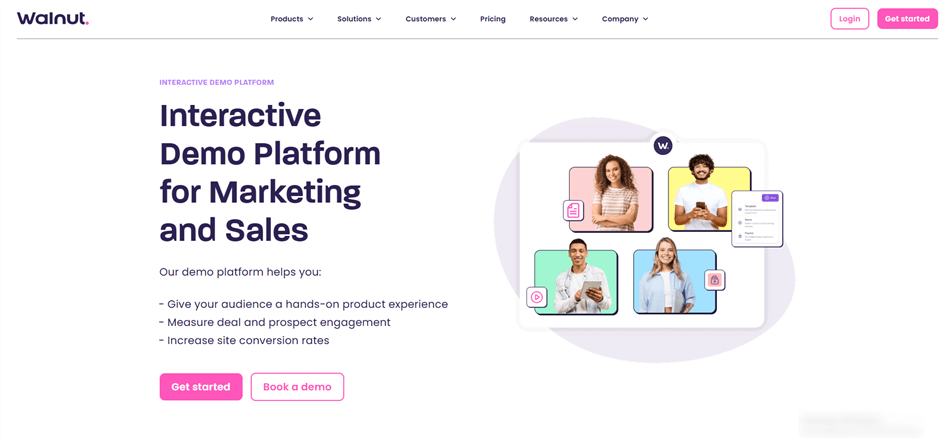
Best Demo Automation Solutions for SaaS Companies – Walnut
- Tools: Navattic and Walnut
- Best for: Standard B2B SaaS where the prospect needs to “feel” the navigation.
- The Risk for Complex SaaS: If your product relies on heavy canvas elements (like Tableau-style graphs), WebGL (3D mapping), or legacy frameworks, DOM capture often breaks or lags. It can also feel “hollow” if the data doesn’t react dynamically.
2. High-Fidelity Video Automation (e.g., FocuSee, Camtasia)
These tools record the actual pixel output of your screen but add automation layers (zoom, pan, cursor smoothing) to mimic a professional walkthrough.
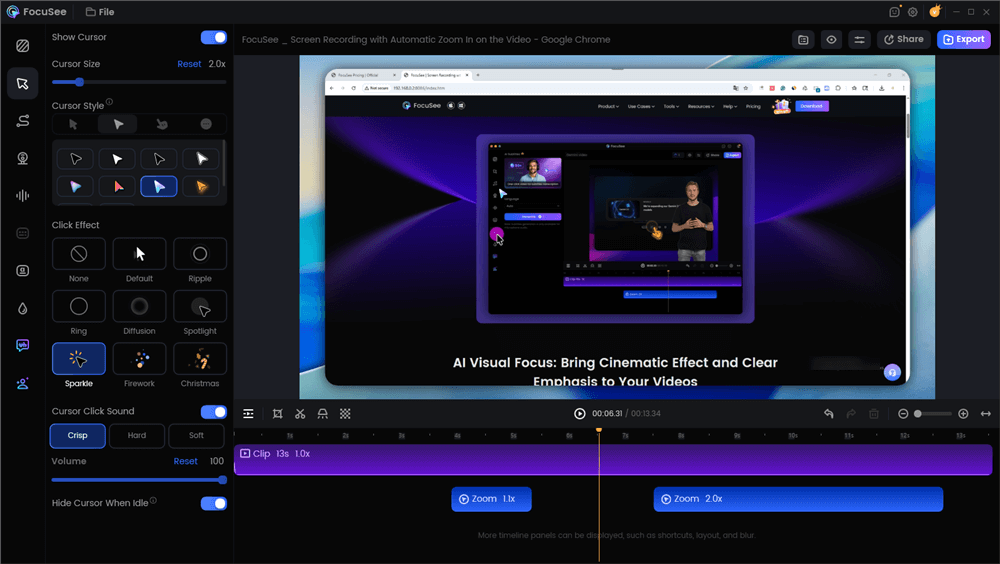
Best Demo Automation Solutions for SaaS Companies – FocuSee
- Tools: FocuSee and Camtasia
- Best for: Heavy technical products, visually dense dashboards, and workflows where you need to control the narrative strictly to prevent user confusion.
- The Advantage: It never “breaks” because it is a recording, not a code clone.
For teams like Daniel’s, dealing with deep configurations and high-density interfaces, video-based automation often proves more reliable than HTML capture. It ensures the prospect sees exactly what you intend, without the risk of a “cloned” environment glitching on a complex graph.
Live Demos vs. Automation: The Operational Impact
There is a persistent myth that automation is meant to replace Sales Engineers. In reality, automation is designed to offload the “standard education” phase so SEs can focus on tailoring solutions.
To make an informed decision, you must weigh the operational impact of live demos versus advanced demo automation platforms for b2b saas.
| Live SE | HTML Demo | Auto Video | |
| User Agency | Passive | High (Interactive) | Guided |
| Reliability | Variable | Moderate | High |
| Setup Time | Zero | High | Low |
| Best Use | Negotiations | Product tours | Deep dives |
The Video-First Approach: Automating Workflows with FocuSee
If your evaluation leads you toward video automation—either because your UI is too complex for HTML capture or because you need strict narrative control—FocuSee stands out as a high-efficiency solution for demo automation software for complex SaaS products.
While platforms like Navattic excel at “clicking,” FocuSee excels at “showing.” It bridges the gap between a raw Loom recording and a high-budget marketing video.
Solving the “Oversimplification” Problem with Smart Focus
A major fear for SEs is that generic demo videos oversimplify the product. Complex SaaS interfaces often rely on dense dashboards (e.g., AWS consoles, cybersecurity logs). In a standard wide-screen recording, menu text is unreadable.
FocuSee addresses this with Smart Focus & Auto-Zoom. The software automatically detects cursor movement and clicks, dynamically zooming in on these key actions.
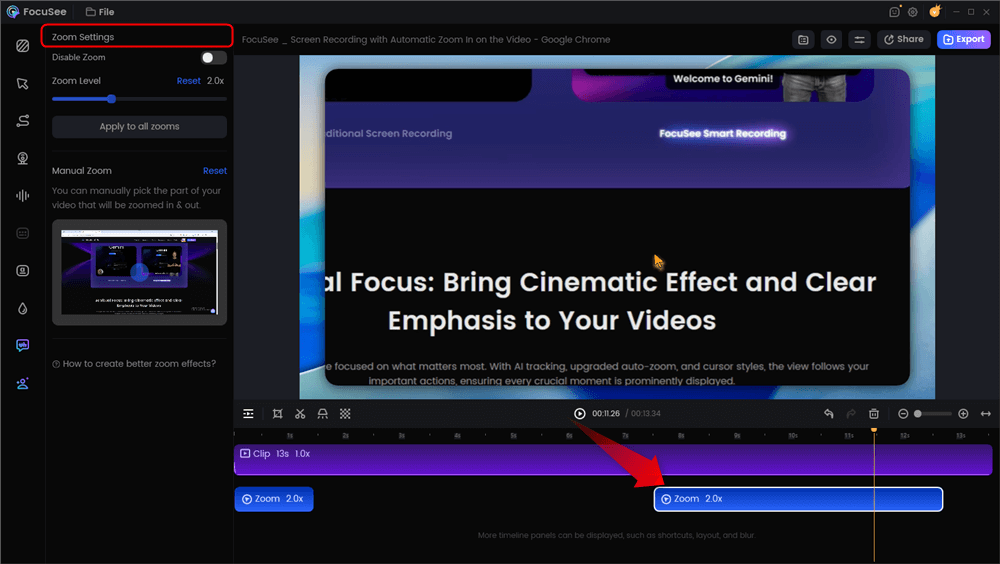
Automatic Zoom Effects
You record a workflow once naturally. The software processes it and creates a video that zooms into the specific checkbox or line of code you are discussing, then zooms back out for context. This preserves technical accuracy without requiring you to be a video editor.
Security: Visual Masking for Enterprise Data
Security is the primary objection when introducing self-serve demo automation for enterprise saas. When your product interface displays live data, customer names, or API credentials, a simple screen recording is a compliance risk.
Unlike HTML capture tools, where you might have to inspect code to change text, video automation handles this visually.
The Masking Workflow:
- Select the Area: In the editor, you draw a box over the sensitive column (e.g., “API Secret Key”).
- Apply Effect: Choose “Blur” or “Mosaic.”
- Tracking: The blur sticks to that coordinate relative to the screen, ensuring that even if you zoom in, the data remains redacted.
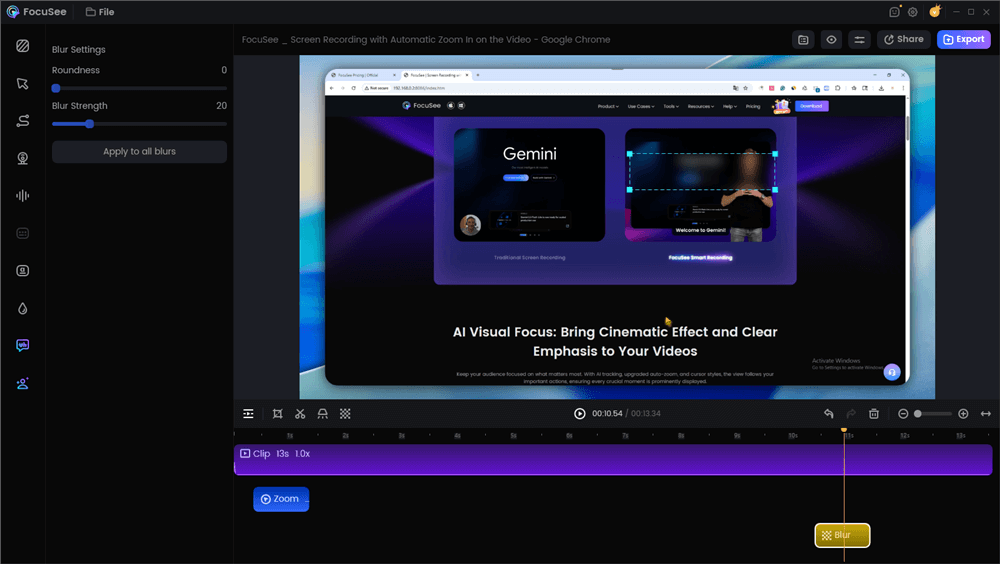
Blur Effect
Strategy: Designing Guided Tracks for Multi-Role Permissions
A common critique of video-based automation is the lack of interactivity compared to HTML tools. “How do I let the user choose their path?”
For complex SaaS, you do not want users clicking randomly in a sandbox; they will get lost. Instead, you should implement role-based demo personalization using a “Hub and Spoke” model.
The Landing Page Logic
Since video tools produce linear assets, you build the “branching” logic on your landing page or Knowledge Base, not inside the video itself.
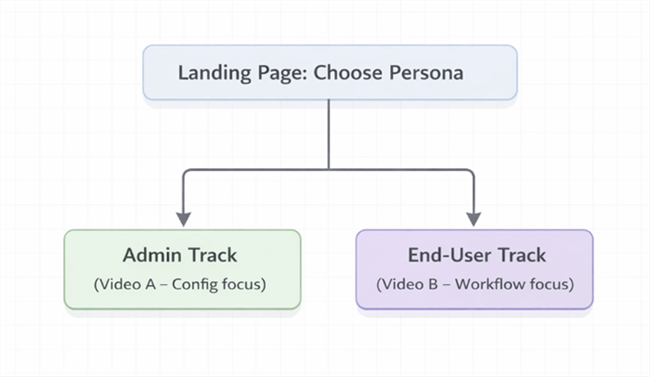
Landing Page: Choose Persona
The Structure:
- The Hub: A landing page asking, “What is your role?”
- The Spokes (The Videos):
- Button A (CTO): Loads the “High-Level Reporting & Security” video track.
- Button B (Admin): Loads the “Configuration & API Setup” video track.
This strategy was the turning point for Daniel. Initially, he worried that limiting the prospect’s freedom would hide the product’s power. However, he found that prospects were getting lost in technical configurations they didn’t understand. By strictly separating the Executive View from the Practitioner View, he ensured each persona saw only what mattered to them.
Integration and ROI: Where Does the Data Go?
As a Revenue Operations or SE lead, your next question is likely: “How do I track this?”
If you use a specialized HTML platform (Walnut/Navattic), analytics are built in. If you choose the video route (FocuSee) for better rendering of complex features, the integration strategy shifts slightly.
The “Gate and Sync” Workflow
Since the video output is a file (mp4) or a hosted link, you need to embed it where your CRM can see it.
- Hosting: Embed the FocuSee export into a trackable player like HubSpot Video (Vidyard) or Wistia.
- Gating: Place the video behind a “Soft Gate” (email required after 30 seconds) or within a tracked email sequence.
- CRM Sync:
- Metric: “Percentage Watched.”
- Action: If a prospect watches >75% of the “API Configuration” video, trigger a task in Salesforce for the Technical Account Manager to reach out with integration documentation.
Measuring Success (KPIs)
Success shouldn’t just be measured in views. Track these operational metrics:
- Reduction in Routine SE Hours: Daniel’s team reduced “Introductory” calls by 40%.
- Sales Cycle Velocity: Monitor the time from “Lead” to “Technical Validation.” Automation shortens this by allowing prospects to self-qualify.
- Ticket Deflection: If used for customer success, track how many “How-to” tickets drop after publishing these video assets.
Conclusion
The reliance on manual, repetitive demos for complex SaaS products is a recipe for team burnout. The problem isn’t the complexity of your product; it is the inefficiency of the delivery method.
To fix this, you must choose the right tool for your complexity level. If your app is lightweight, an HTML capture tool like Navattic is excellent. But if your application is data-heavy, visually complex, or prone to rendering issues, a video-first automation approach using tools like FocuSee is often the safer, more professional choice.
By creating high-fidelity, zoomed-in, and masked video assets, you solve the dual challenge of educating prospects thoroughly while protecting your engineering resources.
Do not let another qualified lead stall because your SE team is at capacity. Start by identifying your most repetitive “Feature 101” walkthrough, record it with proper emphasis on complex details, and let the asset do the teaching.
FAQ: Enterprise SaaS Demo Automation Questions
Should I use HTML Capture or Video for my complex SaaS?
If your SaaS relies on heavy data visualization (Canvas, WebGL), complex overlay menus, or legacy code, Video Automation is safer. It guarantees the user sees exactly what you recorded. HTML Capture can sometimes “break” or lag on complex DOM elements.
Can demo automation replace sales engineers for technical demos?
No. Automation replaces the repetitive, introductory demos. It allows Sales Engineers to focus on tailored, high-stakes technical validations and custom proof-of-concept work that requires human expertise.
How do I handle branching logic with video tools?
Video tools are linear. To create branching (e.g., “Click here for Admin view”), you should embed different video files on a landing page or use a video hosting platform (like Wistia) that supports “Choose your own adventure” links at the end of a video.
Is demo automation secure enough for enterprise SaaS products?
Yes, provided you utilize masking. Ensure your solution offers visual data masking (blur/mosaic) to redact PII and API keys during the recording process. Never rely on a “live” unmasked environment for public-facing assets.
How do I integrate these demos into Salesforce/HubSpot?
If using a video tool, host the video inside your Marketing Automation Platform (e.g., HubSpot Files/Vidyard). This allows you to track “view duration” and sync that activity directly to the Contact Record in your CRM.