5 Best AI Demo Video Generators for SaaS Growth

For growth teams, the backlog of unmade video assets is a constant source of anxiety. Whether you are launching a pivotal new feature or refreshing a stale landing page, the pressure to produce high-quality visual content is immense.
Leo, a typical growth marketer at a B2B SaaS startup, faces this bottleneck daily. He needs to showcase his product effectively, but manual editing is slow, and hiring external agencies drains the budget. He needs to find the 5 best AI demo video generator tools not just to adopt cool technology, but to survive in a fast-paced market.
The market is flooded with options that vary significantly in capability. Some promise magic but deliver hallucinations; others are solid but complex. This guide identifies the tools that actually solve the “time vs. quality” dilemma.
Quick Comparison: Manual Editing vs. AI Demo Video Tools
Before examining specific tools, we need to look at the return on investment (ROI) of switching from traditional workflows to automated solutions. For many marketing teams, manual editing acts as an expensive bottleneck. A standard 2-minute SaaS marketing video created in Adobe Premiere Pro or After Effects often requires 4 to 8 hours of work. This demands high technical skill in keyframing, audio mixing, and cursor animation.
In contrast, an AI-powered demo video generator reduces this production time to minutes. The core difference lies in automation. Where a human editor must manually zoom in on a button click, AI tools detect the cursor action and apply the zoom effect automatically.
ROI Analysis: Traditional Editing vs. AI Automation
| Feature | Manual Editing (Premiere/After Effects) | AI Demo Generators |
| Time per Minute of Video | 2–4 Hours | 10–15 Minutes |
| Skill Requirement | Professional / High Technical | Entry Level / Marketer |
| Maintenance | Re-record and re-edit entirely | Update specific clips instantly |
| Cost | High (Staff hours or Agency fees) | Low (Software subscription) |
| Updates | Slow and painful | Rapid and scalable |
For Leo, the shift to AI meant his team could ship demo videos faster, keep content up to date, and support both marketing and sales without adding headcount.
1. FocuSee (Best for High-Fidelity Screen Recordings)
Pricing: Free trial available; One-time purchase options and subscriptions starting ~$4.17/mo (varies by plan).
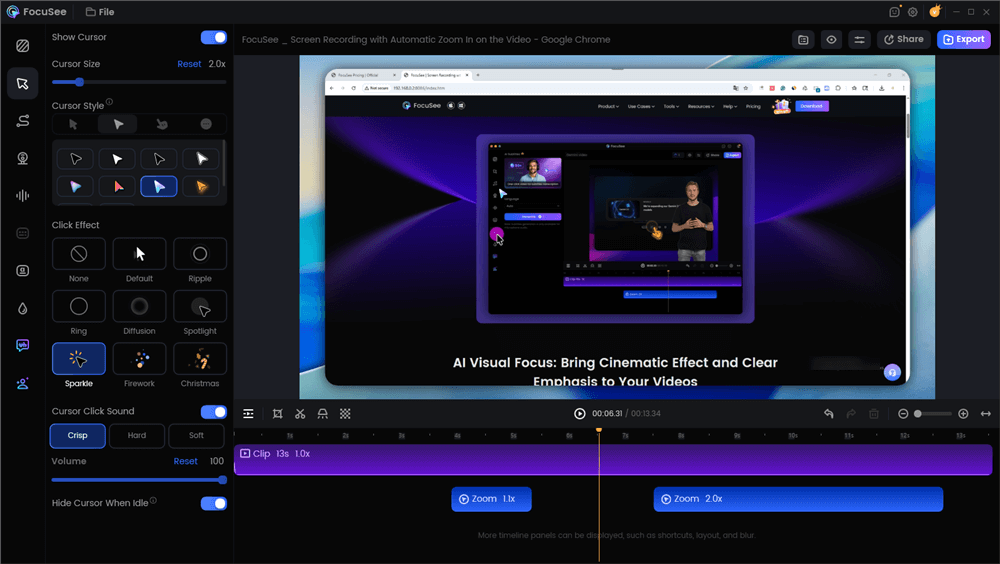
AI Demo Video Generators – FocuSee
FocuSee stands out as the top recommendation for SaaS specifically because it solves the “trust gap” in B2B marketing. The biggest mistake teams make when choosing an AI video tool is prioritizing text-to-video features over UI fidelity. For SaaS demos, buyers trust videos that are clearly grounded in real product interactions.
FocuSee addresses this by using a hybrid approach: it records your actual screen but uses AI to automate the post-production. It does not “generate” fake interfaces; it polishes real ones.
Key Features:
- Smart Focus & Auto-Zoom: The tool automatically tracks cursor movement and applies zooms. This ensures viewers focus on key actions without requiring manual keyframes.
- Real UI Fidelity: Unlike generative tools, this captures the exact software environment, ensuring the product demo video is accurate.
- Cinema-Quality Cursor: It adds tilt and perspective to create cinematic 3D motion that follows your cursor, generating dynamic camera-like movement automatically.
The Trade-off (Cons)
While FocuSee is excellent for rapid demos, it is not a replacement for After Effects. You sacrifice deep customization for speed. If you need complex motion graphics, particle effects, or highly specific branding guidelines that require pixel-perfect manipulation, you may find the templates restrictive.
2. Synthesia
Best for AI Avatars & Human Connection
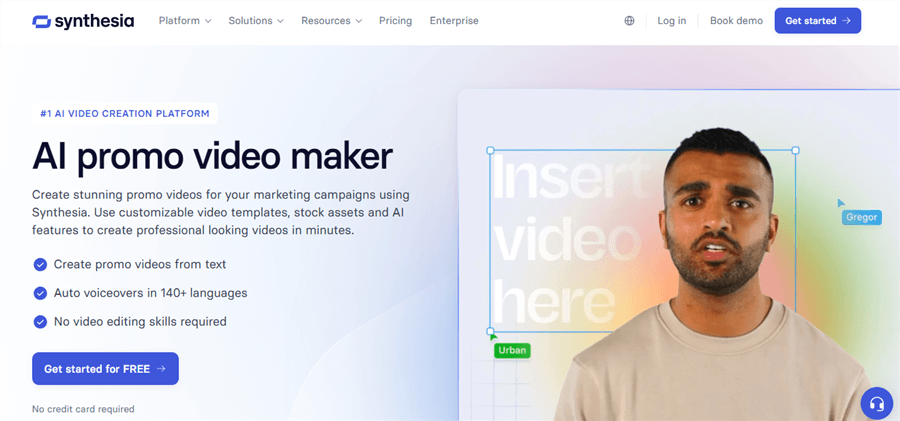
AI Demo Video Generators – – Synthesia
Pricing: Starts at ~$22/month.
If your goal is to add a human face to your content without hiring actors or setting up a studio, Synthesia is the market leader. It utilizes AI avatar presenter technology to create realistic “talking heads.”
Best Use Case: Onboarding & Explainer Videos
Synthesia is ideal for an onboarding video where a friendly guide helps users navigate complex concepts.
- Pros: Massive library of diverse avatars; supports 120+ languages; looks very polished.
- Cons: The avatars can still fall into the “Uncanny Valley” (looking slightly robotic) if looked at closely. It draws attention away from the UI, so it’s better for high-level intros than deep technical dives.
3. InVideo AI
Best for Text-to-Video Concepts
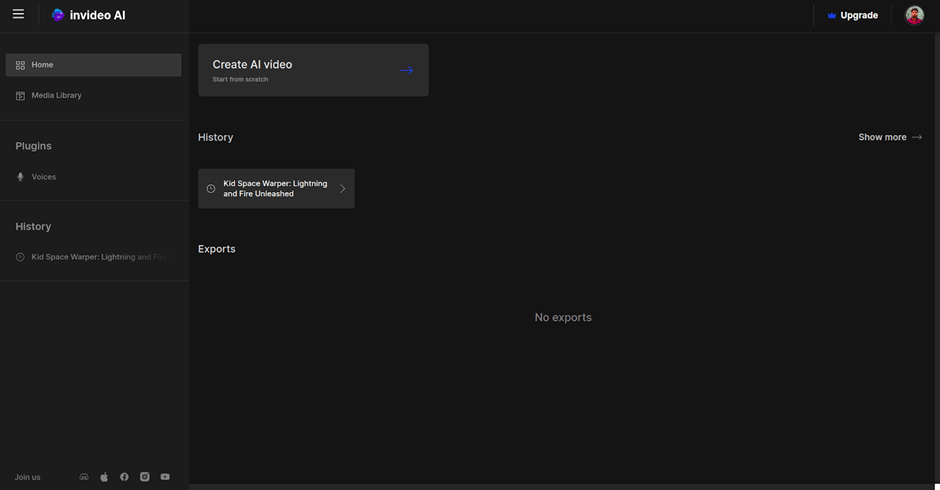
AI Demo Video Generators – InVideo AI
Pricing: Free plan with watermarks; Paid plans start ~$20/month.
InVideo AI allows you to generate videos from simple text prompts. You type a topic, and it scrapes the web for stock footage, writes a script, and assembles a video.
Best Use Case: Social Media Teasers & Hype Reels
Use this for high-level marketing concepts or social media content where you don’t need to show specific software workflows.
- Pros: Incredible speed; great for “conceptual” content; huge stock media library.
- Cons: It cannot accurately replicate your specific SaaS UI. Do not use this for a product tutorial—it will use generic stock footage of “people looking at computers” rather than your actual software.
4. Navattic
Best for Interactive HTML Demos
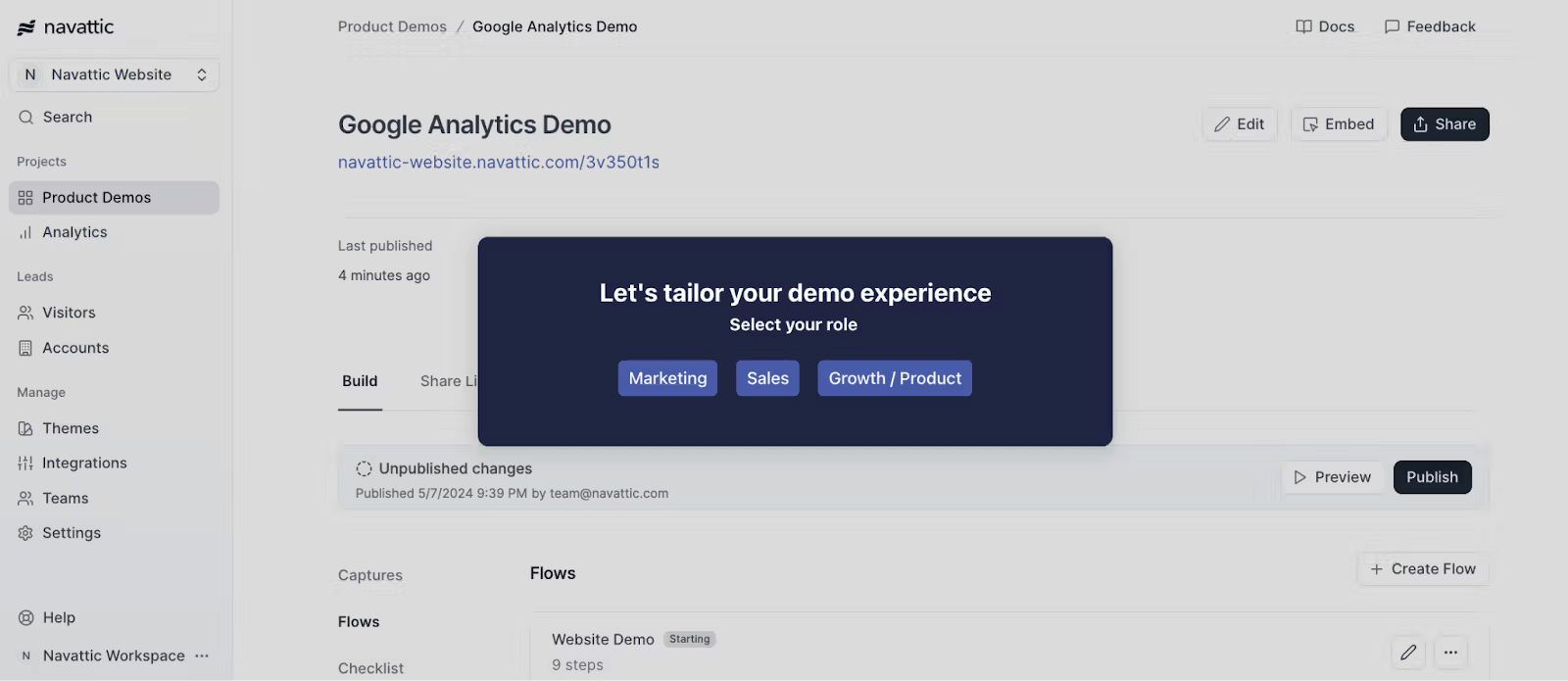
AI Demo Video Generators – Navattic
Pricing: Custom pricing (typically higher-tier B2B).
Navattic isn’t a traditional video generator; it is an HTML/DOM recorder. Instead of an MP4 file, it creates an interactive “sandbox” of your product.
Best Use Case: “Try Before You Buy”
This is perfect for embedding on your homepage to let users click through the product themselves without signing up.
- Pros: Extremely high engagement; users get “hands-on” feel; risk-free environment.
- Cons: It’s not a video file, so you can’t upload it to YouTube or LinkedIn. It lives on your website.
5. Descript
Best for Narrative Editing
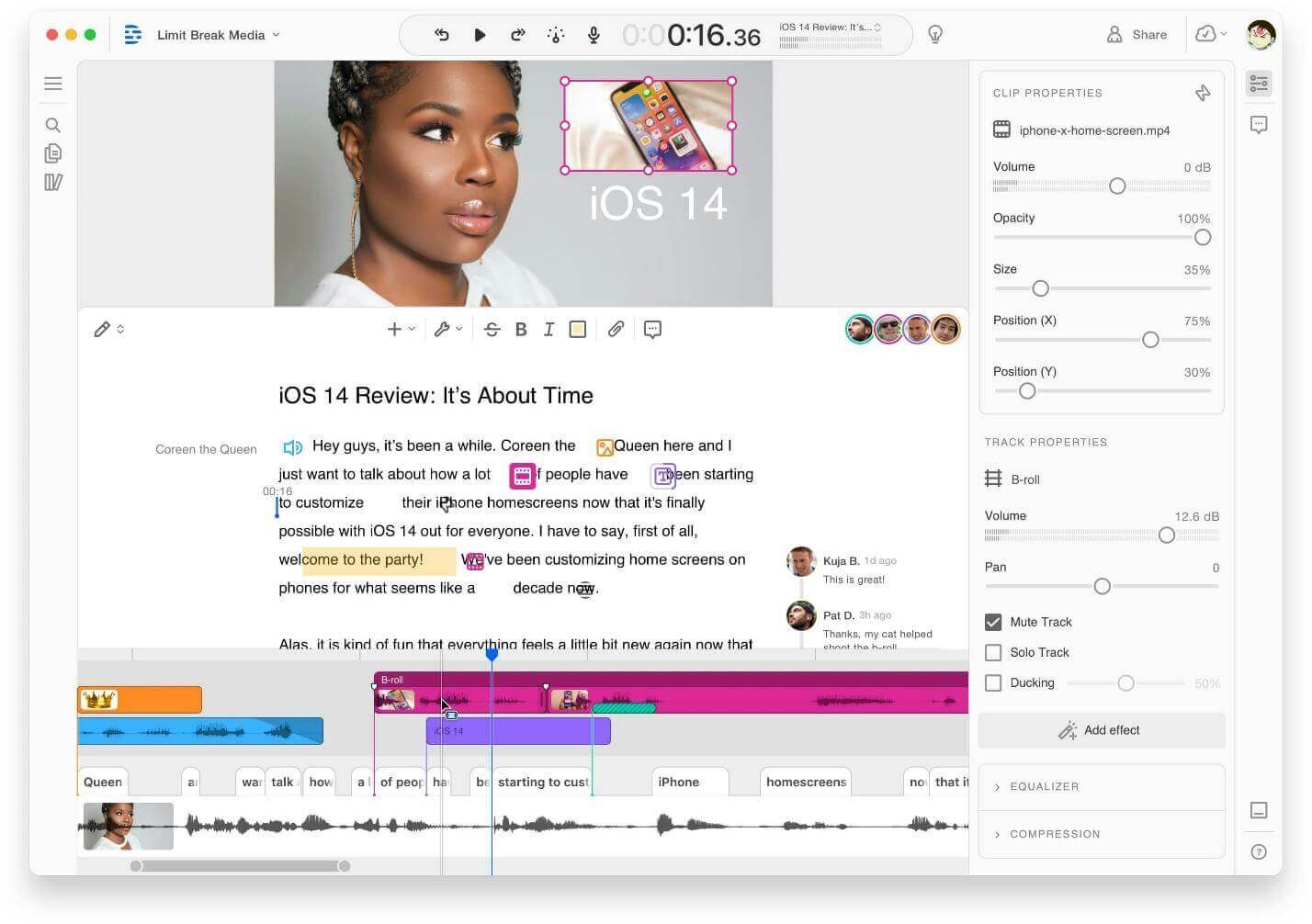
AI Demo Video Generators – Descript
Pricing: Free version available; Creator plans start ~$12/month.
Descript revolutionized video editing by allowing you to edit video by editing text. It transcribes your video, and if you delete a word in the text, it cuts that part of the video.
Best Use Case: Webinars & Long-Form Walkthroughs
If you record long demos and need to chop them up or fix voiceover mistakes, Descript is the standard.
- Pros: “Overdub” feature allows you to fix spoken mistakes by typing the new word; excellent filler word removal (ums/ahs).
- Cons: It is an editor, not an “auto-zoomer” like FocuSee. You still have to do some manual work to make the visuals pop.
Comparison Matrix: Finding Your Tool
| FocuSee | Synthesia | InVideo AI | Navattic | Descript | |
| Primary Category | Hybrid Screen Recorder | AI Avatar | Text-to-Video | Interactive DOM | AI Document Editor |
| Best For… | Product Demos & Tutorials | Welcome / Onboarding | Social Media / Hype | Website Embeds | Webinars / Podcasts |
| UI Fidelity | ⭐⭐⭐⭐⭐ (Real) | ⭐⭐ (Overlay only) | ⭐ (Generic Stock) | ⭐⭐⭐⭐⭐ (Interactive) | ⭐⭐⭐ (Real Video) |
| Pricing Model | One-time / Monthly | Monthly Subscription | Monthly Subscription | High-end B2B | Monthly Subscription |
Workflow: Creating a Professional SaaS Demo in Under an Hour
High-performing teams use AI to accelerate scripting, narration, and editing—but still anchor demos in authentic screen recordings to preserve credibility. Leo’s experience illustrates how this hybrid workflow functions in practice.
Here is the exact procedure to replicate his success using a tool like FocuSee:
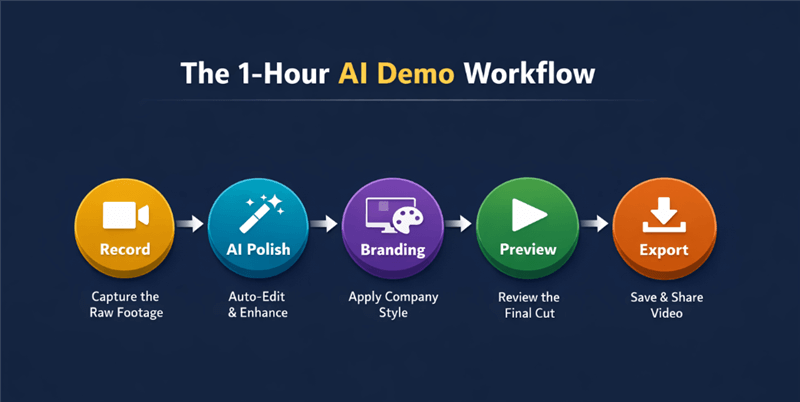
The 1-Hour AI Demo Workflow
Step 1: Record (The Raw Capture)
Leo navigates through the new feature exactly as a user would. He focuses on a smooth cursor flow but doesn’t worry about mistakes or pauses.
Pro Tip: Use the “Built-in Teleprompter Guidance” to display your script during recording to avoid mental blocks.
Step 2: AI Polish (Automated Editing)
Once the recording stops, the AI engine analyzes the footage.
- Auto-Zoom: It identifies cursor clicks and applies smooth zooms.
- Audio Clean-up: The AI Smart Cut feature scans the audio track and removes filler words like “um,” “uh,” and long pauses. This tightens the pacing without manual cutting.
Step 3: Branding (Visual Consistency)
Leo selects a pre-set template that applies the company’s brand colors to the mouse effects and adds a specific device frame (e.g., a MacBook bezel) around the video. He also uses Privacy Blur & Masking to hide sensitive data like email addresses or API keys visible on the screen.
By following this method, Leo converts a 10-minute raw recording into a 2-minute professional asset in under an hour.
Solving “Demo Decay”: Handling Updates and Localization
A common oversight in video strategy is failing to plan for “Demo Decay.” SaaS products evolve rapidly; a button moves, or a color scheme changes, rendering an expensive video obsolete.
Maintenance and Localization Features
- Template Reuse: Tools like FocuSee allow you to save recording and editing settings as templates. When a feature updates, you can record only the new interaction, and the AI instantly applies the same zoom levels and cursor effects.
- Automatic Subtitles & Speech Recognition: For global expansion, AI tools can transcribe audio and generate subtitles in 50+ languages with high accuracy.
- AI Voiceover Replacement: If the script changes slightly, AI voiceover features allow you to type the new text, and the system regenerates the narration, matching the tone and speed of the original video.
FAQ: Understanding AI Demo Video Generators
Which AI video generator is best for B2B Sales?
For B2B sales, clarity beats flashiness. FocuSee is generally best for sending quick, personalized walkthroughs to prospects. Synthesia is excellent if you want to send a “personable” welcome message without turning on your webcam.
Can AI generators completely replace human editors?
Not entirely. AI is excellent for “functional” editing—zooms, cuts, audio cleanup. However, for storytelling, complex emotional pacing, or highly stylized brand commercials, a human editor using tools like Premiere Pro is still superior.
Do I need a powerful computer to run these tools?
Most modern AI tools run in the cloud or are lightweight desktop apps. A standard business laptop (MacBook Air/Pro or Dell XPS) handles them easily.
Will text-to-video tools eventually work for SaaS demos?
Technology is improving, but for now, text-to-video tools struggle with specific UI details (like the exact font of your dashboard or the placement of your logo). Stick to screen recording tools for tutorials to maintain trust.
Conclusion: Regain Control of Your Video Strategy
The struggle to keep up with product launches and feature updates doesn’t have to paralyze your marketing efforts. Sticking to manual editing or relying on expensive agencies only deepens the backlog and drains your budget.
For teams that value authenticity and speed, FocuSee offers the most practical solution for product demos. It respects the reality of your product while automating the tedious parts of production. However, if your needs lean more towards “talking head” styles, Synthesia is a worthy addition to your stack, while Navattic solves the interactive puzzle.
You don’t need to be a video pro to produce professional assets; you just need the right tool.
Ready to cut your production time by 90%? Download FocuSee for free and create your first AI-polished demo video in minutes.