What is the Best Screen Studio Alternative for Product Demo Videos?

You can spend days perfecting a product demo, only to realize your screen recording tool is slowing everything down.
Screen Studio looks great, but it’s macOS-only, hard to scale across teams, and its cinematic auto-zoom often hurts clarity on SaaS landing pages. Most teams also end up stitching together extra tools just to handle captions, editing, and exports.
The result is simple: too much time spent on production, not enough focus on conversions.
This guide breaks down the best Screen Studio alternatives for product demos, so you can quickly find the right tool for landing pages, sales demos, and onboarding without wasting time on trial-and-error.
The Screen Studio Alternatives Comparison
A major pain point for product teams is that Screen Studio is macOS-only and optimized heavily for cinematic screen recording rather than full product demo workflows.
Modern SaaS teams need tools that balance speed, cross-platform support, AI automation, and demo use-case fit across landing pages, sales, and onboarding.
Below is a structured comparison of the best Screen Studio alternatives.
| Best Use Case | Operating System | Pricing Model | Export Time Cost | |
| Screen Studio | Cinematic Mac product videos | macOS only | ~$108/year | Low |
| FocuSee | SaaS demos & landing pages | Windows + macOS | ~$49/year ~$19.99/mo | Low (auto editing) |
| Loom | Async sales demos | Windows + macOS + Browser | Free / ~$12.50 per user | Very low (instant share) |
| Descript | Docs & onboarding videos | Windows + macOS + Browser | Free / ~$12 per user | Moderate |
| Arcade | Interactive product demos | Browser-based | Free / ~$32 per user | Moderate |
| Supademo | Lightweight walkthroughs | Browser-based | Free / paid plans | Low–Moderate |
| Matte | Cinematic launch videos | macOS | Paid license | Low–Moderate |
| Tella | Founder talking demos | Browser + macOS | Free / paid plans | Low |
7 Best Screen Studio Alternatives for Product Demos
If you’re searching for a Screen Studio alternative for product demos, the right choice depends on your workflow. Some tools focus on cinematic motion effects, while others prioritize async communication, interactive onboarding, or fast transcript editing.
Here are the best Screen Studio alternatives for SaaS product demos, tutorials, onboarding flows, and landing page videos in 2026.
FocuSee- Best for Automated SaaS Product Demos

Screen Studio Alternative for Demos – FocuSee
FocuSee is one of the closest alternatives to Screen Studio for teams that want polished product demos without spending hours editing timelines manually. Unlike Screen Studio, it supports both Windows and macOS, making it easier for cross-platform SaaS teams to standardize their demo workflow.
The software automatically adds zoom effects, cursor smoothing, background enhancement, AI subtitles, and smart motion tracking after recording. It is especially effective for landing page demos, feature launches, tutorial videos, and product walkthroughs.
Pros:
- Windows + macOS support
- Automatic zoom and cursor tracking
- AI captions in multiple languages
- AI noise removal and smart cut editing
- Faster workflow for non-editors
- Clean UI designed for product demos
Cons:
- Auto zoom may require manual adjustment on complex dashboards
- Cloud-based AI processing can slow large exports
- Less advanced manual timeline control than traditional editors
Best For:
- SaaS landing page demos
- Product marketing videos
- Tutorial creators
- Indie hackers and startup teams
- Cross-platform recording workflows
Platforms: Windows and macOS
Pricing: $4.17/month or $49/year
Loom- Best for Async Sales Demos
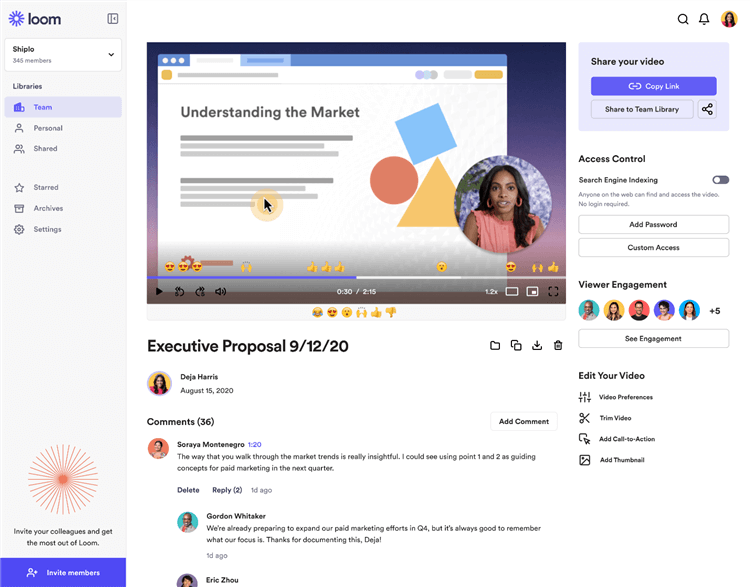
Screen Studio Alternative for Demos – Loom
Loom is ideal for fast internal communication and personalized sales walkthroughs. Instead of focusing on cinematic editing, Loom prioritizes speed: record, share, and send instantly.
It is widely used by sales, customer success, and remote teams for async communication.
Pros
- Extremely fast sharing workflow
- Browser-based recording
- Easy team collaboration
- Viewer analytics and comments
- Great for quick personalized demos
Cons
- Limited visual polish
- Minimal cinematic effects
- Not ideal for premium landing page videos
Best For
- Sales follow-ups
- Customer support
- Internal team communication
- Async product walkthroughs
Platforms: Windows, macOS, Browser extension
Pricing: Free tier available; Paid business plans
Descript – Best for Transcript-Based Editing
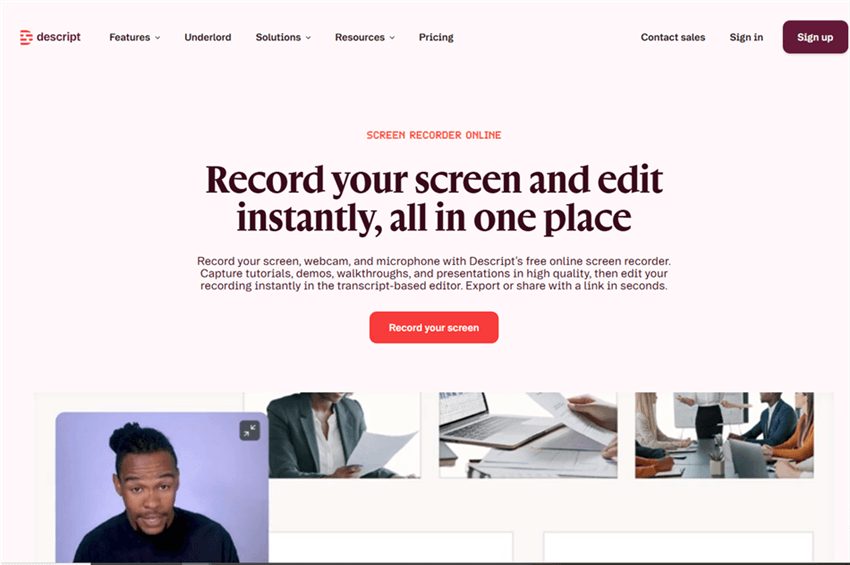
Screen Studio Alternative for Demos – Descript
Descript approaches video editing differently. Instead of editing on a timeline, you edit the transcript like a document. Delete text, and the corresponding video section disappears automatically. This makes it highly efficient for onboarding teams and educational content creators who frequently update product tutorials.
Pros
- Transcript-based editing
- Built-in screen recording
- AI voice cleanup
- Easy subtitle workflow
- Collaborative editing tools
Cons
- Less focused on cinematic screen motion
- Learning curve for advanced workflows
- Can become resource-heavy on large projects
Best For
- Documentation videos
- Tutorial libraries
- Customer onboarding
- Educational walkthroughs
Platforms: Windows, macOS and Browser
Arcade – Best for Interactive Product Demos
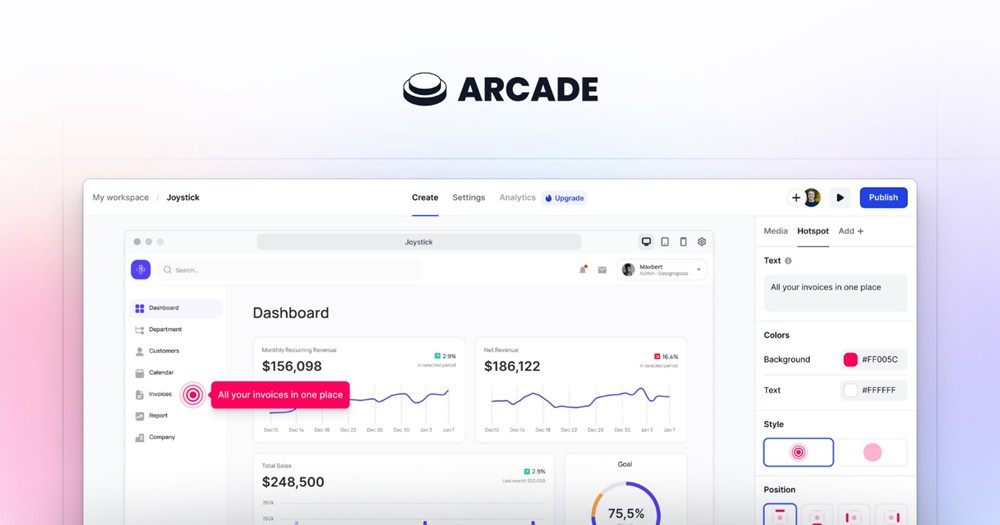
Screen Studio Alternative for Demos – Arcade
Arcade replaces passive video viewing with interactive click-through walkthroughs. Instead of watching a recording, users can actively explore the product step-by-step. For complex SaaS onboarding, interactive demos often outperform traditional videos because users control the pace themselves.
Pros
- Interactive walkthrough creation
- Clickable product tours
- Strong onboarding engagement
- Excellent for embedded website demos
- No video editing required
Cons
- Not designed for cinematic videos
- Less suitable for social content
- Setup takes more planning than recording tools
Best For
- SaaS onboarding
- Product education
- Interactive website demos
- Self-serve product tours
Platforms: Browser-based
Supademo – Best for Lightweight Interactive Walkthroughs
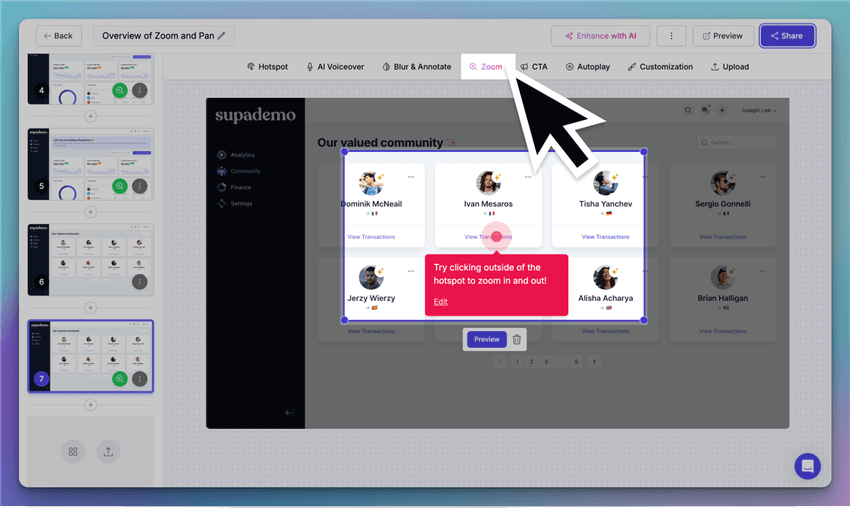
Best Screen Studio Alternative for Demos – Supademo
Supademo focuses on quickly building interactive product demos without heavy production work. Compared to Arcade, it is simpler and faster to deploy for startups and smaller teams. It works especially well for onboarding flows, feature announcements, and support documentation.
Pros
- Fast interactive demo creation
- Simple onboarding flow builder
- Easy sharing and embedding
- Lightweight setup process
Cons
- Fewer advanced customization options
- Less cinematic polish
- Not intended for video-heavy storytelling
Best For
- Product onboarding
- Help centers
- SaaS tutorials
- Startup teams
Platforms: Browser-based
Matte – Best for Cinematic SaaS Launch Videos
Matte focuses heavily on motion design aesthetics and premium visual presentation. It is commonly used for highly polished launch videos and social-first product marketing. Compared to Screen Studio, Matte emphasizes controlled motion and refined framing rather than aggressive automated zoom behavior.
Pros
- Beautiful cinematic motion effects
- Strong visual presentation
- Smooth transitions and framing
- Excellent for premium brand positioning
Cons
- Less optimized for onboarding workflows
- Smaller ecosystem and adoption
- Not focused on async collaboration
Best For
- Product launches
- Social media teasers
- Brand marketing videos
- High-end SaaS presentations
Platforms: macOS
Pricing: Paid software license
Tella – Best for Talking-Head Product Presentations
Screen Studio Alternative For Demo – Tella
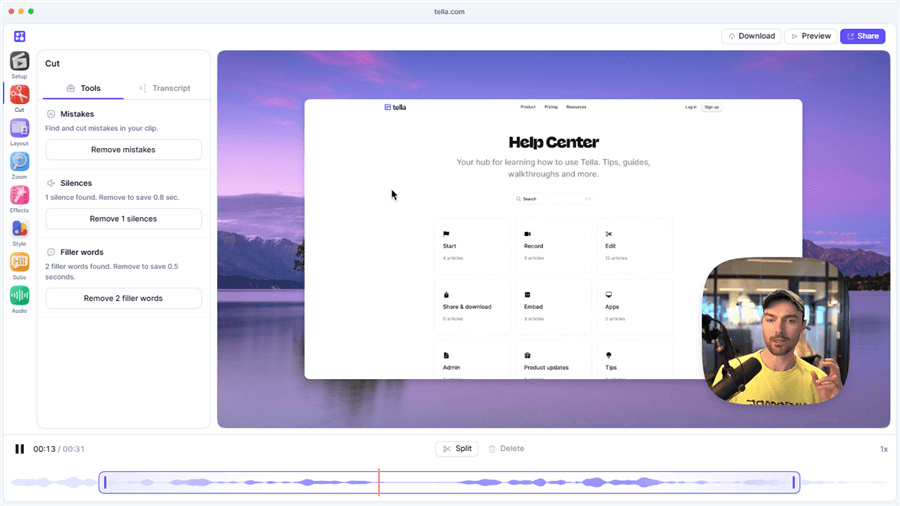
Tella combines screen recording with webcam-focused storytelling. It is designed for creators who want a more personal presentation style instead of purely UI-focused demos. This makes it useful for founder-led product announcements, course creation, and creator-style tutorials.
Pros
- Easy talking-head layouts
- Webcam and screen combinations
- Simple editing workflow
- Modern templates and branding
Cons
- Less advanced product demo automation
- Limited motion customization
- Not optimized for detailed SaaS UI walkthroughs
Best For
- Founder videos
- Course creators
- Creator-style demos
- Personal product presentations
Platforms: Browser-based, macOS
Beyond Visual Flair: The 3 Golden Rules of Conversion Optimization
As you construct your video strategy, it is crucial to understand the mechanics behind high-converting product demo software. Auto-zoom effects alone will not save a confusing UI. In fact, relying strictly on algorithm-driven emphasis can disorient your audience and tank your signup rates.
Expert industry insights—and competitors like Matte—argue that SaaS demos benefit from cleaner, controlled product framing instead of unpredictable movement. When a screen capture constantly zooms in and out without strategic purpose, it breaks the user’s spatial awareness.
To optimize conversions, apply these three core principles to whichever software you choose:
🛑 Golden Rule 1: Controlled Framing
Never let the software dictate your zoom. Ensure the main navigation menus of your SaaS dashboard remain visible in the frame so users understand their exact location within the software at all times. If a user feels lost in your UI during the video, they will assume the software is too hard to learn.
🛑 Golden Rule 2: Intentional Pacing
Fast cursors create anxious viewers. Insert brief, deliberate pauses after complex actions. Let the viewer read the visual feedback (like a “Success: File Uploaded” toast notification) for two full seconds before the cursor moves to the next task.
🛑 Golden Rule 3: Clear Proof Moments
Do not end the video on a settings menu. Explicitly highlight the final success state or output clearly before the landing page video finishes. Prove the software’s ultimate value visually before asking for the signup.
Frequently Asked Questions About SaaS Demo Software
What is the best alternative to Screen Studio for a mixed Mac and Windows team?
For seamless cross-platform support and high-quality motion effects that replicate Screen Studio’s style, FocuSee is highly recommended. It standardizes the production workflow across both operating systems.
Which tool is best for high-converting landing page videos?
FocuSee and Matte are ideal for Top-of-Funnel landing pages because they allow you to apply polished device frames and smooth cursors, giving your software a premium feel. Just remember to manually manage the zoom framing.
Should I use FocuSee, Loom, or Descript?
Use FocuSee for polished marketing assets and landing pages. Use Loom for fast, one-to-one Middle-of-Funnel sales messages. Choose Descript if your team is focused on Bottom-of-Funnel onboarding and prefers transcript-based editing for easy updates.
Why should I consider interactive platforms like Arcade over traditional video?
Interactive demos allow the prospect to click through the software at their own pace. If you are dealing with complex B2B software, giving the user control often results in higher retention and better trial signup rates than passive video viewing.
Final Verdict: Ready to Build a High-Converting Demo Engine?
Building a high-converting product demo engine requires more than making your cursor look pretty. By migrating to a robust, funnel-appropriate tool, you eliminate the frustrating bottleneck of Mac-only limitations, tedious manual timeline editing, and disconnected workflows.
When you stop fighting complex software just to generate basic captions or cross-platform exports, your team can finally focus on what matters: driving trial signups and improving customer onboarding. Assess where your biggest leaks are in your marketing funnel, choose the tool that fits that specific stage, and start building software walkthroughs that actively convert viewers into dedicated users.